Public Ticket #2687743

Conversations & Notifications

Closed
Comments
11 Tickets 5
Amelia started the conversation 6 years ago on February 10, 2021 at 5:53pm

We would like our sales manager to receive an e-mail when a customer submits a conversation or custom quote request (or show a message bubble on the conversations tab in Wordpress) but we can't seem to figure it out. It appears all e-mails are going to the admin e-mail and we can't change it within WooCommerce > Settings > E-mail. Any ideas how to change this?

2,762
KingsPlugins replied 6 years ago on February 11, 2021 at 1:11pm

Hi Amelia,

You could add the following code snippet to add another email other than admin for messages and quotes:

add_filter('b2bking_recipient_new_message_quote', 'change_recipient',10,2);
add_filter('b2bking_recipient_new_message', 'change_recipient',10,2);
function change_recipient($recipient, $conversation){
    $second_admin = '[email protected]';
    $recipient = $recipient.','.$second_admin;
    return $recipient;
}

Replace '[email protected]' with your email.

11 Tickets 5
Amelia replied 6 years ago on February 17, 2021 at 3:28pm

Is there a snippet I can add to this to receive notifications for new orders as well? Would that be something configured elsewhere in WooCommerce?

2,762
KingsPlugins replied 6 years ago on February 17, 2021 at 7:47pm

Is that the new order email received by the shop when a customer makes an order?

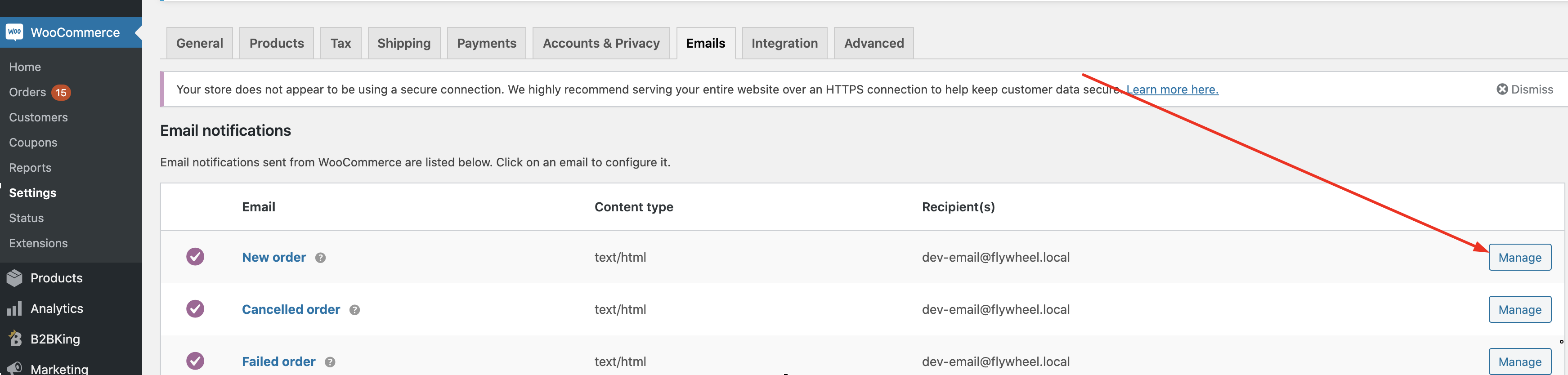
You can control recipients for that directly in WooCommerce->Settings->Emails:

Click manage:

4939238804.png

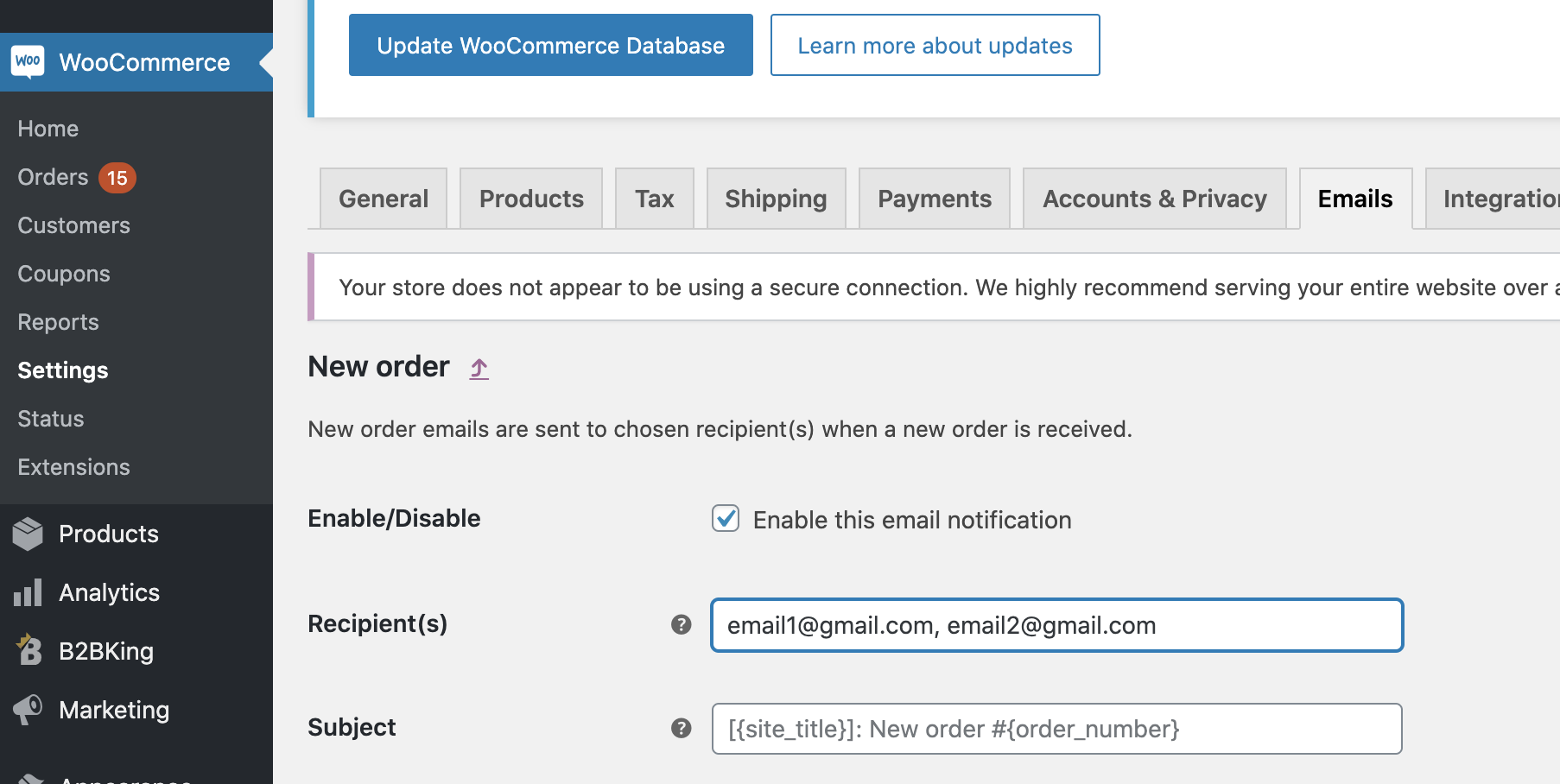
Add recipients:

7623076063.png


0 Tickets
Simon replied 3 years ago on September 7, 2023 at 8:47pm

Hi,

Would it be possible to have the email recipient depend on the customer requesting the quote?

For example, if using SalesKing as well, can we have the email go to the assigned salesperson for that customer?


thanks

2,762
KingsPlugins replied 3 years ago on September 9, 2023 at 10:59am

Hi Simon,

I believe we can help you achieve this by writing and sending you a custom code snippet,

For that, kindly please open a new separate ticket and provide us with your license details. 


We can then assist with writing a snippet that sends the new message / quote email to the sales person assigned to the customer.


Kind regards,

Stefan

Sign In