Public Ticket #2530914

Brazilian Market compatibility

Closed
Comments
2 Tickets
Fernando Felipetto started the conversation 6 years ago on September 7, 2020 at 7:39am

your plugin looks great, but little details are missing to make it 100% compatible with the Brazilian market. Here in Brazil, we need the Brazilian Market on WooCommerce plugin https://br.wordpress.org/plugins/woocommerce-extra-checkout-fields-for-brazil/ because the gateways and also logistics companies requires different informations.

For example, we have a separate field for the house or apartment number, which is registered by this plugin as billing_number and shipping_number.

There are some other custom fields indispensable for any Brazilian store, which can be checked in the documentation of the Brazilian Market on WooCommerce plugin, but if you just allow us to include custom mappings for the custom fields in "billing options", it has already solved our problem.

2,762
KingsPlugins replied 6 years ago on September 7, 2020 at 9:25am

Hi Fernando, 

We have many customers in Brazil and I'm familiar with that plugin by Claudio Sanches.

In the past we have addressed this through some custom code added to functions.php. This is for example for CPF and CNPJ

add_action('woocommerce_created_customer', 'b2bking_save_custom_cpf_cnpj_registration_fields');
function b2bking_save_custom_cpf_cnpj_registration_fields($user_id){
    $cnpj_value = sanitize_text_field(filter_input(INPUT_POST, 'b2bking_custom_field_759')); 
    $cpf_value = sanitize_text_field(filter_input(INPUT_POST, 'b2bking_custom_field_760')); 
    if ($cnpj_value !== NULL && !empty($cnpj_value)){
        // update meta data
        update_user_meta($user_id, 'billing_cnpj', $cnpj_value);
    }
    if ($cpf_value !== NULL && !empty($cpf_value)){
        // update meta data
        update_user_meta($user_id, 'billing_cpf', $cpf_value);
    }
}


Allowing a custom mapping for the billing connection field is a great idea and thank you for the suggestion. 

You are looking to allow users to register directly with these custom info, right? (I mean, is adding this to registration sufficient for your needs?)


Kind Regards,

Stefan


2 Tickets
Fernando Felipetto replied 6 years ago on September 8, 2020 at 2:55am

Yes Stefan, I need to capture the complete billing information at the time of registration, such as:

Neighborhood = billing_neighborhood
Number (house or apartment) = billing_number
State = billing_state

2,762
KingsPlugins replied 6 years ago on September 8, 2020 at 9:34am

Hi Fernando,

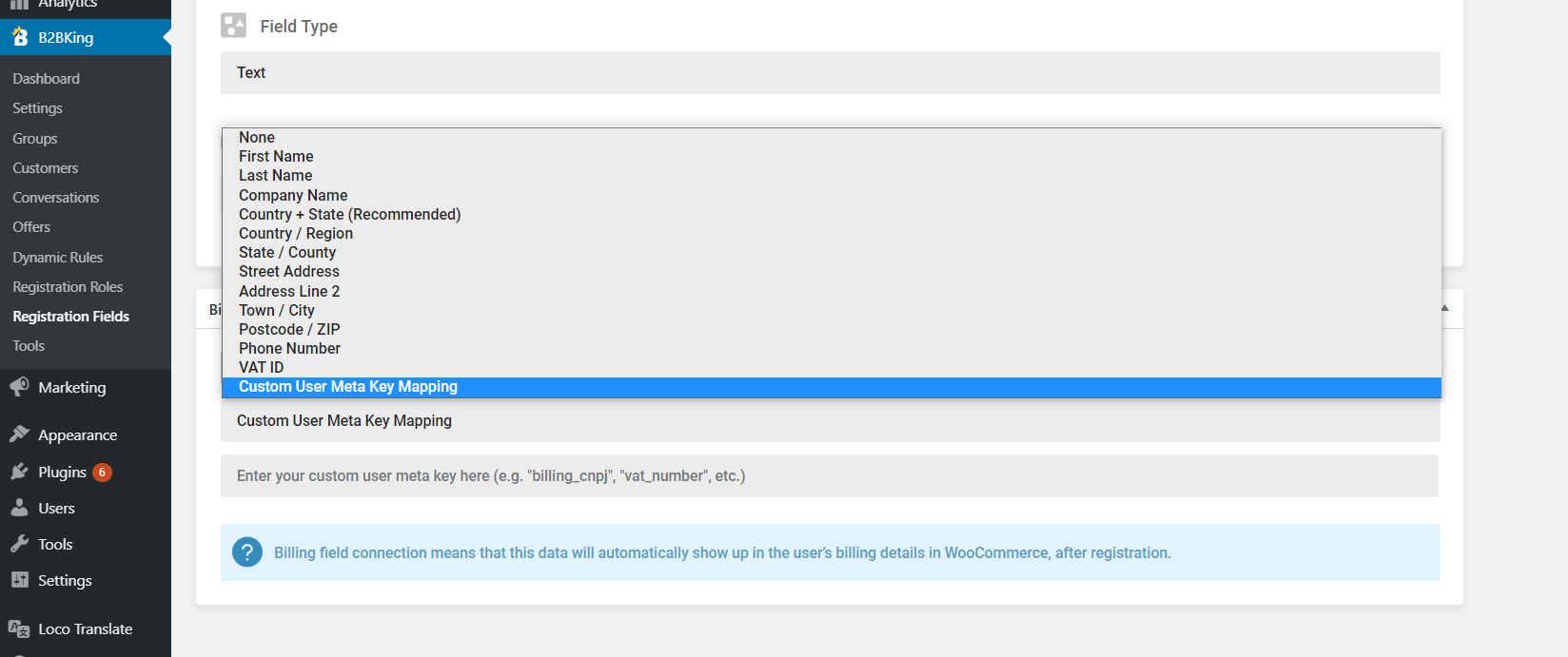
I have added this function in the beta for the next b2bking version release. There is now an option for custom key mapping in billing connection.

1147303306.png


It's not clear to me if you have purchased the plugin. If you have, please send me your purchase code and I will privately attach the beta with this function.


Kind Regards,

Stefan

2 Tickets
Fernando Felipetto replied 6 years ago on September 10, 2020 at 5:47am

the change worked, thank you!

however, the State field is not recording in the billing information. I had already tried the "country + state" connection and now I tried the personalized connection "billing_state" and even so when submitting the registration, the status field in the billing information is blank.

2 Tickets
Fernando Felipetto replied 6 years ago on September 10, 2020 at 8:36am

Buddy, after activating your plugin my site went crazy and the permanent links don't work or behave the wrong way.

Clicking on a product redirects to my account and clicking on a category gives a 404 error.

The site only returned to working properly when I checked this option http://prntscr.com/uertv1

2,762
KingsPlugins replied 6 years ago on September 10, 2020 at 8:42am

Hi,

I cannot seem to be able to replicate this. I have tested with the update I sent you.

Is this a new issue with the update I sent you?

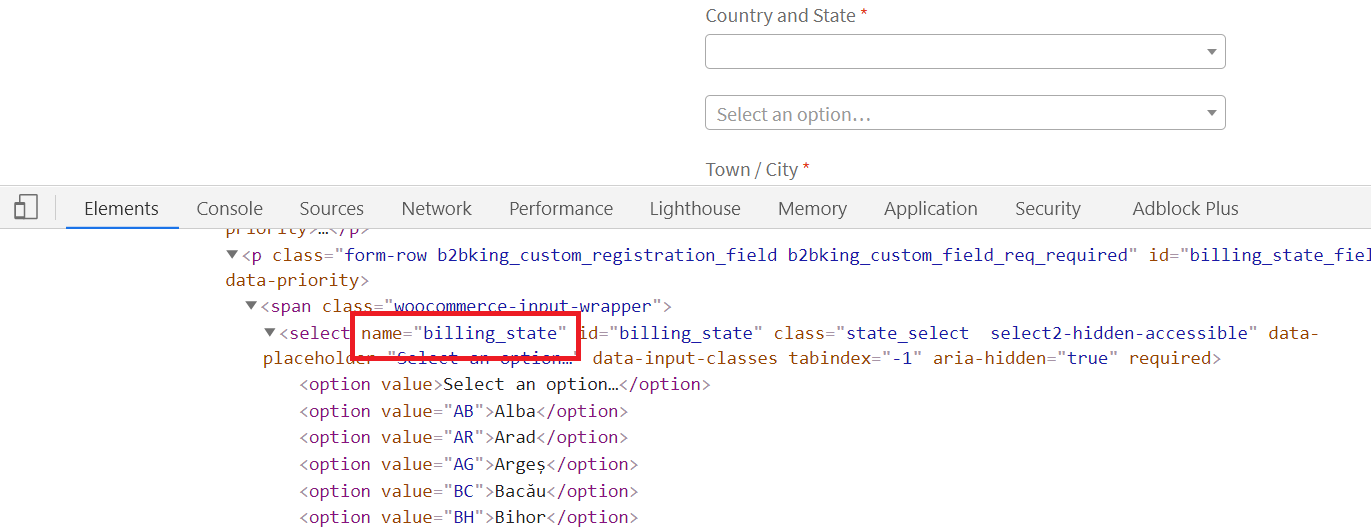
Can you check if the select html field has the name "billing_state" ?

3522707855.png

Could there be a conflict with something else in your site / another plugin / field collecting similar info?

- If you can replicate the issue in our demo at https://demo.b2bkingplugin.com please let me know the steps you took (I tried but I am not seeing this issue)

- If not, please consider sending us a temporary login to your site so we can investigate directly in your site.

Kind Regards,

Stefan

2,762
KingsPlugins replied 6 years ago on September 10, 2020 at 8:44am

There is a visibility feature inside the plugin. You must have deactivated the visibility switch. By default all products are visible to all users: https://prnt.sc/ues051 

If you disable that option, you need to go to each category or product and set visibility.

You can also set visibility in Bulk in B2BKing->Tools->Bulk

Sign In