Public Ticket #2630783

Registration Role Default Option

Closed
Comments
13 Tickets 13
Melina started the conversation 6 years ago on December 14, 2020 at 1:10am

With the Registration Roles dropdown on the front facing registration page, how can you set it so the first role is not selected by default? 

I need the customer to be forced choose their role and not have one as a default as they may not change it to the correct one.

2,762
KingsPlugins replied 6 years ago on December 14, 2020 at 12:54pm

Hello Melina,

I'm sorry for the late reply, I saw your question in the other ticket as well, but we were only now able to get to it. I will reply here and close the other ticket to keep things organized.

You could do that the following way:

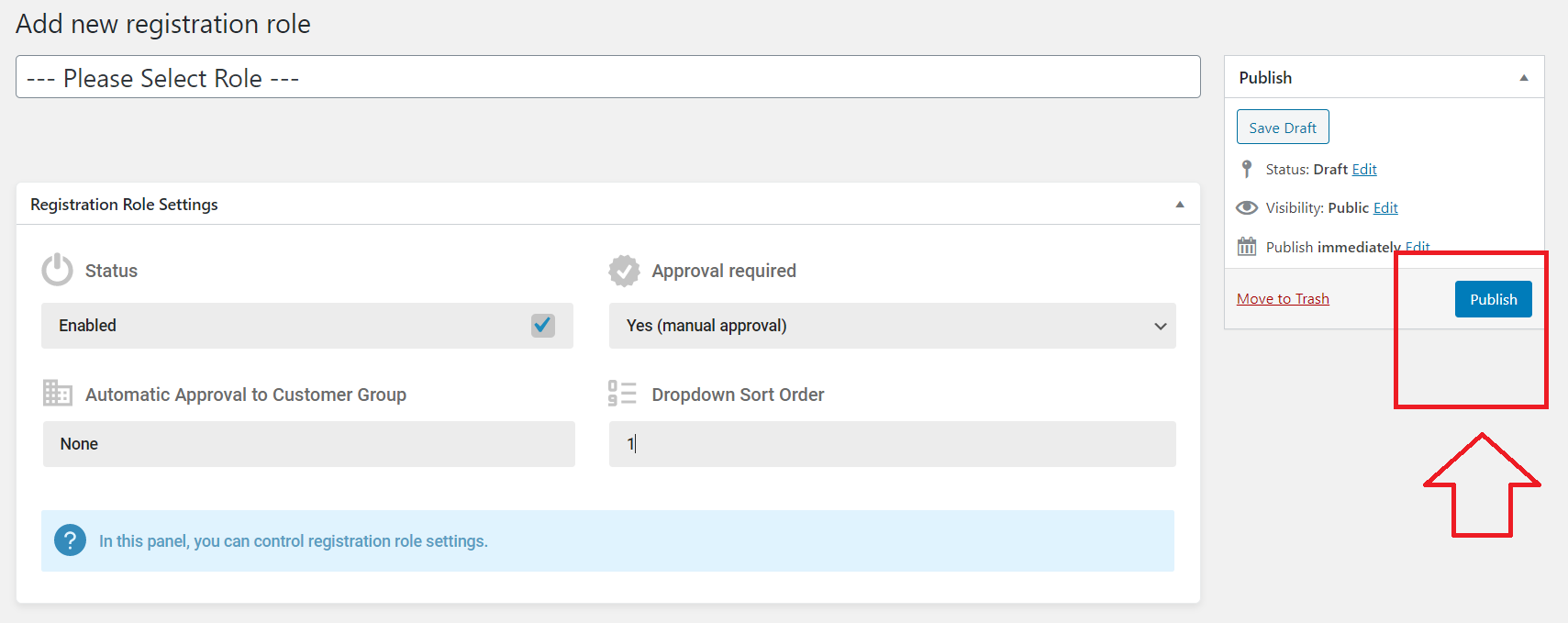
1) Go to B2BKing > Registration Roles > Click "Add New" at the top of the page, and create a new role, named something like "Please Select Role":

1563796676.png

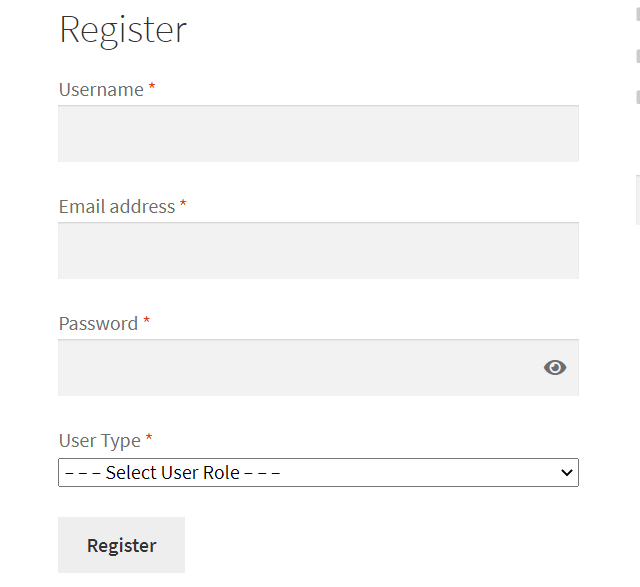
As a result, your registration form would look like this:

3204209239.png

2)

Click "Publish" to save the role and in the role page, the URL will be something like:

https://demo.b2bkingplugin.com/wp-admin/post.php?post=4225585&action=edit

Please write down the number. In this case it is 4225585

3)

Add the following JavaScript snippet to your site's frontend. You can use this plugin or any other snippets plugin to add it: https://wordpress.org/plugins/code-snippets/

In the snippet below, please replace 4225585 with the number you wrote down during step 2)

jQuery(document).ready(function(){
    jQuery(document).on('submit','form.woocommerce-form-register',function(e){
       // code
       let newRole = 'role_4225585';
       let selectedRole = jQuery('#b2bking_registration_roles_dropdown').val();
       if (selectedRole === newRole){
            e.preventDefault();
            alert('Please select a user role!');
       }
   });
});

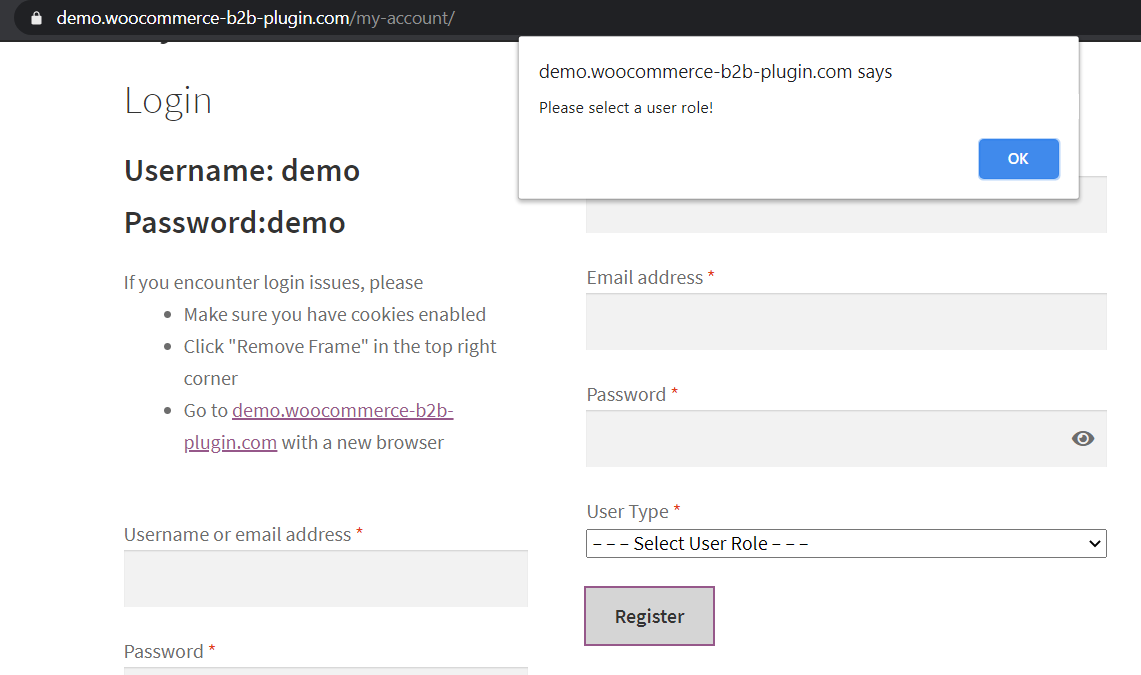
Users will not be able to register without selecting a role:

3545130293.png

Kind Regards,

Stefan

Sign In