 6 Tickets
7
6 Tickets
7
Is there a way I can add a VAT-field on the checkout page for non-logged-in customers as well?
 6 Tickets
7
6 Tickets
7
Is there a way I can add a VAT-field on the checkout page for non-logged-in customers as well?
 2,762
2,762
Hi Pieter,
Thank you for purchasing our plugin,
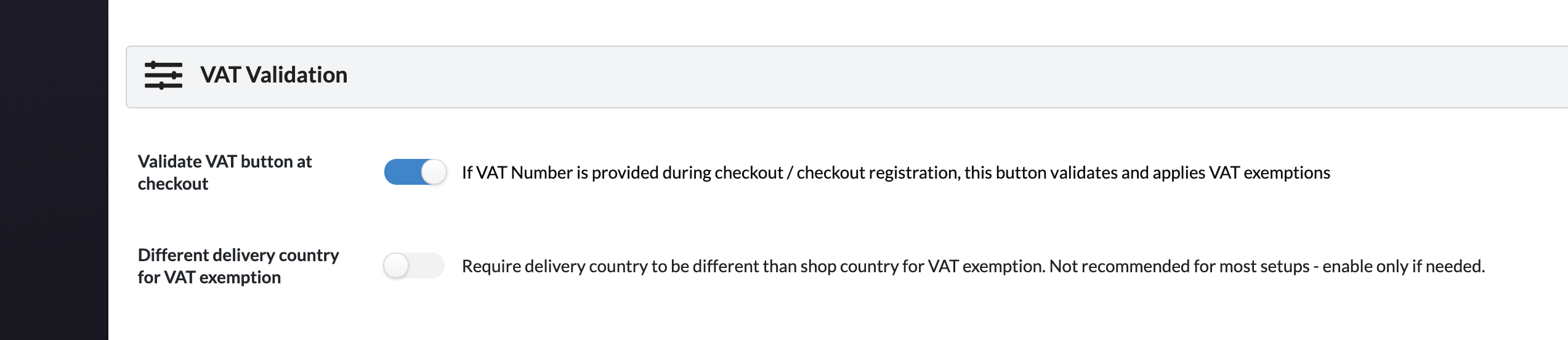
Yes, you can do this by enabling the following setting: B2BKing->Settings->Other->Validate VAT button at checkout
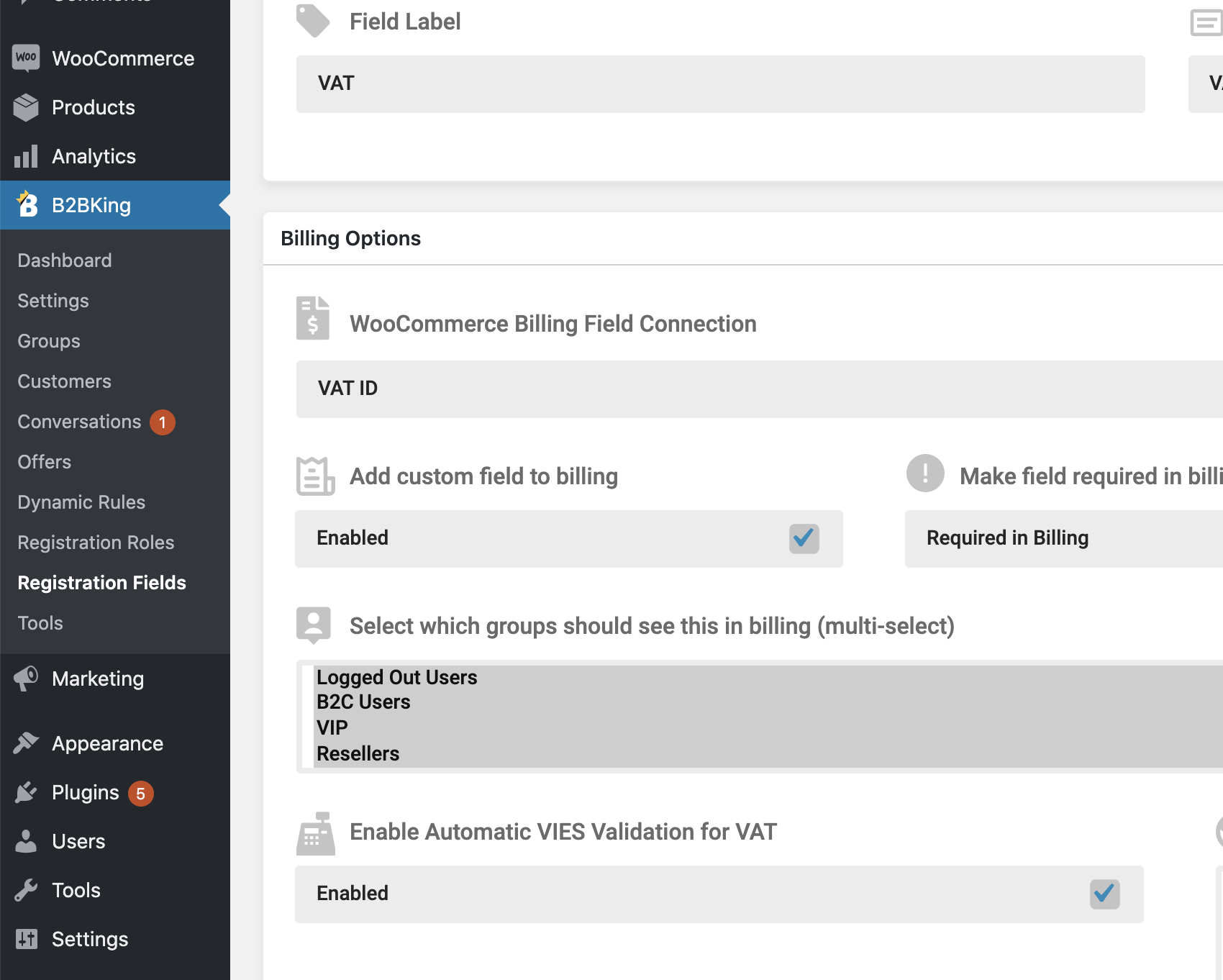
To get this to work, "Add custom field to billing" must be enabled in B2BKing->Registration Fields->VAT
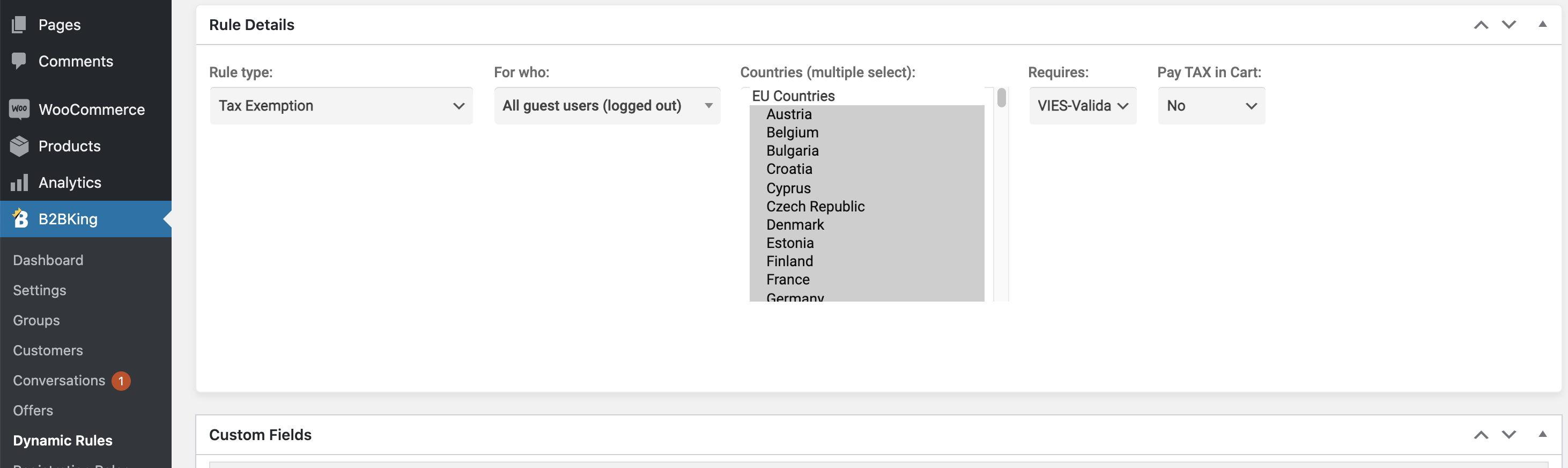
If you want to exempt users from tax based on this button, you must configure a tax exemption rule for Guests based on Validated VAT:
EFFECTS:
You should see the following result in checkout for guest users:
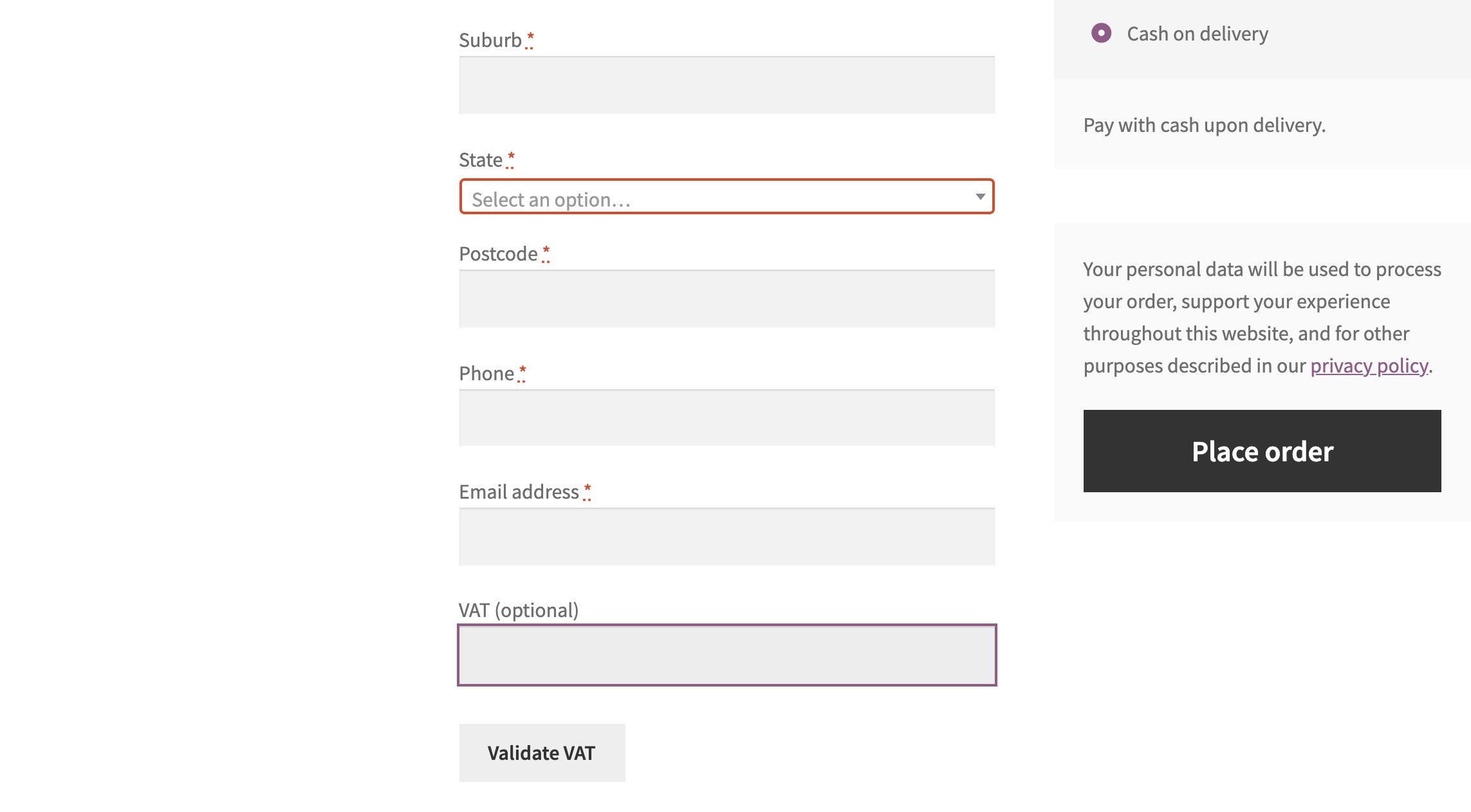
Please notice the "VALIDATE VAT" button there.
Once a VAT is entered and validated, the price would also update if there is an applicable vat exemption.
Kind Regards,
Stefan
6 Tickets
7
Hi Stefan,
I think I managed.
Thanks for clarification.
Regards,
Pieter
6 Tickets
7
Hi Stefan, this VAT field is showing well for B2B clients (https://prnt.sc/zukhvy), but for regular clients the label and the placeholder text is missing (https://prnt.sc/zukkqz). Any idea why that is and how we can solve it?
2,762
Hi Pieter,
Apologies for the slow follow-up on this, we are seeing a very high volume of tickets at the moment.
I've ran a quick test in my setup but I can't seem to replicate the problem.
Is it possible you didn't fill some option in the configuration of the field? Sort order in particular comes to mind as potentially causing that:
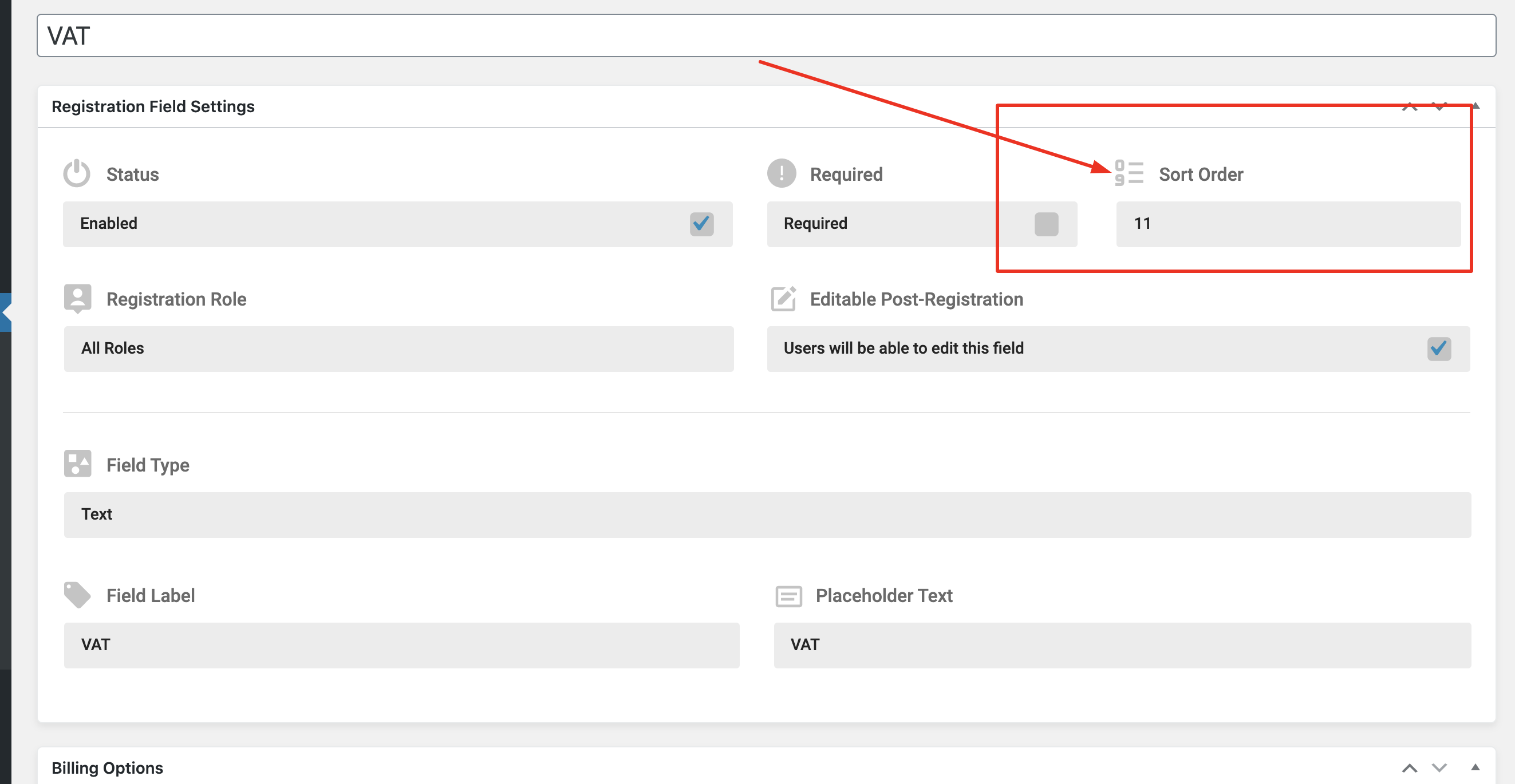
Or have you solved that in the meantime?
I checked your site and I can see the configuration look as follows right now:
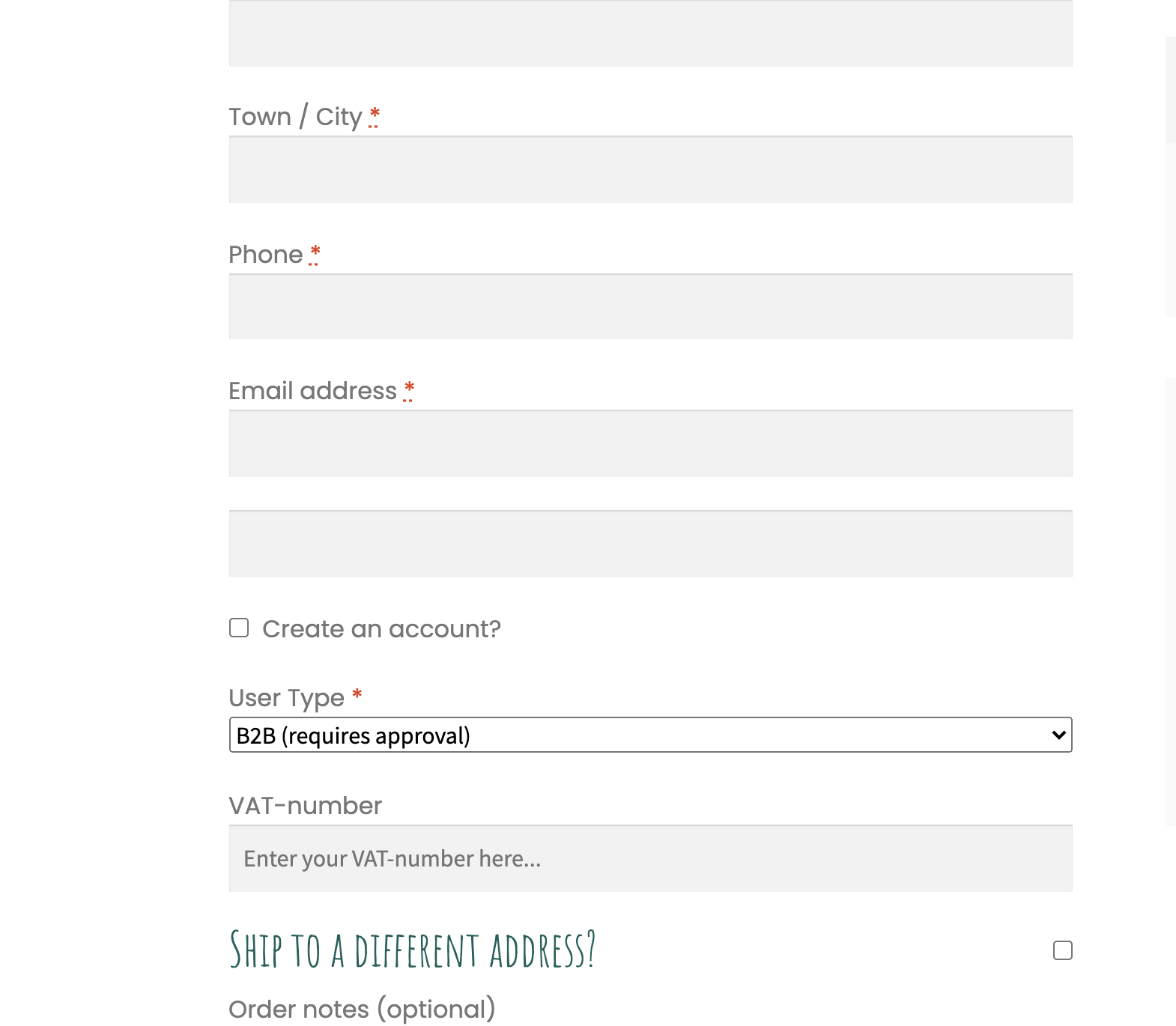
Kind regards,
Stefan
6 Tickets
7
Hi Stefan,
the order is not an issue. The field is there where it needs to be, only the label is missing for non logged in users: https://prnt.sc/105jtt4.
Regards,
Pieter
2,762
This message is private.
6 Tickets
7
This message is private.
2,762
This message is private.
2,762
- actually, one other option is to show the field twice in the checkout page
6 Tickets
7
Hi, so far, so good :)
Thanks for your help.