 1 Ticket
Hello,
please where and how can style my registration (b2b) form? I was able to install using your knowledge base documentation ans I have checked for same.
please advice.
thanks
 1 Ticket
Hello,
please where and how can style my registration (b2b) form? I was able to install using your knowledge base documentation ans I have checked for same.
please advice.
thanks
1 Ticket
I also noticed that it does not send confirmation mail to the person registered.
Please is this function?
thanks
1 Ticket
Hello,
Please I can't find seller area (sellers can register and be able to display & sell their products.
Have access to view orders from end customers or bulk buyers
thanks
1 Ticket
Hello, I purchased your product: -woocommerce-b2b-plugin. But seller portal is missing. I have checked your documentation for seller portal. I don't think it is included Here is the Item URL:
https://codecanyon.net/item/b2bking-the-ultimate-woocommerce-b2b-plugin/26689576
Item ID:
26689576
thanks
 2,762
2,762
Hi there,
Thank you for purchasing the plugin,
And our apologies for the delayed reply - we are seeing a very high volume of tickets at the moment.
1) Regarding a Sellers Area where sellers can register and sell their own products, this is not possible with B2BKing alone. What you are describing is a "MultiVendor Marketplace".
You can do this with:
B2BKing + Dokan MultiVendor MarketPlace Plugin + B2BKing for Dokan Addon
2) Regarding styling the registration form:
- This can be done only with custom CSS - our plugin does not have settings for styling the form.
3) Regarding registration confirmation emails:
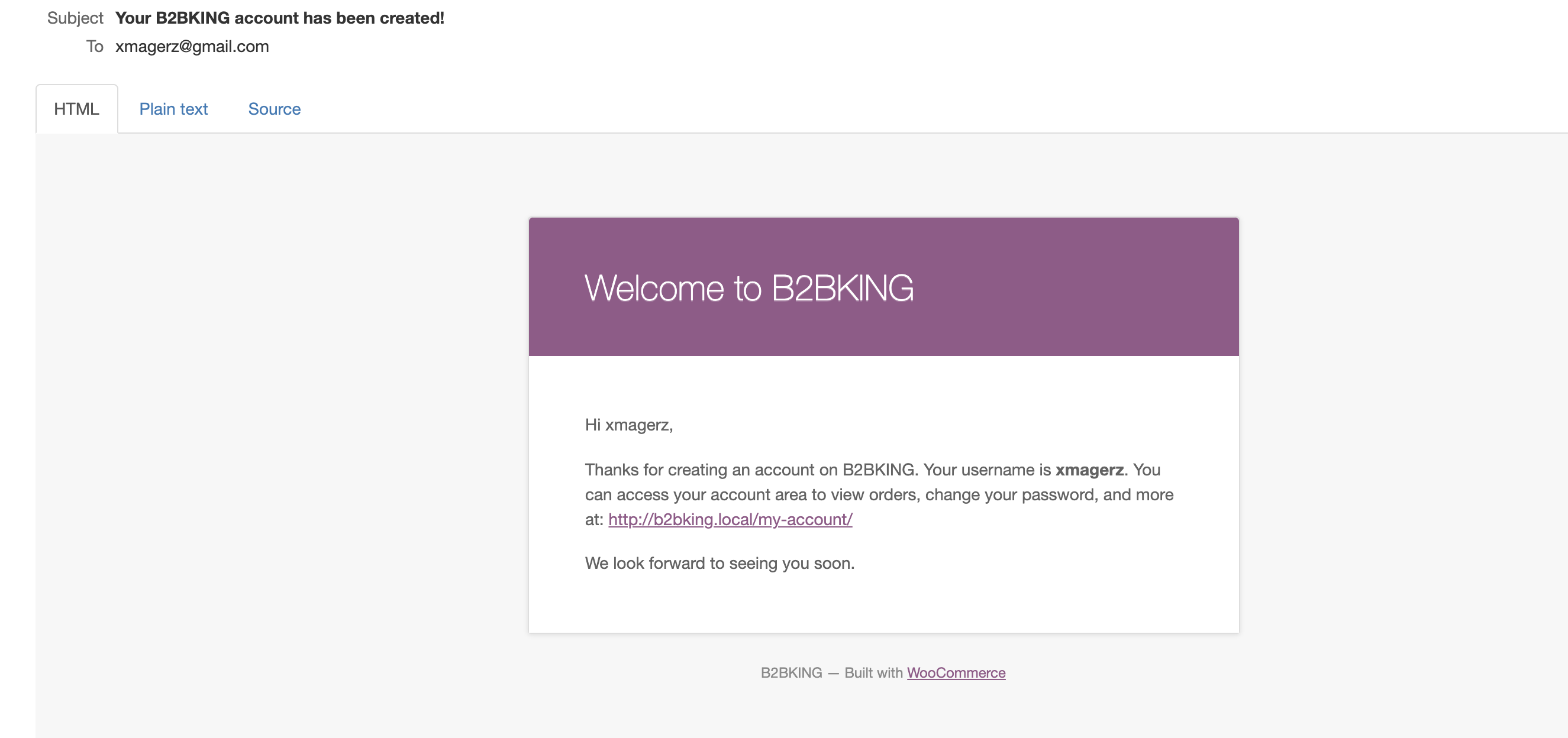
This part is handled by WooCommerce. And yes, you should receive an account confirmation email.
Please make sure the following setting is enabled:
In WooCommerce->Settings->Emails->the "New Account" email should be enabled.

The user should receive an email like this:
Kind Regards,
Stefan
1 Ticket
Hello,
Thanks for your reply. I have bought and installed the B2BKing for Dokan Addon it is still the same experience. Your product is not as said in your advert.
Please check and advice
1 Ticket
I purchased the below plugin but the VENDOR DASHBORD IS MISSING after installation.
I have installed B2BKing before installing your Dokan MultiVendor Marketplace (Add-on)
Now I could not get Dokan setting, I could not get dokan dashboard, I could not get vendor dashboard
Below are relevant information for purchased item.
Item Title: B2BKing: B2B and Wholesale for Dokan MultiVendor Marketplace (Add-on) Item
Purchase Code: 0418a3ae-b67d-48a8-9e99-6281f7213324
Please treat as urgent as possible. My client is at my throat.
1 Ticket
watch the video for my wordpress dashboard for the missing addon:
2,762
Hello,
Did you install the Dokan Multivendor Marketplace plugin ?
That will be the main driver of the marketplace functions.
These 3 plugins are needed:
If you did install Dokan, please give us more details about what exactly you are trying to achieve but are not able to. The seller portal and seller functions are generally handled by Dokan: https://wedevs.com/docs/dokan/all-vendors/
1 Ticket
If you did install Dokan, please give us more details about what exactly you are trying to achieve but are not able to
YES I DID INSTALL DOKAN ADDON
SEE THE VIDEO FOR CONFIRMATION: https://share.vidyard.com/watch/ATHRypY2YVYa3pWkKbZ5SU?
I WANT TO ACHIEVE MULTIVENDOR MARKET AS YOU SAID IN YOUR ADVERT.
2,762
Sorry, I think there is a miscommunication here. In your video I am not seeing Dokan installed, only our Dokan addon.
Is it possible to send me an admin-level login to your site?
I would be happy to set up everything correctly for you and set up the Vendor Dashboard page.
Thank you,
1 Ticket
This message is private.
2,762
This message is private.
1 Ticket
Thanks. So does this mean I can disable B2BKing? Or they both work together?
thanks
2,762
Glad to help.
They both work together, so you cannot disable B2BKing.
1 Ticket
Where can I setup registration form in Dokan? Or my normal b2bking form will work for it?
2,762
Hi,
Our plugins automatically integrate with the Dokan registration.
I checked your site:
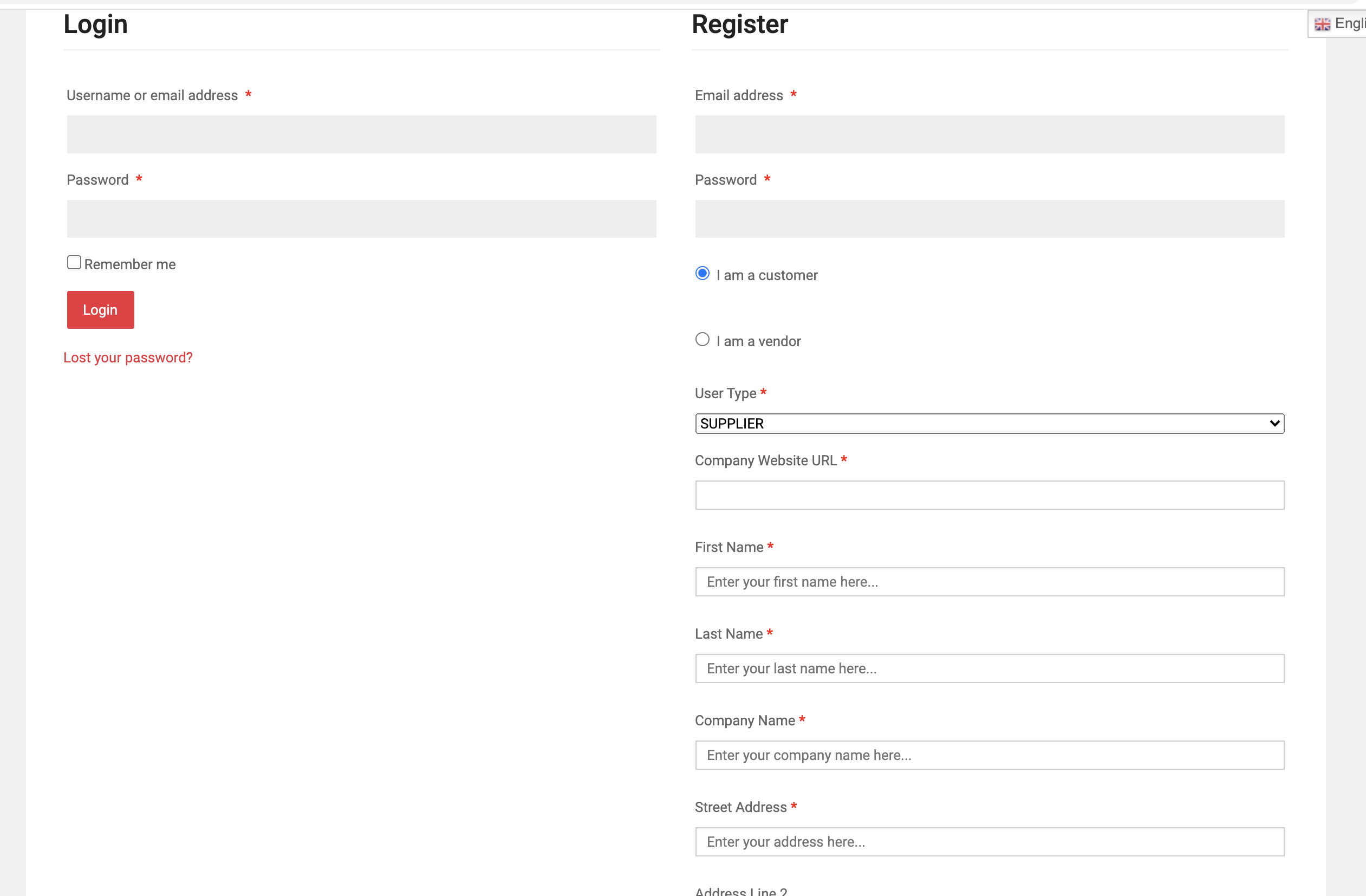
You can see that the user has the option to choose "vendor", or they have the option to choose "customer".
If they choose customer, they can choose the user type and all B2B options that B2BKing adds.