Public Ticket #2701401

Add custom information table to product page

Closed
Comments
34 Tickets 32
Emile Jansen started the conversation 6 years ago on February 24, 2021 at 1:30pm

Hi, 

I'm using the theme Uncode. I use Content Blocks/WPBakery Page Builder to layout my product page. 

The standard Woocommerce elements such as Product title, price, description, attributes are defined and can be loaded in the page (So I can create a custom layout) Are there perhaps shortcodes to address B2BKing's extra elements so I can add them to the product page? 

I've added a custom information tablet to a product and would like to show this information on the product page. But how? Hope you can help.

2,762
KingsPlugins replied 6 years ago on February 25, 2021 at 12:21am

Hi there,

Thank you for purchasing our plugin,


I apologize, I am not super familiar with this kind of setup. Is this functionality specific to Uncode? Because I think regular Guternberg blocks don't have options such as Product Title / Price, etc. 


Is there the possibility to run an action hook such as "do_action('hook_here');" ? That could probably work.

Or only shortcodes? Are there any other options available? A screenshot may perhaps help.


Kind regards,

Stefan

34 Tickets 32
Emile Jansen replied 6 years ago on February 26, 2021 at 11:49am

Hi 

I got this back from the theme builder.

Well maybe is not compatible with the WPBakery page builder, however, the "do action" works out of the box, check here: https://undsgn.d.pr/QBuFFn and here is the hook where I registered: https://undsgn.d.pr/qCCDYV and in the page builder: https://undsgn.d.pr/pLs40Y so it prints out. So this is not an issue. 

Now, do perform this test:
1. Navigate to Appearance->Themes and activate the default twenty twenty theme
2. Navigate to Plugins and disable the Uncode WPBakery page builder plugin.
3. Test the product you wish and see if the B2BKing prints out something.

I did this test and I didn't see anything I added via B2Bking's "custom information tablet"

Is this the plugin you installed: https://codecanyon.net/item/b2bking-the-ultimate-woocommerce-b2b-plugin/26689576 ? If yes, then please ask the plugin author if it provides a shortcode, hook, anything that can be used with the Page builder (Do action) absolutely for sure they can help!

So Maybe you can take a look at this?

Kind regards

Emile

2,762
KingsPlugins replied 6 years ago on March 1, 2021 at 8:54pm

Hi,

This looks very promising.


1)

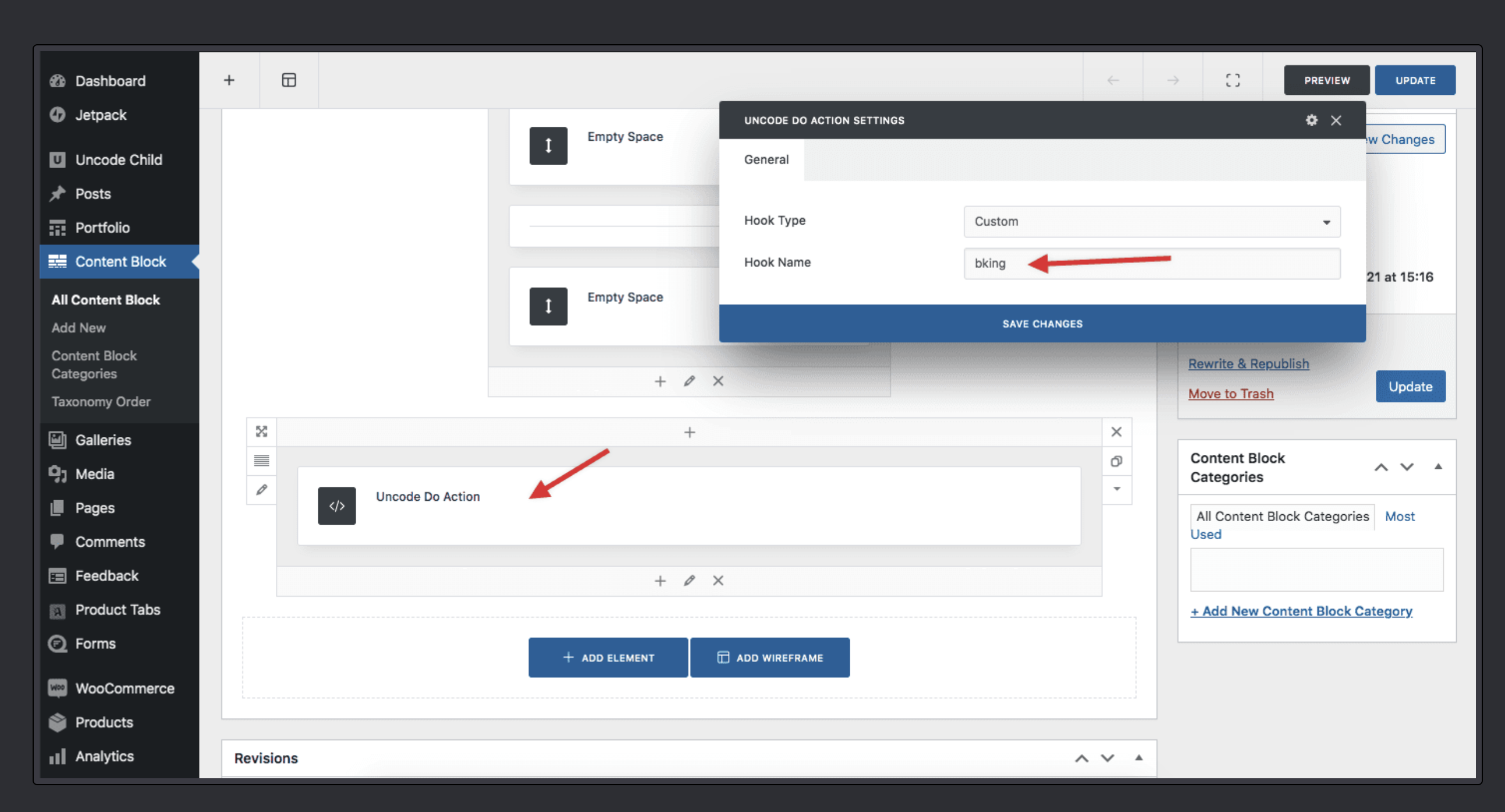
The hook our plugin adds the table to is "woocommerce_after_add_to_cart_button".

In the below image please add that under "Hook Name" instead of 'bking'.

5608911109.png


2)

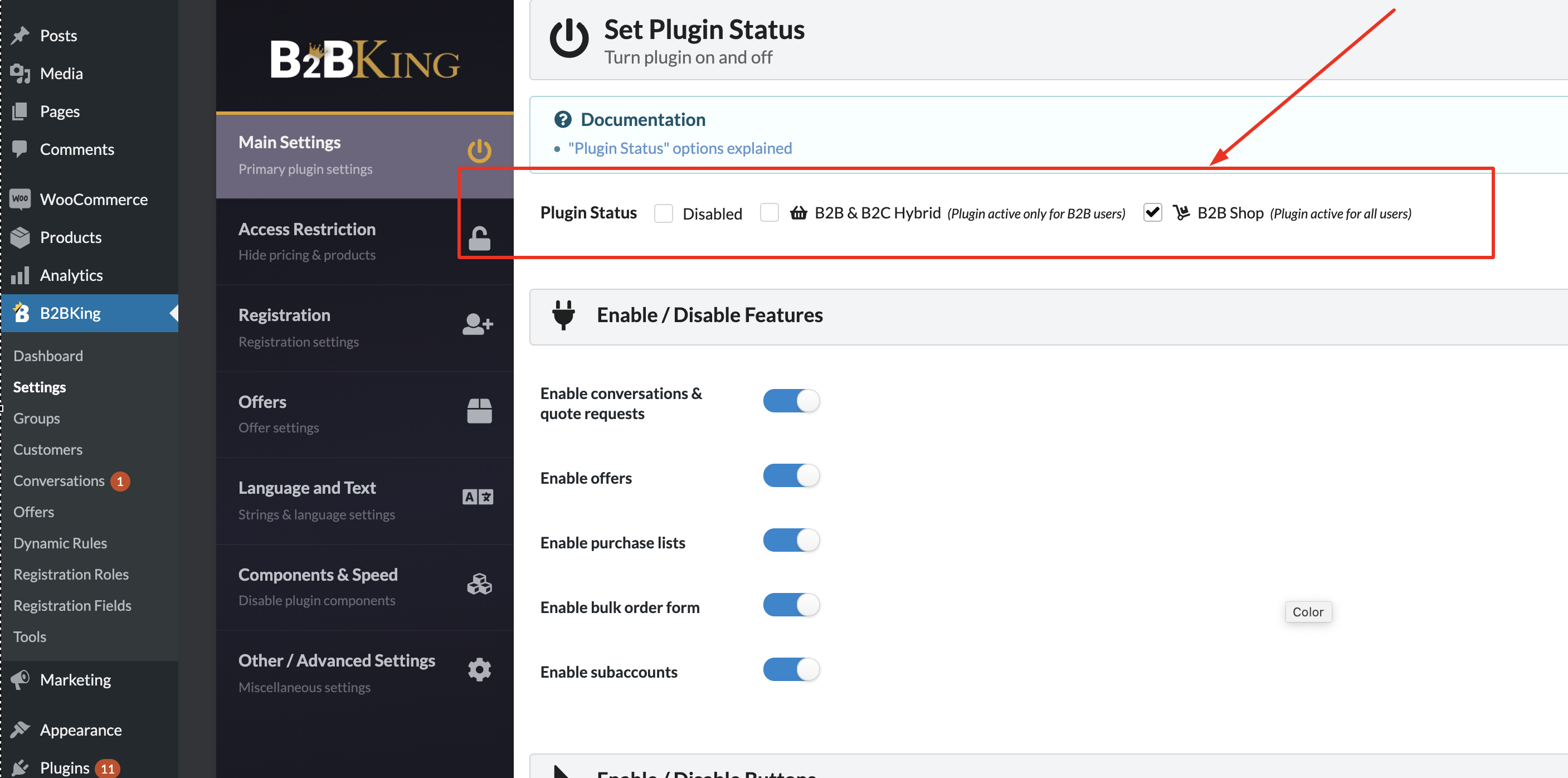
In B2BKing->Settings->Main Settings please make sure the plugin is not disabled:

7544228116.png


3)

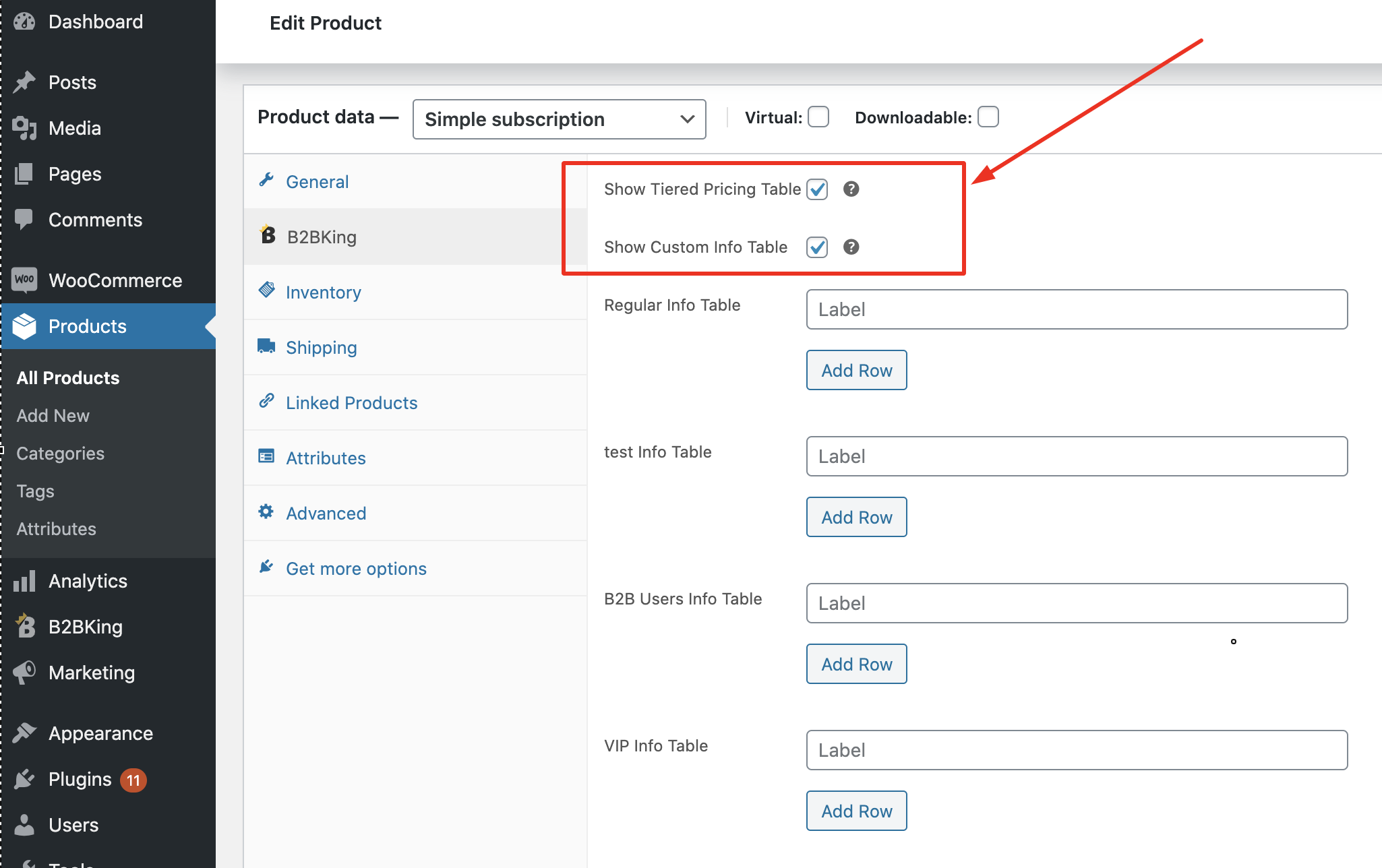
In the Product page, make sure the checkboxes for the tables are checked:

1240229837.png


If you can't get it to work, please provide us with a temporary login to the site and we'd be happy to check everything directly.


Kind regards,

Stefan


34 Tickets 32
Emile Jansen replied 6 years ago on March 2, 2021 at 8:16am

Hi, 

It works! 

But it shows the information twice. see screenshots attached.

If I delete the "do action" it is also shown. So it basically works without the "do action". Which is good, but..

Would it be possible to only show the information table with the "do action"? so I have controle of the position of the table on the product page. Or position the B2Bking not" after add to cart" but "after content".  Would that be possible?

A little background information:
I want to use it as an extra information element and replace the current blue block. Client is going to import products via CSV file; It would be more manageable if the CSV file doesn't include styling as the blue block is now created with the page builder in the content area, not ideal. I would like to style the B2Bking information table with in the website, so client only needs to fill in the B2B king fields.

Hope you can help with this.

Product page:
https://nlgene-santhoven.savviihq.com/product/paracetamol-smelt-tablet-500-mg/

34 Tickets 32
Emile Jansen replied 6 years ago on March 4, 2021 at 7:58am

Yes, that's perfect. 

Thanks!

I presume when the plugin has an update the change you made to the plugin still remains?


Sign In