 7 Tickets
7
7 Tickets
7
Hi
We want to know how can make a reduced form for the b2b users in the moment of register and a complete form later (in "my area section" or when the user needs to buy something).
Thanks
 7 Tickets
7
7 Tickets
7
Hi
We want to know how can make a reduced form for the b2b users in the moment of register and a complete form later (in "my area section" or when the user needs to buy something).
Thanks
 2,762
2,762
Hi Ivan,
Thank you for purchasing the plugin,
Perhaps one way to set up things would be the following:
- Make fields optional during registration by not enabling "required":

- Make fields required in billing
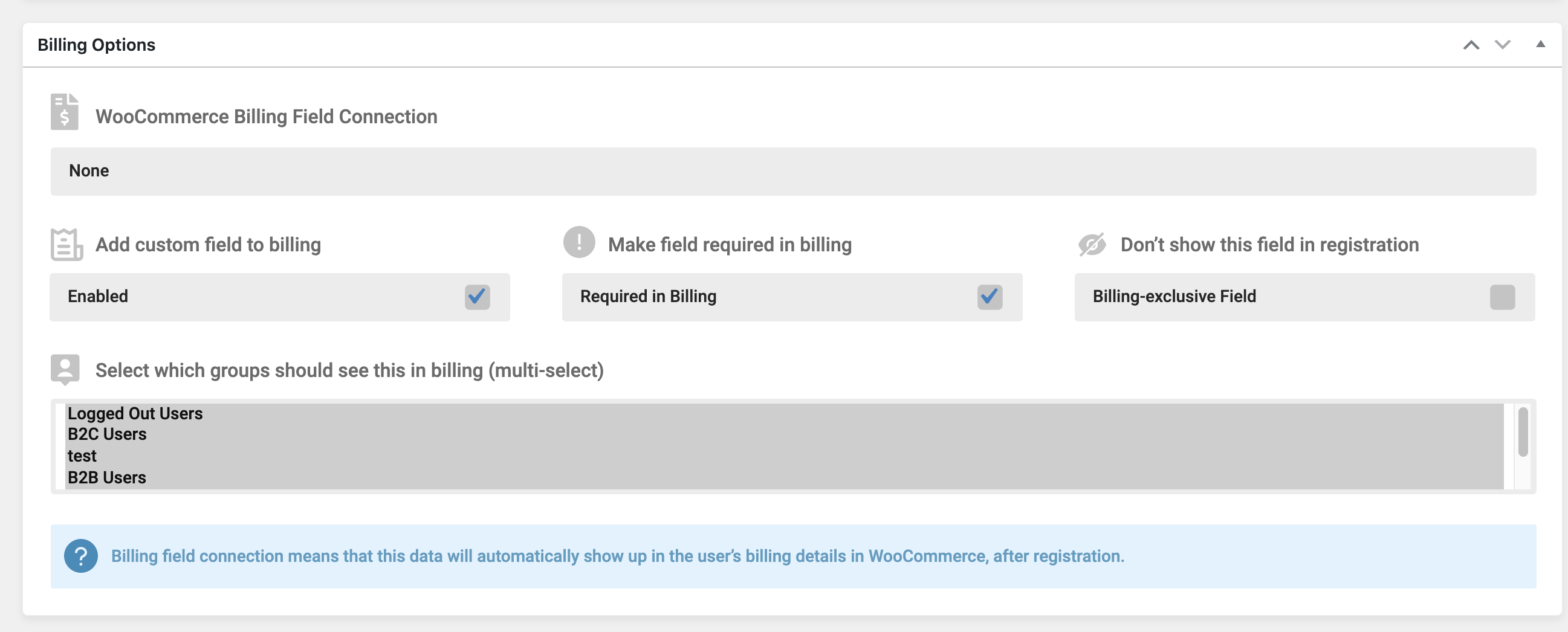
You can also choose not to show the fields at all during registration (there is a checkbox in the second image).
Kind regards,
Stefan
7 Tickets
7
Thanks WebWizards Team.
That's great!!!. Thank You.
Aside and related to this role. Can give access to the platform before the role assignement. And change this role later?. What's the best way to achieve that?
Thanks again.
2,762
Hi Ivan,
You can do that by setting "Automatic Approval" for a role in B2BKing->Registration Roles:
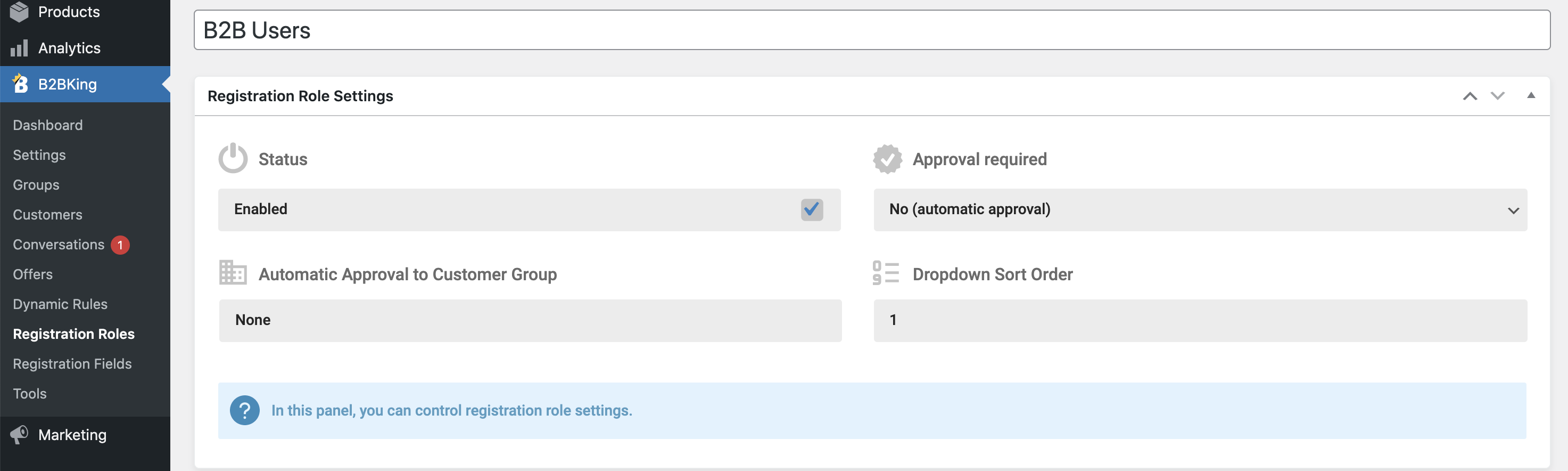
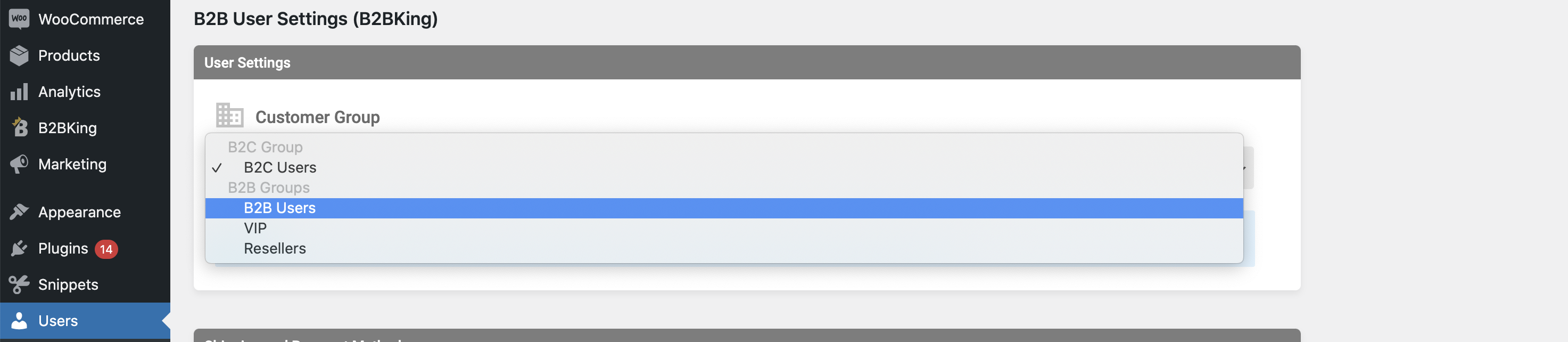
Users would have access immediately. Then, you can go to Users->click on User Profile and change the user's group later (the user's group controls pricing, visibility, etc):
Kind regards,
Stefan
7 Tickets
7