 11 Tickets
how change bulk form style (.css) colors, etc
 11 Tickets
how change bulk form style (.css) colors, etc
 2,762
2,762
Hi,
In B2BKing->Settings ->Other, if you scroll down to the bottom of the page you will find "Color and Design":
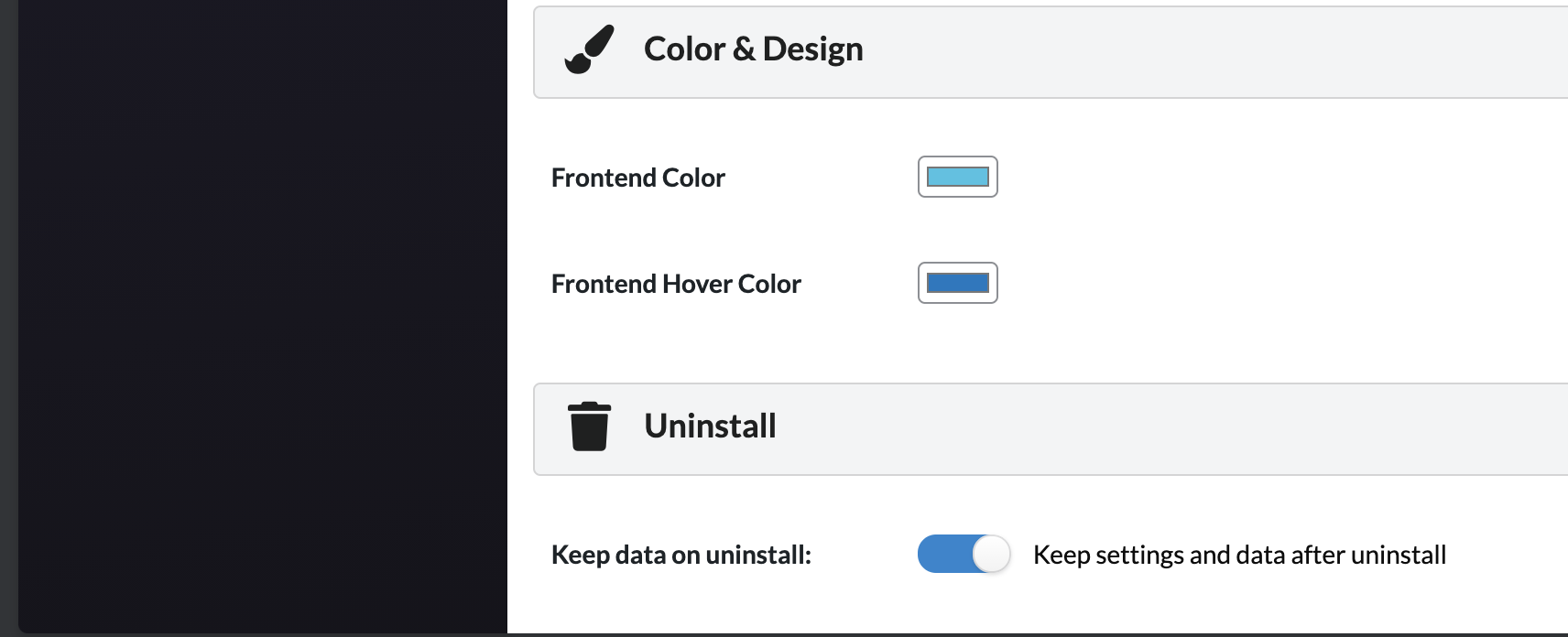
The 2 color selectors there control all plugin frontend colors, including the bulk order form.
If you need to change other colors of the order form (e.g. the grey background), you will need to use CSS. Here are the biggest elements:
/* CONTAINER BACKGROUND */
.b2bking_bulkorder_form_container_content {    background: blue !important;
}
/* TOP BORDER BACKGROUND */
.b2bking_bulkorder_form_container_top {    background: red !important;
}
/* FIELDS BACKGROUND */
#b2bking_myaccount_bulkorder_container .b2bking_bulkorder_form_container_content_line input.b2bking_bulkorder_form_container_content_line_product, .b2bking_bulkorder_form_container_content_line input.b2bking_bulkorder_form_container_content_line_product {    background: green !important;
}
#b2bking_myaccount_bulkorder_container .b2bking_bulkorder_form_container_content_line input.b2bking_bulkorder_form_container_content_line_qty, .b2bking_bulkorder_form_container_content_line input.b2bking_bulkorder_form_container_content_line_qty {    background: green !important;
}
/* SEARCH BY DROPDOWN */
select#b2bking_bulkorder_searchby_select {    background: green !important;
}
Kind regards,
Stefan