Public Ticket #2767331

How can I create subaccounts for our users?

Closed
Comments
11 Tickets 5
Amelia started the conversation 5 years ago on May 3, 2021 at 11:35pm

Hello, 


We're having issues setting subaccounts for existing users. For example, if Joe with ABC Growers is the main account holder, and he wants to add Dave from Sales (but wants us to do it from Wordpress), how we do that in B2B King? 

I know there's a section either in Tools or Settings, under B2B King regarding subaccounts, but I wasn't too sure how to use that function. I couldn't find a walkthrough in the knowledge base either. 

Our main goal is being able to easily list accounts we've created/already exist to specifically say 'Subaccount of ABC Growers' or something along those lines. 

Please let me know if you need more context - This is one of the questions I have trouble wording. 


Thanks, Amelia

2,762
KingsPlugins replied 5 years ago on May 7, 2021 at 5:42pm

Hi Amelia,

I think the best way to do that would indeed be using the function in Tools.


I'll try to explain the usage below:


1.  I have 2 users: 'mike' and 'mikeasda'. I want to make the second a subaccount of 'mike'

3008732998.png


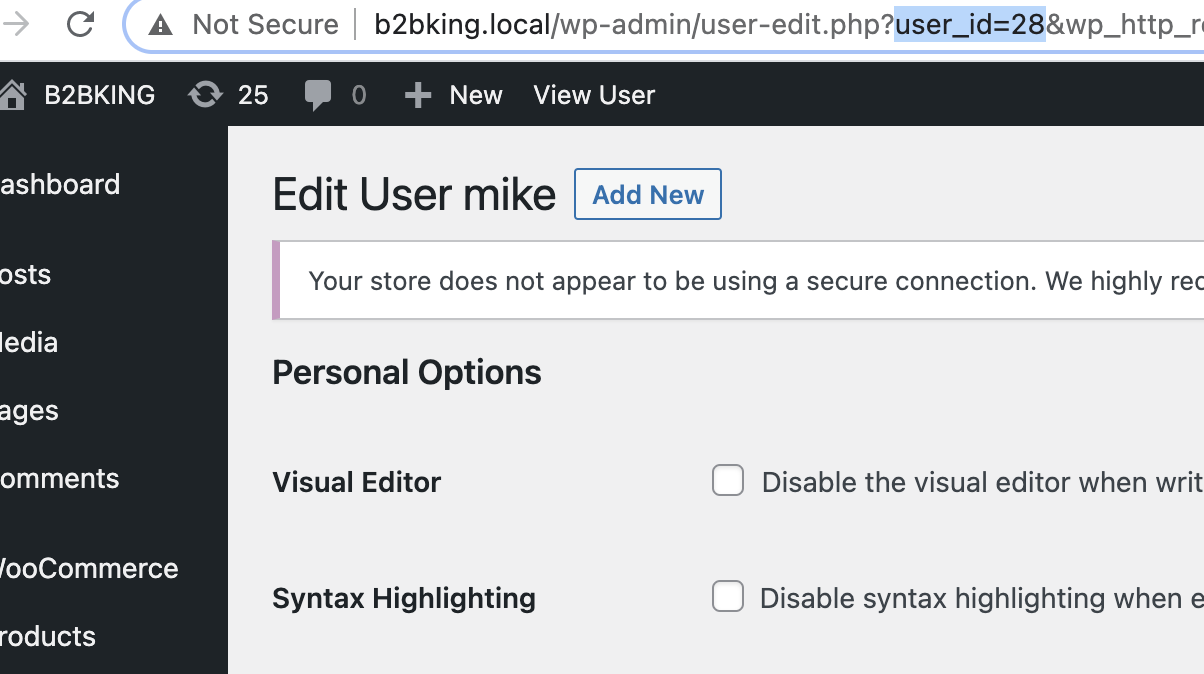
2. I click on both users and I am taken to their profile page. In the link there is the user ID.

5844659918.png


mike has the user id 28

mikeasda has the user id 73

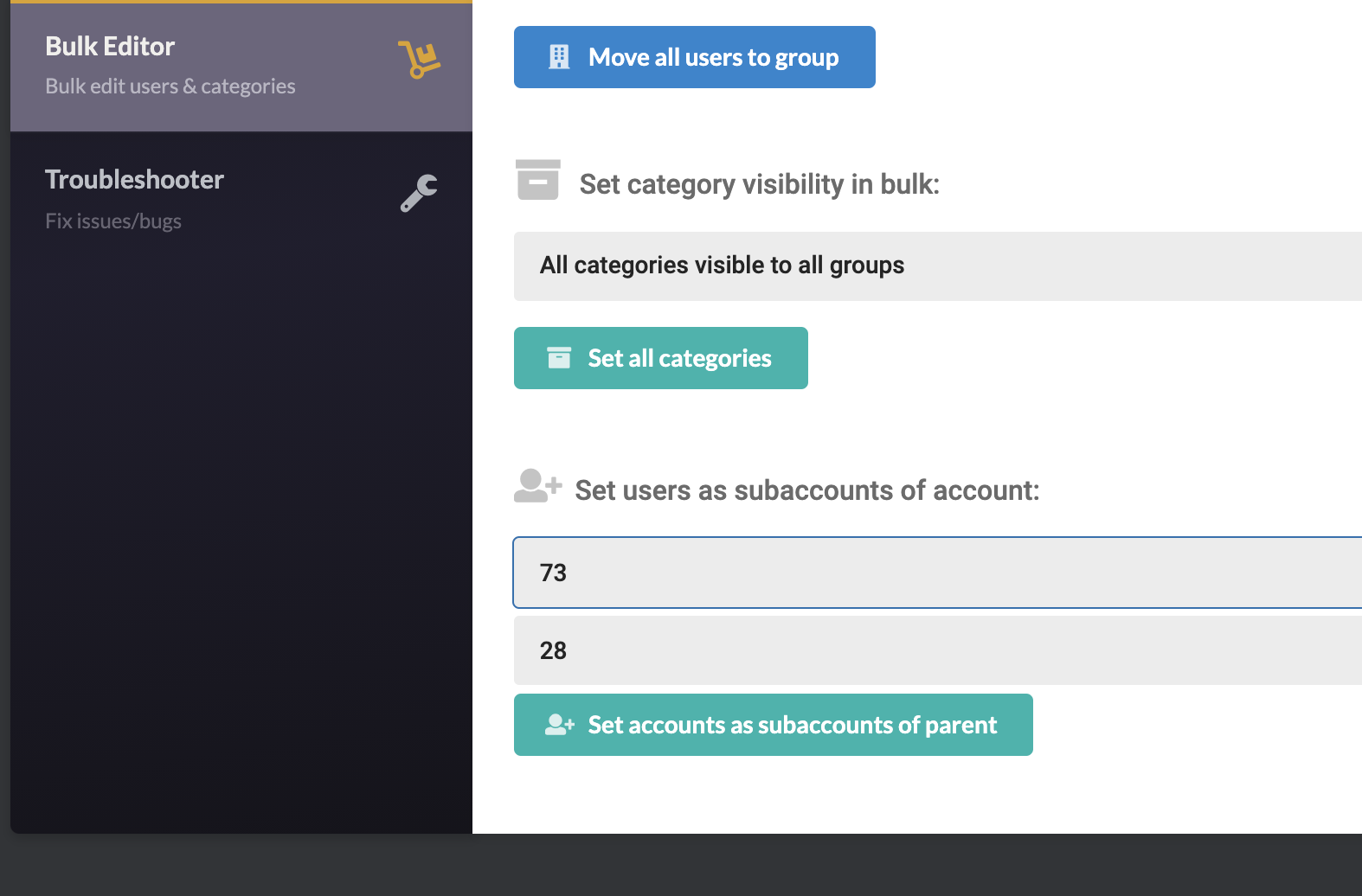
3. I go to B2BKing -> Tools -> Bulk Editor and I enter the IDs here:

7595561070.png

(subaccount ID in the first field, parent ID in the second field).


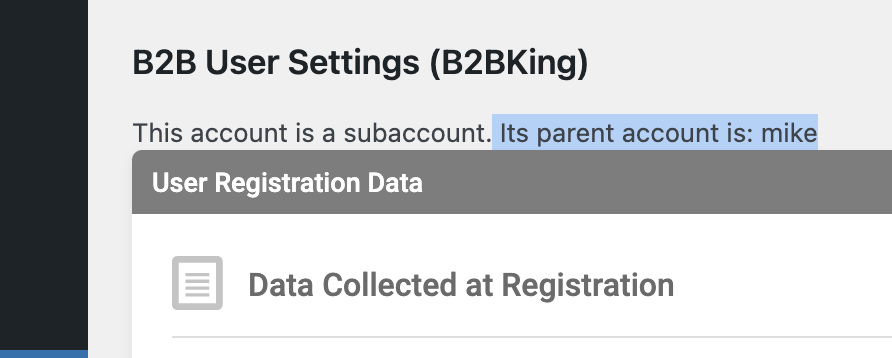
4. I click ' Set accounts as subaccounts of parent' and that's it. The 2 users have now been linked:

1707375316.png
3969289860.png


Hope that helps

Kind regards,

Stefan

Sign In