 5 Tickets
2
5 Tickets
2
I created a registration form using b2bking and added it on my webpage using shortcode.
The issue here is when I click on the register button nothing happens.
Please fix the issue ASAP.
 5 Tickets
2
5 Tickets
2
I created a registration form using b2bking and added it on my webpage using shortcode.
The issue here is when I click on the register button nothing happens.
Please fix the issue ASAP.
 2,762
2,762
Hi Sara,
Thank you for purchasing the plugin,
I checked your website at https://www.kaial.com/demo/registration-form/ and tried to register a test account (username b2bkingtest).
After clicking register, I was taken to 'https://www.kaial.com/demo/my-account/?redir=1' , which is the normal behaviour.
But there are some odd behaviours as well. After registering, the user is logged out, and there is no message as expected in the login page. In my experience, this often is created by conflicts with other plugins.
My suggestion would be to disable all other plugins except B2BKing and WooCommerce and test how registration behaves.
We can also look further into it, if you provide us with a backend login to your site, or to a staging clone site. If you do, please make sure to mark the message as 'private', since this is a public ticket.
Kind regards,
Stefan
5 Tickets
2
This message is private.
2,762
Hi Sara,
This is what happens for me: when I click the register button, it can take a bit, but the account is registered and I am taken to a different page.
I tested this with Google Chrome and with Safari browser, and it worked with both.
Is it possible that you are uploading some files that are a bit large and the upload is taking too long, and making you think nothing happens when you click Register?
A different issue is that you are using a setup where the [woocommerce_my_account] shortcode is hidden for logged in users. It is hidden here in Avada Builder:
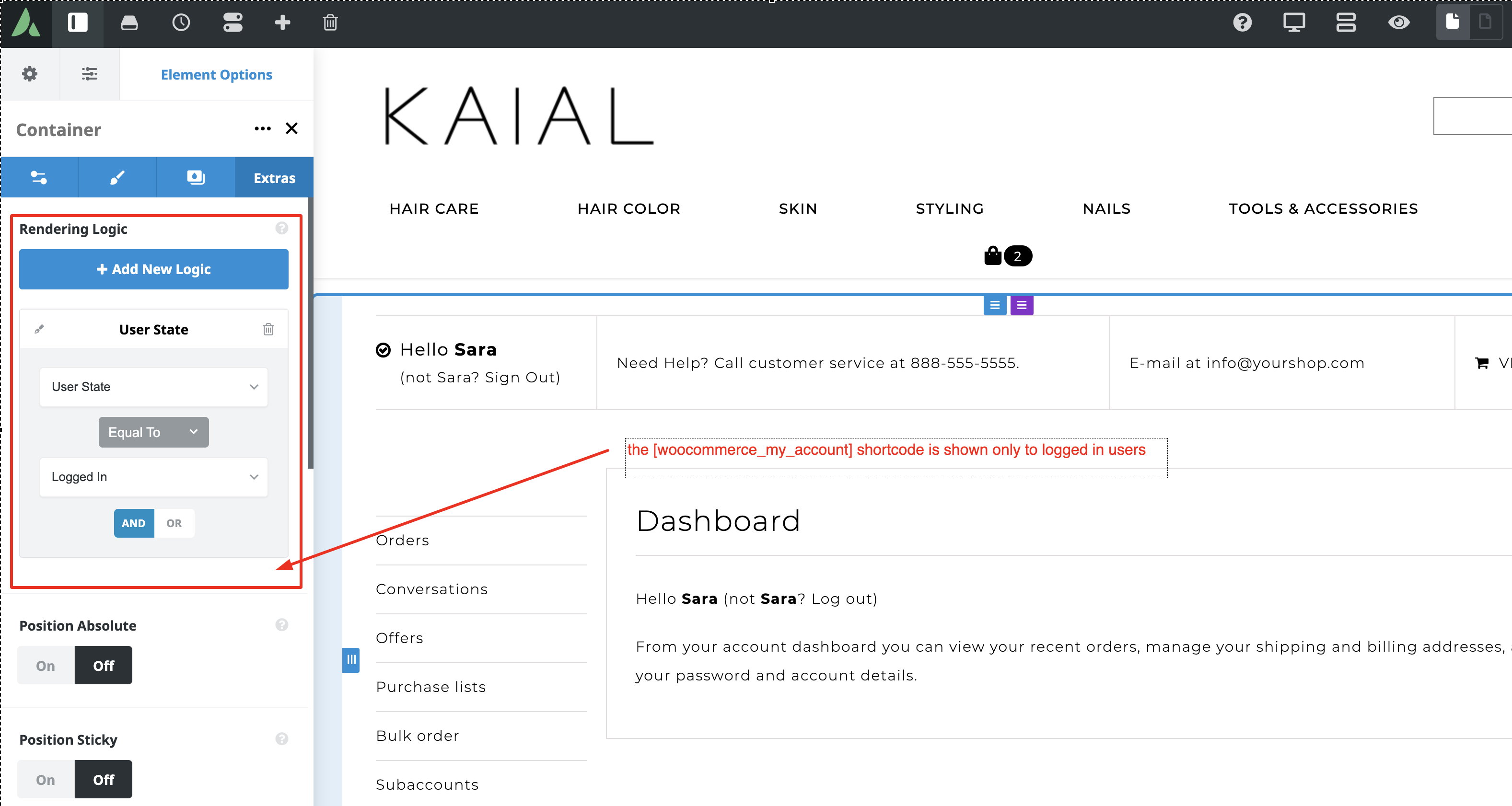
This makes some B2BKing features not work - B2BKing needs the [woocommerce_my_account] shortcodes at all times during the login process.
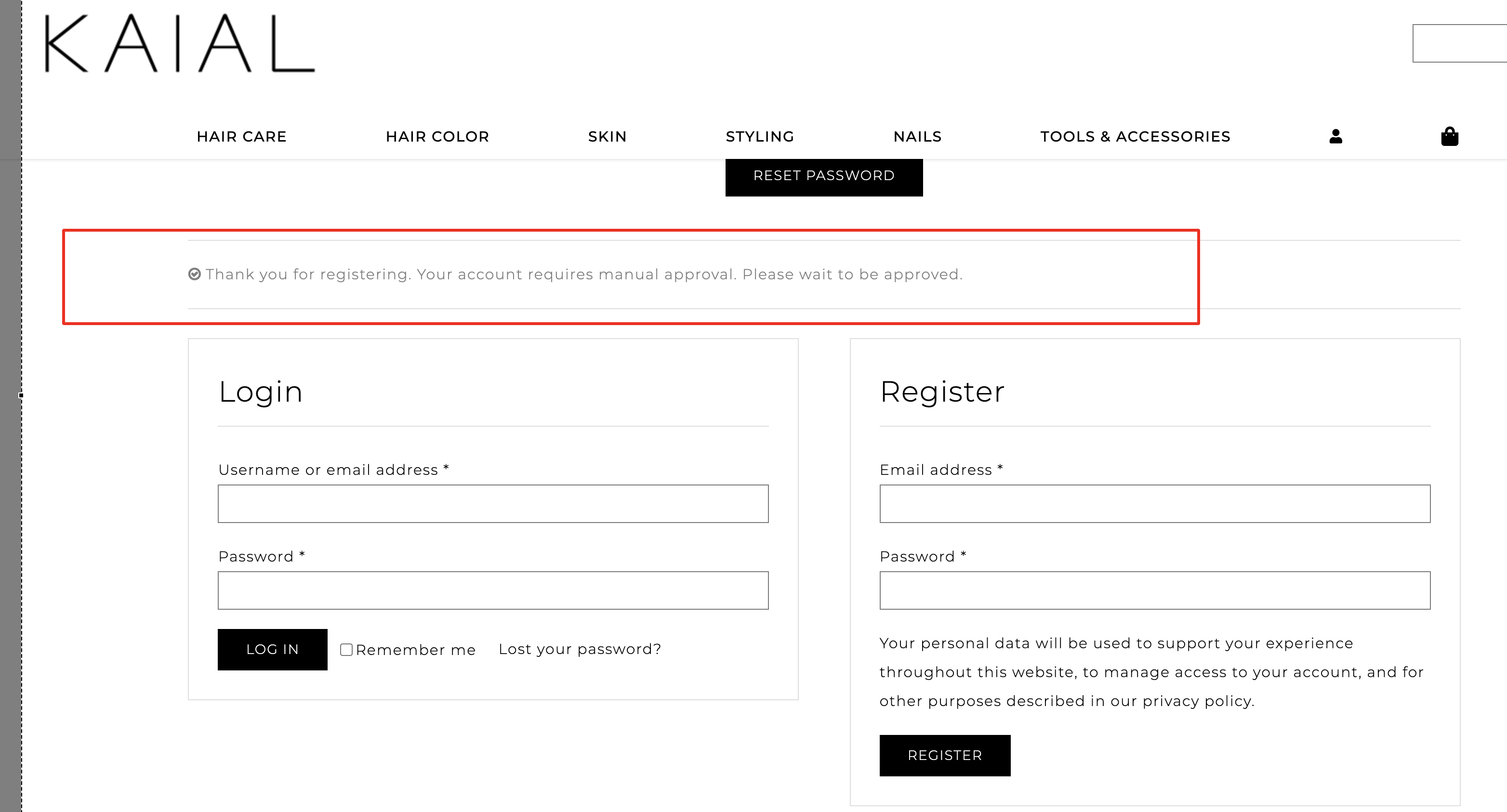
If you make it visible to Logged Out users, you will see features such as the manual Account Approval feature work. Users see the following after they register:
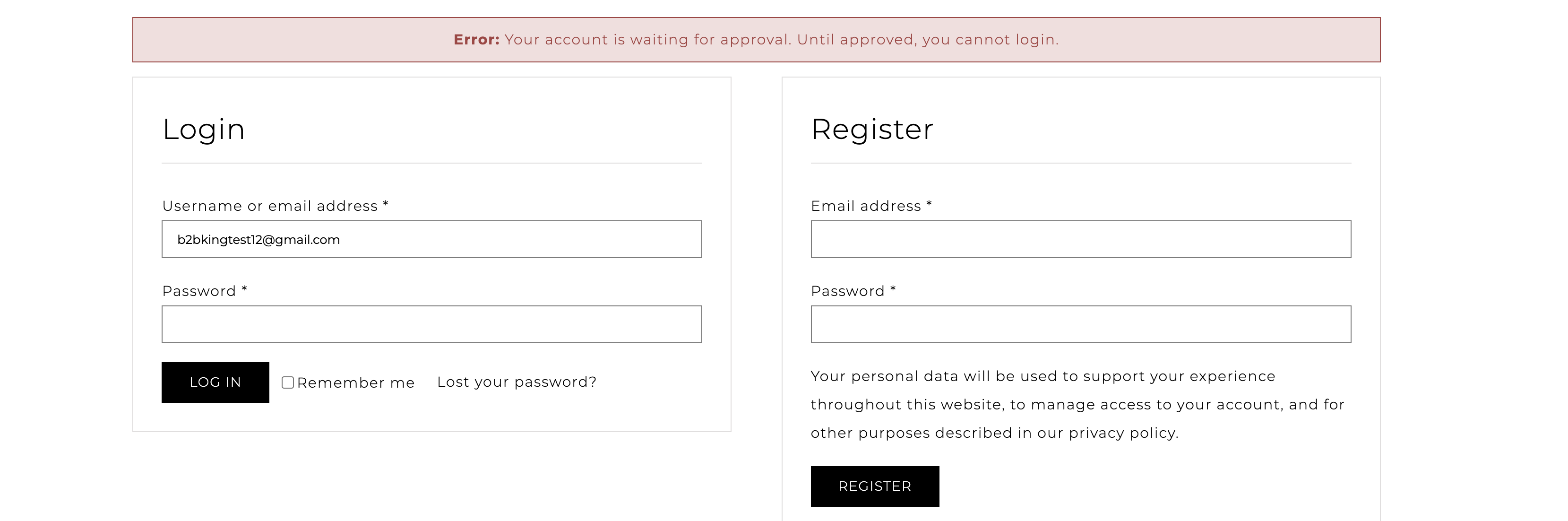
Also if the user tries to login, but has not yet been approved, they see the following error:
Our recommendation is that you use the [woocommerce_my_account] shortcode at all times, for logged in, and logged out users, so that all messages are displayed correctly.
5 Tickets
2
This message is private.
5 Tickets
2
This message is private.
5 Tickets
2
This message is private.
5 Tickets
2
This message is private.
2,762
This message is private.
5 Tickets
2
hi,
thank you for the reply.
now i have an issue that is, i need to add confirm password on the registration field.
and i could not find any option for that.
2,762
Hi Sara,
From what I can see, WooCommerce does not have any password confirmation option. The credentials/security are handled by WooCommerce, so this is not implemented by B2BKing.
This would have to be added with custom coding. There are some guides for this such as https://www.themelocation.com/add-confirm-password-woocommerce/ but we do not have such an option in our plugin.
Kind regards,
Stefan
5 Tickets
2
Hi,
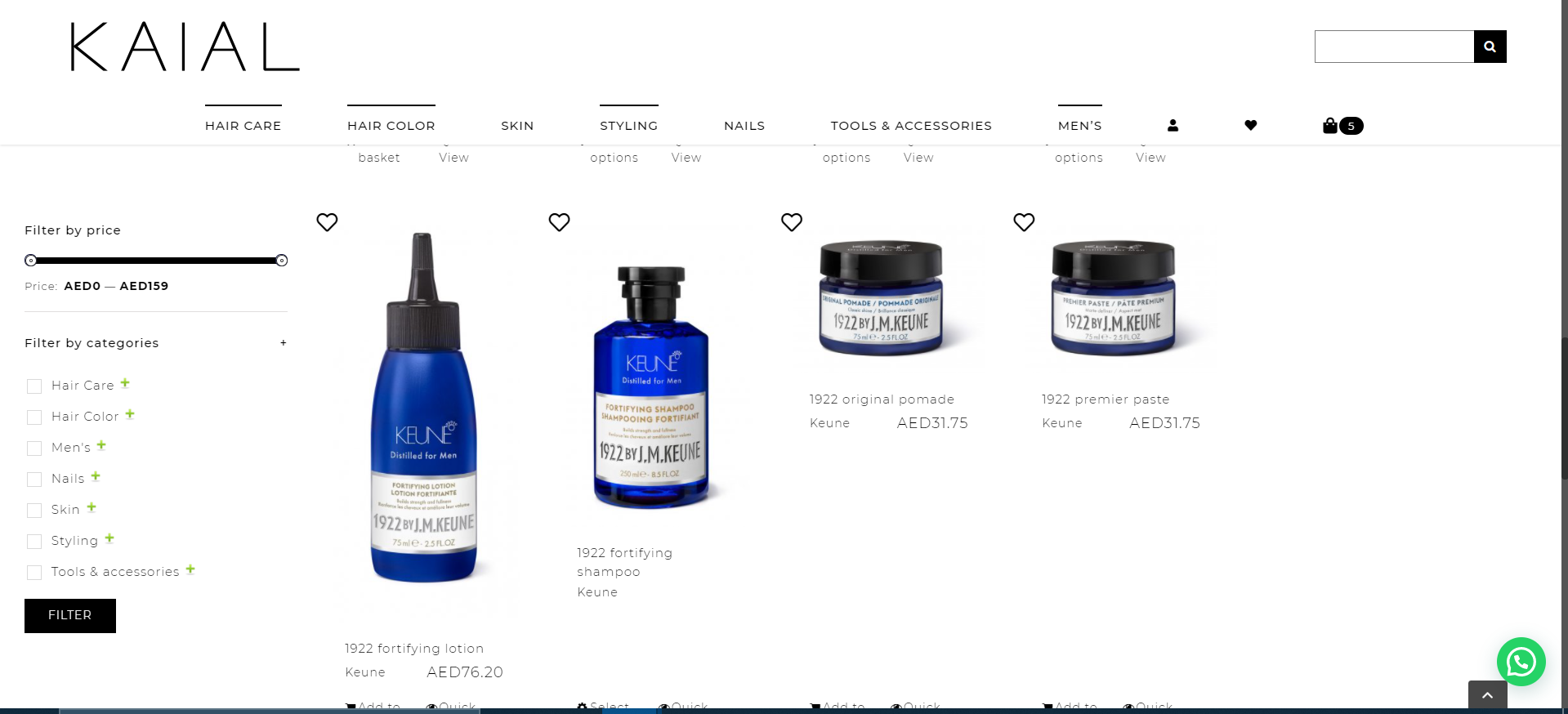
i have not added sidebar 2 on my archive page, but the space on the right side is not going. i do not want the blank space on the right side.
pls advise.
 2,762
2,762
Hi Sara,
This doesn't seem to be related to B2BKing, as our plugin does not have effects on page design - you can check by deactivating our plugin and seeing if this issue goes away.
Anyway, I'm also happy to take a look at it and help if I can. Perhaps I can figure out the cause. I need to be logged in to see the archive pages. I tried the previous login:
username - sara
password - f&%lWzg%4Ts%ebPC&HmlZjH7
but it looks like this is no longer active / password incorrect.
Kind regards,
Stefan
5 Tickets
2
This message is private.
2,762
This message is private.
5 Tickets
2
This message is private.
2,762
This message is private.
5 Tickets
2
This message is private.
5 Tickets
2
This message is private.
2,762
This message is private.
5 Tickets
2