Public Ticket #2809881

Restrict access to homepage for logged in users

Closed
Comments
6 Tickets 2
Kamil started the conversation 5 years ago on June 23, 2021 at 8:59pm

Hi,

I have the wholesale page in a multisite. I would like registered users to see the following page (http://hurt2.ettito.pl/rejestracja). Ideally there would be an option to login or register (I am discussing it in another support ticket with you already). 

Once the user register or login, the proper homepage (just like ettito.pl) is shown to the user.

Any idea how I can achieve it? 

2,762
KingsPlugins replied 5 years ago on June 23, 2021 at 9:32pm

Hi Kamil,


Some options and possibilities:

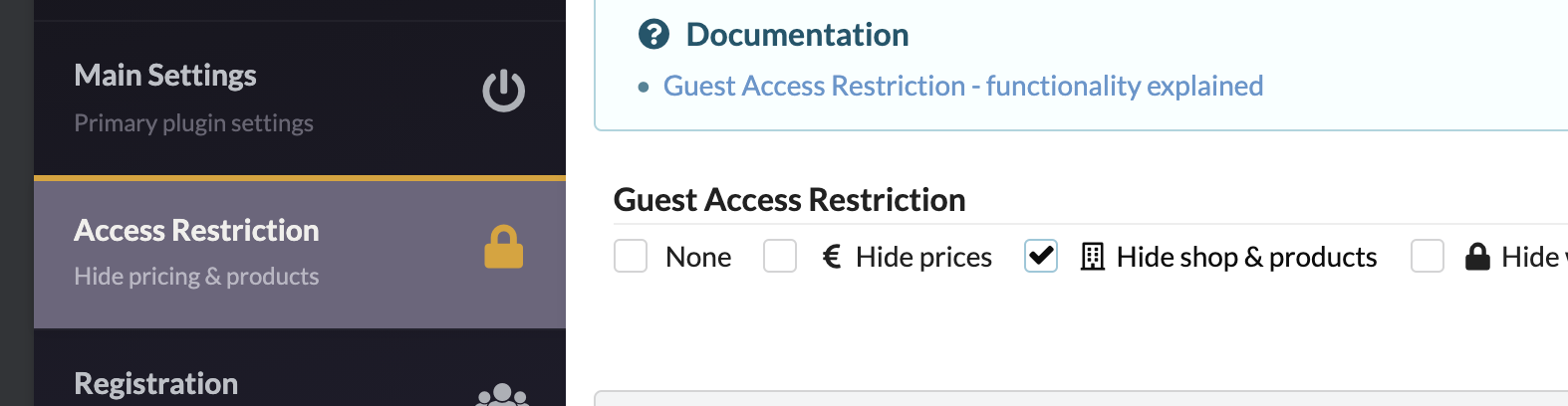
1) One possibility is to enable "Hide Shop & Products" + add a snippet.

4645438572.png


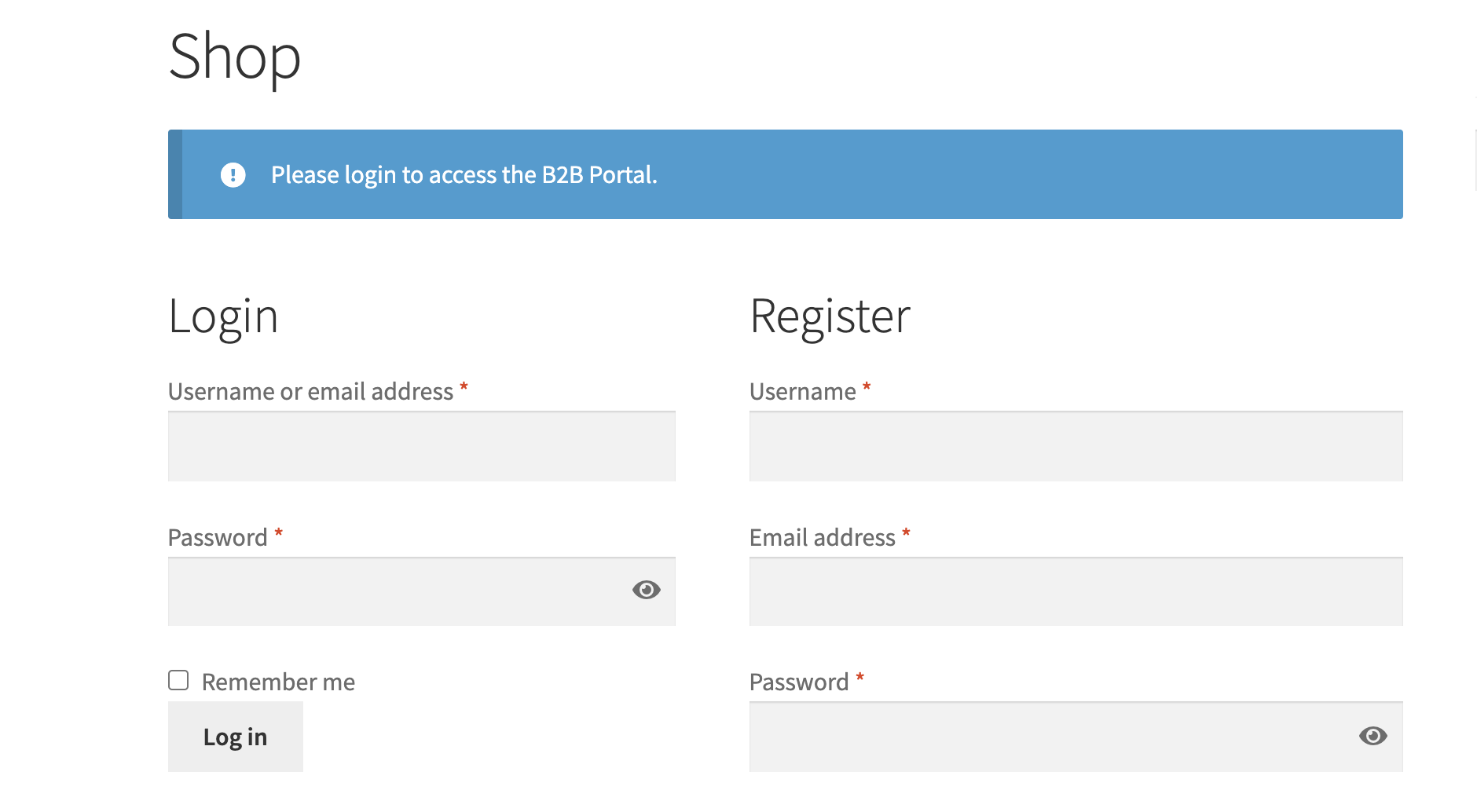
It shows this in the Shop Page (different for every theme, but the design is not bad):

3702245103.png


And you can add a snippet, to force logged out users to always see this page.

This is the snippet:

if ( get_option('b2bking_plugin_status_setting', 'disabled') !== 'disabled' ){
    if (get_option('b2bking_guest_access_restriction_setting', 'hide_prices') === 'hide_website'){
        add_action('template_redirect', function (){
            if (!is_user_logged_in()) {
                if (!is_shop() && !is_account_page()) {
                    wp_redirect(get_permalink(wc_get_page_id('shop'))); // redirect home. 
                    exit();
                } else {
                    return;
                }
            } else {
               return;
            }
        }, 100);
    }
}


This snippet always redirects logged out users to the shop page, so they will always only see Login + Register -  they do not have access to anything else.


I think this is the simplest setup.


2)

You can redirect after login to the home page. To do that, please add this snippet.

add_filter( 'woocommerce_login_redirect', 'customer_login_redirect', 9999, 2 );
 
function customer_login_redirect( $redirect, $user ) {
     
    $redirect = get_home_url(); // homepage
  
    return $redirect;
}


3) If you want to use this page specifically: http://hurt2.ettito.pl/rejestracja/ (use this instead of the design option I mentioned in point 1)), it is a little more complicated, but we can modify the snippet to do it.

I would need the page ID of the rejestracja page. To get the page ID, you can click edit on the page, and the number in the URL is the ID.


6 Tickets 2
Kamil replied 5 years ago on June 25, 2021 at 12:31am

Hi! Thank you so much for a detailed answer! 

I would like to go through with the option 3.

Ideally I would like to redirect the user to hurt2.ettito.pl/rejestracja (later the subdomain will be changed to hurt.ettito.pl). The thing is that I don't want the url bar in the browser to show the "/rejestracja" page. Is there a way to be able to keep the user on homepage? Not through iframe :) 

The ID of the page is 7332.

2,762
KingsPlugins replied 5 years ago on June 28, 2021 at 2:32am

Hi Kamil

In that case, the snippet should be:

if ( get_option('b2bking_plugin_status_setting', 'disabled') !== 'disabled' ){
    if (get_option('b2bking_guest_access_restriction_setting', 'hide_prices') === 'hide_website'){
        add_action('template_redirect', function (){
            if (!is_user_logged_in()) {
                if (get_queried_object_id()!==7332 && !is_account_page()) {
                    wp_redirect(get_permalink(7332)); // redirect 
                    exit();
                } else {
                    return;
                }
            } else {
               return;
            }
        }, 100);
    }
}

If you don't want to show 'rejestracja' in the URL, hmmm, I would suggest you try to see if it can be done with URL REWRITES. Maybe you can add a rewrite only for logged out users, but not logged in users. The rewrite would send the homepage to the rejestracja page. But I am not sure if it can work or not, it's just a suggestion.


Some sample rewrite code:

add_action('init', function(){
    $slug=123;
    add_rewrite_rule(
        '^'.$slug.'/([^/]*)/?([^/]*)/?',
        'index.php?pagename='.$slug.'&dashpage=$matches[1]'.'&pagenr=$matches[2]',
        'top'
    );
    flush_rewrite_rules();
});
6 Tickets 2
Kamil replied 5 years ago on June 28, 2021 at 9:16pm

I have used your code and put it as a snipper using one of the available plugins. 

I have created the snipped and added a shortcode to the main page. 

Unfortunately it doesn't work. Any idea why? 

6 Tickets 2
Kamil replied 5 years ago on June 29, 2021 at 1:12am

ok it worked finally! 

I had to change the settings in the B2B plugin to restrict users from seeing shop page.

I would just need the help with the order of fields in the registration form - I asked about it in the other support ticket. Thanks!

6 Tickets 2
Kamil replied 5 years ago on June 29, 2021 at 1:18am

Ok ONE thing that doesn't work is the background picture that is on this "/rejestracja" page.

Can it be that since users are restricted the access, also the multimedia is disabled for them? 

Are you able to provide an updated snippet? thanks so much!

2,762
KingsPlugins replied 5 years ago on June 30, 2021 at 1:02am

Hi Kamil,

Glad to hear you were able to set that snippet:


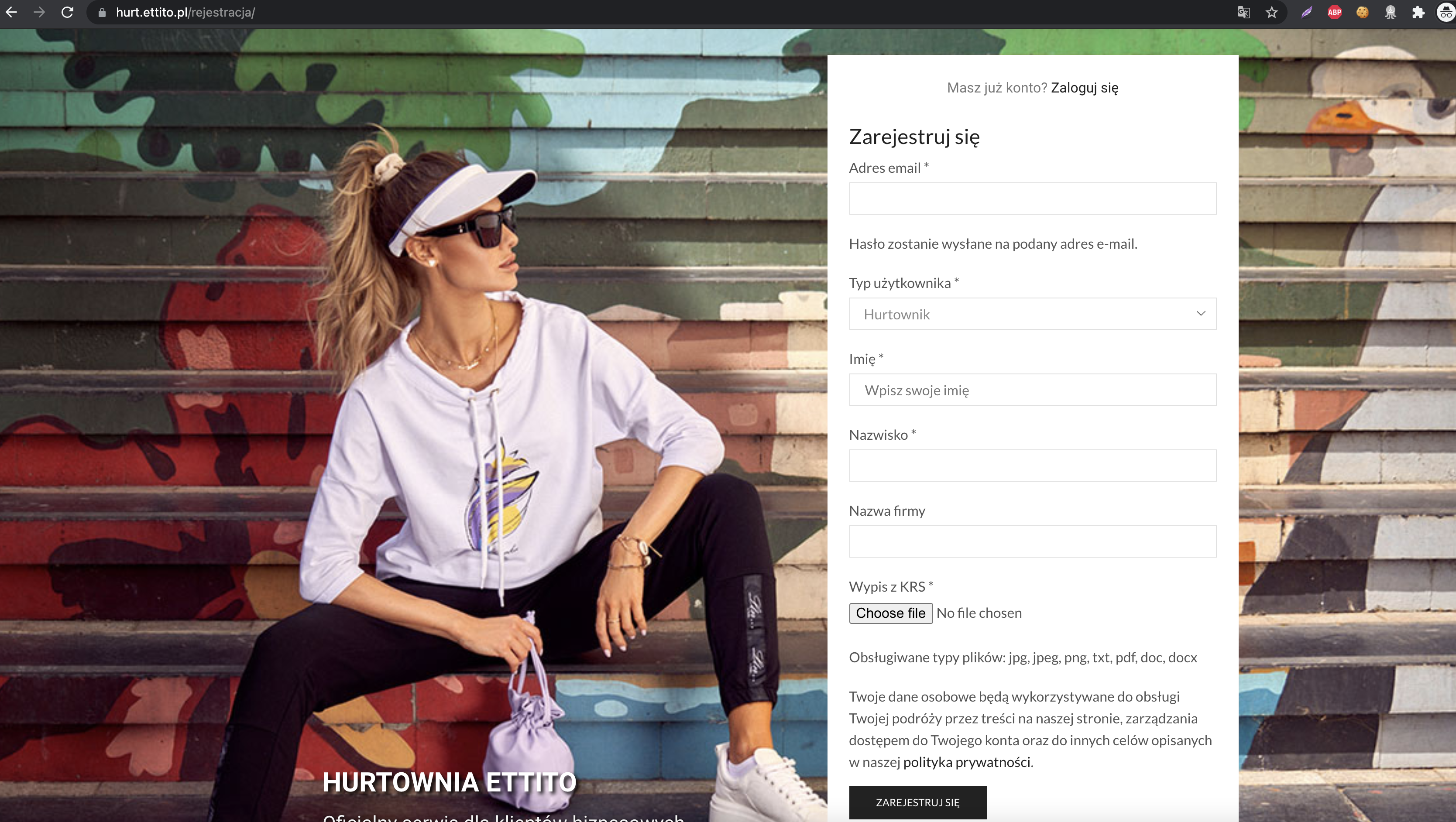
About the background picture: this seems to be working for me:

8415193116.png

I tested with both Safari and Chrome.

Maybe you had some kind of temporary issue - right now it seems to work fine.


If you still see issues: the only thing that comes to mind is perhaps a conflict with product visibility. I would suggest disabling that to test. And also try to change B2BKing -> Settings -> Other -> Product Visibility Cache.


I will reply shortly in the other ticket related to the snippet.

Kind regards,

Stefan


Sign In