Public Ticket #2814102

Add Shipping address as registration fields + checkbox it's the same as billing address

Closed
Comments
34 Tickets 32
Emile Jansen started the conversation 5 years ago on June 29, 2021 at 12:42pm

Would it be possible to add the shipping address fields (Address, zipcode, city) to the registration form. So it is linked to actual shipping address of woocommerce?

And I would like to add the checkbox option when shipping address is the same as billing address, so users don't have to type the same address twice.

Would this be possible via the B2B King plugin?

2,762
KingsPlugins replied 5 years ago on June 29, 2021 at 11:59pm

Hi Emile,

You can indeed create custom registration fields, and connect those to the WooCommerce shipping address.

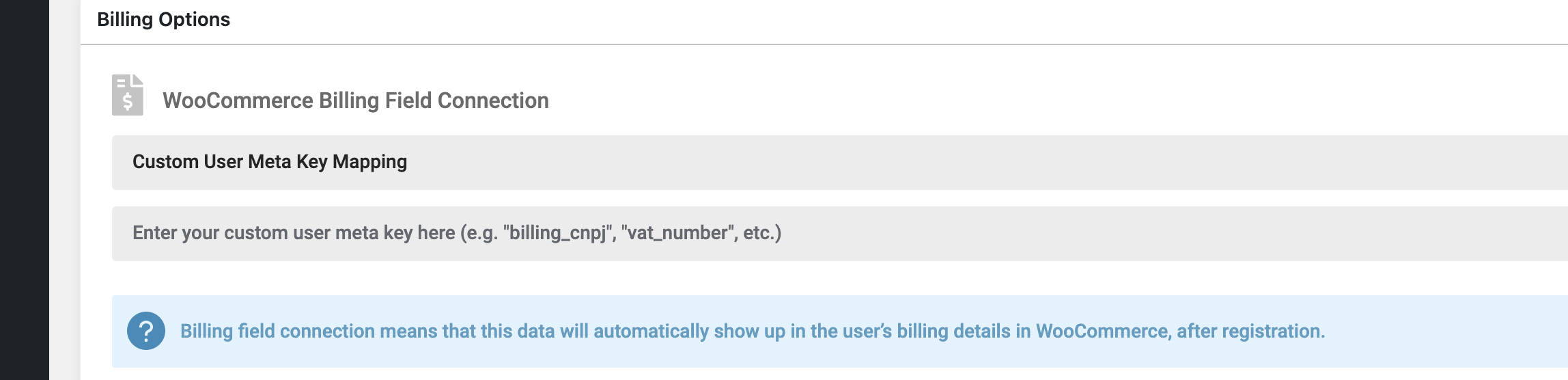
You would need to create registration fields and choose "Custom User Meta Key Mapping" in the "billing connection" panel:

5557735642.png


Then, you would have to enter the shipping meta keys there. The shipping keys are the following:

'shipping_first_name', 'shipping_last_name', 'shipping_company', 'shipping_address_1', 'shipping_address_2', 'shipping_city', 'shipping_postcode', 'shipping_country', 'shipping_state'


There's no built in way to add a checkbox that hides those. That would have to be custom coded with a Javascript script.

Kind regards,

Stefan


34 Tickets 32
Emile Jansen replied 5 years ago on July 2, 2021 at 9:57am

That looks good. 

I will look into the javascript for hiding the field.
Would that be something you guys can provide?


Kind regards, 

Emile Jansen

2,762
KingsPlugins replied 5 years ago on July 4, 2021 at 4:39pm

Hi Emile,

I can assist with this. I would need you to setup all the fields (incl. shipping fields) + the checkbox, and send me a link to your registration page.

This is something that would be specific to that page, so I need to see the page first before I can work on the snippet.

34 Tickets 32
Emile Jansen replied 5 years ago on July 5, 2021 at 7:50am

Perfect! I will revisit this when client approves our quote for the changes, and create the necessary fields.

I hope this ticket will remain open till that time.

1
2,762
KingsPlugins replied 5 years ago on July 5, 2021 at 8:33pm

Tickets here are automatically closed after 7 days from last response - that's not something I have control over.

But you can still reply, and the ticket gets reopened. So just reply here whenever you can and we'll be happy to assist.

Kind regards,

Stefan

1

Sign In