 5 Tickets
i would like to add 2 categories to my tiered pricing table, i attached a screenshot with the idea.
is is possible to configure my inquiry ?
regards
Kandasamy
 5 Tickets
i would like to add 2 categories to my tiered pricing table, i attached a screenshot with the idea.
is is possible to configure my inquiry ?
regards
Kandasamy
 2,762
2,762
Hello Swissan,
I checked your screenshot,
I think the only way to make this work would be with custom coding I'm afraid - but this is not something we can offer as part of plugin support. Our plugin does not have a built-in way to edit this table.
If you want to custom code this, you would need to modify the following functions in class-b2bking-public.php:
The table generation would need to be modified in the code:
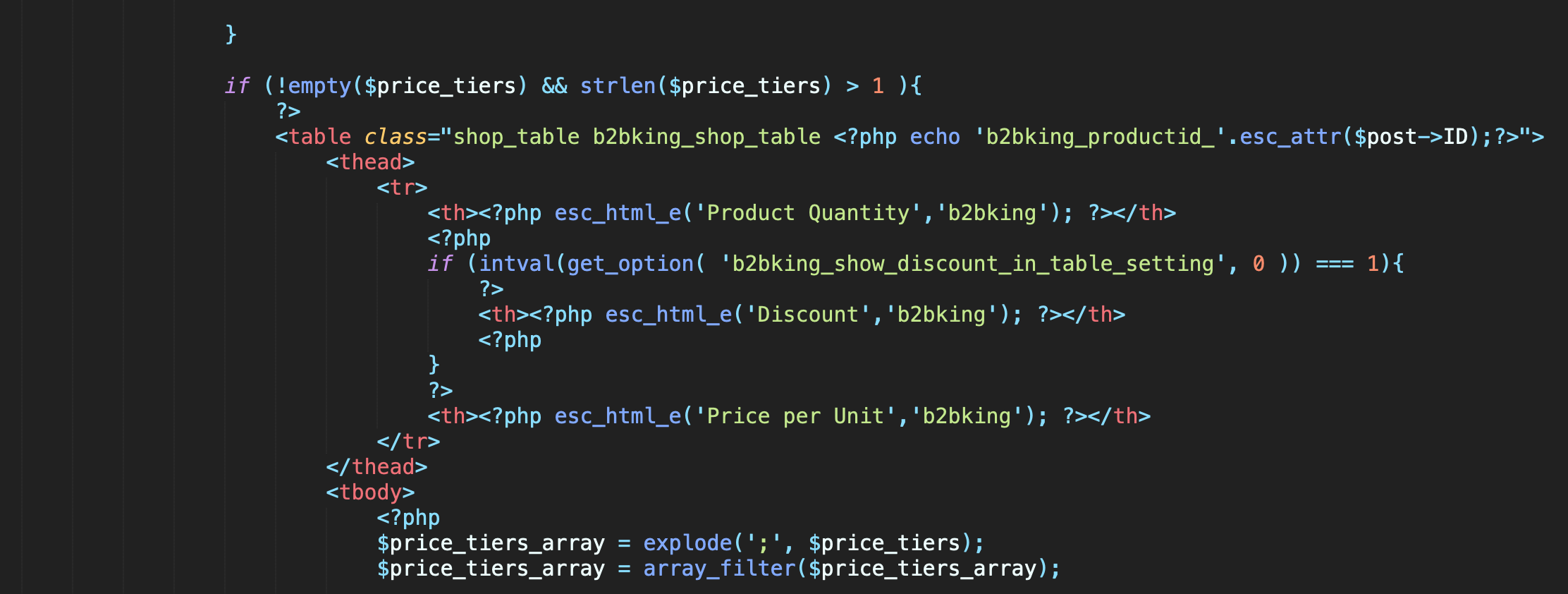
Kind regards,
Stefan
5 Tickets
Hallo Stefan,
Thanks for the reply, i don't have any experience coding and i dont want to take any risk with try and error.
Can i hire you to fix my requirements ?
Kind regards,
Swissan Kandasamy
2,762
Hi Swissan,
I appreciate that, but I'm afraid we're just not able to offer any customization services, not even paid ones at the moment.
It's a time constraint issue, and our team is too small to be able to handle customizations right now.
Kind regards,
Stefan
5 Tickets
Hi Stefan,
Thanks for your reply and.
Now i'm ready to modify the class-b2bking-public.php file, i need 2 more spots where i can give a individual number.
1.quantity in pallet
2. price per piece
Can you give me an example of the command which i have to copy, paste into the php file ?
regards,
Swissan
2,762
Hi Swissan,
It's not a single command, as changes would have to be made in 8-10 places.
I'll give more details:
In the 2 functions I mentioned before you will find the HTML tags for the tiered table:
<table class="shop_table b2bking_tiered_price_table b2bking_shop_table <?php echo 'b2bking_productid_'.esc_attr($post->ID);?>"></table>
Under <thead> -> <th> you will find the header items of the table: there you would add the Quantity and Price per piece title by adding additional <th>title</th> lines
Under <tbody> <tr> are all the rows of the table
Under <tr> <td> is each individual cell within a row
As you can see in the PHP our plugin treats rows differently in situations where there's only 1 row, regular rows, and situations where the row is the last row.
For each individual row you would need to display the values there by adding additional <td>value</td> lines.
5 Tickets
HI,
Will it be in the backend like additional input box like mentioned in the picture ?
I just managed to add addtional titel in php file,
"Under <tbody> <tr> are all the rows of the table
Under <tr> <td> is each individual cell within a row"
this is getting complicated but i hope i can do it.
kind regards,
Swissan
2,762
Hi,
If you would like to add an additional input box in the Backend (like in your screenshot), sorry, that gets a lot more complicated. You would need to add additional HTML in the admin side for the fields, for the variations + php code to save the values when "Save / Update" is pressed.
What I explained before was only for adding the table in the Frontend.
For small customizations we are happy to do them for you, but I'm afraid this is complex customization for us as well and not something we can do as part of support. Thank you for understanding.