Public Ticket #2843661

Add custom field from checkout record

Closed
Comments
11 Tickets 4
Orlando started the conversation 5 years ago on August 6, 2021 at 9:48pm

Hi!

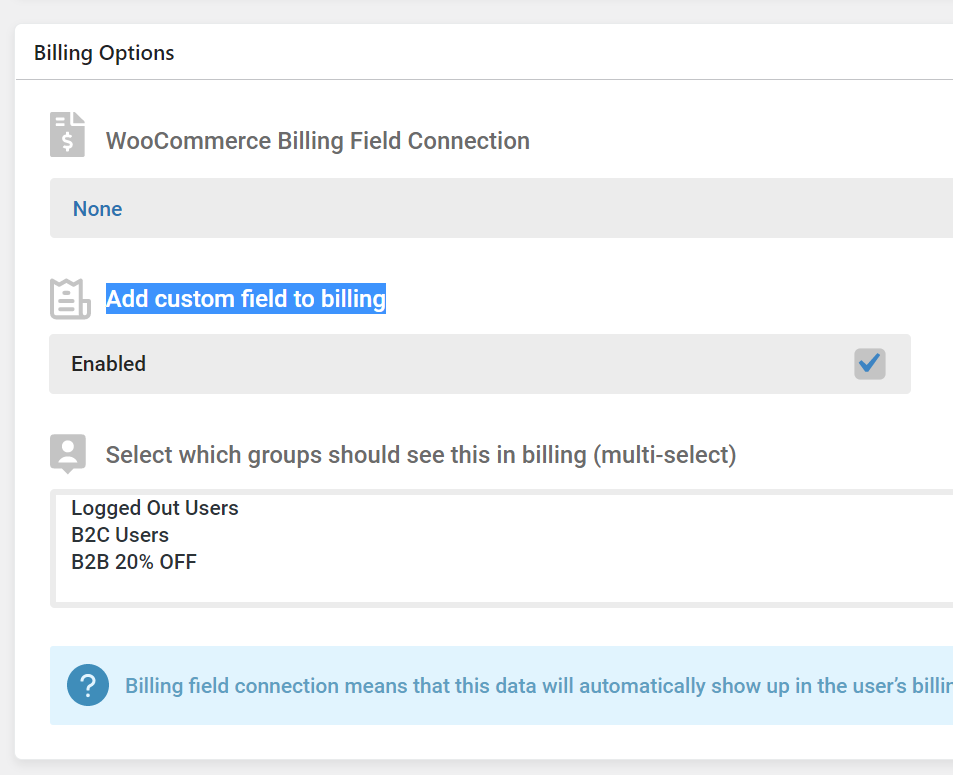
I added this field to the registration form, but I don't know how to insert it in Woocommerce checkout, how do I connect with the checkout field?

Do I need those plugins that add field at checkout?

Thank you!

1215877990.png
11 Tickets 4
Orlando replied 5 years ago on August 6, 2021 at 9:55pm

Is it as simple as I'm imagining?
LOL

Just leave it on NONE and mark it to add it to the checkout?
And so it will normally appear for the administrator to change if he wants this field in wp-admin?


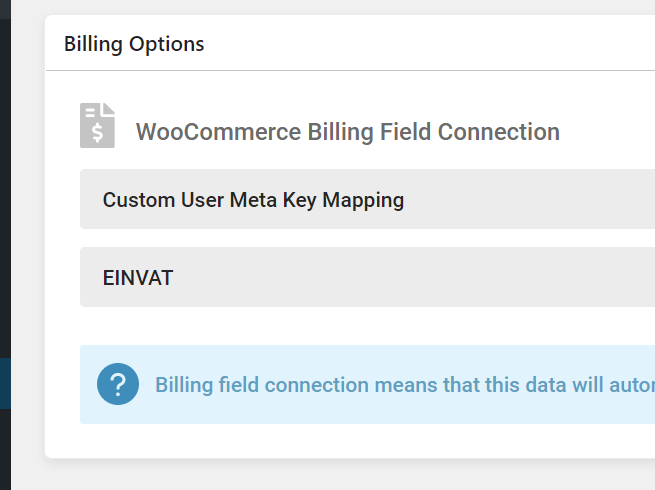
But what about the option "Custom User Meta Key Mapping" I need another plugin to create this "custom"?

7430521271.png
2,762
KingsPlugins replied 5 years ago on August 7, 2021 at 8:44pm

Yes, indeed, B2BKing will add the field to checkout if you check the "Add custom field to billing" checkbox in your screenshot.


I am not fully sure what you mean by "appear for the administrator to change if he wants this field in wp-admin?" - if you can explain, I'm happy to give more details.


I will explain what "Custom User Meta Key Mapping" does:

Normally, user  meta keys are used to set user information. For example, the WooCommerce plugin uses the "billing_city" meta key to set the billing city.

In Billing field connection you can select options such as "City". That option is automatically linked to the WooCommerce key.


But you may want to use a different key. For example, I believe Brazil uses CPF and CNPJ. You may install a plugin in your site that uses the keys 'billing_cnpj' and 'billing_cpf'. If you want this information to be automatically filled during registration, you can use these keys. This allows compatibility with 3rd party plugins.

1
11 Tickets 4
Orlando replied 5 years ago on August 8, 2021 at 5:34am

I understand perfectly!

Thank you!

About the phrase you did not understand, I ask for my google translator: p

With this phrase and mean: where do I find this additional information from my client?

For example, each order sent, an email arrives for the administrator and also opens a new post-type orders, both in Orders in the administrative panel, as in the email sent to the administrator, where do I find these custom fields?

Got clearer?

Even in my tongue is a little confused, sorry.

But I believe that in this ticket you answered me:
https://support.kingsplugins.com/ticket/2843718/

THX!

Sign In