 11 Tickets
4
11 Tickets
4
Hi!
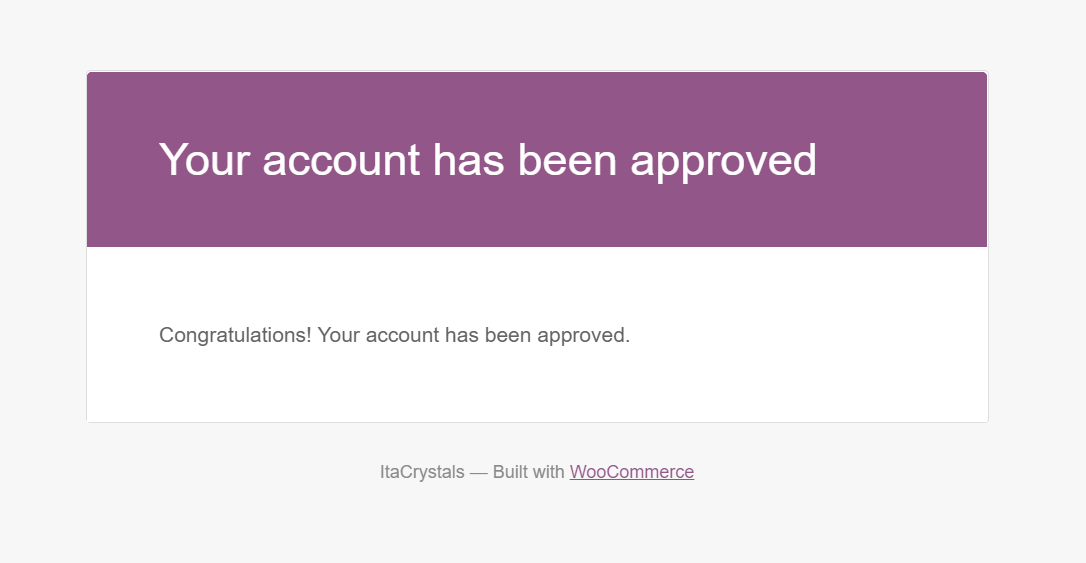
How do I personalize these emails?
I would like to remove this brand from WooCommerce to start and lack the store link for the person to go shopping :D
Do I need another plugin?
 11 Tickets
4
11 Tickets
4
Hi!
How do I personalize these emails?
I would like to remove this brand from WooCommerce to start and lack the store link for the person to go shopping :D
Do I need another plugin?
 2,762
2,762
Hi Orlando,
To change the text itself, you can use the following steps:
1. Go to wp-content/plugins/b2bking/includes/emails/templates/
2. Copy your-account-approved-email-template.php directly to your theme folder (wp-content/themes/yourtheme/your-account-approved-email-template.php)
3. Now you can edit it as you want to.
To modify the design of the email (e.g. if you do not want the WooCommerce style with the purple header etc):
- One option is to remove lines like do_action( 'woocommerce_email_header', $email_heading, $email );
from the template, and instead add your own HTML/CSS
- Another option is to style the email using email styling plugins such as Kadence WooCommerce Email Designer . But this would also modify WooCommerce emails I believe (not just B2BKing emails).
Kind regards,
Stefan
11 Tickets
4
Hello!
I think I'm going to customize with the plugin, (https://support.kingsplugins.com/ticket/2843718/) This code suggestion you commented on on this ticket is possible to add with this kadence plugin?
Thx!
2,762
The Kadence plugin cannot add fields or data (I think not even text). It can just change the style / design of emails, basically apply a different theme to emails.
To change the text/data I think the only way is to modify the template.