Public Ticket #2849983

b2B KING REGISTRATION FORM

Closed
Comments
11 Tickets 18
John Raslavsky started the conversation 5 years ago on August 16, 2021 at 10:14am

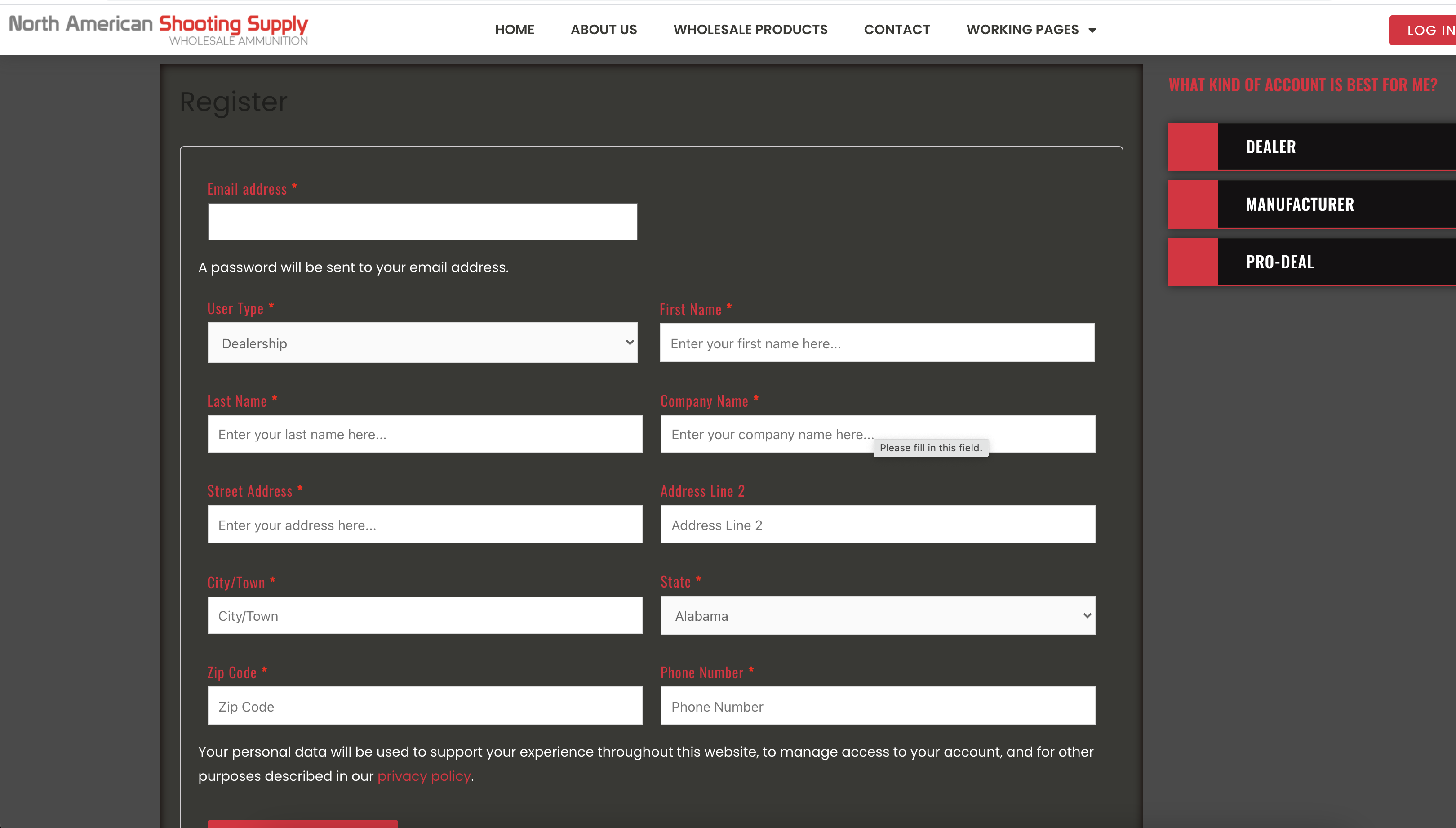
Hi there, could you help me out with how to get my form fields on the registration form into two columns - not all of them but most - see screenshot. Darned if i can figure out the right target/css.

Could really do with the feature to set their width when you make the fields. I made them 50% ok, but couldn't get them to flow to two cols.

Thank you :)

2,762
KingsPlugins replied 5 years ago on August 16, 2021 at 1:02pm

Hi John,

I think I can send you the right CSS for this but I would need a link to your registration form so I can work with it directly in the browser. (the CSS depends on the theme and rest of your setup)

Kind regards,

Stefan

1
2,762
KingsPlugins replied 5 years ago on August 16, 2021 at 1:23pm

I've added the below CSS to the site in browser and it seems to be on the right track:

p.woocommerce-form-row.woocommerce-form-row--wide.form-row.form-row-wide {
    width: 49%;
    display: inline-block;
}
.b2bking_custom_registration_container p.woocommerce-form-row.woocommerce-form-row--wide.form-row.form-row-wide{
    width:100%;
}
.b2bking_custom_registration_container {
    display: inline-block !important;
    width: 50%;
}


This is the effect that I'm seeing:

5381675288.png

Sign In