Public Ticket #2864124

minimum Unit + price range question

Closed
Comments
1 Ticket 2
julia started the conversation 5 years ago on September 3, 2021 at 1:27pm

Hi,

1. we need urgent to hide the price range from - to example: 10 € - 20 €

It should show just the cheapest price and the word ´ab´ bevor example:

ab 10 €

--

Please help us we have not find this solution in your forum just this what not helped: https://b2bkingplugin.com/docs/b2bking-tiered-pricing-setup-auto-generated-tiered-pricing-table/

2. Reseller can just buy products starts minium with 10 units, we did like its written in you forum but still reseller are able to select 1 unit, but there should stand 10 and than they can go up, 11, 12, 13 and so on This not helped us and dont seems to work https://b2bkingplugin.com/docs/dynamic-rules-discount-free-shipping-fixed-price-hidden-price-minimum-order-maximum-order-tax-exemption-required-multiple-add-tax-fee/

2,762
KingsPlugins replied 5 years ago on September 3, 2021 at 4:25pm

Hi Julia,

Thank you for purchasing our plugin,


Some thoughts on that:

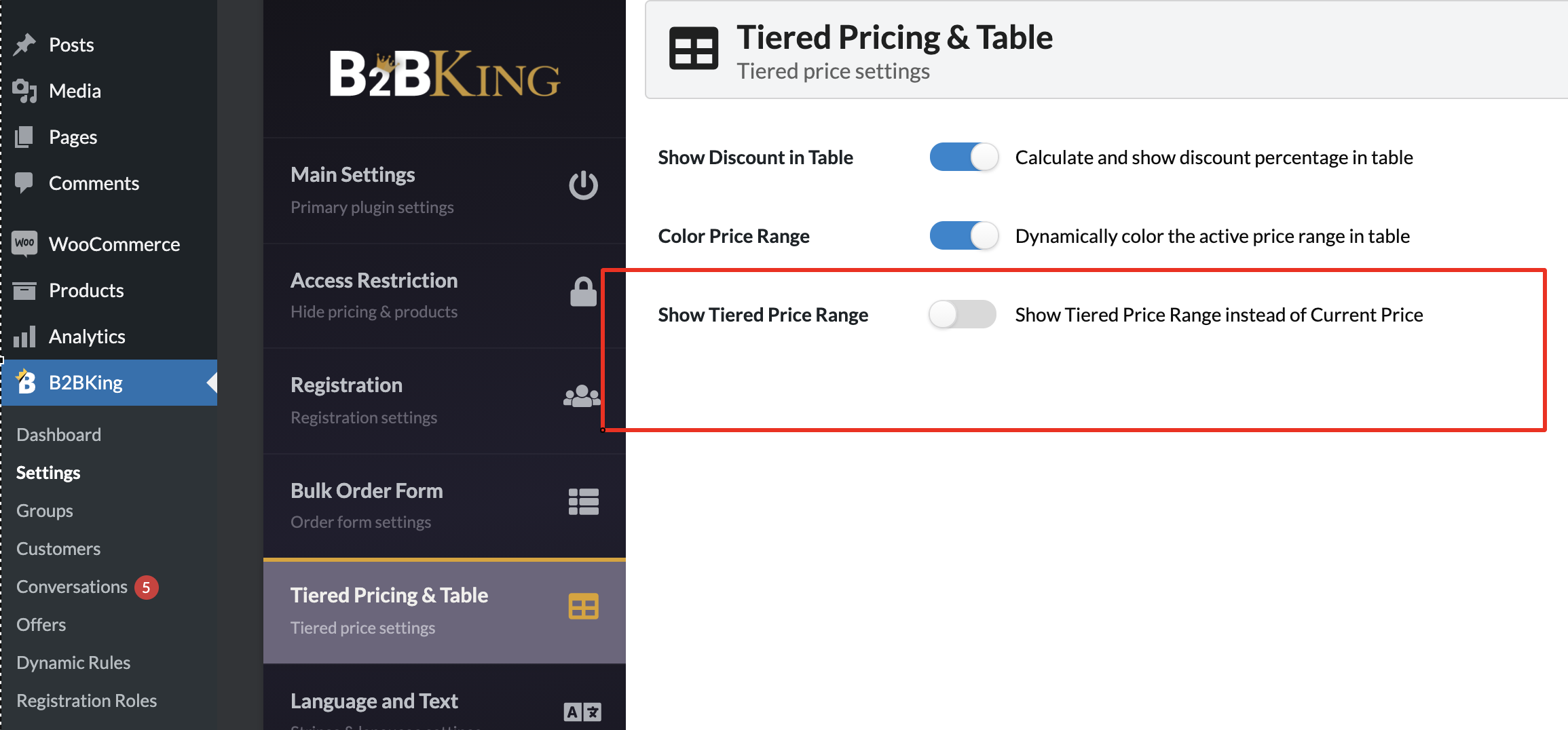
1) If you do not want to show the Range, you can simply disable this setting here in B2BKing -> Settings -> Tiered Pricing -> Show Tiered Price Range

3649030227.png


Our plugin does not have a setting to show the price as "ab: cheapest tiered price". If you want, I think we can provide you with a PHP code snippet that would be able to do that. Let me know.


2)

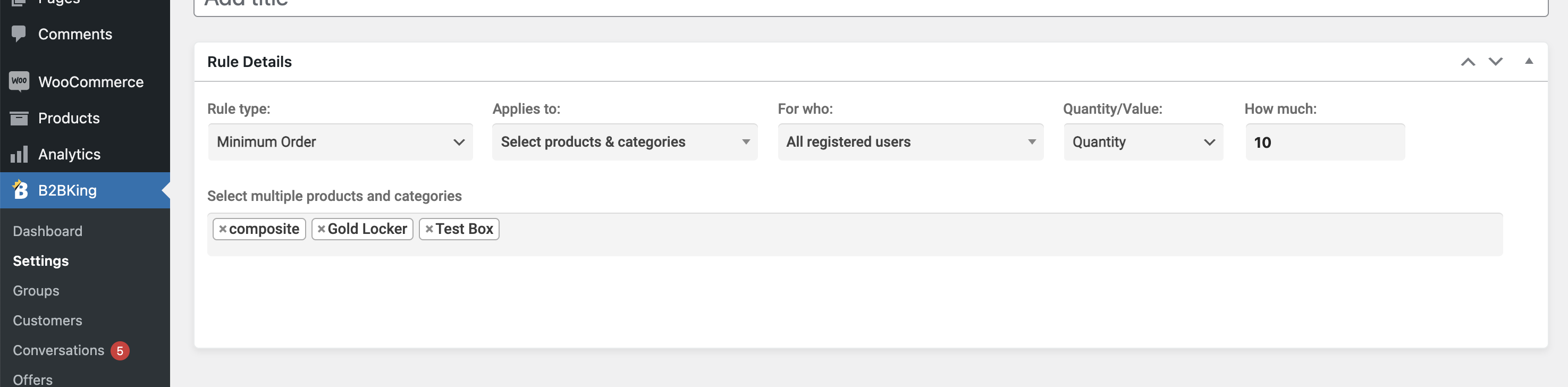
You can set minimum quantities per individual products by setting up a rule like this, and choosing the respective products there is a minimum quantity for:

1999621195.png


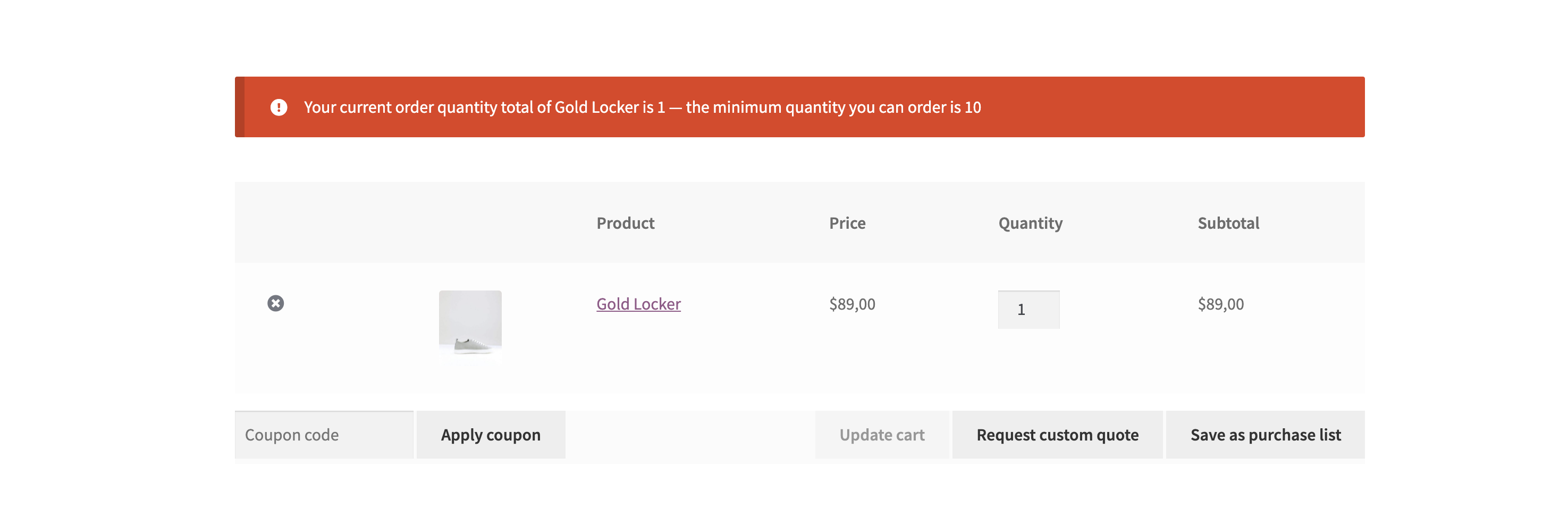
Users will see an error such as the following in the cart:

1662316346.png


The plugin does not force the minimum quantity in the product page, because the user may already have items in cart. We do not want to force a 10 minimum in the product page, because maybe the user already has 20 items in cart.


Kind regards,

Stefan

1 Ticket
julia replied 5 years ago on September 7, 2021 at 12:45pm

Thanks for your answer.

1. Yes i would need code snipes for the ´ab´ Version (Show tiered Price range)

2. I using Theme Avada and i used a own checkout page with fusion builder. So the massage is not appearing in cart ´Your current order quantity total of ... - the minimum quantity you can order is..´  Is there a shortcode available ? Because right now it is not working at all.

http://hookahfactory.kmedia.biz/produkt-kategorie/shishas/

Attached how the settings looks we did and how the checkout page looks in avada.

2,762
KingsPlugins replied 5 years ago on September 9, 2021 at 1:57pm

Hi Julia,

We've looked at a snippet for that and I think we have this working. First update the plugin to the attached version, and then add the following PHP snippet:

add_filter('b2bking_tiered_range_show_min', function($val){
    return true;
}, 100, 1);
add_filter('b2bking_tiered_range_show_min_from', function($val){
    return 'ab';
}, 100, 1);

To add a PHP snippet: https://b2bkingplugin.com/docs/how-to-add-a-snippet-php-or-js/

Then please go to any product and click "Update" - that simply clears price caches.

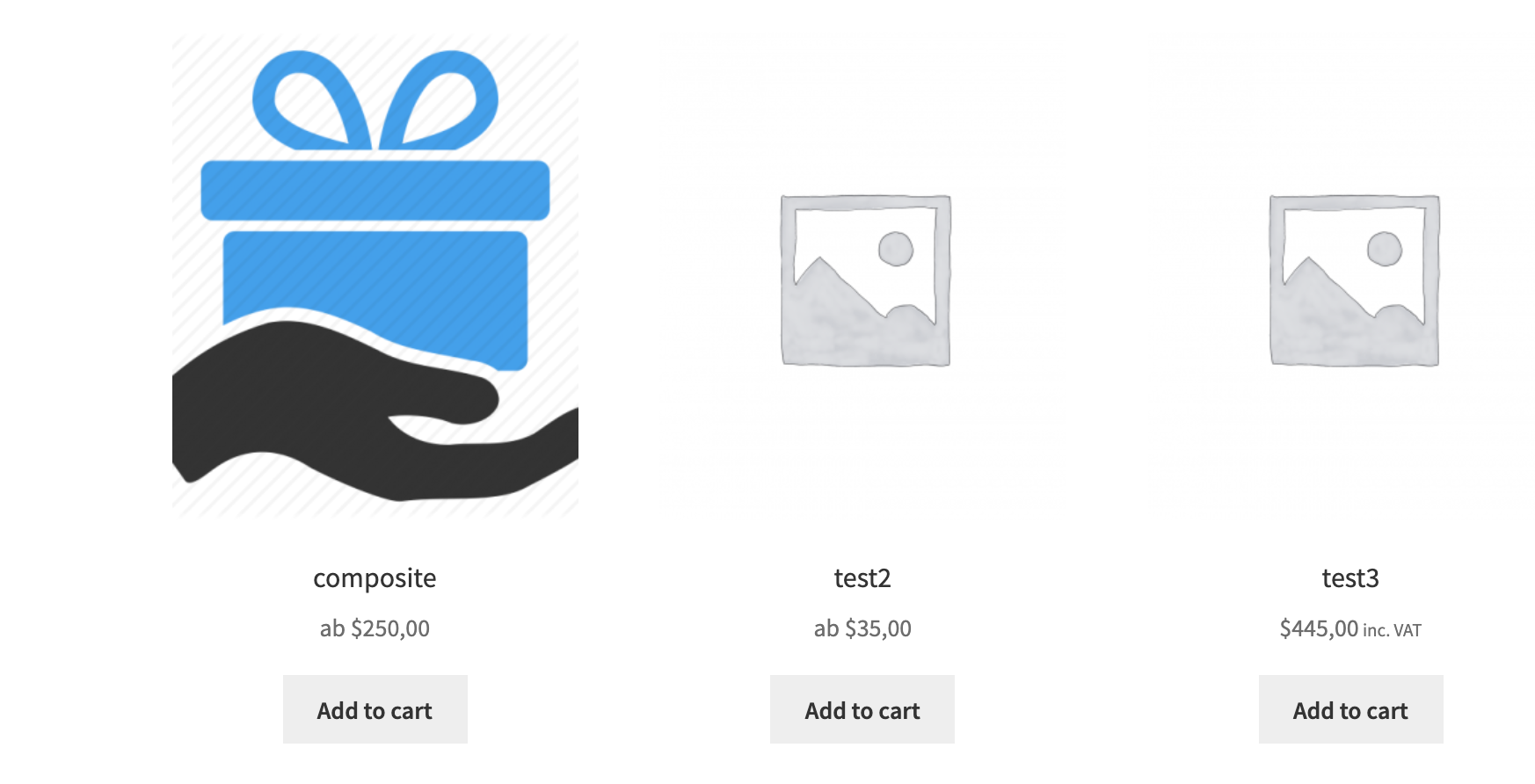
Should work and look like this:

2586002017.png
1 Ticket 2
julia replied 5 years ago on September 13, 2021 at 12:35pm

Hi Thanks,

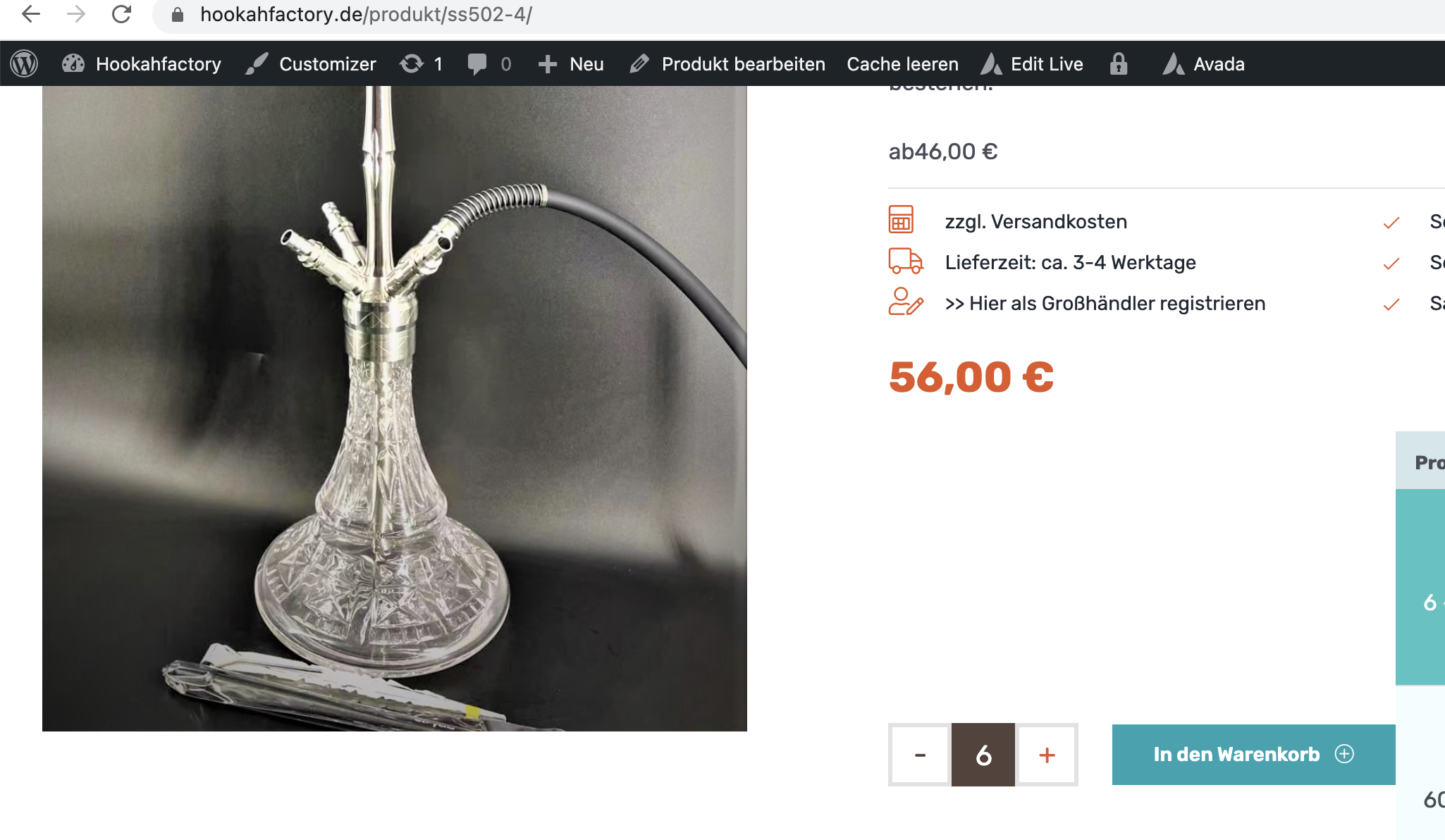
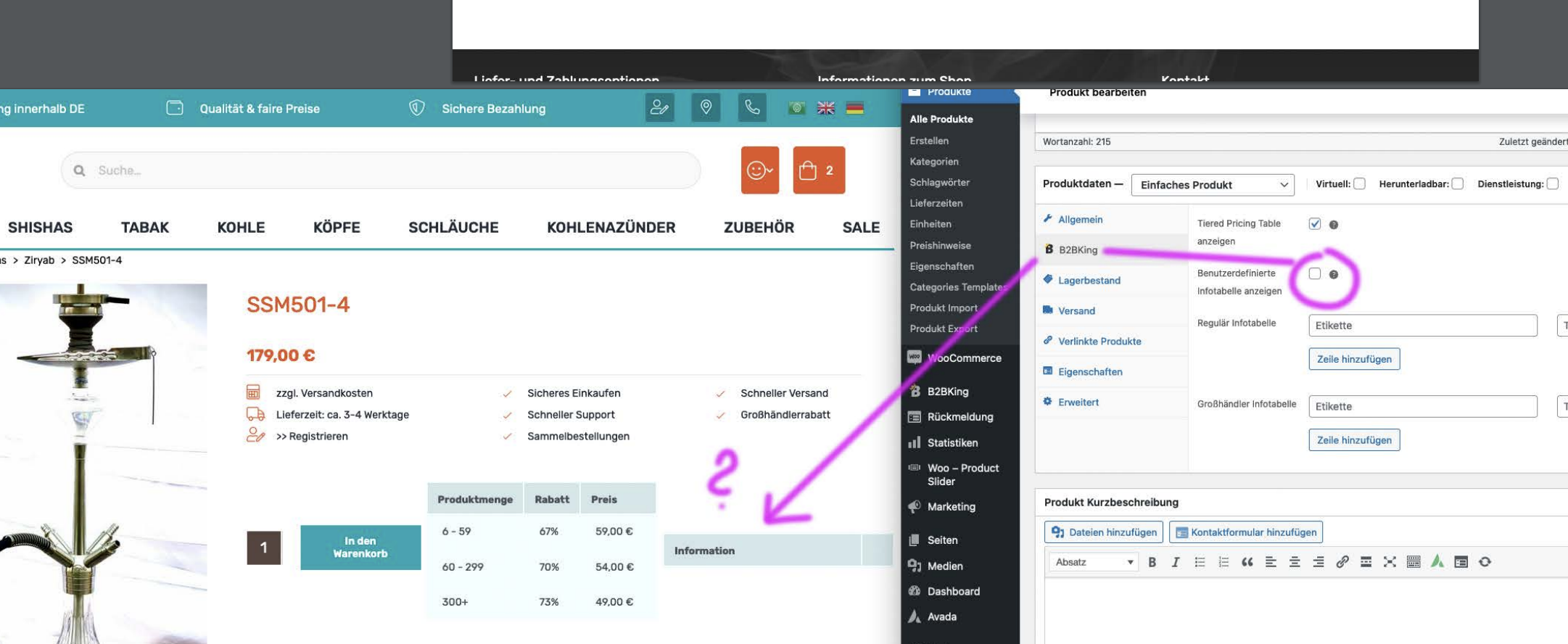
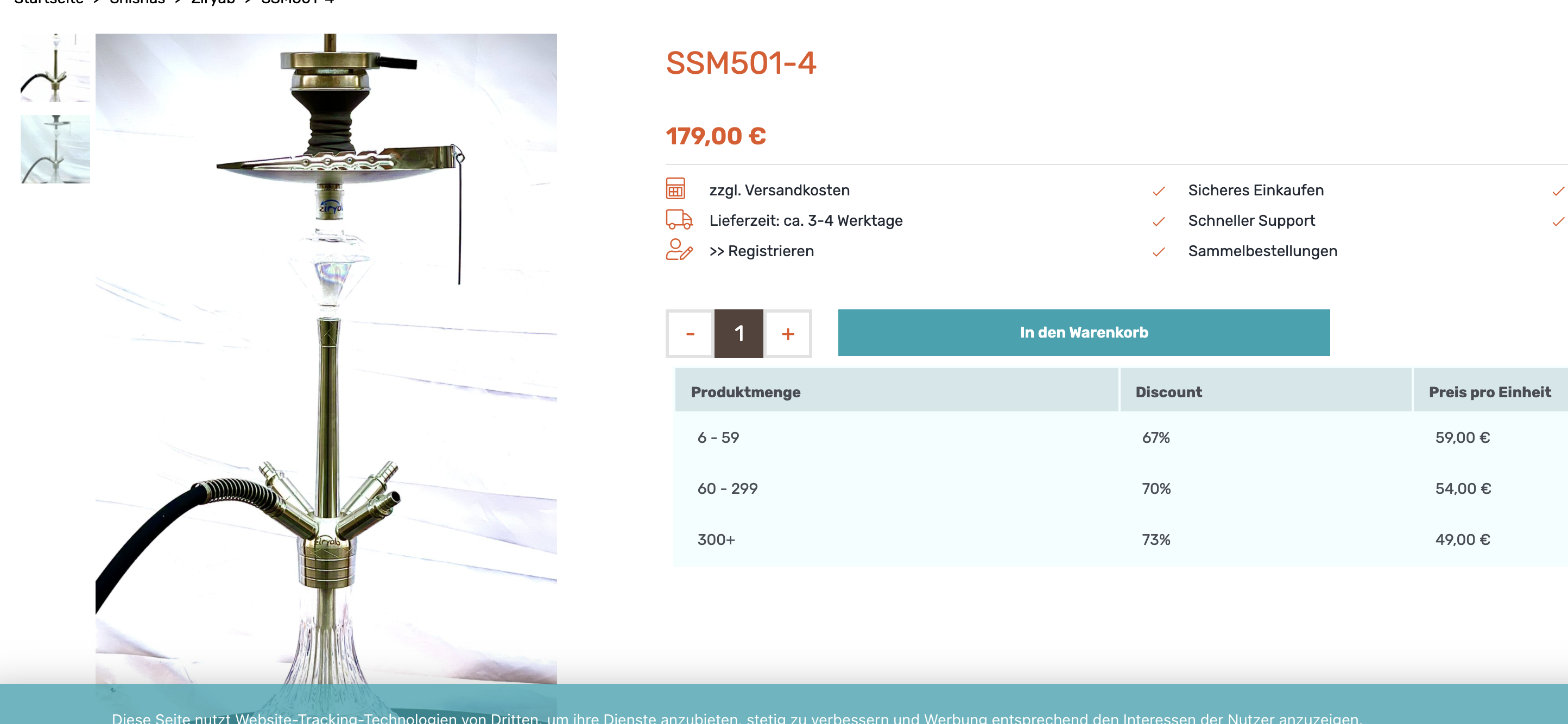
it is working BUT i need a space between the word ´ab´ and the price, also i need to chainge the CSS that the price looks same orange and big like we need.

1. Right now it looks ´ab10€´ but i need ´ab 10€´..you see online how it looks now:

http://hookahfactory.kmedia.biz/produkt-kategorie/shishas/

2. Normaly the price should look like this orange, bold bigger font, but with the snipped i can not reach this text / price:

font-family: Rubik; font-weight: 400; font-color:#e45624; font-size: 28px;

http://hookahfactory.kmedia.biz/produkt-kategorie/shishas/

3. I can not translate the word ´Discount´ also i used latest B2B Plugin Version and i synchronized it in loco translate like you recommended, how i can chainge it? Attached you see an image i chainged the word everywhere in your Plugin but its not working.
´Discount´ must be ´Rabatt´

http://hookahfactory.kmedia.biz/produkt/shisha-herbst/

4. Still the minimum unit is not working, also with the latest Plugin Version. I need that reseller must buy 6 units as minimum.. But in Productdetail i can add 1 or 2.. but must be 6 from beginning than they can add 6,7,8 + and so on.

Is there a solution?? Attached the settings we did like you recommended, but without any chainging happens.

Attached: info.pdf with 2 screenshots

1 Ticket 2
julia replied 5 years ago on September 13, 2021 at 2:01pm

Hi,

now i found thr failures also and perhapse it helps you:

1. The space between ab ´ab10€´ is just not appearing in this page:
http://hookahfactory.kmedia.biz/produkt-kategorie/shishas/

But in singel categorys it shows with space ´ab 10€´ correct also size and color would be correct, why could it not be also in the product-category overview ?
http://hookahfactory.kmedia.biz/produkt-kategorie/shishas/ziryab

2. Minimum unit is working ok i saw, its not good that the products must be selected all in a singel way.. what will be when client gets 1.000 products? Because also when export the products i can not add unit or minimum unit there.. would be very good to chainge this also in the .csv file

Please check attachment i hope it helps, to make the plugin more better. Right now its realy cool just those finetunes would be great.

1 Ticket 2
julia replied 5 years ago on September 27, 2021 at 8:22am

Hi,


we have now a 3 other problems.

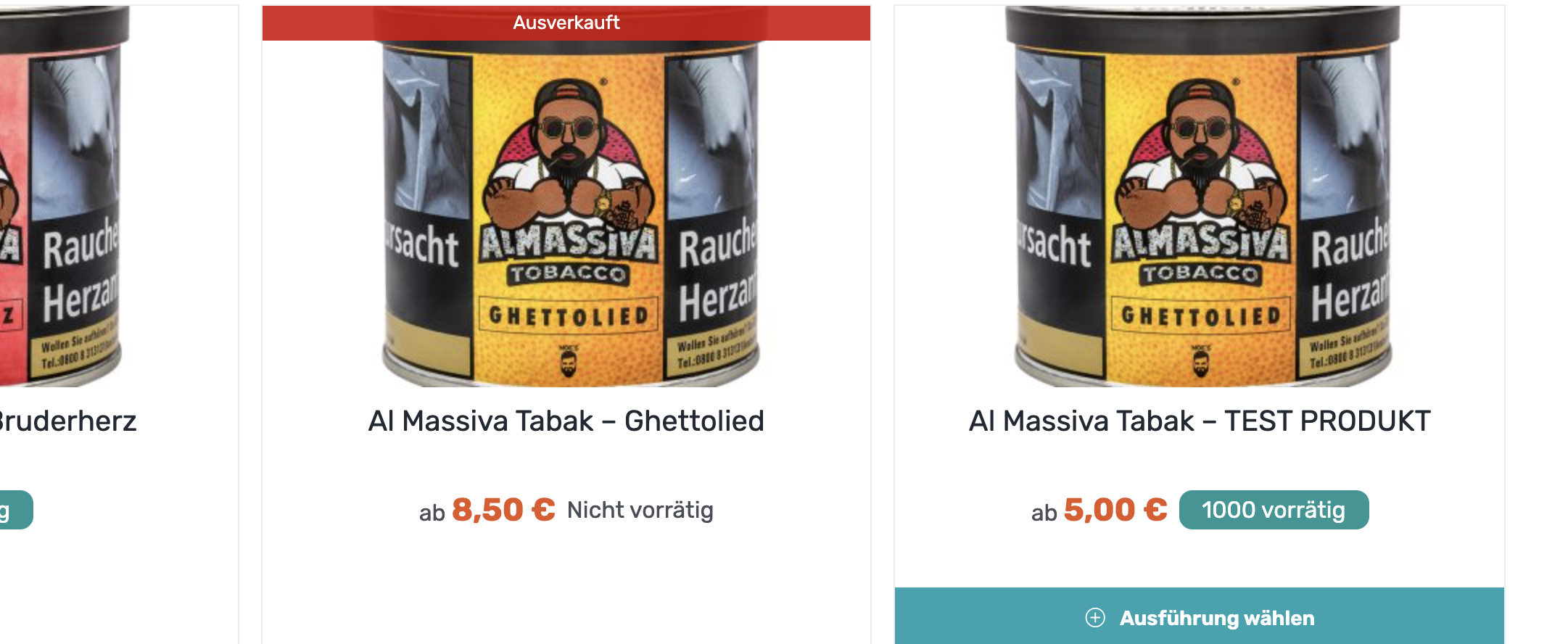
1. The Design from ´abxy€´ is still wrong..

2. Also the word ´Ab´ is now appearing but not the correct price (attached an image)

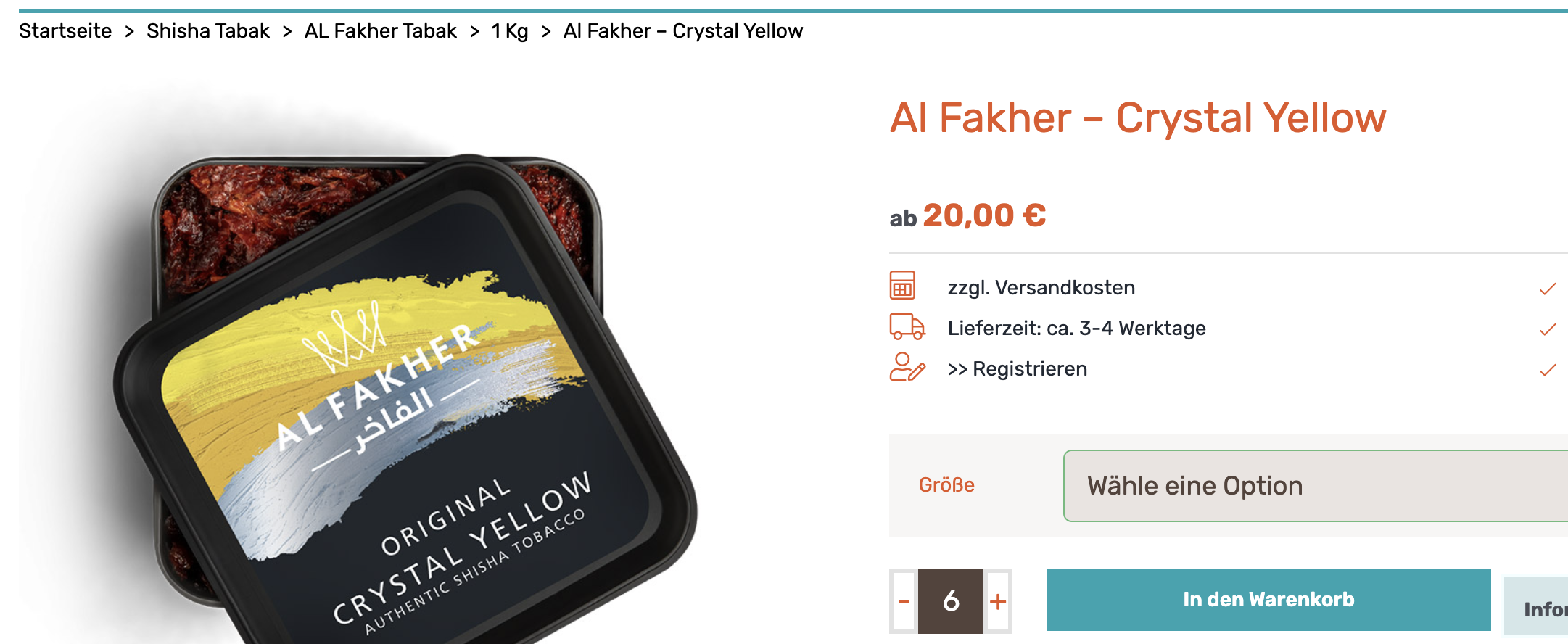
3. We use Variable Products for Shisha Tabak 1kg and 200g, and we see that the minimum unit is not working with dinamically rule settings. You see here:
http://hookahfactory.kmedia.biz/produkt/al-fakher-crystal-yellow-2/

4. The dynamically rules drives us crazy.. client will have thousand of products and we can not set them per hand all singel.. we need a main setting that all product-categorys or products must have minimum unit of 6.

Please help !

Thanks Julia

2,762
KingsPlugins replied 5 years ago on September 27, 2021 at 12:01pm

Hi Julia,

1. and 2. This seems to work correctly in my local tests. If you can share a backend login to your site or staging clone site, I'm happy to look into it directly for you.


3.

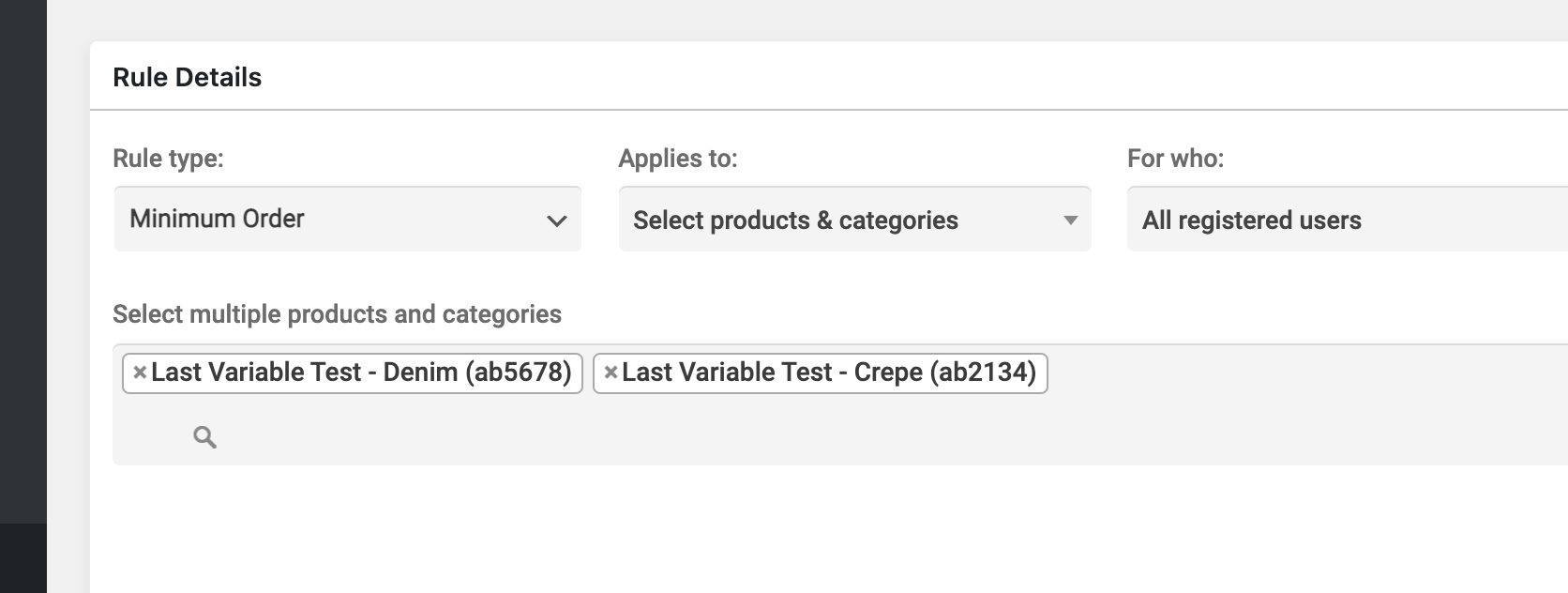
You would need to configure a dynamic rule to select each individual variation. For example:

2627451450.png


4. We are looking to add this in the next major update but we don't have this feature yet I'm afraid.

2,762
KingsPlugins replied 5 years ago on October 2, 2021 at 8:16pm

Hi Julia,

I checked with that product in your screenshot as a user in the Wholesalers group, but this seems to be working as expected for me. I think most likely you were seeing cache issues, since there is an active cache plugin in the site:

6478977750.png

The "all except X" function is not yet implemented for minimum order rules, only hidden price and some discount rules at the moment.


We will look at adding another setting to allow to easily select all products, but the plugin doesn't currently have this option. If you find the plugin is not useful to you because of this, I'd be sorry to hear that and we can also issue a refund if necessary.


Kind regards,

Stefan

2,762
KingsPlugins replied 5 years ago on October 11, 2021 at 1:50pm

Hi Julia,

I logged in and indeed, I had to make a change there to get it to work as expected. It should now be working.

You want this only for the Shisha Tabak category?

Should that include subcategories of Shisha Tabak (such as 187-tobacco, Adalya, Adalya 1KG etc ) ?

2,762
KingsPlugins replied 5 years ago on October 13, 2021 at 10:39pm

Hi,

1)

I added a different snippet for "ab price". I see it was not working well previously for some reason.

Now seems to work better:

4476145955.png
1743803289.png


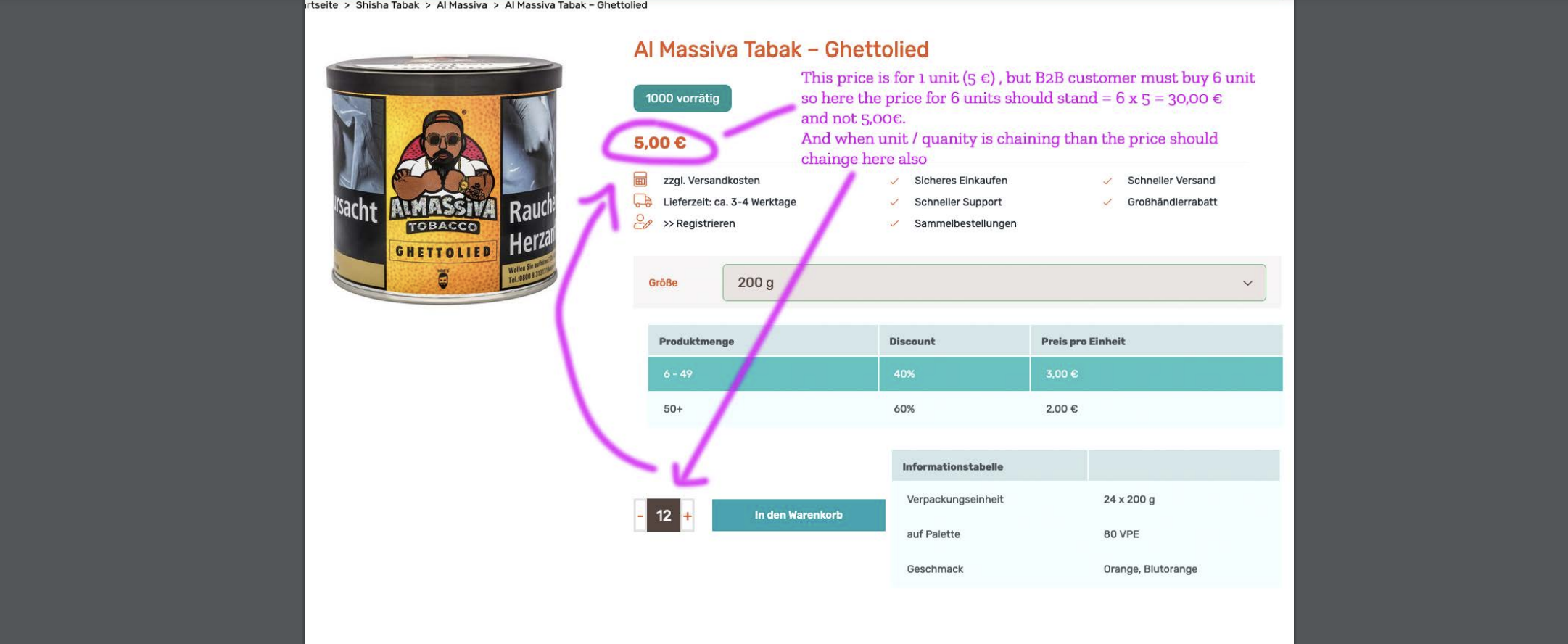
2)

7573927621.png

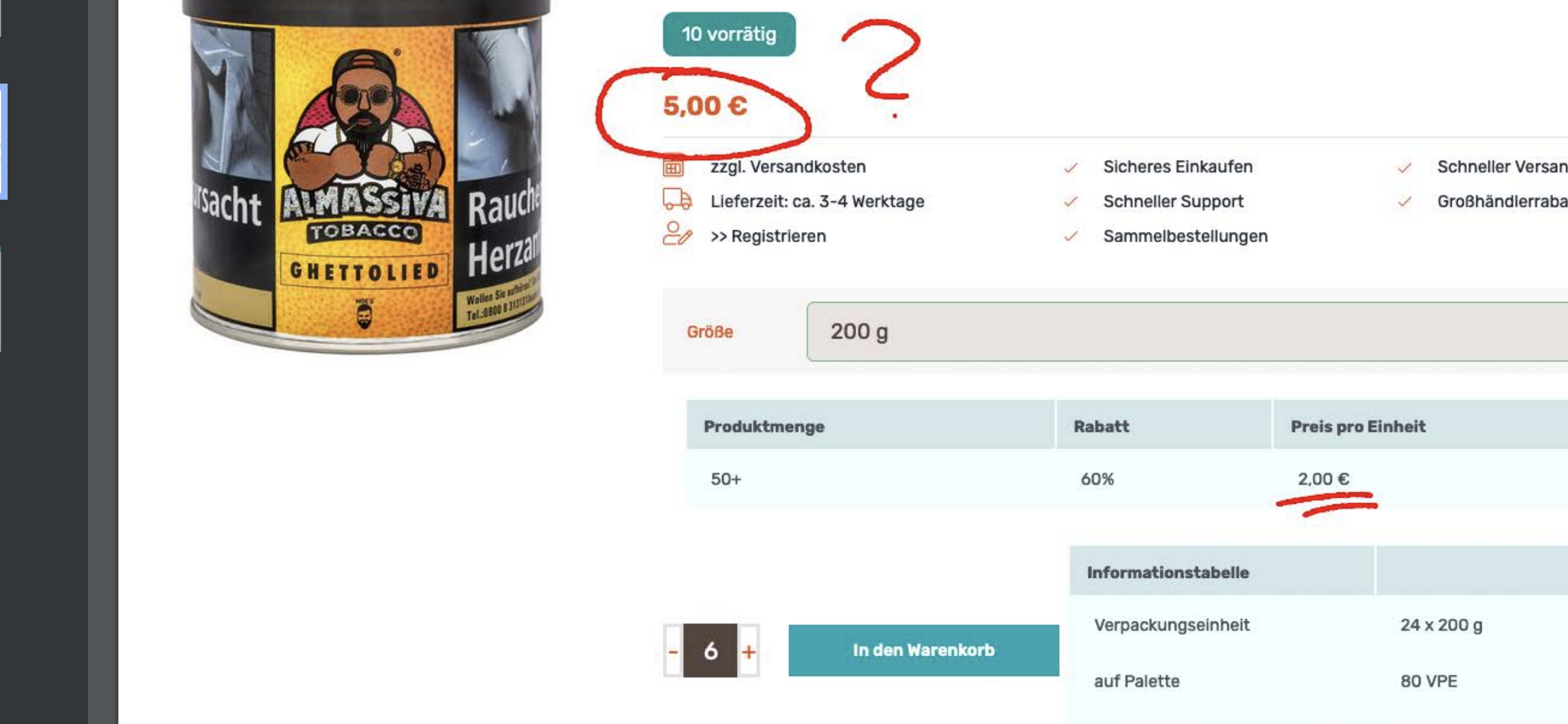
The price at the top (5.00) is the current price per unit (based on how many items you have in cart). If you add 12 items to cart, the price there will change to 3 (current price per unit will be 3)

In the table it is visible that if 12 items are purchased, price per unit = 3.00

This is not something I can change - our plugin only has this display.


3)

8948696638.png

This is because of the snippet we added ( https://hookahfactory.de/wp-admin/admin.php?page=edit-snippet&id=2&result=updated ). You changed something in the snippet to delete content for B2C.

I modified it now. Should be fixed now.


4)

I added a snippet to move the table under the button:

5776383290.png


5)

8918793432.png

To explain the logic here:

5.00 = current price per unit

In the table it says that if the user adds to cart 50+, the price per unit will be 2.00


Sign In