Public Ticket #2882108

Discounts

Closed
Comments
5 Tickets 6
Mike Morrison started the conversation 5 years ago on September 28, 2021 at 4:01am

Hello,

I have been working on dynamic rules and understand how to apply price discounts to categories but I was hoping someone could send me information on how I apply a discount to specific products instead. 

I have a user group that receives certain discounts based on individual items and it would be nice if I could select products from a list instead of categories, since categories is too broad. 

2,762
KingsPlugins replied 5 years ago on September 28, 2021 at 10:14am

Hi Mike,

The plugin can show products directly in the rule dropdown. However, sometimes it deactivates this if there are many products in the site in order to prevent the risk of crashing the page (too many products / variations to display).

You can try to go to B2BKing -> Settings -> Other -> Large Stores -> and deactivate "Dynamic rules: replace product selector with text box". This will show products directly, not just categories.


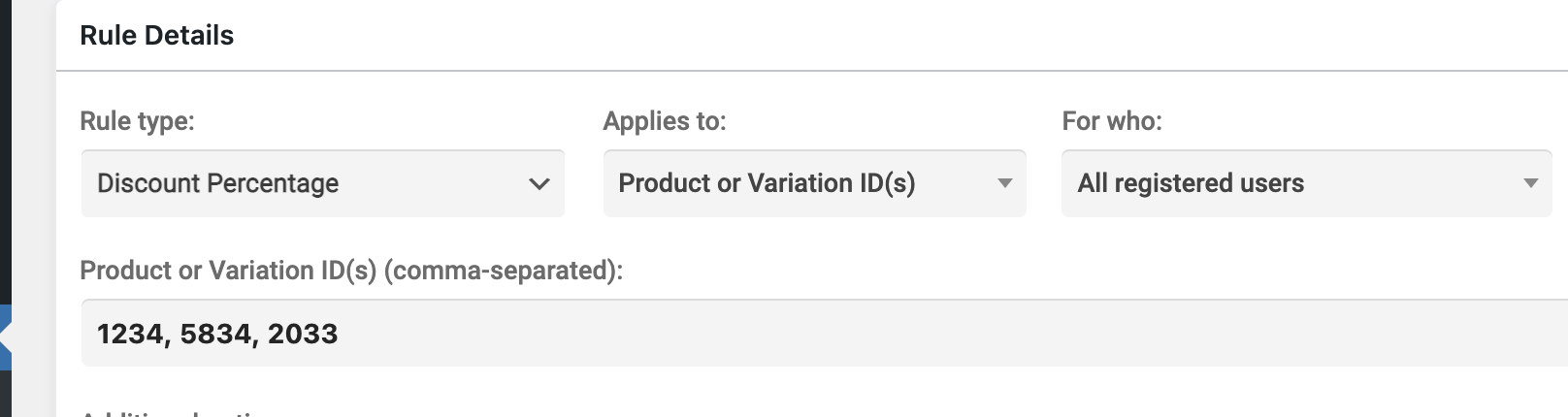
However, if that doesn't work (page doesn't load / crashes), you would need to enable that setting and manually enter product ids. In that case, the rule looks like this:

5851428770.png

To get a product's ID, you can go to Products in the backend, and click on the product. The number in the URL (e.g. post=1234) is the ID.


Kind regards,

Stefan

Sign In