 2 Tickets
Hi, the plugging dont work.
i created a discount only for whosale(mayoristas) and does it to everyone.
 2 Tickets
Hi, the plugging dont work.
i created a discount only for whosale(mayoristas) and does it to everyone.
 2,762
2,762
Hi Sandra,
Hope you are well,
1) For customer support, kindly please provide us with your purchase code for the plugin. To get the code, you can go to https://codecanyon.net/downloads -> Click as it's shown in this image:
-> The text file downloaded should have something like this inside: Item Purchase Code: b3e5fe72-00b0-4019-a8e2-06fb26264742
Thank you for the help,
2) Regarding your issue and screenshot, I checked but this is not something we can see in local tests.
Perhaps you are seeing a cache problem. Do you have any caching plugin active in the site?
If you'd like, we can also check the configuration for you if you can provide us with a backend login to your site / staging clone site.
Kind regards,
Stefan
2 Tickets
This message is private.
2,762
Hi
We will be happy to check the site and the issue.
For this, kindly please provide us with your purchase code for the plugin. To get the code, you can go to https://codecanyon.net/downloads -> Click as it's shown in this image:
-> The text file downloaded should have something like this inside: Item Purchase Code: b3e5fe72-00b0-4019-a8e2-06fb26264742
We need to verify this item purchase code. Thank you for understanding.
2 Tickets
This message is private.
2,762
Thank you for sharing the code.
I've updated the plugin in your site to the latest 3.8.9 version.
From what I can see in your configuration, you have multiple rules in "Draft" (Borrador) - these will not work. Only the "-25% cuccio" rule is published, so it is the only rule that will work.
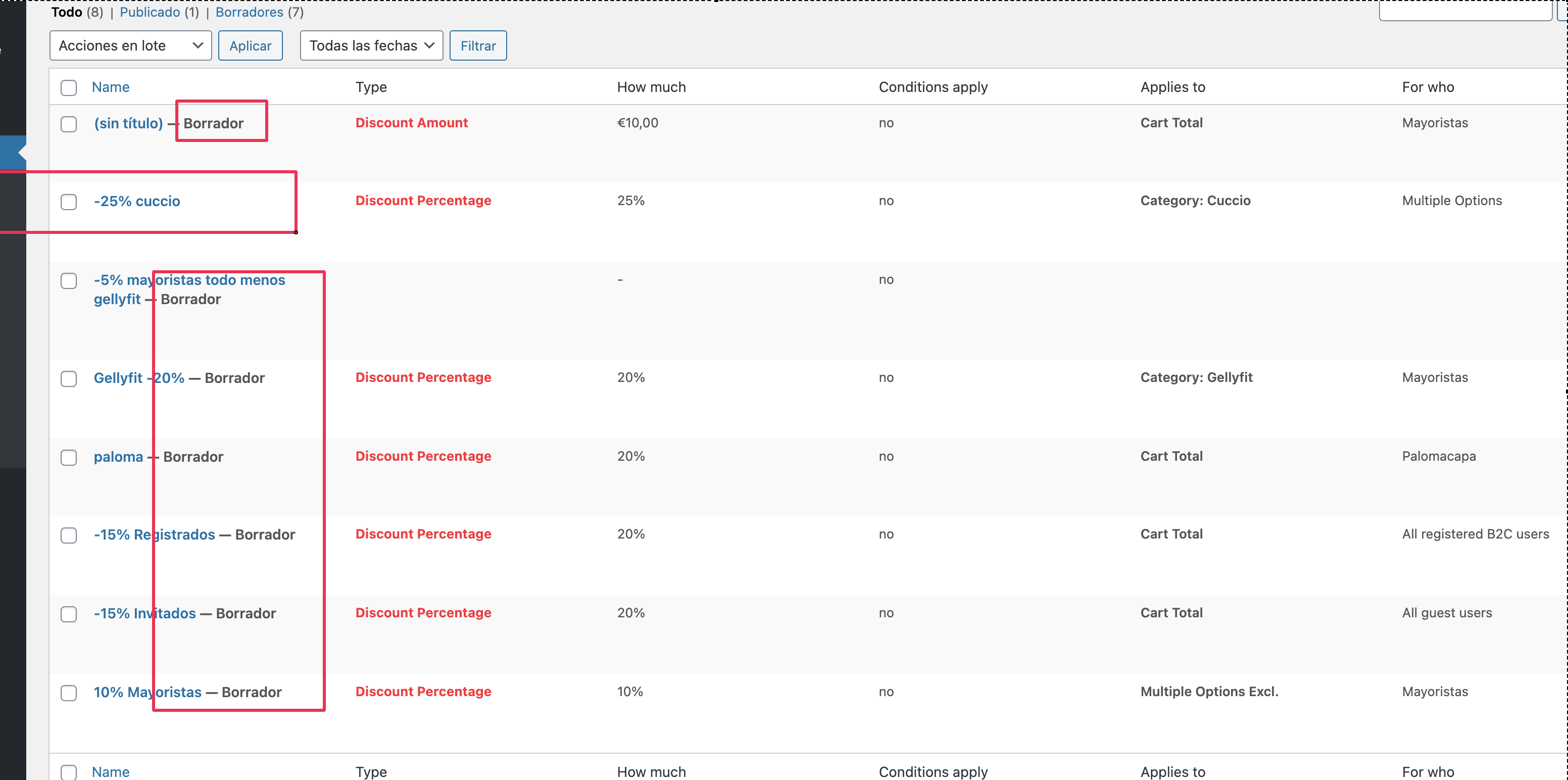
I activated the 10% Mayoristas rule.
I am now testing:
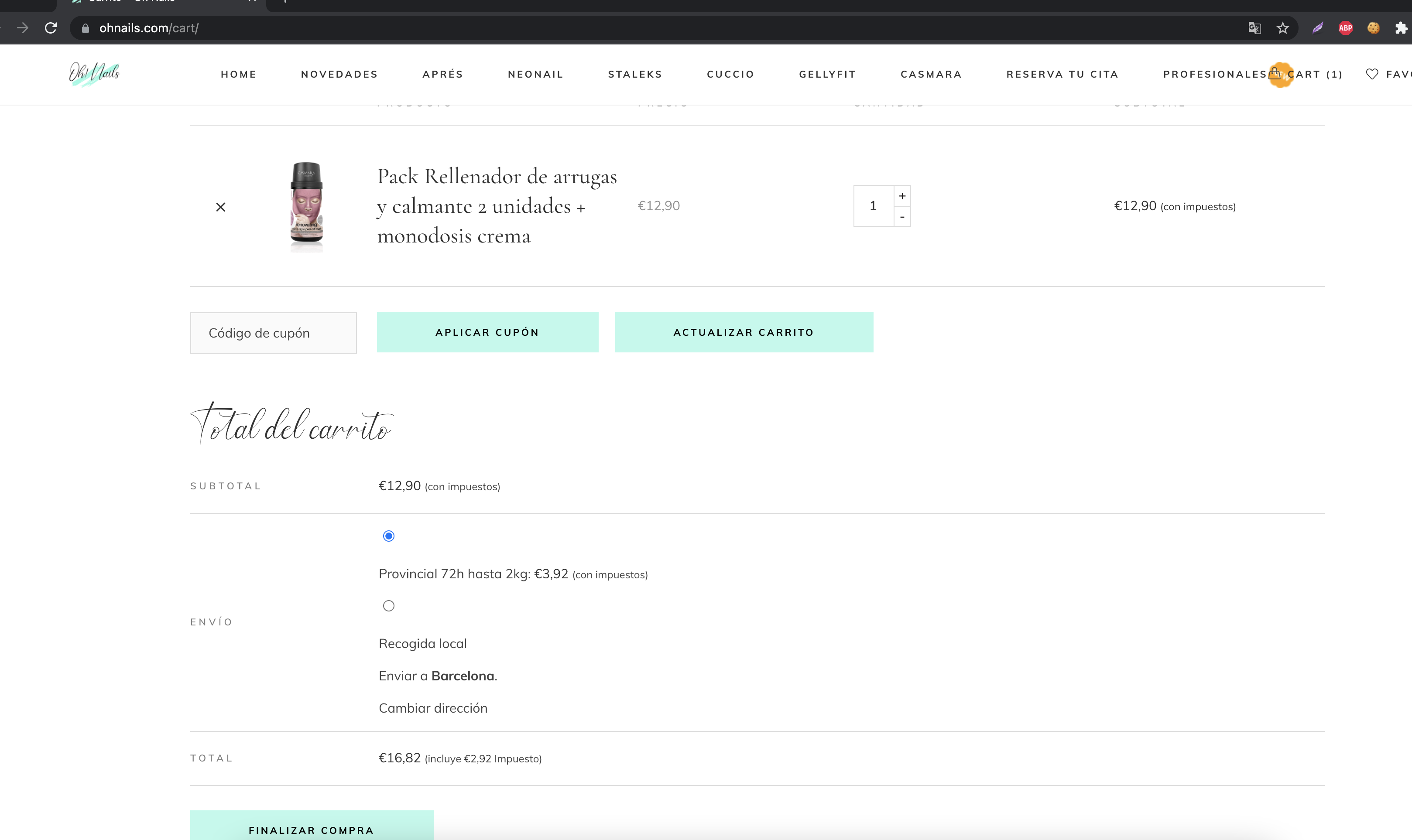
As a logged out user, there is no discount:
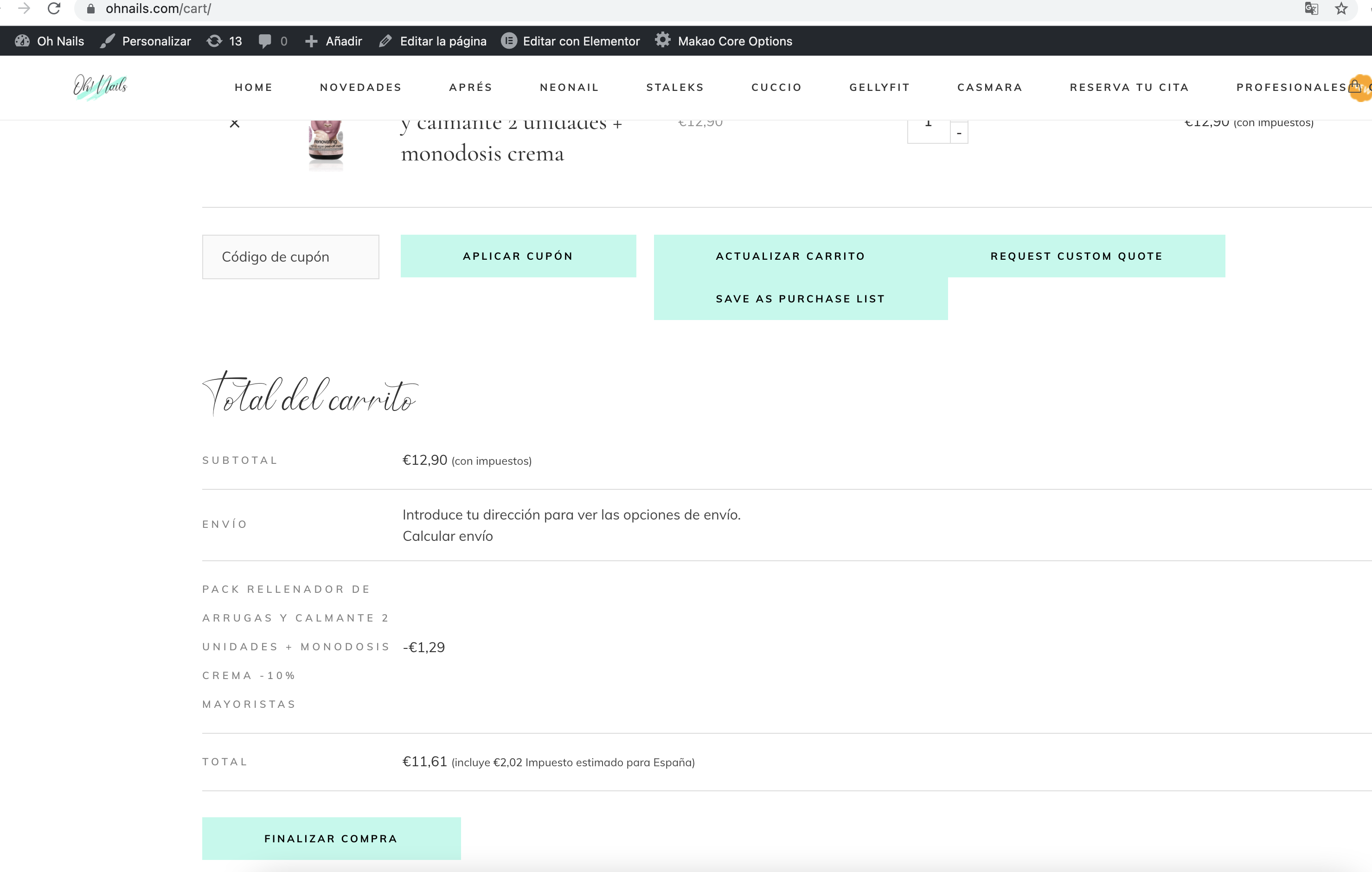
For mayoristas users, there is a 10% discount:
I also checked with B2C users and this seems to be working correctly.
Please let me know whether you see any further issues,
Kind regards,
Stefan