 6 Tickets
3
6 Tickets
3
Hello.
I would like to know if there is a feature that automatically selects a standard price for a product if the field for a group-specific price is blank.
Thank you
 6 Tickets
3
6 Tickets
3
Hello.
I would like to know if there is a feature that automatically selects a standard price for a product if the field for a group-specific price is blank.
Thank you
 2,762
2,762
Hi Alex,
Indeed, that's how it works in the plugin.
By default, if there is no group-specific price for a product (blank), the plugin will give the regular product price.
For example
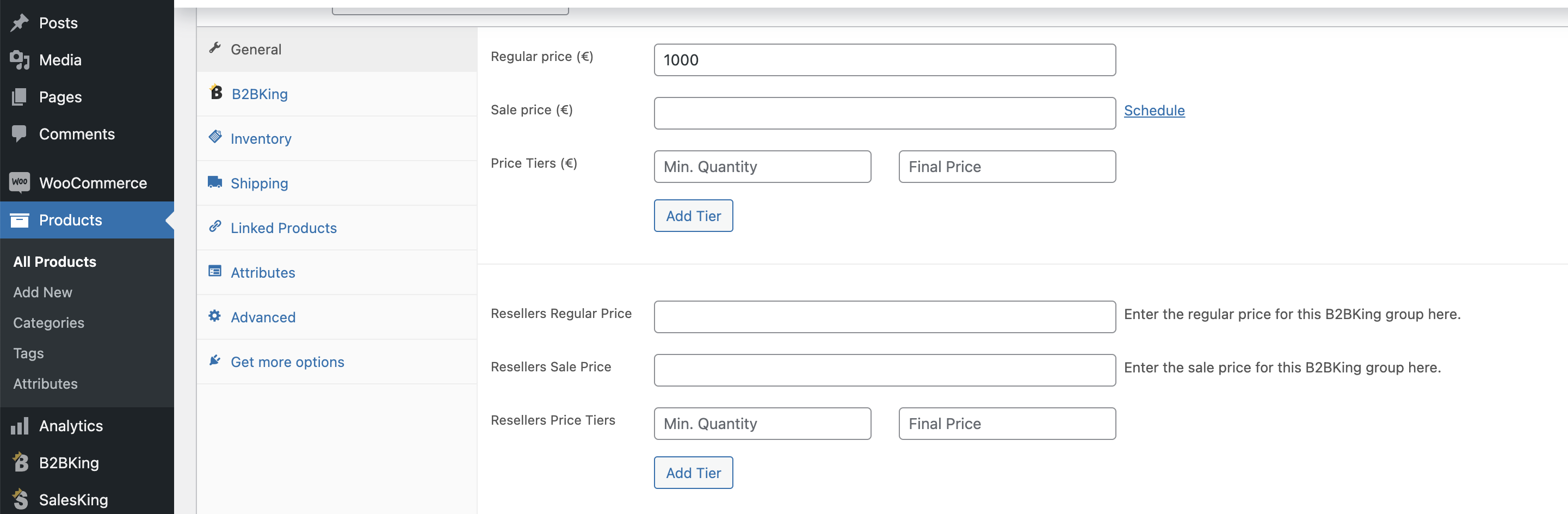
For this product there is no price configured for "resellers". Therefore resellers will get the regular price (1000)
Kind regards,
Stefan
6 Tickets
3
Thank you Stefan!
With this i still see a problem because we changed the functionality of the "Regular price"-field and it is now a "Recommended retail price"-field so customers can see that and count on their margin.
Is it possible to use one of the specific group prices as a default instead?
2,762
I don't have a way to change this behaviour - it is quite deeply embedded in the plugin
.
Perhaps you can tell me how you changed it to "recommended retail price". Could we apply this for only a particular group or category of users? could that be a solution?
6 Tickets
3
We had an external web studio create this site which i now have took over the responsability for. So i can only guess how they've created things. This makes it a bit frustrating to work with.
Anyways. On the store page we want to display a reseller-price so they know how much they will pay for the product. We also want to display a recommended retial price (RRP) as a guide for what price they can sell the product for.
We input the RRP into the "regular price"-field and then the reseller price in the B2B-king price fields for different customers.
The problem appears when i enter a sale price (in B2B-field). If i do this the product displays the reseller price with the new sale price. Which is great but it also replaces the RRP with the B2B-king reseller price.
Now we have this (see image)
2,762
Have you tried to enter pricing like this?
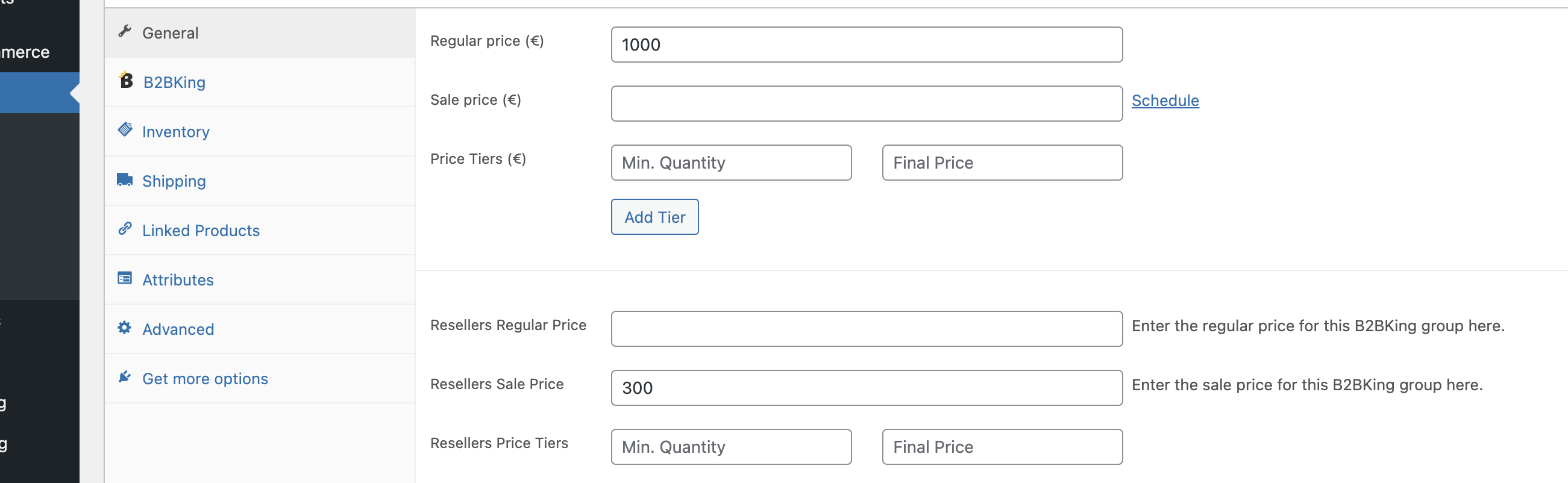
Meaning to only enter the group sale price, but not enter the group regular price?
I am only guessing as to how the other solution works, but perhaps the above can result in the RRP not being changed.
6 Tickets
3
Yes, ive tried that but it wont get me the result i want.
Actually: Entering a regular price, a b2b-group price and b2b-sale price that is HIGHER than the normal one, gives me the result i want (IMG: prices.png). When i make the sale price lower (as a sale price should be) it changes appearance (IMG: img2.png).
2,762
This message is private.
6 Tickets
3
This message is private.
2,762
Hi Alex,
I apologise for the delay - this is just a courtesy message to let you know we still have your ticket and it is in the queue to be answered shortly.
Thank you for your patience during this busy time.
2,762
Hi Alex,
I've looked a bit into this and made an update to the plugin in your site. I think the prices are showing as expected now when the sale price is lower than the group price.
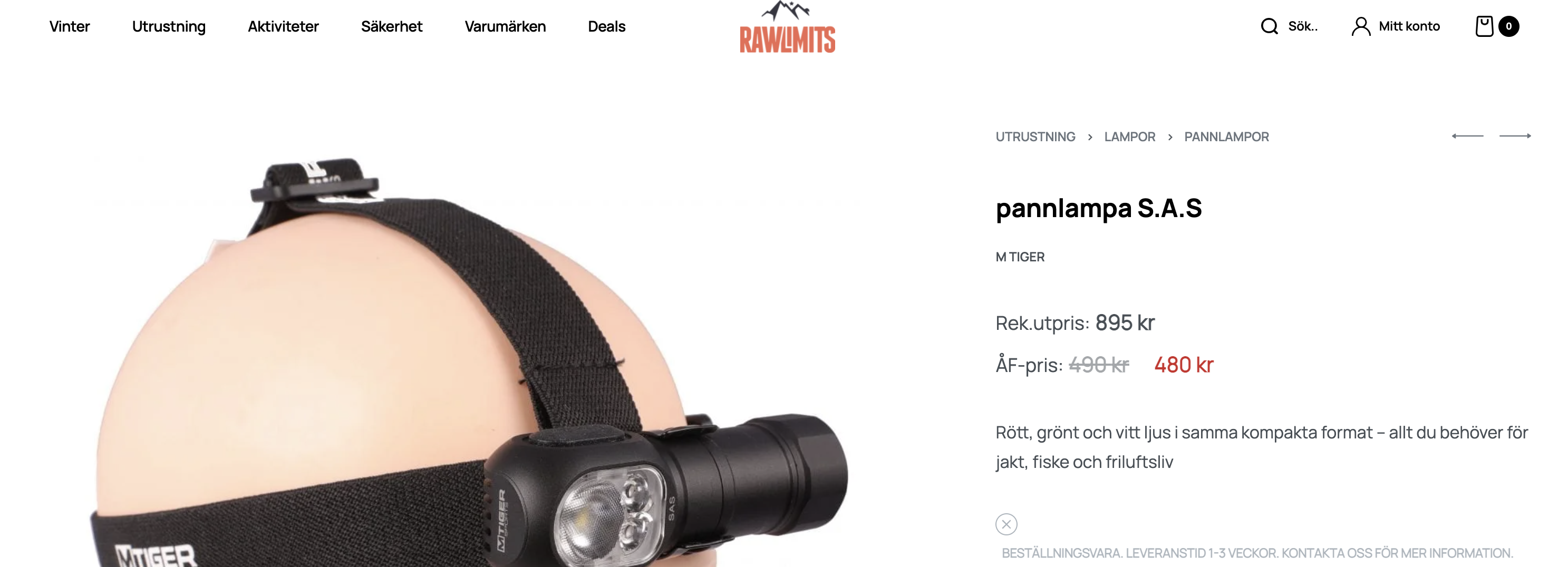
Please check and let me know if you see any further issues with this.
Kind regards,
Stefan
6 Tickets
3
Thank you Stefan, you are truly amazing!
It work perfectly on simple products but i cannot get it to work on variations. Is it possible to solve this as well?
EDIT: Also, i just noticed a bug this morning. The prices are now cramped in some kind of inline-mode in the product archive. They are supposed to be a list like before. I dont know if this is related to what we are doing or just a bug in the Rey theme.
Here is a link so you can see what i mean: https://imgur.com/a/cGPtqcj
EDIT 2: I fixed the display issue by adding this code to my pages css:
.woocommerce ul.products li.product .price>span {
    display: inline;
}
2,762
Hi Alex,
I made another plugin update.
I see it now as follows:
when I click on a variation (S L XL), it seems to be correct:
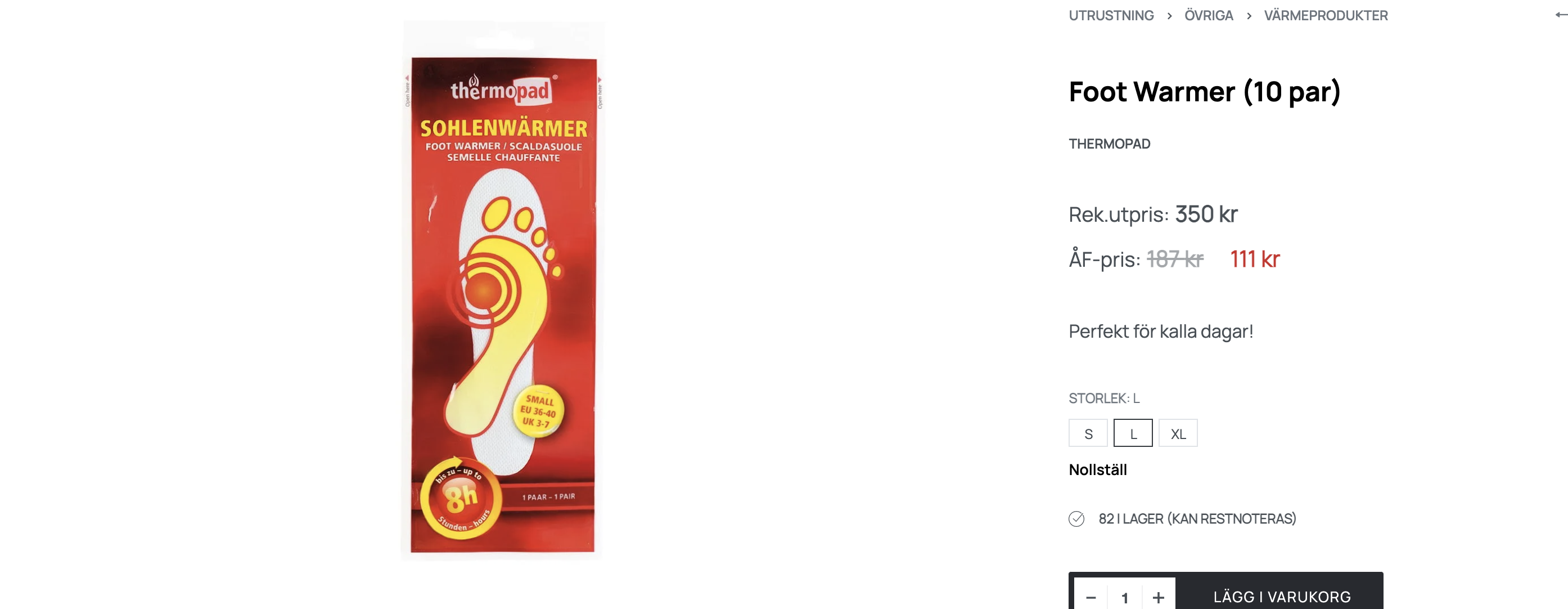
Previously I saw an issue in the general view (before clicking on a variation), but now this also appears correct to me after the update:
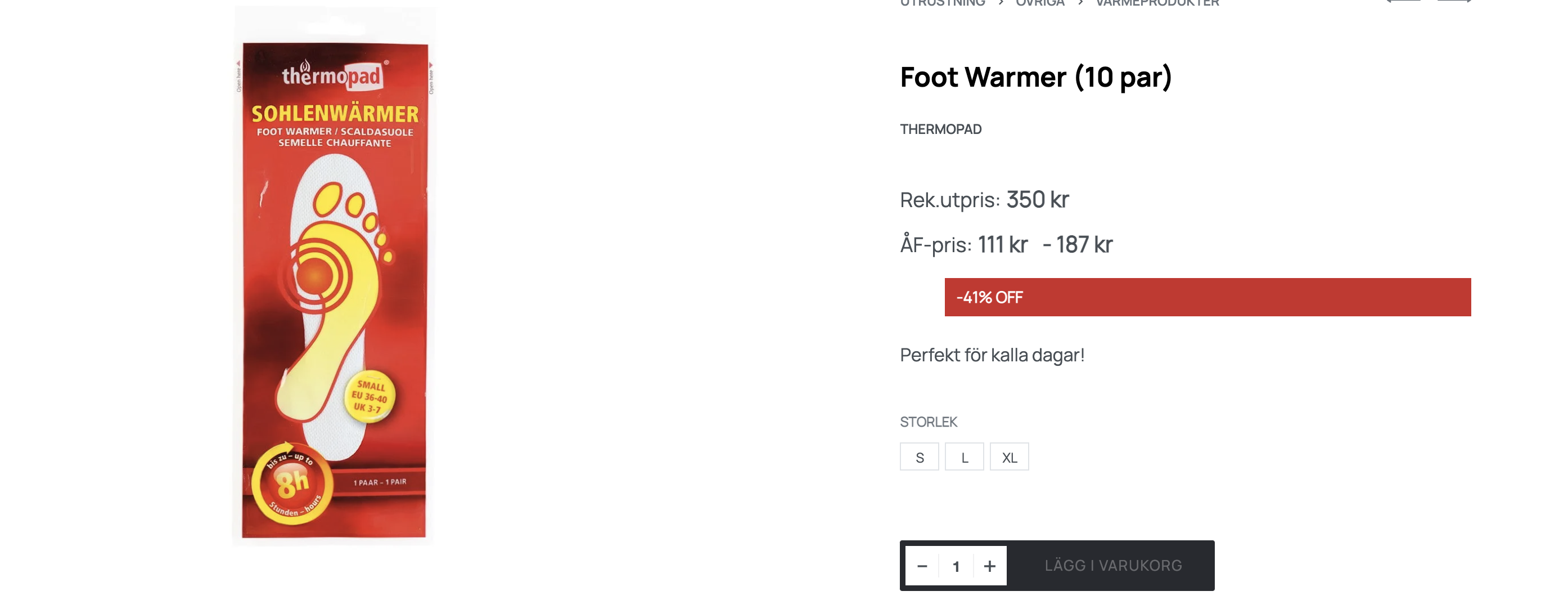
The 1 thing that is not correct obviously is the 41%OFF red text, but I can't comment on how that feature works - it's not from our plugin. We can hide it via CSS if you think that makes sense.
If you still see other issues, kindly please share a screenshot so I can better understand / know how to test it.
Kind regards,
Stefan
2,762
I now removed the sale prices and restored that product to its original state.
6 Tickets
3