 2 Tickets
7
2 Tickets
7
This message is private.
 2 Tickets
7
2 Tickets
7
This message is private.
2 Tickets
7
I sove this issue already. Here is another question. How should I add agent's name in Woocommerce Oder list column in function.php (child theme) ?
 2,762
2,762
Hi Patrick,
I apologize for the delay in getting back to you - right now we are seeing a high volume of tickets, and we're not able to reply as fast as we'd like. I can understand the frustration with not getting timely support. However, we aim to reply and resolve every ticket, even if sometimes it can take a day or two.
Thank you for the login. I see that your first issue appears resolved, as the link is working fine in my tests.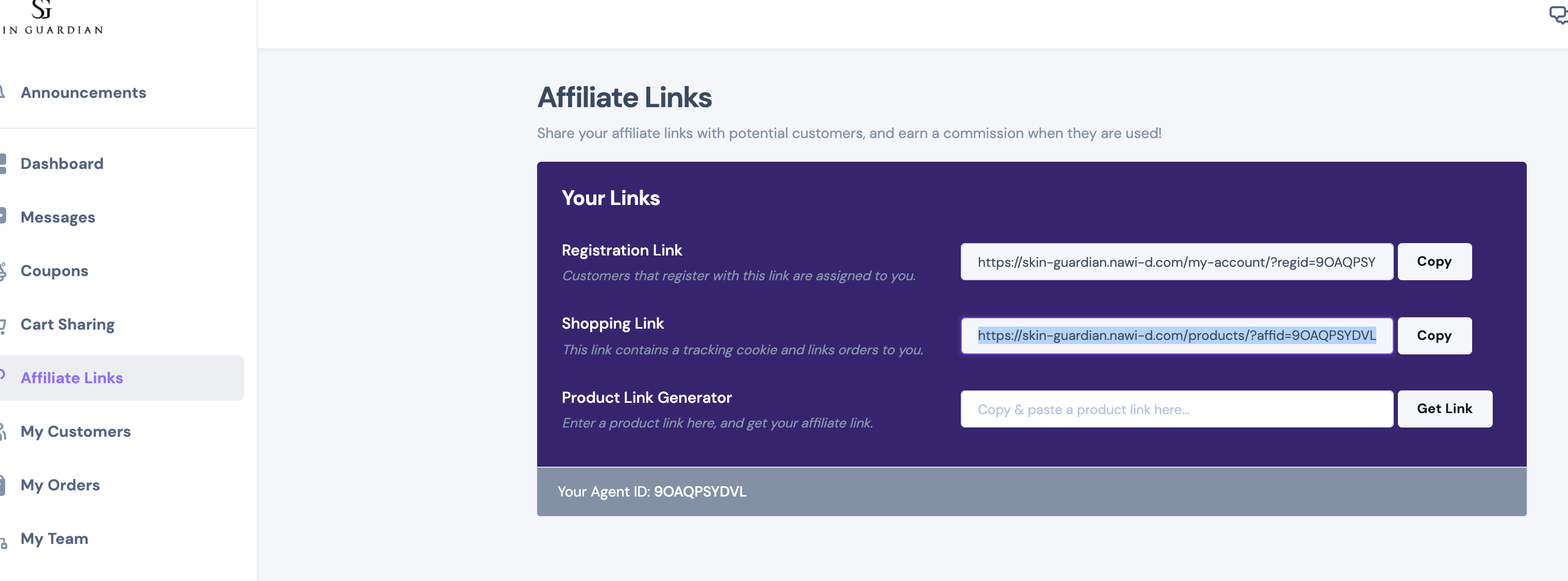
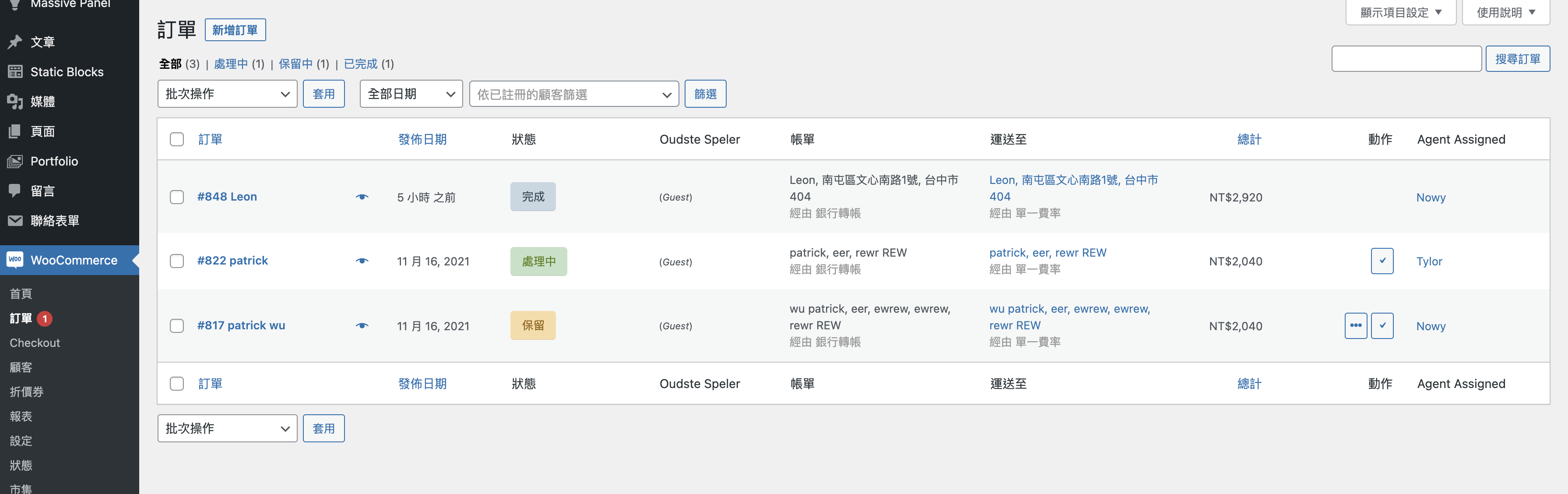
Regarding adding an order column where you can show which agent is assigned to which order:
I've added this to the plugin and I've updated with this version in your site.
This appears to be working in my tests (you can see the agent in the right side column):
I see that you have submitted a refund request. If you'd still like to go ahead with this, please let me know, and I will process this for you.
Kind regards,
Stefan
2 Tickets
7
Now all good.
Thank you I truly appreciate that. I'm sorry for the misunderstood with my angry mood.
Can I have a filter with Agent's name?
2,762
I completely understand.
You're looking for a filter in the Orders page, by Agent name, correct?
I will try to add this, but I'm not sure how hard it is to do, because honestly I've not done this before. I will try to add this and get back to you with it later today.
2 Tickets
7
Thank you. Looking forward to your reply.
Sorry for the angry mood again.
2 Tickets
7
btw
Can I view the report by Team Agents/ Single Agent ?
Thank you.
2,762
The plugin can show the details of all earnings by agent ( by going to https://skin-guardian.nawi-d.com/wp-admin/admin.php?page=salesking_earnings ).
You can also click "View Earnings" and view the details for each agent. For example it will look like this:
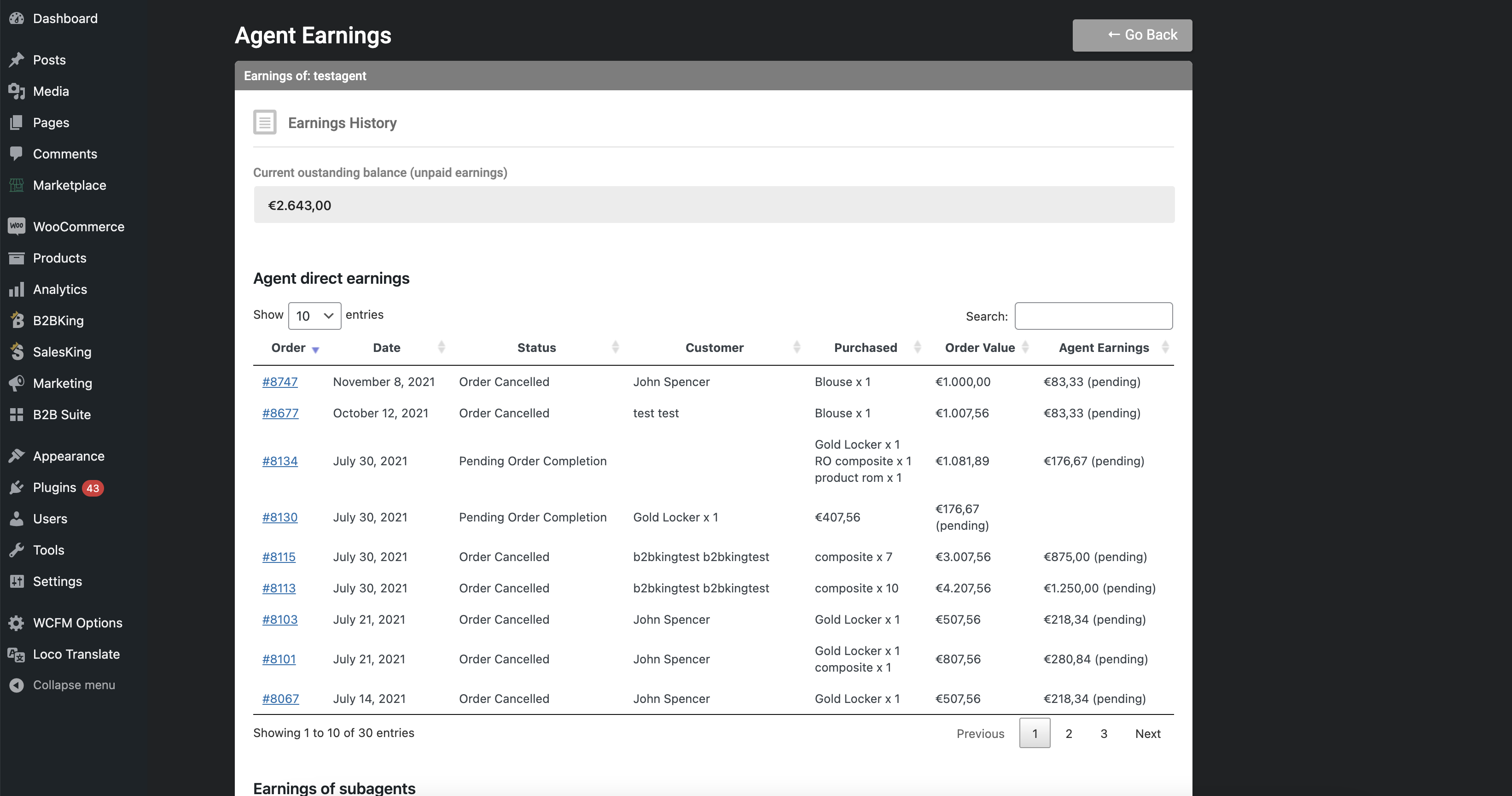
We are looking to add more reports/charts, but currently this is the only available one. There's currently no reports by team. You can view teams and team members via SalesKing -> Teams ( https://skin-guardian.nawi-d.com/wp-admin/admin.php?page=salesking_teams )
I will be looking at adding that filter in the next hours, and will get back to you here again.
2 Tickets
7
Thank you. What should I do if I need to check the team report?
2,762
Hi,
I've updated the plugin in your site to 1.2.1 and now there is a filter by agent there:
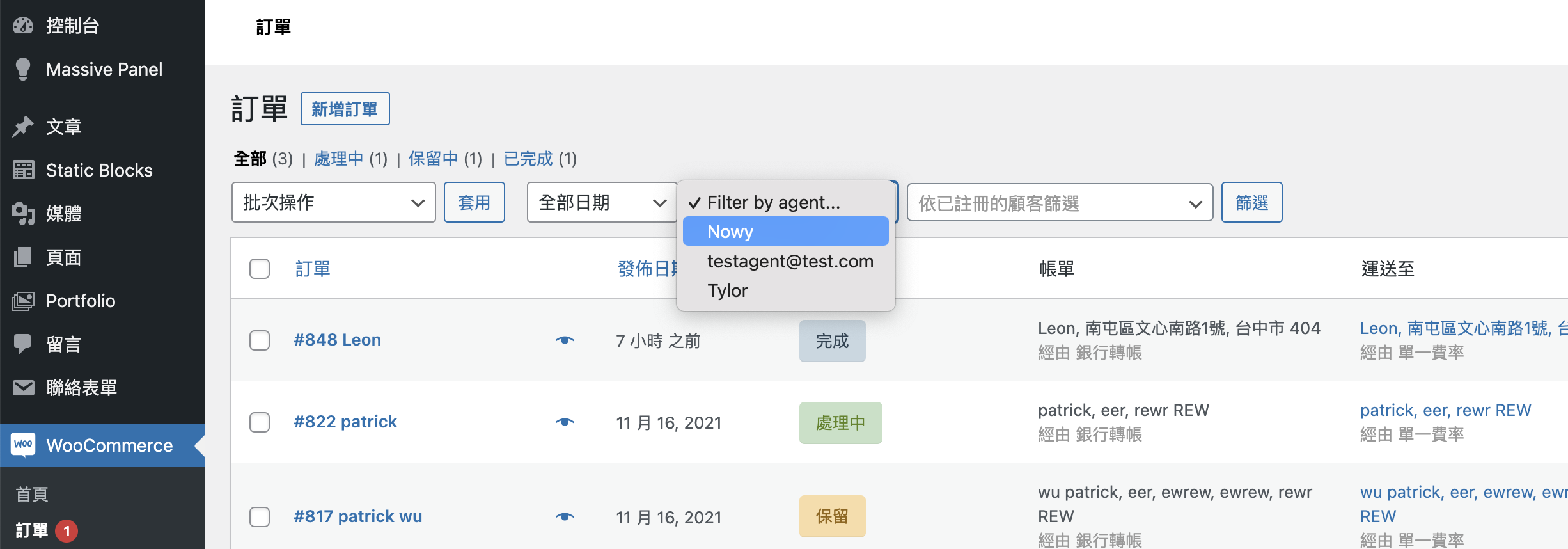
Seems to be working correctly in my tests:

Let me know if that seems to work well for you,
Currently we don't have a report by team - we will look at adding one in future updates. For now you would have to go to SalesKing -> Teams and view the sales for each individual agent in the team.
2 Tickets
7
OK, got it. Thank you. Guess i'm the first user with 1.2.1 ^^
2,762
Yes Sir!
And thank you for changing the review on the page 🙏🙏
We are a small team, sometimes it can take a bit to get a reply, it depends on many factors like how many tickets we have in the queue, if someone is sick etc. Sometimes it will take 12 hours, sometimes 36, but please know we are always trying to resolve every ticket.
Have a good day ahead, and let me know if I can help with anything,
2 Tickets
7
Thank you for the help. Looking forward to having more fuctions in the near future.
Truly appreciate.
2 Tickets
7
Hi, here's a new problem.
I'm making an OnePage website so the product would be on the home pag. If I set home page as a shop-page, the affiliate link isn't work. Do you have any idea ?
2,762
I am trying the following.
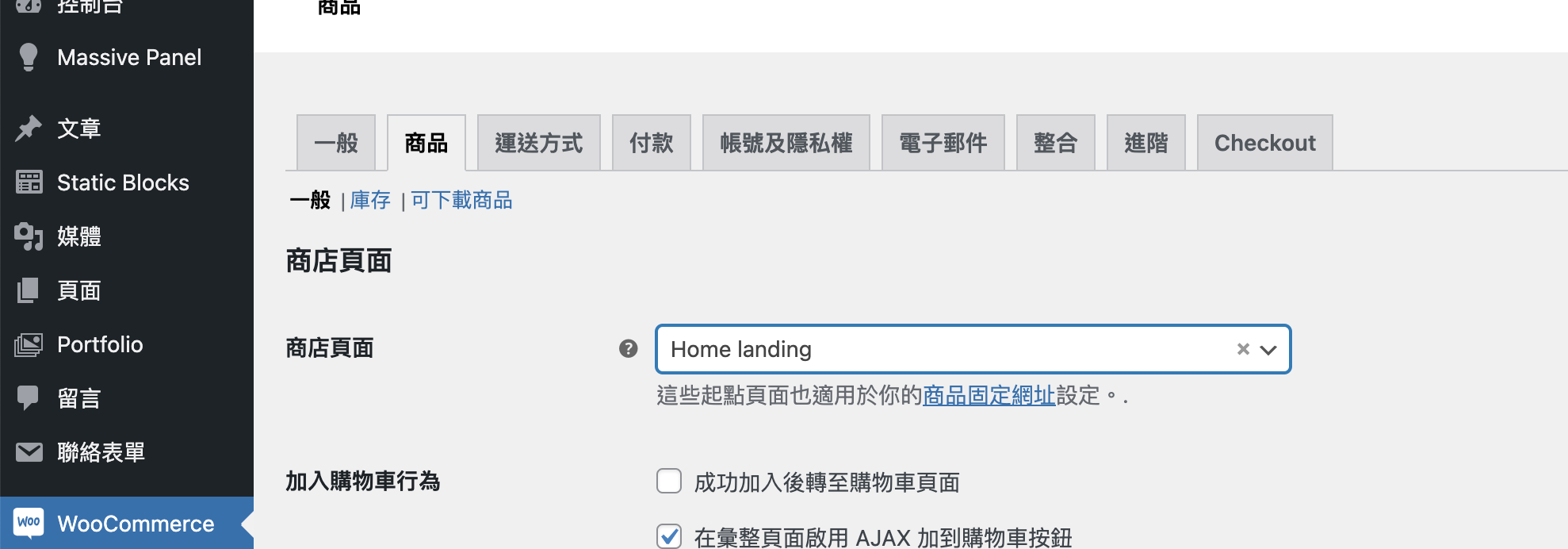
I go to WooCommerce -> Settings -> Products and I set the Home landing page to be the "Shop Page":
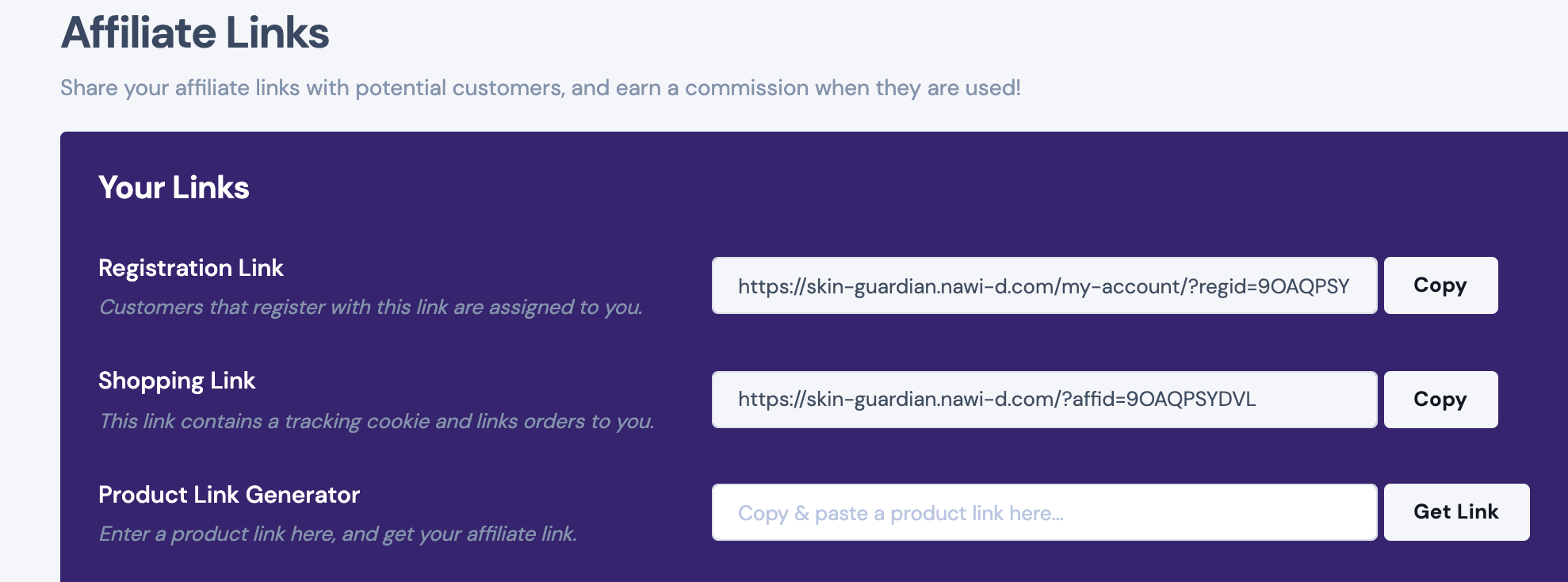
The affiliate links look like this for me:
If I try to click on the link, it goes to this page:
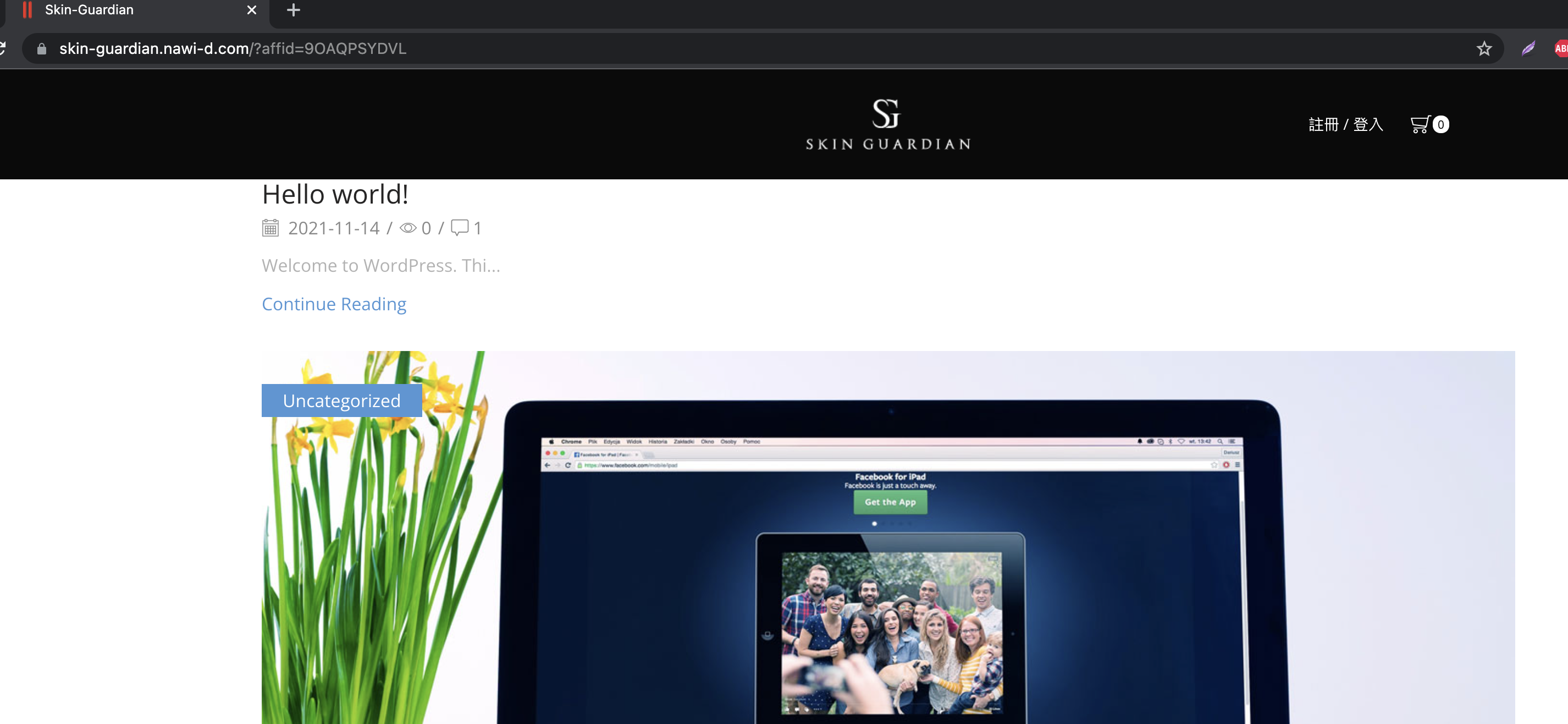
This is the problem, right?
I do not have a more direct solution, but I have resolved it by adding a code snippet here: https://skin-guardian.nawi-d.com/wp-admin/admin.php?page=edit-snippet&id=6&result=added-and-activated
Now it goes to the correct page.
2 Tickets
7
Yes, but my slider on home-page has disappeared, that's weird.
2,762
I am not sure what slider you mean - I did not modify the page in any way. If you can give more details, I can check.
When I open the page https://skin-guardian.nawi-d.com/?affid=9OAQPSYDVL , this is what I see:
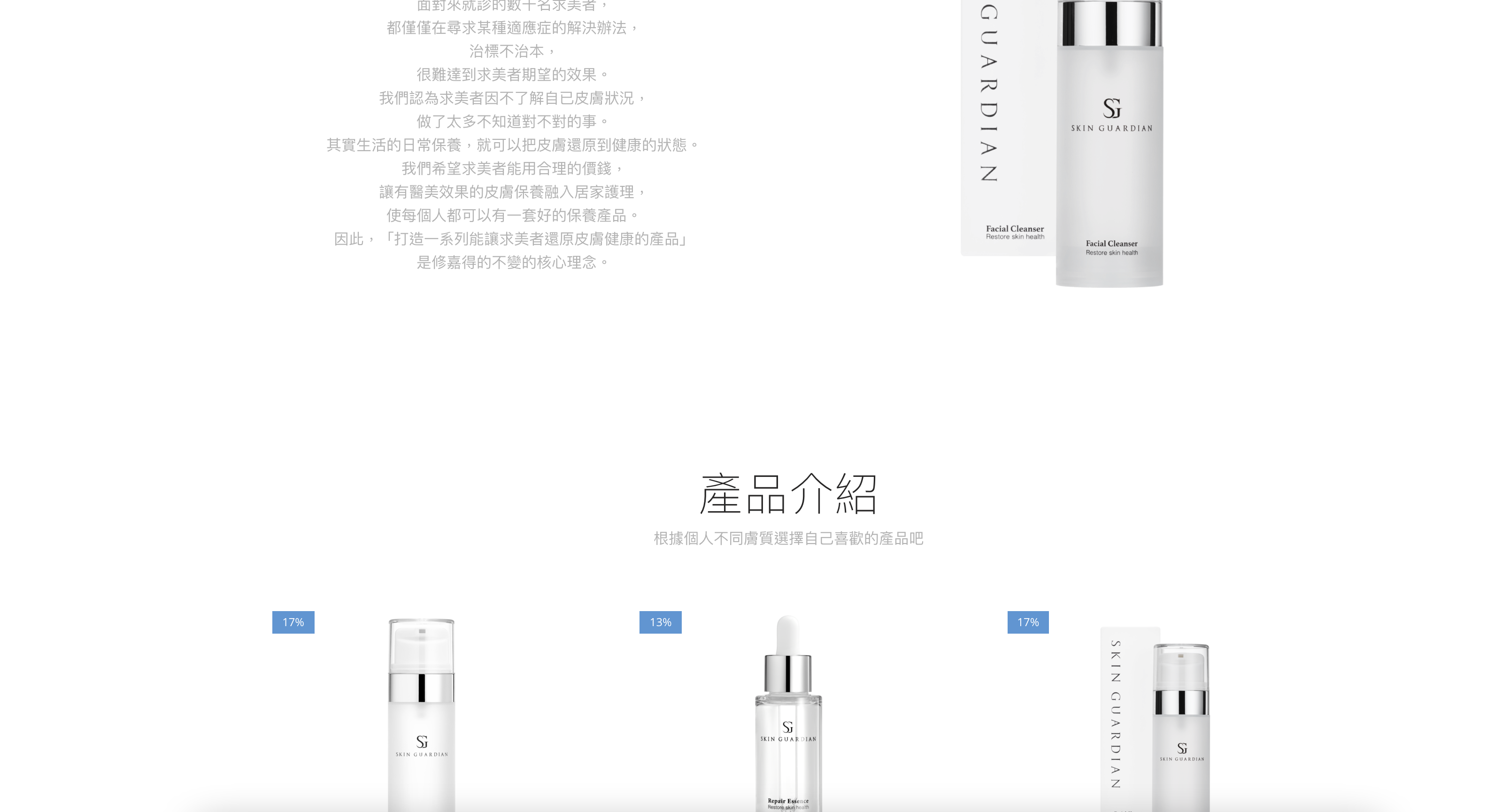
and
 2 Tickets
7
2 Tickets
7
It could be Xstore's problem. I'm gonna get some help from Xstore, thank you.
By the way, i'd like to change the colour from purple to the other, I've tried to edit the css doc but not working, is there any tips to make it?
2,762
This message is private.
2 Tickets
7
2 Tickets
7
Hello, here is a problem.
When I manage my order as agent A, I can check the orders belong to other agents by agent filter.
2 Tickets
7
Sorry for being annoying, I can't find any solution for this problem.
2 Tickets
7
This message is private.
2,762
Hi,
I will be looking into this right now and I will update you again shortly after I get a chance to check everything. Kindly please try to not make site configuration changes in the next hour if possible.
Kind regards,
Stefan
2 Tickets
7
Thank you.
2,762
This message is private.
2 Tickets
7
Thank you.
Seems like the both problems of agent's filter and order list be solved.
2 Tickets
7
Sorry
Did you update anything in the translate file on version 1.22 ?
I'd like to translate pot into zh_TW and provide to you as default file.
2,762
Sorry, I did not change the translation, but I updated the plugin. That replaces translations if they are saved in the plugin folder
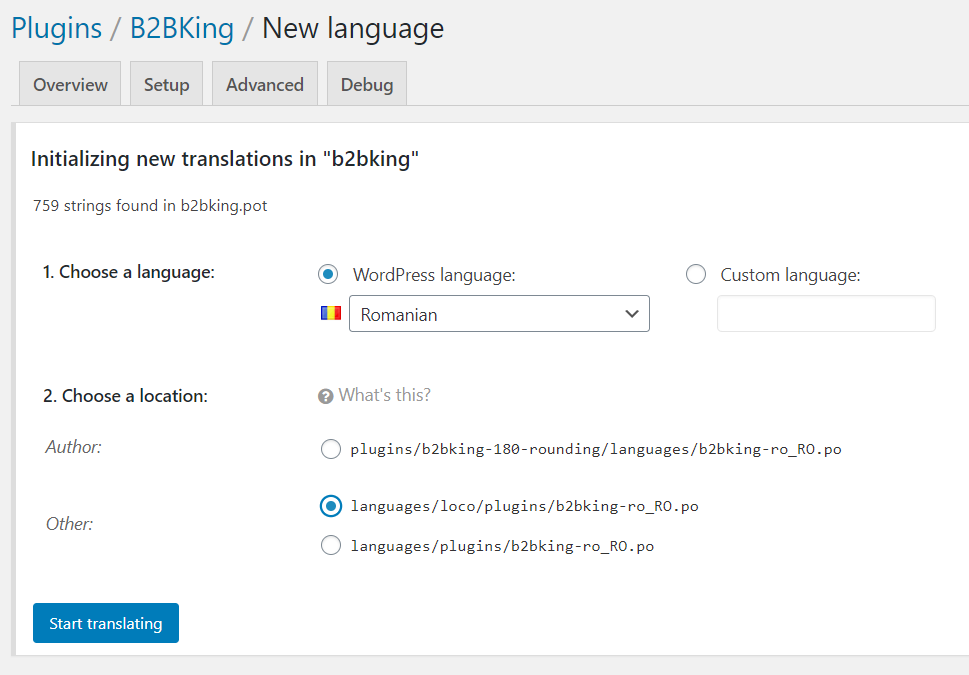
If you translate a plugin, please choose a location for the translation that is NOT in the plugin folder (Not author/plugins/b2bking/languages):
2 Tickets
7
2 Tickets
7
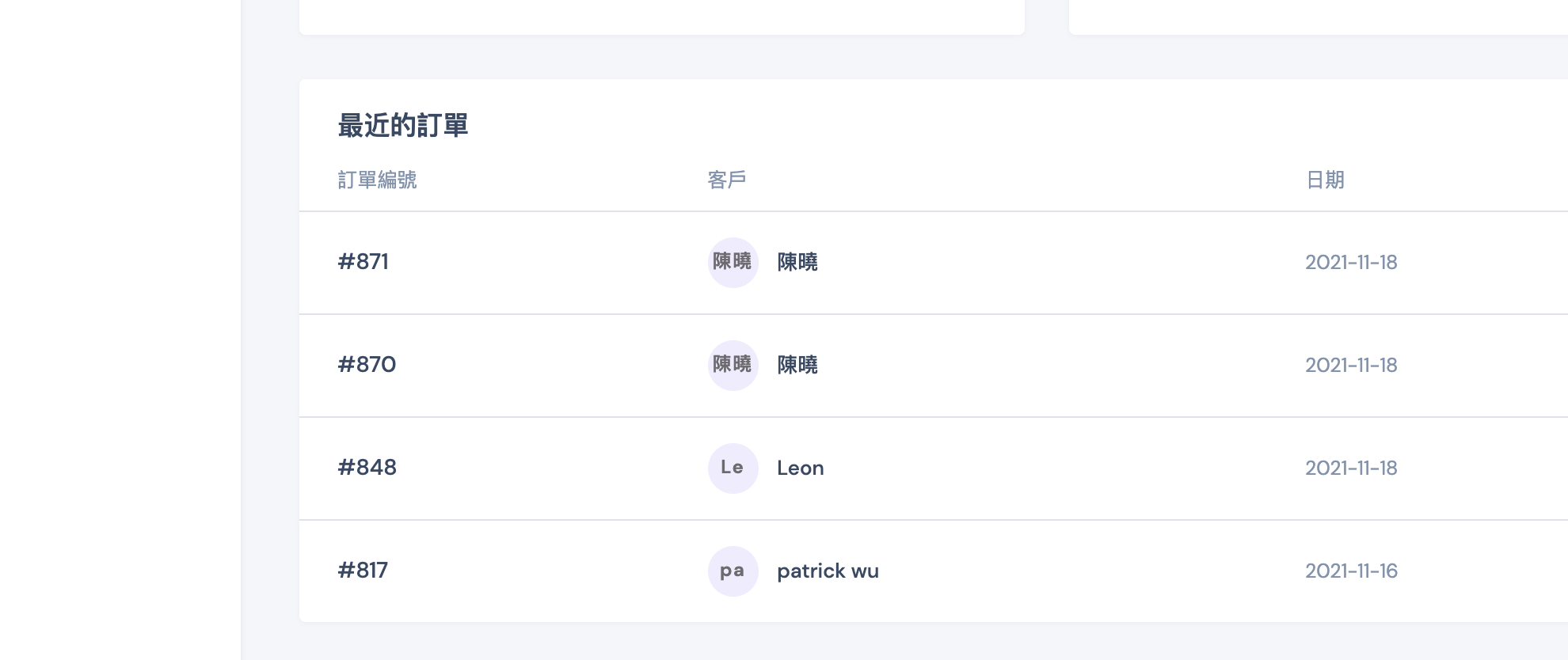
Hi, the costumer's name doesn't display on dashboard. Please have a look with attachment. Thank you.
2 Tickets
7
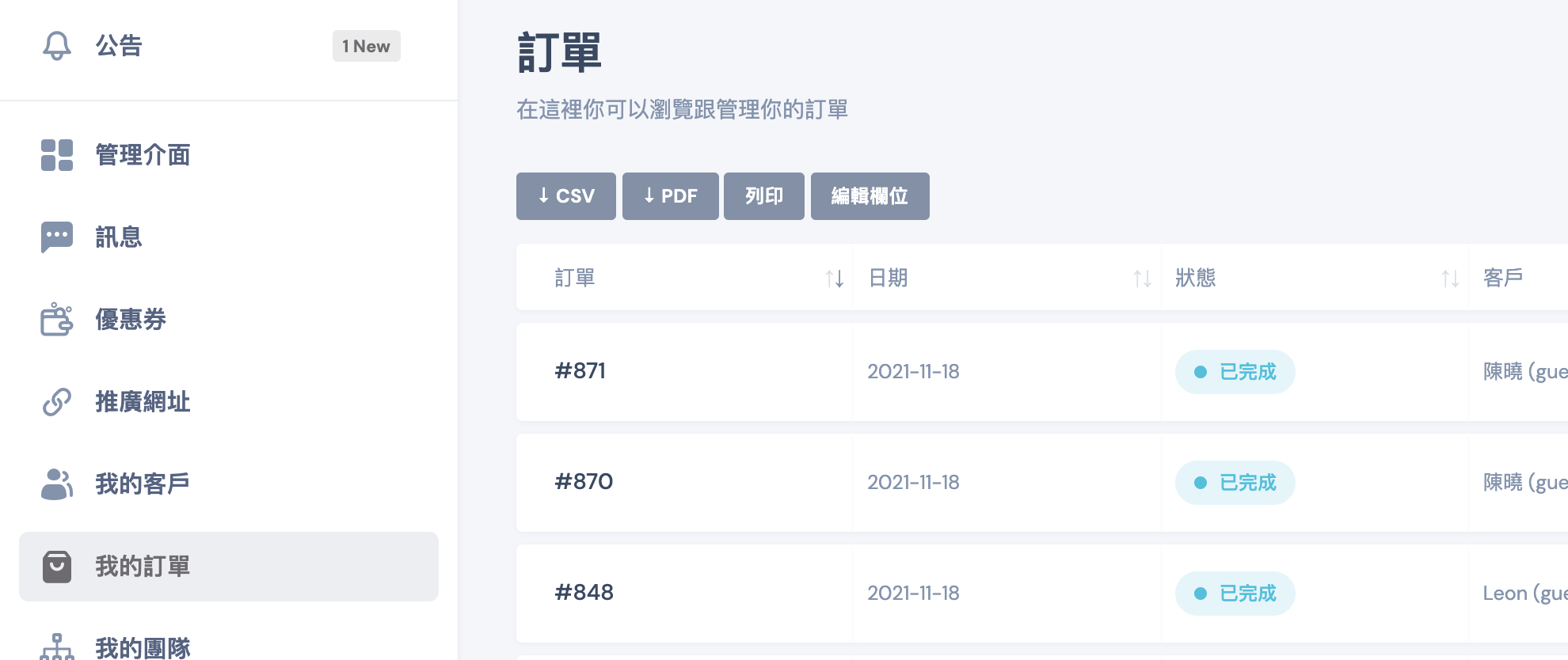
I'd like to change it to 2021-11-18 how should I do?
2,762
Hi,
I'll be looking at this now, incl. the previous with the date display. I suspect it has something to do with a lack of support the Chinese characters.
I will get back to you again here shortly in the next few hours.
2 Tickets
7
Thank you
2,762
Hi,
I've made an update to the plugin in the site + added a snippet to change the date display via the Snippets plugin. I believe the points you raises are now resolved:
 2 Tickets
7
2 Tickets
7
2 Tickets
7
2 Tickets
7
When I login as a sale agent, I can change my discount percentage and sales group, is that normal?
2,762
Definitely not normal - thank you for reporting the bug.
I've looked into this and updated the plugin in your site with a fix.
Should be resolved now.
2 Tickets
7
This message is private.
2 Tickets
7
Sorry, I'd like to display different price with different aff links, is it possible ?
2 Tickets
7
Hello~
2 Tickets
7
This options is not working.
2,762
This message is private.
2 Tickets
7
Displaying different prices with different aff links
Can I make this happen with b2bking?
2,762
No, that would not be possible.
B2BKing can display different pricing based on the customer's group (but the group is not something that can changed by link - only the admin can change it).
2 Tickets
7
Thanks.
Will you considering to add this funtion in near future ?
2,762
We can look at it if we see demand for this, but probably not because pricing is very complex to set. There are over 20+ functions in b2bking that set price - there are many caches that need to be cleared - so it's hard to make it work. To make it change easily based on link would be very difficult to achieve I think.
2 Tickets
7
This message is private.
2,762
This message is private.
2 Tickets
7
Thank you.
One more question, Is there only "percentage" option for sale agent coupon ? Can I set the "fixed price" ?
2,762
Currently there's only a percentage option. We can look at adding a fixed option as well for future versions - Thank you for the feedback.
2 Tickets
7
2 Tickets
7
This message is private.
2,762
This message is private.
2 Tickets
7
This message is private.
2,762
Thanks for the details.
I tried to go to the order page. I select a salesperson and I save the order.
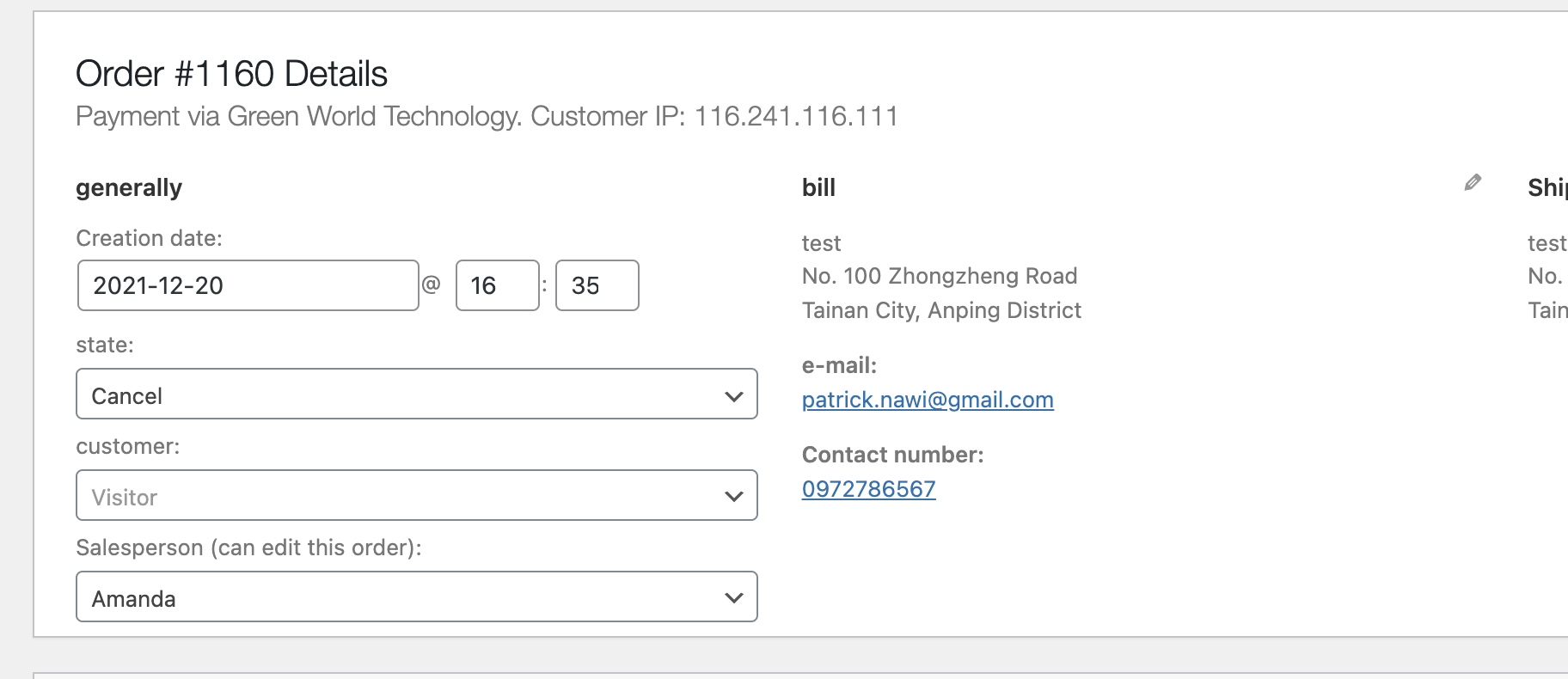
I can then see the agent:

Or do you want an agent to be automatically assigned when the order is placed?
This only works for logged in users that are assigned to an agent. For guest (logged out) users, the plugin does not have a feature for this. How would this work? random agent selection?
2 Tickets
7
This message is private.
2,762
Yes, if an order is placed via affiliate link, that should work.
I believe I've found the issue and it's now resolved.
I placed an order via the link of the Amanda seller: https://skinguardian.shop/products/?affid=SD4S1FDI3L
And I see it is assigned correctly:

Kind regards,
Stefan
2 Tickets
7
This message is private.
2,762
The plugin was assigning the agent to the order during the "woocommerce_thankyou" hook, when it reached the final "Thank you for your order" page. I think the issue was that in your site, with some payment methods, it did not reach that page.
I made a change to SalesKing to use a different hook that fires more reliably for each order ('woocommerce_checkout_order_processed').
2 Tickets
7
This message is private.
2 Tickets
7
This message is private.
2,762
Hi,
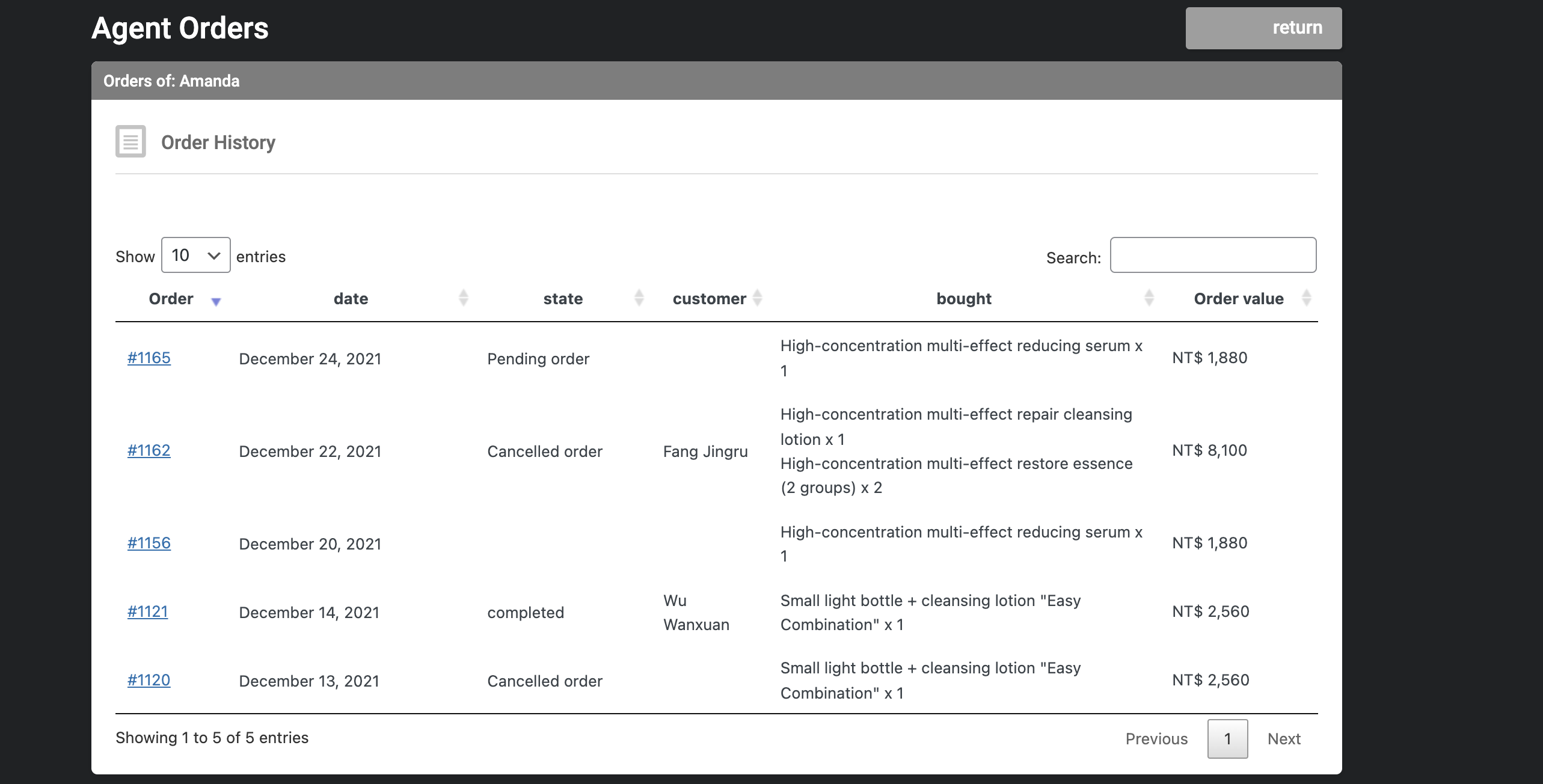
The way it was working is to show only orders placed by the agent.
Maybe it makes more sense to show all orders assigned to the agent. I have modified the plugin in this sense now to show all.
Here it will show only COMPLETED orders:

Here it shows all:
 2 Tickets
7
2 Tickets
7
This message is private.