Public Ticket #2936178

Translating "Request custome quote" and "Save as purchase"

Closed
Comments
2 Tickets 2
Leopoldvb started the conversation 5 years ago on December 11, 2021 at 11:15am

Hi B2BKing,

I'm very happy with your service so far. However, I have a issue that needs fixing.
In cart, b2bking added the following two buttons, "Request custom quote" and "Save as purchase list". As my websites original language is in danish, b2bking assumes this is a danish text and therefore I cannot translate it with my current translation plugin (Weglot.com).
How do I translate those two buttons in your backend or in theme editor? I need them translated to danish, so I can translate them to other languages using Weglot.

Please take a look at the attachment.

Thank you for your help. Let me hear from you asap. 
Kindly regards,
Leopold von Broich

2,762
KingsPlugins replied 5 years ago on December 11, 2021 at 3:22pm

Hi Leopold,

Thank you for purchasing our plugin!

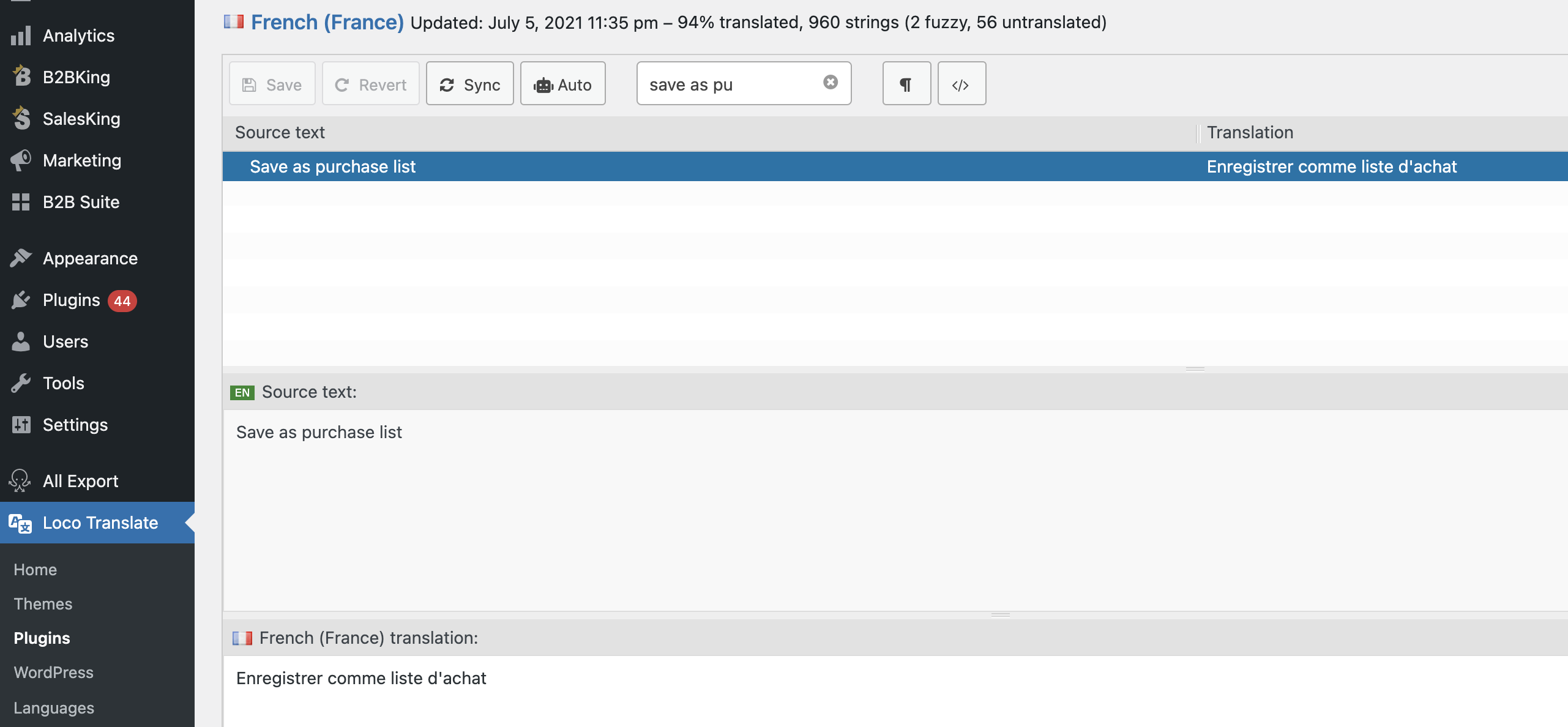
These texts are present in the plugin's .pot translation template so I'm not sure why you can't see them in Weglot. I usually use Loco Translate, so I don't have much experience with Weglot. In Loco, I can simply find the texts like this:

2280449720.png


It may help to ask the Weglot team how this might be done.

If you would like to provide us with a backend login to the staging site, I am also happy to take a look to see if I can figure it out.


Kind regards,

Stefan

2 Tickets 2
Leopoldvb replied 5 years ago on December 14, 2021 at 2:37pm

Hi again

This is getting very frustrating. I purchased two huge plugins, b2bking and weglot yet both of them can't seem to translate a simple text into another language.

I have now been in contact with weglot multiple times about this issue and they say I must contact b2bking again as the original text is in english. I need the original text to be in danish so weglot can translate it from there.

So my question is:
How do I change the original text of the buttons into my text of preference? In this case I would translate "Save as purchase list" into "Gem listen af mit køb til en anden gang".

Best regards
Leopold von Broich

2 Tickets 2
Leopoldvb replied 5 years ago on December 14, 2021 at 11:01pm

Hi, Thank you for you patience!

I couldn't agree more with you.

I'll take a look at your solution asap and return when it's fixed.

Thank you again!

1
2 Tickets 2
Leopoldvb replied 5 years ago on December 16, 2021 at 1:40pm

Hi

I've been super busy and therefore didn't get around updating the plugin yet. I'm on it now though. I did the following:

On staging3.mohair.dk I deactivated B2bKing Pro and then deleted the plugin.
I didn't touch the plugin called B2BKing Core and that is still activated.
I then downloaded your attached file and added the plugin on my wordpress as a zip file. However, i got the following message. I also tried to extract the zip in folder on my pc but it was not able to extract as it says the file is damaged.


Installerer plugin fra uploadet fil: b2bking-39894.zip

Udpakker pakken…

Opdateringspakken kunne ikke installeres. PCLZIP_ERR_BAD_FORMAT (-10) : Unable to find End of Central Dir Record signature

Tilbage til plugininstallering

2 Tickets 2
Leopoldvb replied 5 years ago on December 22, 2021 at 11:20am

Hi again
Thank you for your patience.

Your plugin and snippets worked flawlessly.
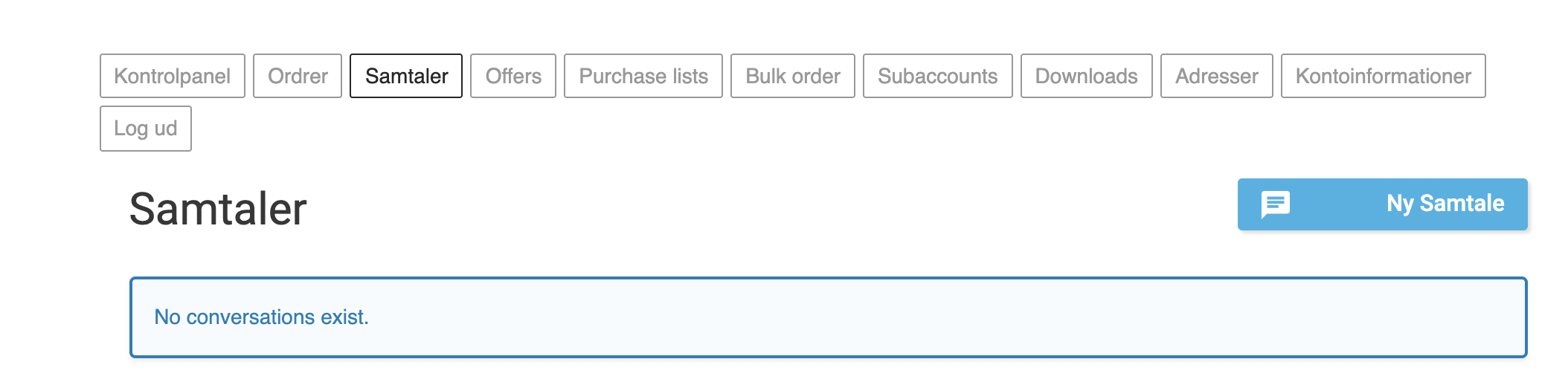
However, how do I change the rest of the texts that are given in english?
Please take a look at the attachments.

Best regards
Leopold von Broich

2,762
KingsPlugins replied 5 years ago on December 23, 2021 at 3:34am

Hi again,

I wonder if we can solve this by using Loco Translate to create a Danish translation for B2BKing. Can you please try that? or send me a backend login to the site / staging site so I can try it?


There are a large number of frontend English texts, and adding a filter to each one is not a good approach for many reasons. 


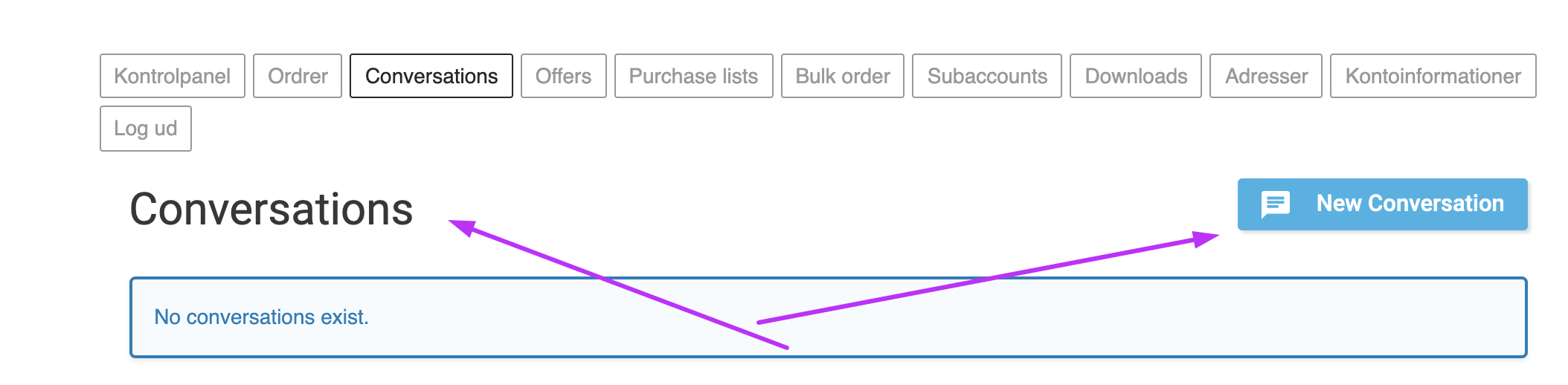
As a sidenote:

5243237315.png

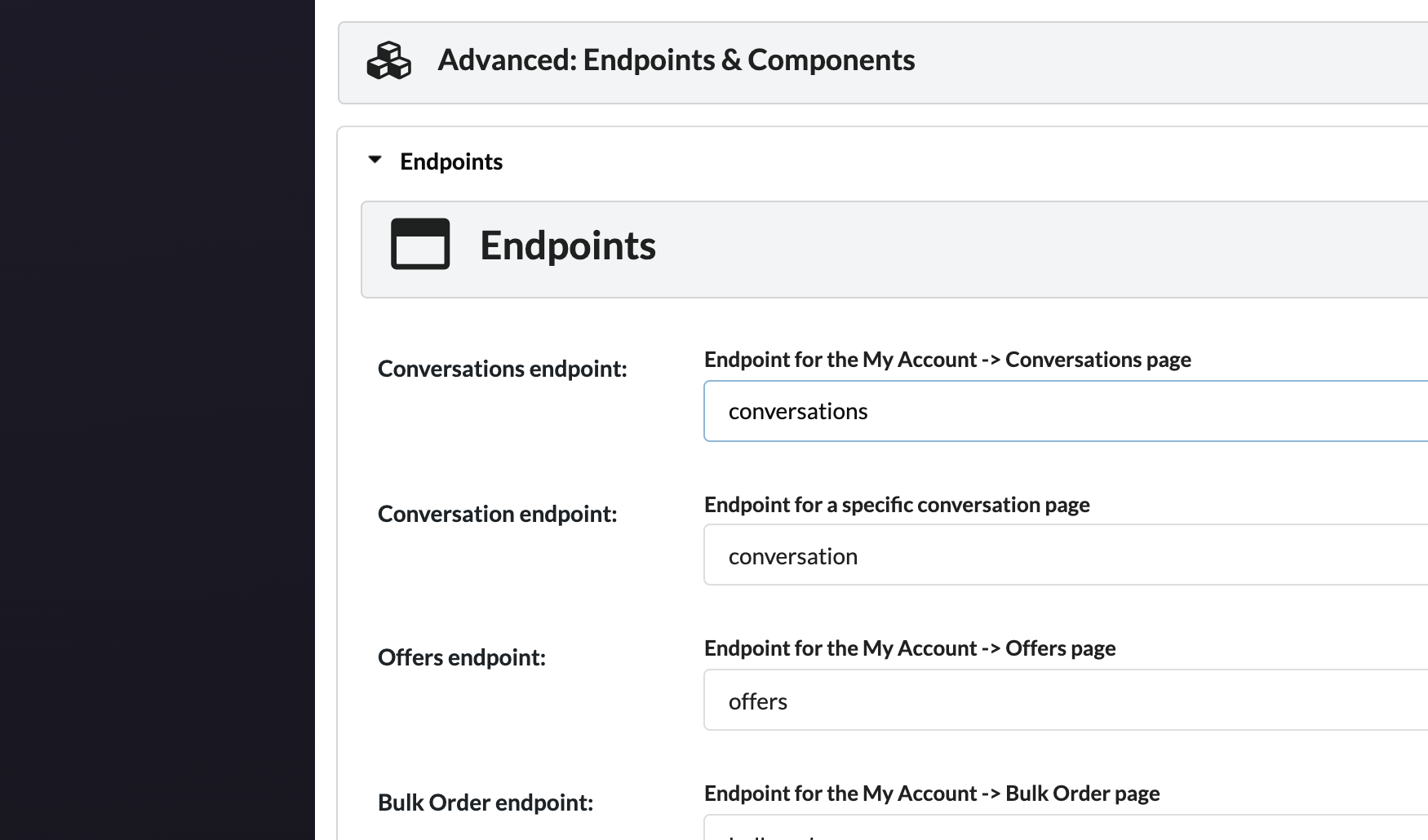
These can be changed via B2BKing -> Settings -> Other -> scroll down to Advanced -> Endpoints:

4910692934.png


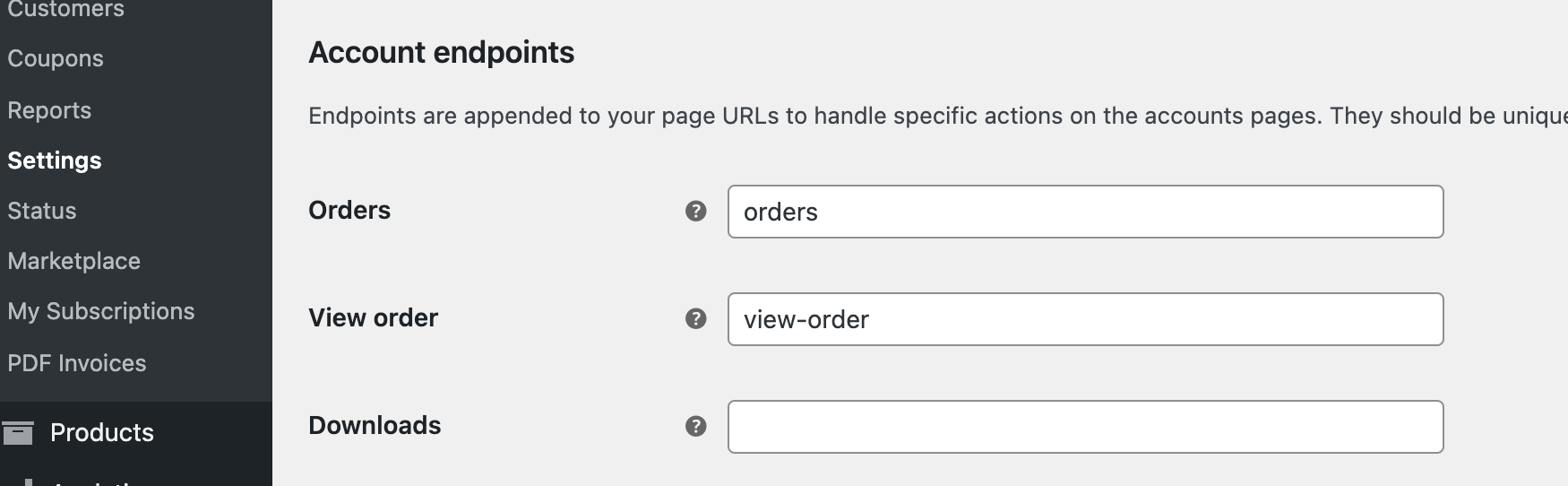
The Downloads item does not come from B2BKing. It is from WooCommerce. You can change it in WooCommerce -> Settings -> Advanced -> Endpoints:

3897921722.png


1
2,762
KingsPlugins replied 5 years ago on December 23, 2021 at 12:01pm

Happy to help!

I tried translating the conversations panel here with Loco, and a bit of help from Google Translate:

4973511811.png


Now it looks like this for me:

3850511566.png


Before we go further with this method with Loco, can I get your feedback at this point? Can you confirm if this working correctly or not / working with WeGlot as well?


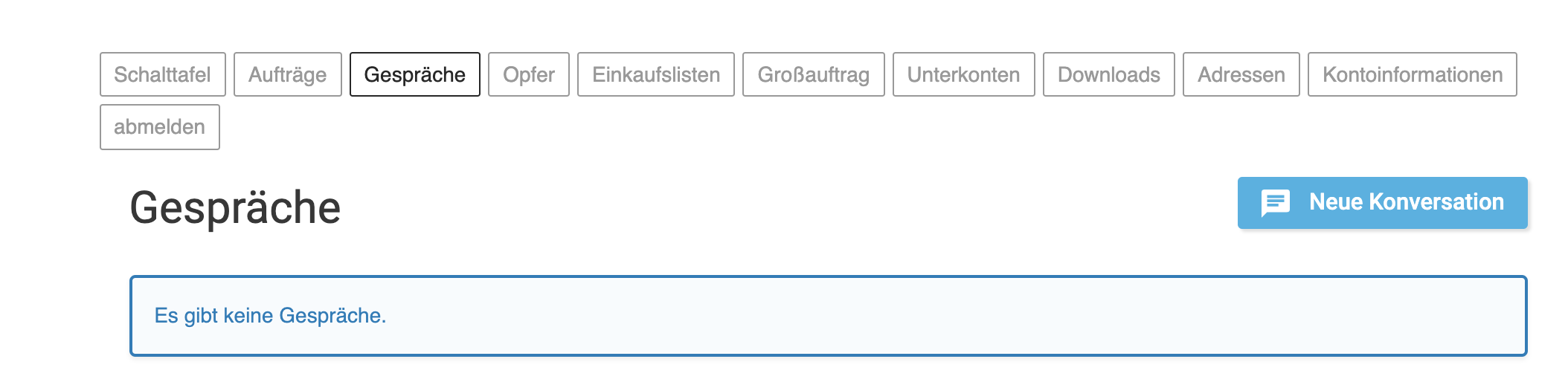
I was a bit surprised to see other translations like the German one were already working:

2951541634.png

So I guess the issue was only for Danish?

1
2 Tickets 2
Leopoldvb replied 5 years ago on December 23, 2021 at 12:26pm

This is perfect. Thank you!

Weglot translates everything automatically from the "source" language into whatever language is switched to. In this case you probably selected German on the flags I assume. Weglot is pretty cool with that "overlay"-feature however their shortcoming is for sure that they aren't able to edit the "source". This is why we have this issue.

But with Loco I can translate from English into my "source" language, which is danish, and then translate from danish to english/german as I wish.
Bit of a messy workaround but it works for now.

To answer your question on the feedback. Once the source is danish, weglot takes care of the rest. I tested it and it works.

You have been a great help! Now I just need to figure out how I use loco translator. So I can translate the texts that appear in english even if the language is set as danish.

Thank you so very very much for this help! Merry christmas to you!

Best regards,
Leopold von Broich
Von Broich Mohair ApS

1
2,762
KingsPlugins replied 5 years ago on December 25, 2021 at 1:36am

Glad to hear that seems to be working! And thank you for the kind words!

I was about to give more details on how to use Loco but I see that 5% has now already been translated, so it looks like you figured it out.

Wishing you a happy, Merry Christmas!


Kind regards,

Stefan

Sign In