Public Ticket #2938617

Minimum Order & Required Multiple rules not working on varaition in cart

Closed
Comments
6 Tickets 6
christian paton started the conversation 5 years ago on December 15, 2021 at 5:57am

Hi there, as the title says the dynamic rules for minimum order and required multiple don't seem to be working on the cart page for a variation. If you add any variation of this product to the cart for example, then go to the cart, the min and step are not correct for the input field and allow you to add one at a time : https://staging8.esmie.co.uk/product/2022-week-to-view-bouquet-spray-dark-blue/?attribute_pa_size=l-desk-diary

Any help much appreciated, chris.

2,762
KingsPlugins replied 5 years ago on December 15, 2021 at 8:31pm

Hi Chris,

When you create a dynamic rule for a variable product, that rule is applied to the product as a whole. It does not force the individual variation qty, because the idea is to allow you to mix variations (E.g. a rule for min 10 should allow you to buy 5 blue and 5 red items).

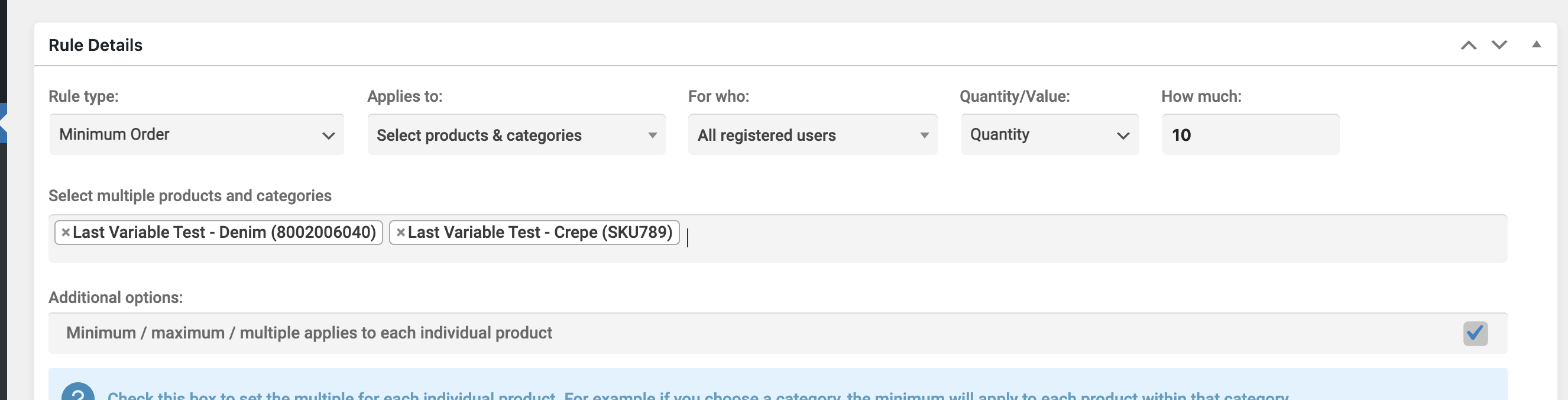
To set the dynamic rule for the variations themselves, you need to select each individual variation separately. Like this:

3039215151.png

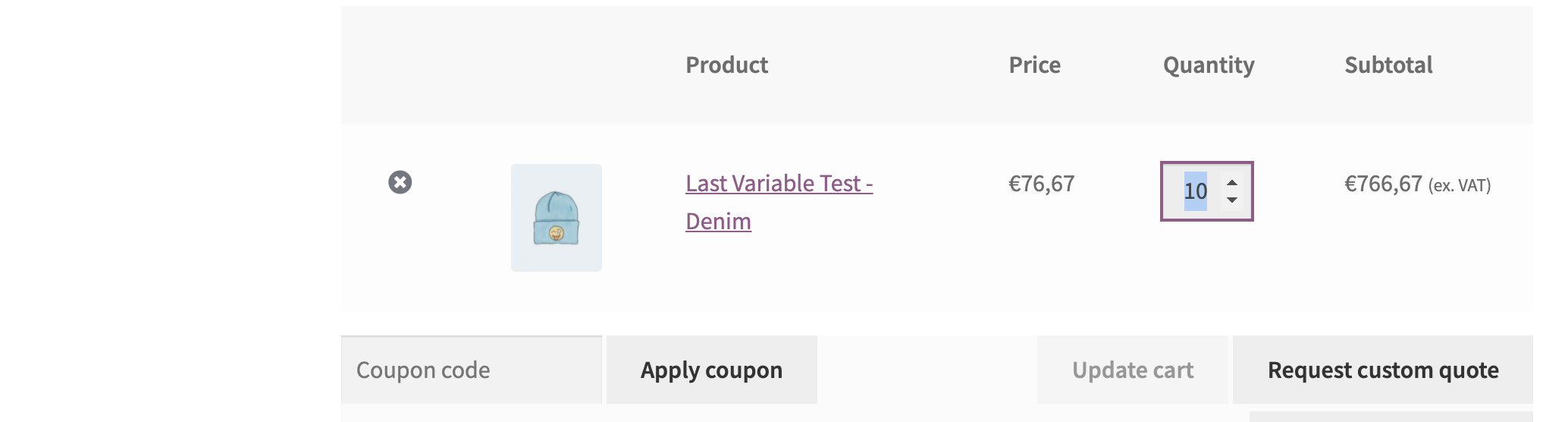
For example when I set it like this, it does not allow me to go lower than 10 for the variation in cart:

7904089182.png


I believe that's most likely the issue you're seeing - please let me know.

Kind regards,

Stefan

6 Tickets 6
christian paton replied 5 years ago on December 17, 2021 at 12:07pm

Yeah fair enough, I didn't realise that was how it worked. Unfortunately my client has hundreds of variations so the ruling system would be a bit of a pain having to add individual variations to a rule. Anyway I managed to make so the variations obey the same rules as the parents in terms of minimum order and required multiple.

cheers chris

1

Sign In