 4 Tickets
1
4 Tickets
1
This message is private.
 4 Tickets
1
4 Tickets
1
This message is private.
 2,762
2,762
Hi there,
Thank you for purchasing our plugin,
I logged in to your site to check. When I go to https://www.kaajh.com/my-account/ I can see the dropdown here:
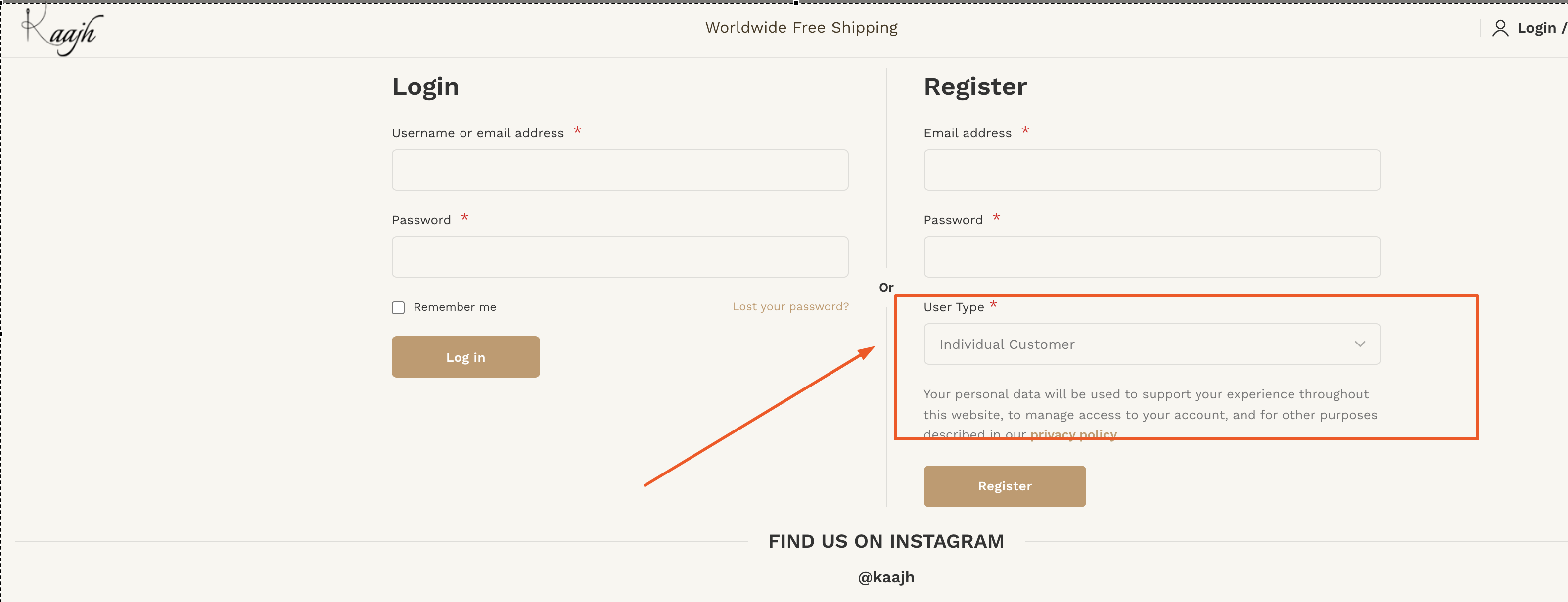
Do you mean that you cannot see custom fields?
For this, you need to go to https://www.kaajh.com/wp-admin/edit.php?post_type=b2bking_custom_field and choose for each field the roles it should show for.
For example, I click on "First Name" and I choose these roles:
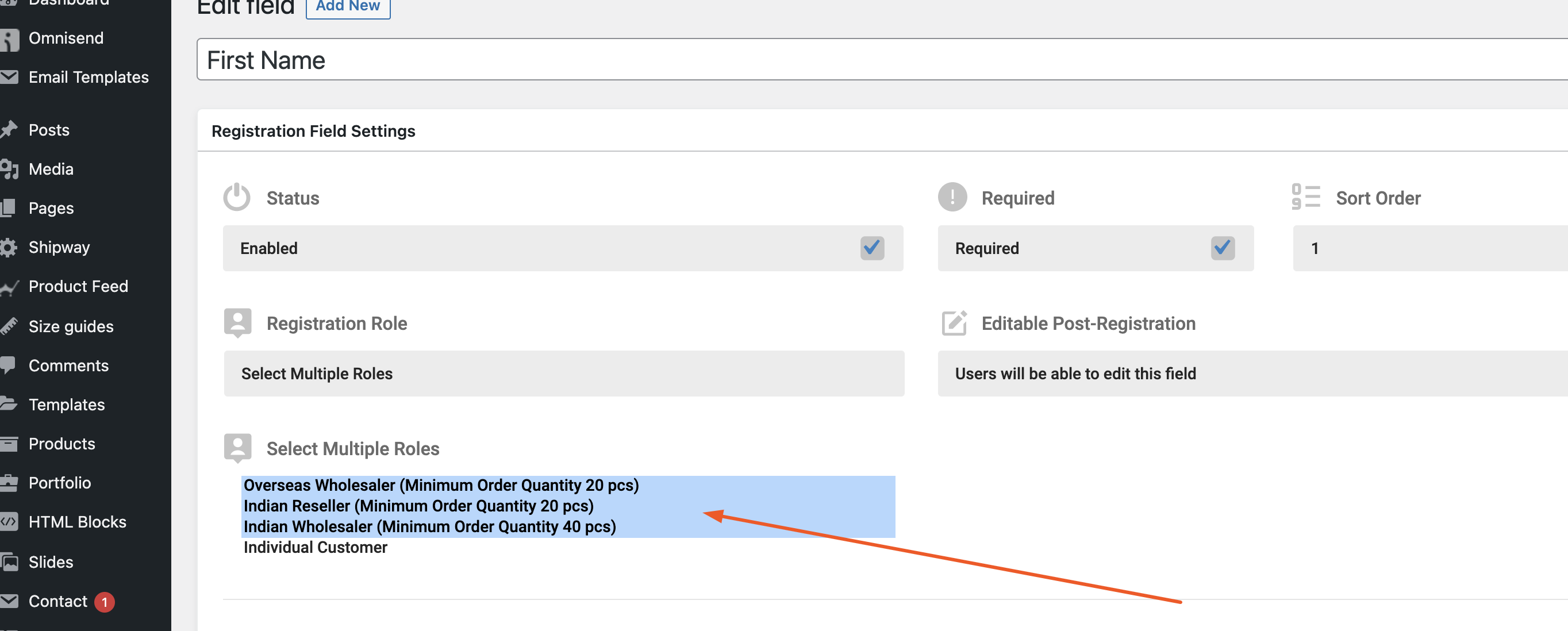
Then the field is also visible when choosing one of those roles in the frontend:
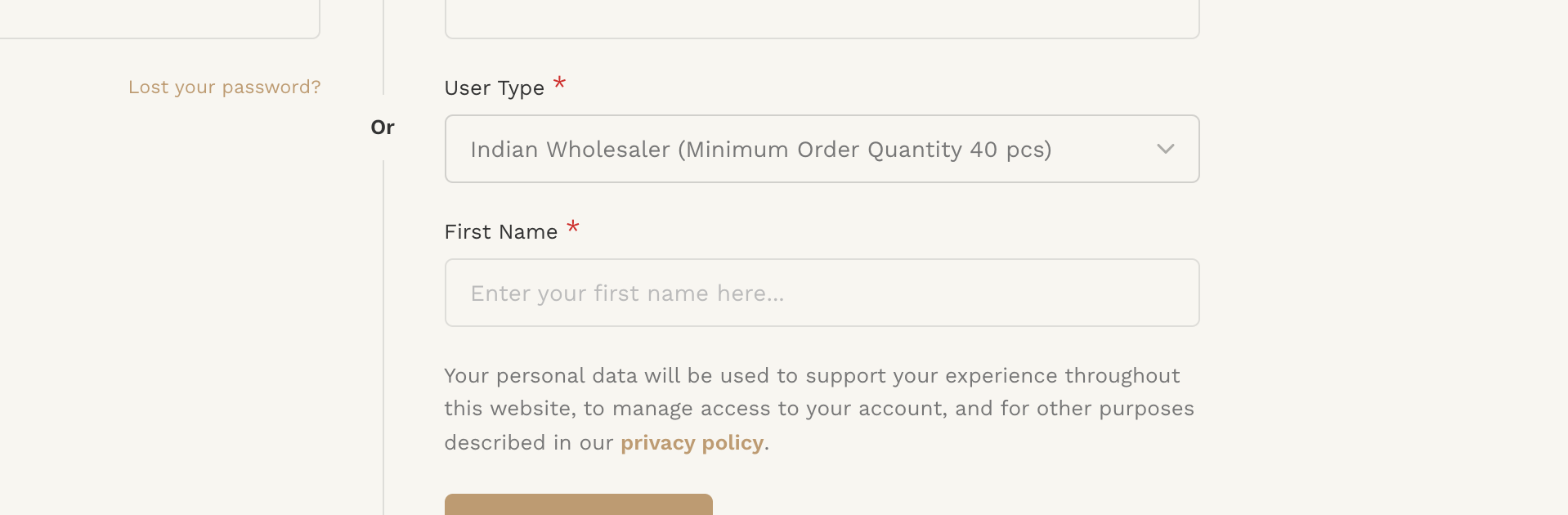
You would need to edit each custom field to select the roles you want.
I hope that helps resolve it but let me know if you have any questions.
Kind regards,
Stefan
4 Tickets
1
1. dashboard of b2b king display all order in b2b orders even all b2c order is showing as b2b orders (screenshoot attached )
2. is there is any way i can manage b2b customers and lit or panel for it
2,762
Hi,
1. I believe this is because In B2BKing -> Settings -> Main Settings, your plugin status is set to "B2B Shop"

B2B Shop means that all customers are "b2b" so the plugin does not try to separate orders in the dashboard. You would need to set it to B2B & B2C Hybrid.
2.
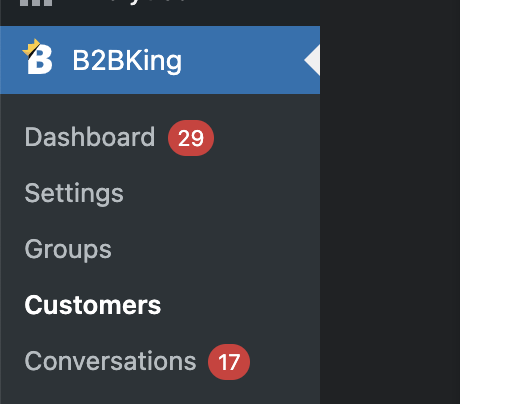
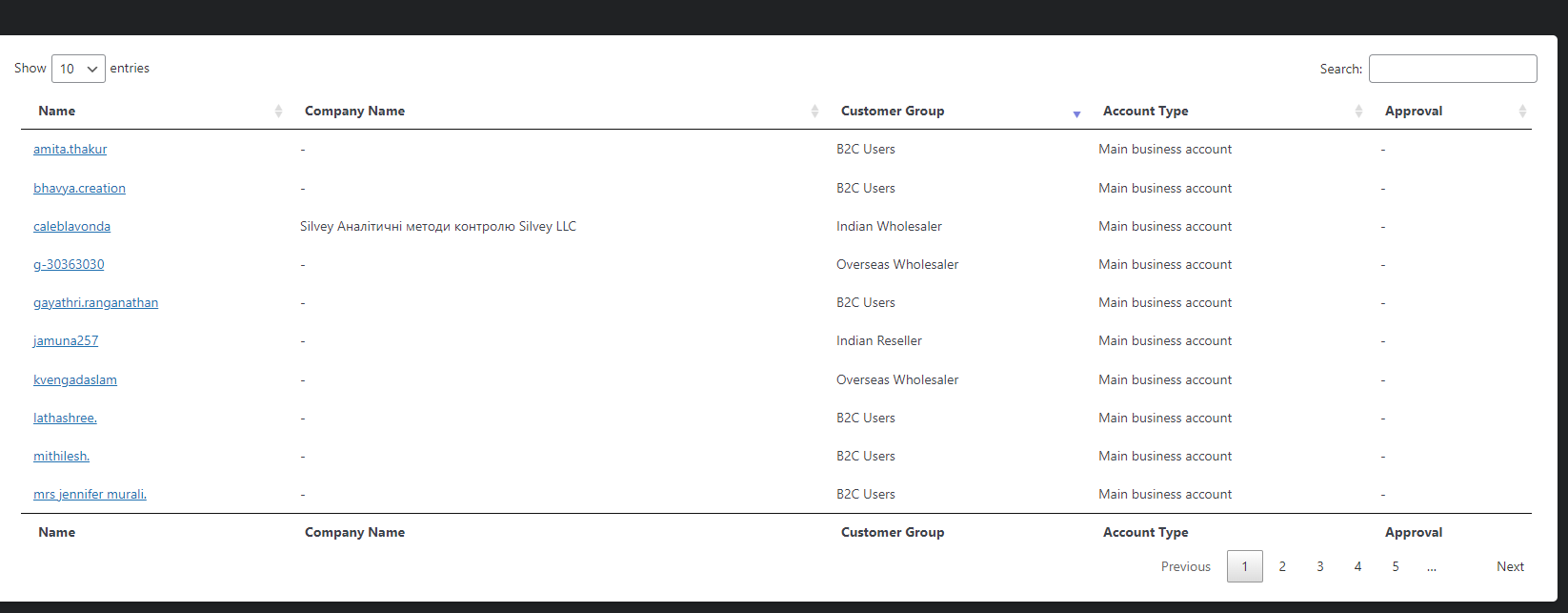
If you set it in B2B & B2C Hybrid mode, you can go to B2BKing -> Customers. All customers there should be B2B users.
4 Tickets
1
check it showing all customer and there is no filter to see only b2b users
 2,762
2,762
This message is private.
4 Tickets
1
i am using Price Based on Country Pro plugin for currency and price by country feature but it replace b2bking price with retail b2bking group pricing not showing , how to show b2bking price
2,762
This message is private.
4 Tickets
1
no help , still showing Price Based on Country Pro pricing
2,762
Sorry to hear that. Unfortunately we don't have much I can do in this case, as we don't know the other plugin's code or how it works.
I suggest you try to ask the developers of the Price Based on Country Pro plugin if they can assist or would know how their pricing can be overwritten.
4 Tickets
1
this code is provided by Price Based on Country Pro Plugin Team can you guide me what excact code i have to put according b2bking plugin
----------
You can disable the "zone pricing" using the following snippet (note you have to replace "seller" by the user role you want to use):
function stop_price_based_country_for_vendors( $stop ) {    $vendor_role = 'seller'; // Put here the user role.$user  = wp_get_current_user();
    $roles = isset( $user->roles ) && is_array( $user->roles ) ? $user->roles : array();
    if ( in_array( $vendor_role, $roles ) ) {
        //The user is a vendor.
        $stop = true;
    }
    return $stop;
}
add_action('wc_price_based_country_stop_pricing','stop_price_based_country_for_vendors');
2,762
My understanding is that their snippet will completely disable "Price Based on Country Pro" pricing for some users. Is that what you are looking for?
I can set that snippet to completely disable "Price Based on Country Pro" pricing for B2B users if you want.
Please confirm and I will proceed to set that snippet.
4 Tickets
1
yes i want same
2,762
Please add the following snippet:
function stop_price_based_country_for_b2b( $stop ) {
    $user_id = get_current_user_id();
    $is_b2b = get_user_meta($user_id,'b2bking_b2buser', true);
    if ($is_b2b === 'yes'){
        $stop = true;
    }
    return $stop;
}
add_action('wc_price_based_country_stop_pricing','stop_price_based_country_for_b2b');
A PHP snippet can be added to functions.php, or by following our guide here: https://b2bkingplugin.com/docs/how-to-add-a-snippet-php-or-js/
4 Tickets
1
yes it working but now is there is a issue with currency converter because "Price Based on Country Pro" is disabled now ( how to convert price in local currency
2,762
I'm not sure unfortunately how that can be solved. If the developers of the other plugin have a way to do it, we are happy to assist you on our end, or to adapt the code.
4 Tickets
1
there are many registration every day i want to approve b2b users in bulk via csv files please guide me how to approve in bulk
2,762
Hi there,
If you want, you can set that B2B users are automatically approved. The idea of approval is to check every user's details manually. If you prefer to approve everyone without reviewing them, you can set automatic approval.
To do that, please go to B2BKing -> Registration Roles and click on the B2B role:
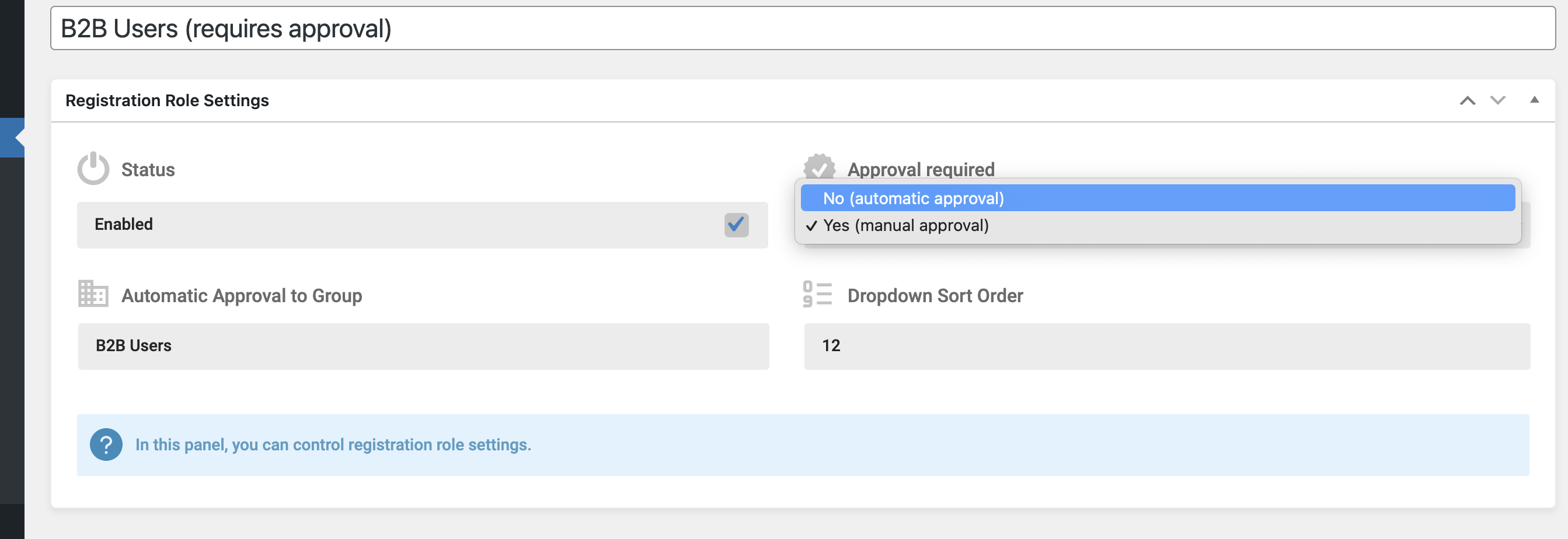
There you can change to automatic approval.
Maybe the above is the best option. But if you want to approve users in bulk via CSV, you can do this by setting a user meta data. The user meta key "b2bking_account_approved" needs to be set to "yes" for every user you want approved.
Kind regards,
Stefan
4 Tickets
1
hi i use hide shop/price option to hide all site not registred users now guest users landto login page but i want to redirect to a specific page if not login
like this website
2,762
Hi,
Did you configure B2BKing like this? or can you share a screenshot of your config?

and it always goes to the shop page with the login link and you want to change this page?
What page you want to make it go to?
I think I can write a PHP snippet to do this.
4 Tickets
1
custom page like /gust/ page where is design landing page help of elementor and register option also
so please give me script to redirect no login users to /guest landing page , -- and register users can view normal homepage and other site content
2,762
You can do this by following these steps:
1. Go to your page in the backend and click edit. The number in the URL is the pag ID
For example if this is the link when you edit the page:

The page ID is 8575
2. Add this PHP code snippet:
add_action('template_redirect', function(){
    $page_id = 8575; // you need to replace this with your page ID
    $current_id = get_queried_object_id();
    if (!is_user_logged_in()){
        if (intval($current_id) !== $page_id){
            wp_redirect(get_permalink($page_id));
        }
    }
}, 1000);
3. In B2BKing -> Settings -> Access Restriction -> Guest Access Restriction you can set it to "None".
4 Tickets
1
its working perfectly but one more thing it also redirect when access to register page so how i exclude register signup page not to redirect
2,762
Glad that's working!
The registration page is the My Account page? https://www.kaajh.com/my-account/
You can change the snippet to this, to exclude that page:
add_action('template_redirect', function(){
    $page_id = 8575; // you need to replace this with your page ID
    $current_id = get_queried_object_id();
    if (!is_user_logged_in()){
        if (intval($current_id) !== $page_id && !is_account_page()){
            wp_redirect(get_permalink($page_id));
        }
    }
}, 1000);
4 Tickets
1
This message is private.
2,762
Thank you for the login,
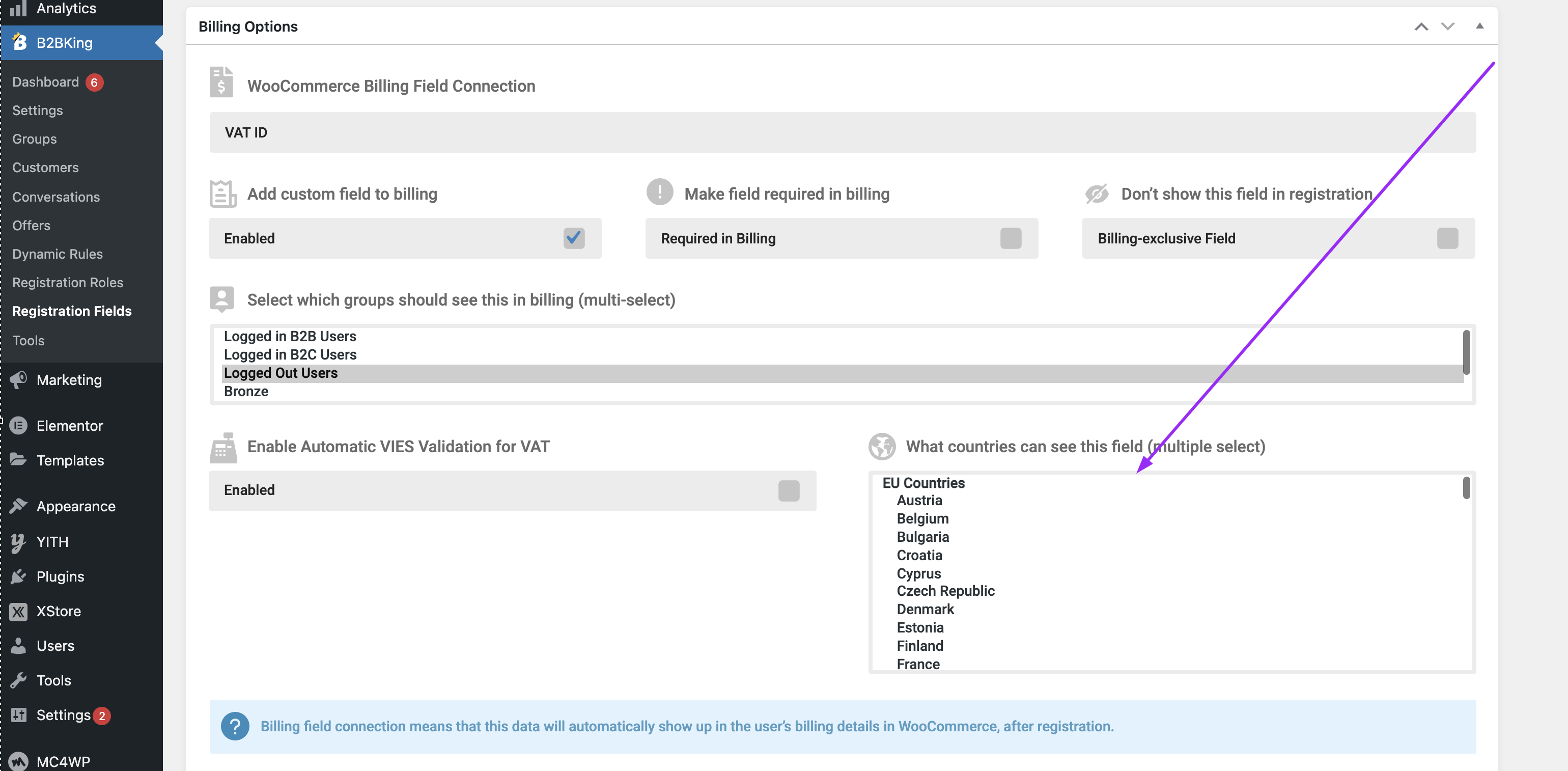
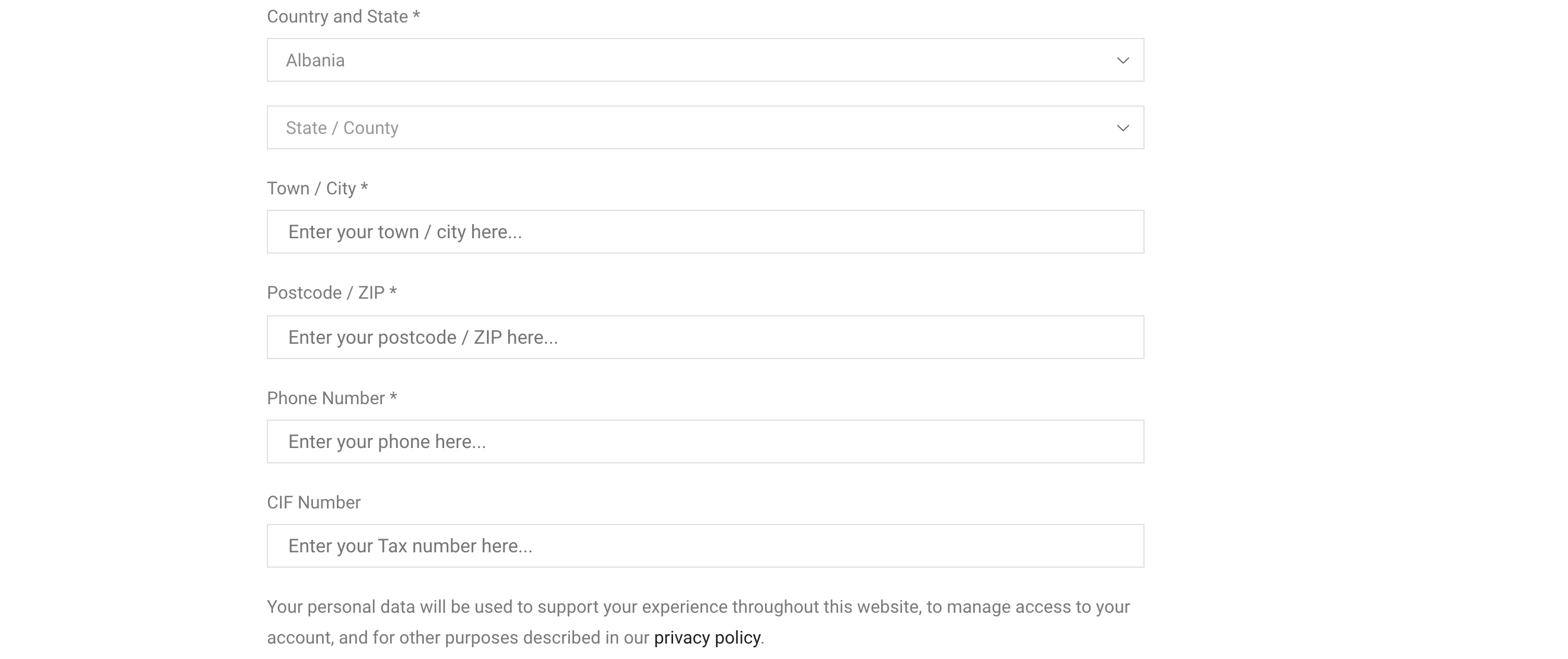
A problem is that country is not selected here in the VAT configuration. I selected all countries now. The field will only show after the country is chosen.
But there is another issue: there is a conflict in this page, because the registration shows 2 times: 1 time in the sidebar:
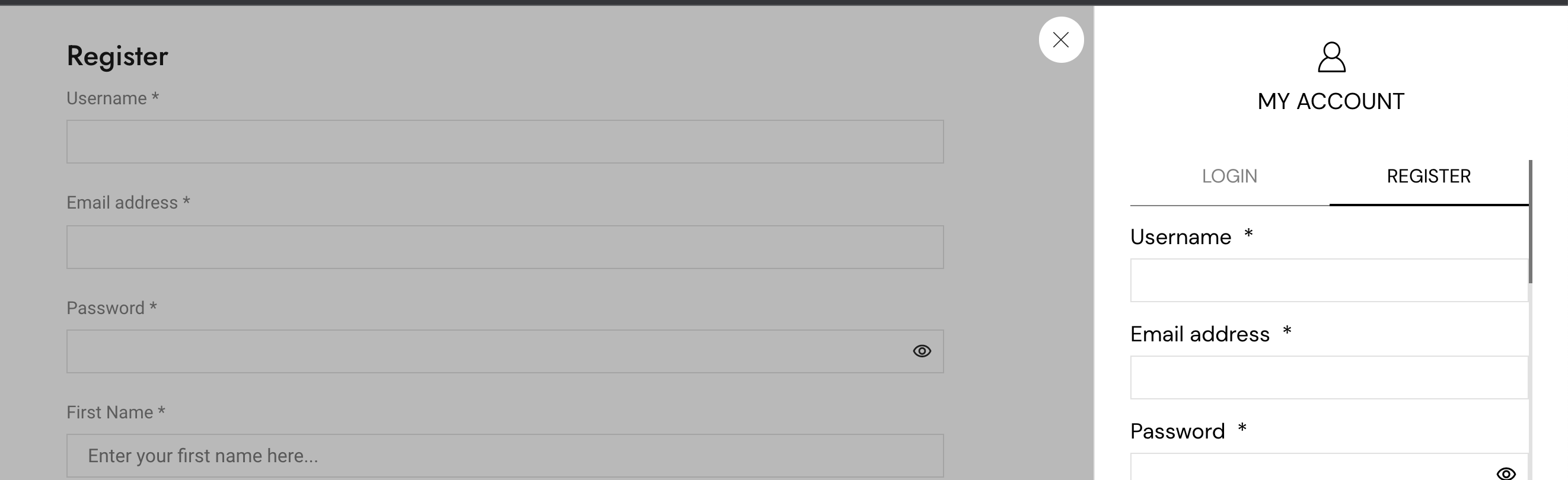
So I added a JS code snippet to remove registration in the sidebar. I added the snippet here:
https://www.sumitraimport.com/wp-admin/admin.php?page=edit-snippet&id=3
Now it is working in my tests. After I choose country, VAT shows:
 4 Tickets
1
4 Tickets
1
This message is private.
2,762
I tried to login now to check the issue, but the username b2badmin does not seem to exist anymore:
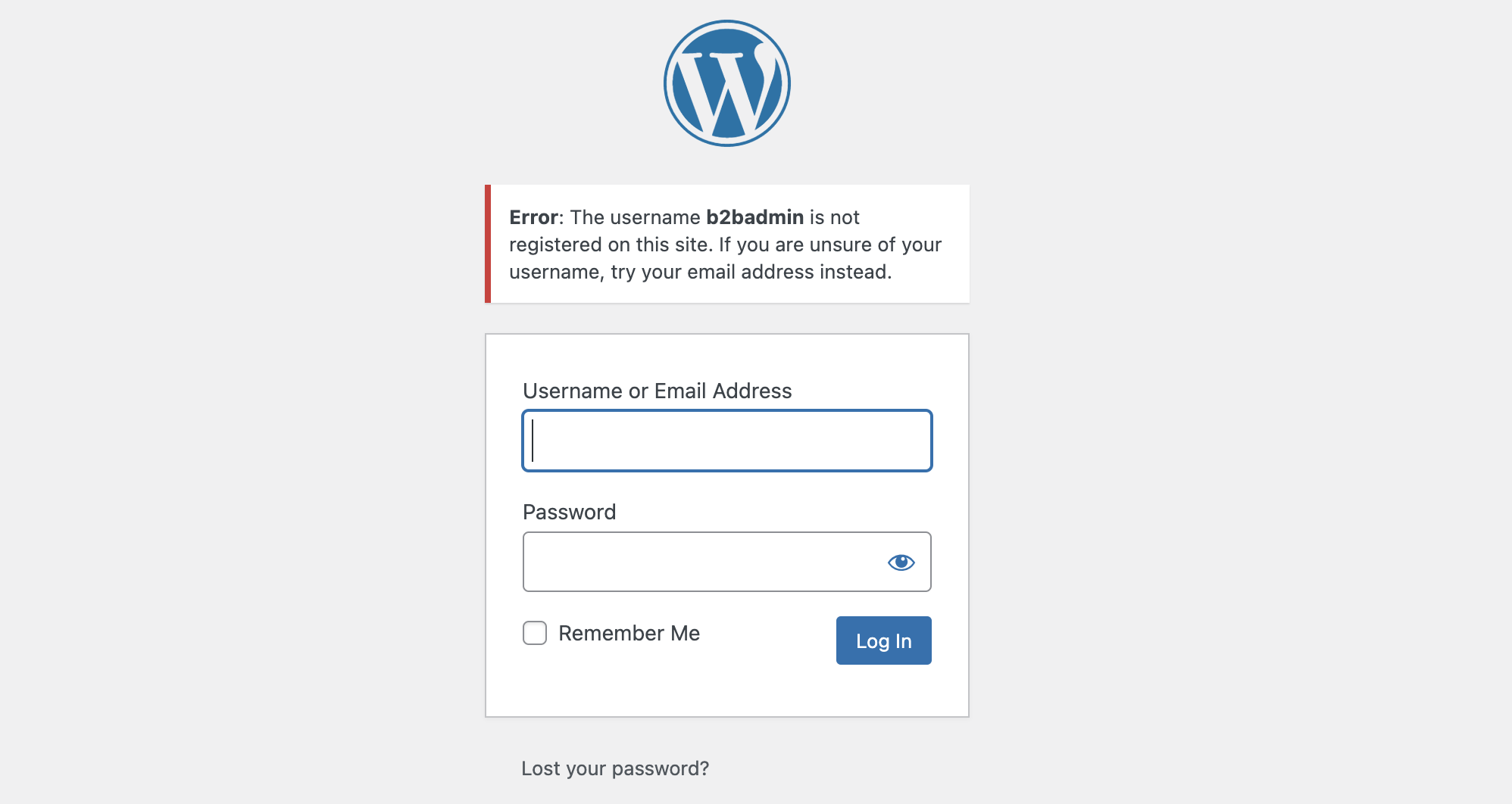
Can you please check?
4 Tickets
1
This message is private.
2,762
Hi there,
We've replied here in this ticket: https://support.kingsplugins.com/ticket/2986595