
Public Ticket #2975328

customization

Closed
Comments
14 Tickets 7
CANDY started the conversation 5 years ago on February 7, 2022 at 11:31am

I am not sure if this is in the realm of our support but here is my question. I have created a custom registration field for customers of "customer id" this correlates to the customers id (main identifier) in our accounting software. Do you know how I would code woocommerce to show this on the sales order?. Ideally we would want it to show with the other customer information.  This is information generally the customer would not know. we manually input the data when approving a new b2b customer,.

2,762
KingsPlugins replied 5 years ago on February 7, 2022 at 9:12pm

Hi there,

You can add the following PHP code snippet to your site:

add_action('woocommerce_admin_order_data_after_billing_address', function(){
    $customer_id = 'TEST';
    if (!empty($customer_id)){
        ?>
        <p class="form-field form-field-wide"><strong>Customer ID (internal):</strong>
        <?php
        echo $customer_id;
        ?>
        </p>
        <?php
    }
});

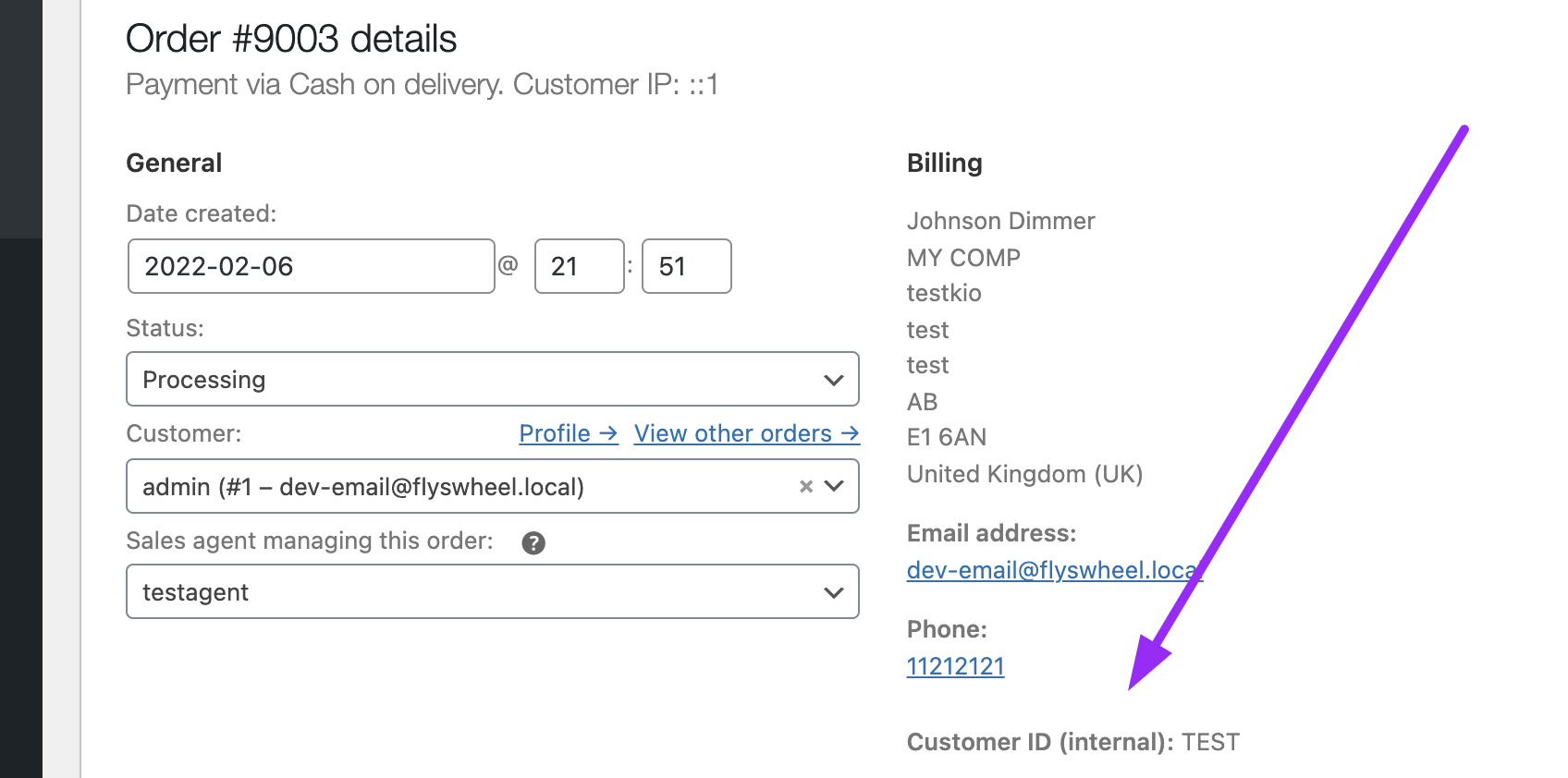
It will look like this in the order details page:

7074647044.png


You would need to change "$customer_id = 'TEST'" with your actual data. I don't really know how or where this is stored in your case. If it's stored as user meta data, you can get it with something like this: $customer_id = get_user_meta($user_id, 'meta_key', true);


If this customer ID is a b2bking field, then the meta key will probably be "b2bking_custom_field_1234" where 1234 is the field ID. It can be checked in the wp_usermeta table if you have experience with that sort of thing.


Let me know if that helps,

Kind regards,

Stefan

14 Tickets 7
CANDY replied 5 years ago on March 4, 2022 at 1:43pm

I cant seem to get this working.

 the test one works, when i try the data one. nothing shows. code i am using is

add_action('woocommerce_admin_order_data_after_billing_address', function(){
    $customer_id = get_user_meta($user_id, 'b2bking_custom_field_9926', true);
    if (!empty($customer_id)){
        ?>
        <p class="form-field form-field-wide"><strong>Customer ID (internal):</strong>
        <?php
        echo $customer_id;
        ?>
        </p>
        <?php
    }
});


2,762
KingsPlugins replied 5 years ago on March 4, 2022 at 7:27pm

Hi there,

Please try to replace your current snippet, with the following:

add_action('woocommerce_admin_order_data_after_billing_address', function($order){
    $user_id = $order->get_customer_id();
    $customer_data = get_user_meta($user_id, 'b2bking_custom_field_9926', true);
    if (!empty($customer_data)){
        ?>
        <p class="form-field form-field-wide"><strong>Customer ID (internal):</strong>
        <?php
        echo $customer_data;
        ?>
        </p>
        <?php
    }
}, 10, 1);

If that doesn't work, would it be possible for you to share a backend login to your site or staging site so we can check directly? Or if you have any error, please send us the error.


Kind regards,

Stefan

Sign In