Public Ticket #2977089

New customers assigning to agent incorrectly

Closed
Comments
5 Tickets 1
shemming started the conversation 5 years ago on February 9, 2022 at 9:03am

Hi

I have just loaded the sales agent which I'm familiar to an extent with as I'm a long-term user of the  Sales Wholesale. 

I have set up what seems to be correctly and "unselected" assigned to an agent on registration however all new registrations are assigning to an agent?

Also, I have orders prior to uploading Sales King to a customer when i now assign these they don't show, is this because they were legacy orders prior to install? 

Many Thanks

2,762
KingsPlugins replied 5 years ago on February 12, 2022 at 11:26pm

Hi Spencer,

1) Regarding customers assignment:

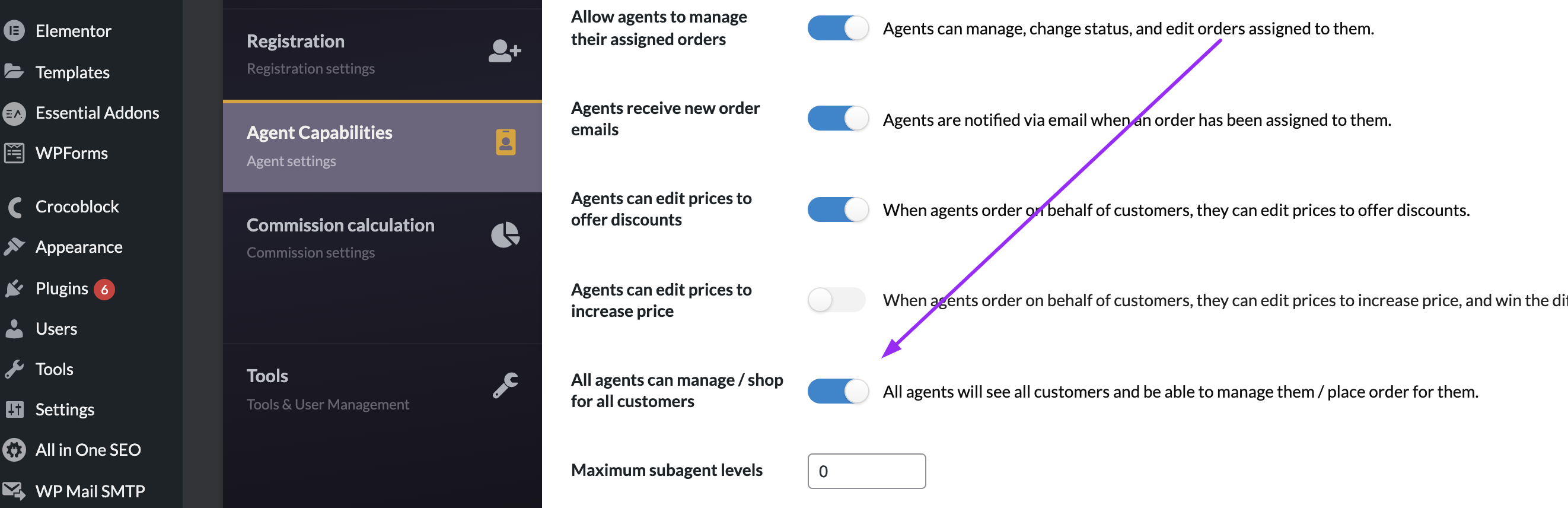
Now I see what you mean. The customer's not assigned to Gerrod Mellor, but this setting is enabled in SalesKing -> Settings -> Agent Capabilities that makes all customers visible in the dashboard to all agents:

9190120960.png


I disabled this setting now. The agent should no longer be able to view that customer.


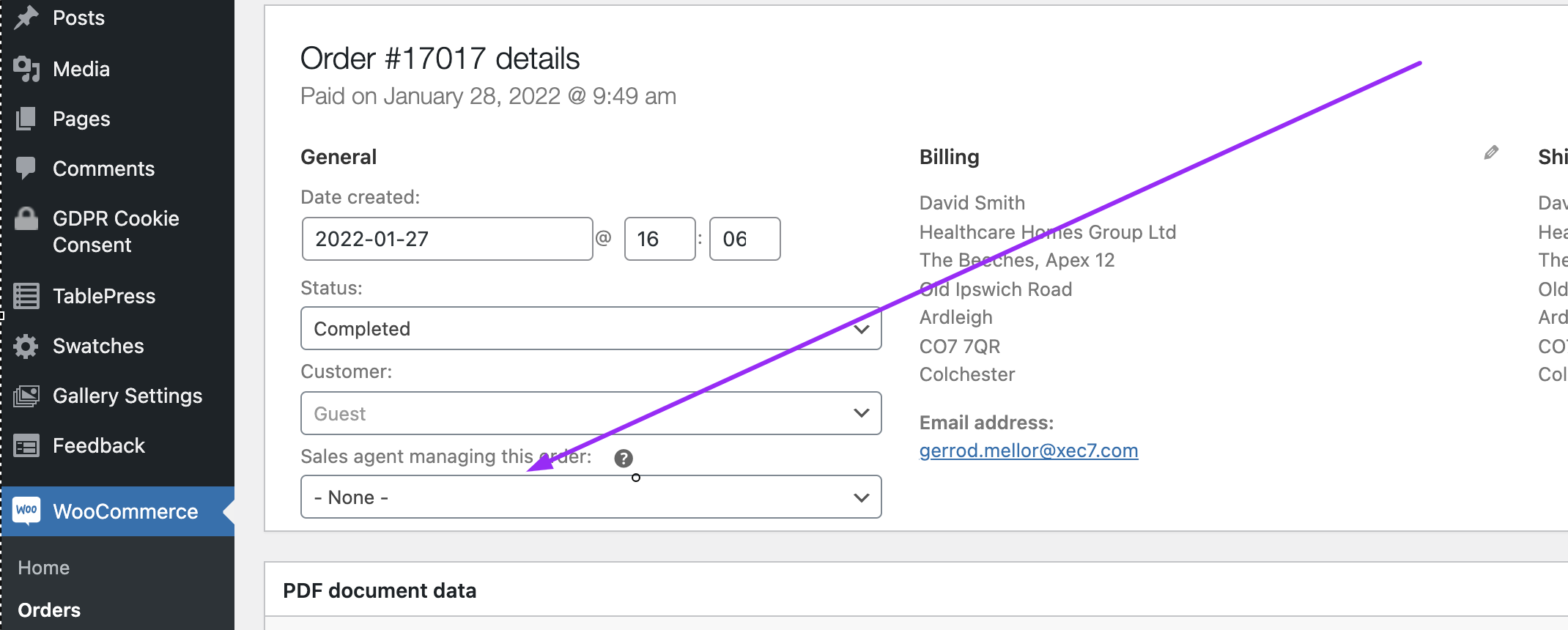
2) I don't see any order assigned to any agent. I think we're looking at different things. For orders to show up in Orders -in the Agent Dashboard, you need to choose an agent here in the order backend:

2402777008.png


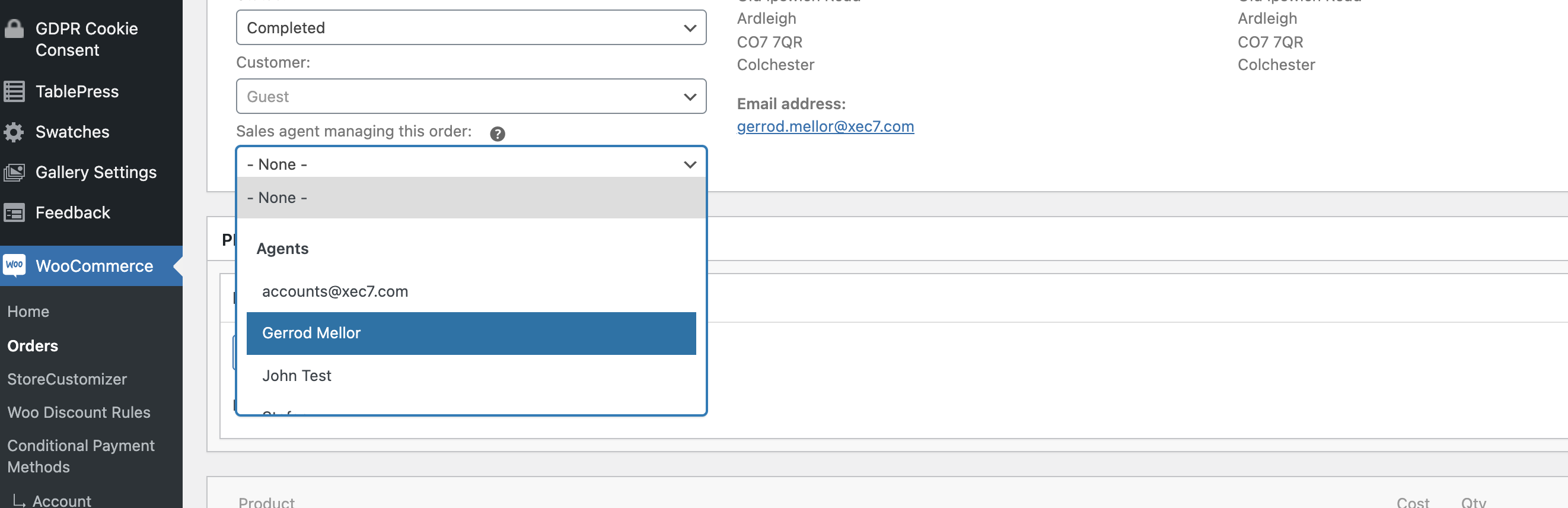
For example I chose an agent for this order:

https://woocommerce-686460-2396995.cloudwaysapps.com/wp-admin/post.php?post=17017&action=edit

1615285202.png

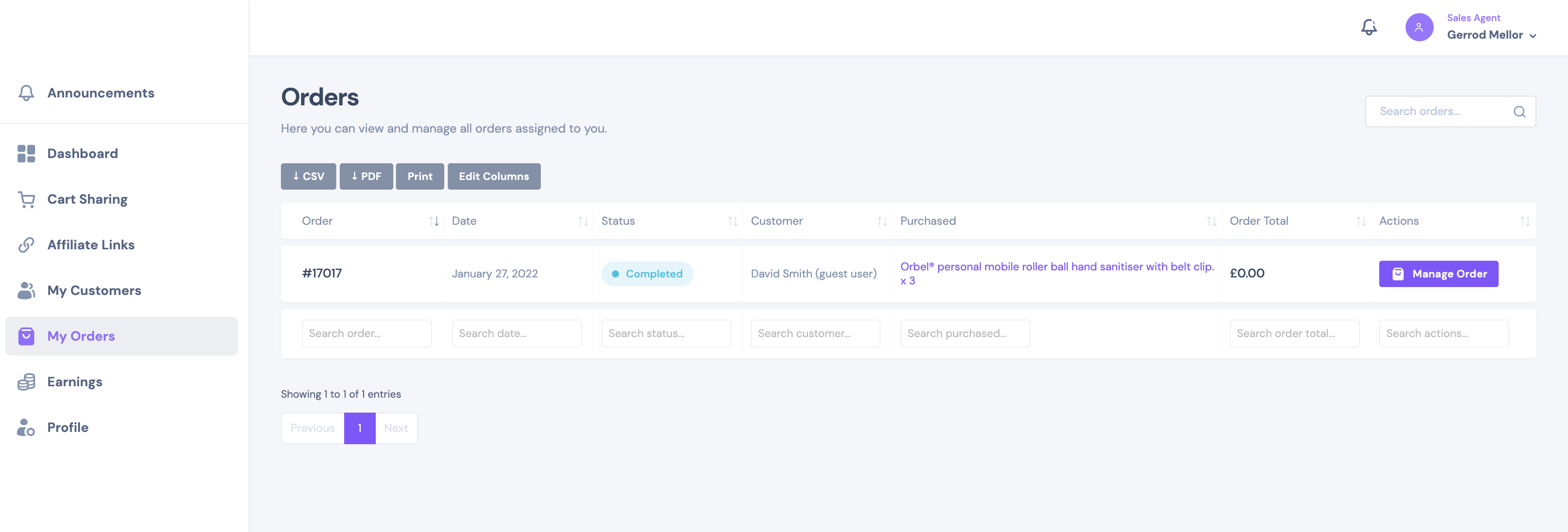
Now it's visible in the agent dashboard:

4681867480.png


3) "thus i don't need the login or registration element of the sales agents plugin"

I didn't understand what elements you're referring to. I guess you want these elements removed? Can you share a screenshot please?


5 Tickets 1
shemming replied 5 years ago on February 13, 2022 at 5:47am

Hi Stefan

That was the issue allowing agents to manage their assigned orders was unchecked, the customer now seems to work perfectly also. With the SA default, log in and registration is there a way to not use them at all ?

Thanks very much for your support


SPencer

2,762
KingsPlugins replied 5 years ago on February 15, 2022 at 2:54am

Hi Spencer,

1) It seems there are no commission rules configured in your site at 

https://xec7.com/wp-admin/edit.php?post_type=salesking_rule


You'd need to configure the rule for 30% first.

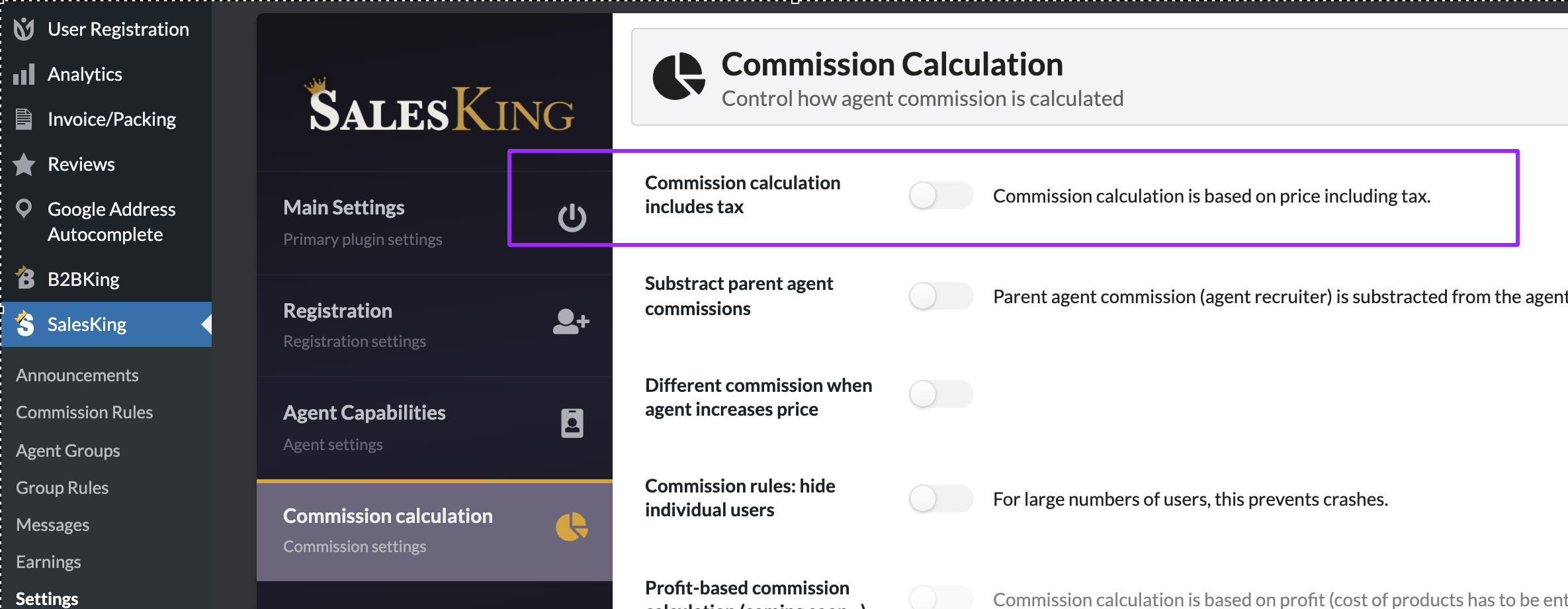
2) In your site it's currently configured that the commission is calculated from the price excluding tax (e.g. 30% * order net price)

6327120811.png


3) Do you mean like a link to the site / shop, so they don't have to manually enter the URL?

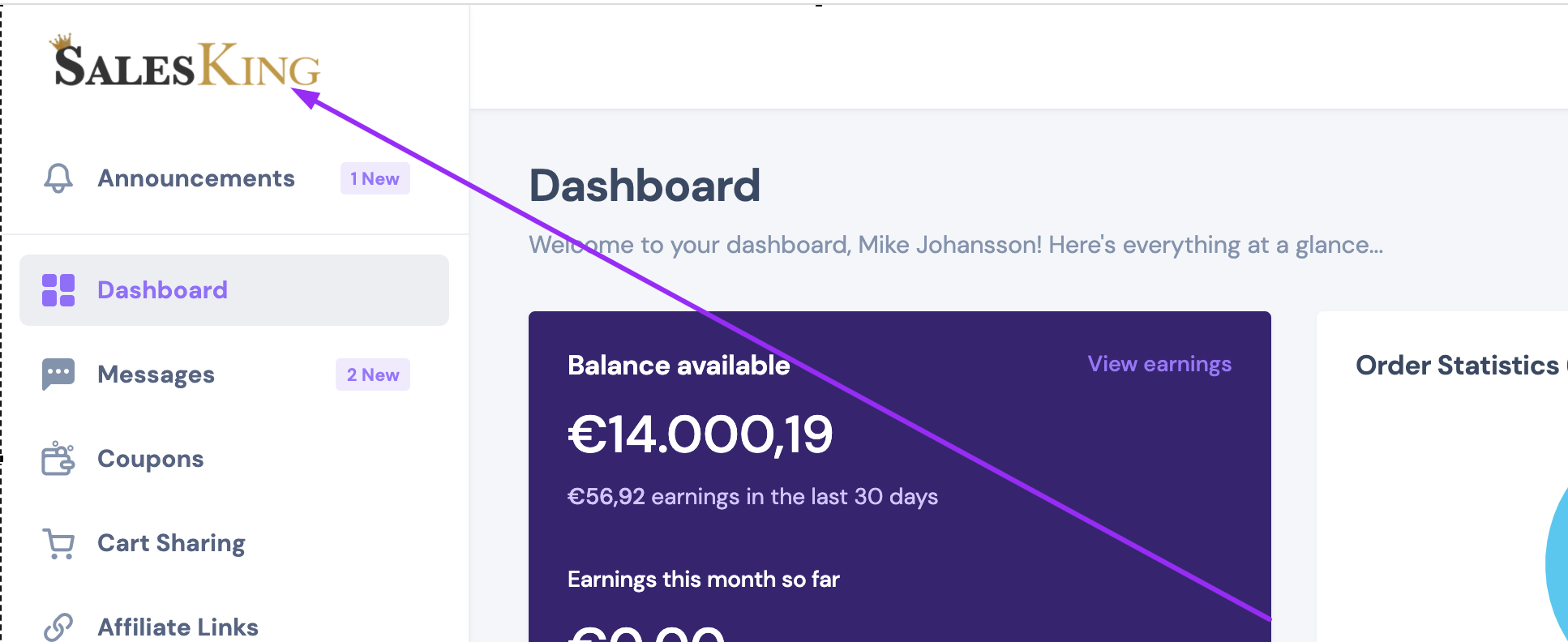
Usually agents can click on the logo in the top left corner:

1183044202.png


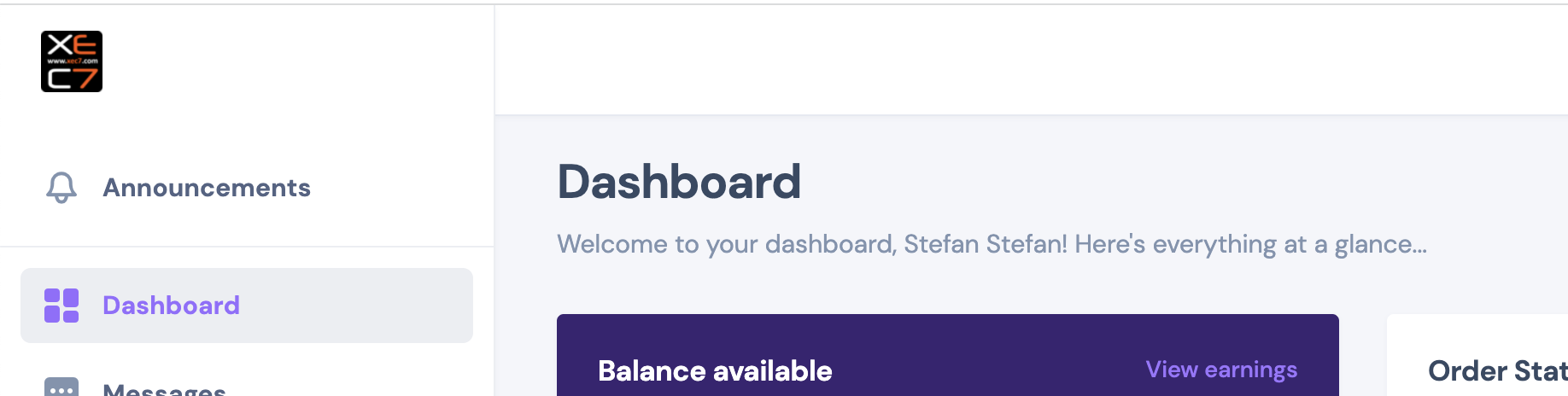
In your site I noticed the logo does not show - because of Lazy Load from the SMUSH plugin. I went into SMUSH settings and excluded the agent dashboard.

Seems to be working now:

7234321088.png


4) If you'd like, we can remove the "Manage Order" button that gives access to the backend.

We're working on adding a new system so agents can view full order details without going to the backend, but it's not quite ready yet.


5)

"With the SA default, log in and registration is there a way to not use them at all ?"

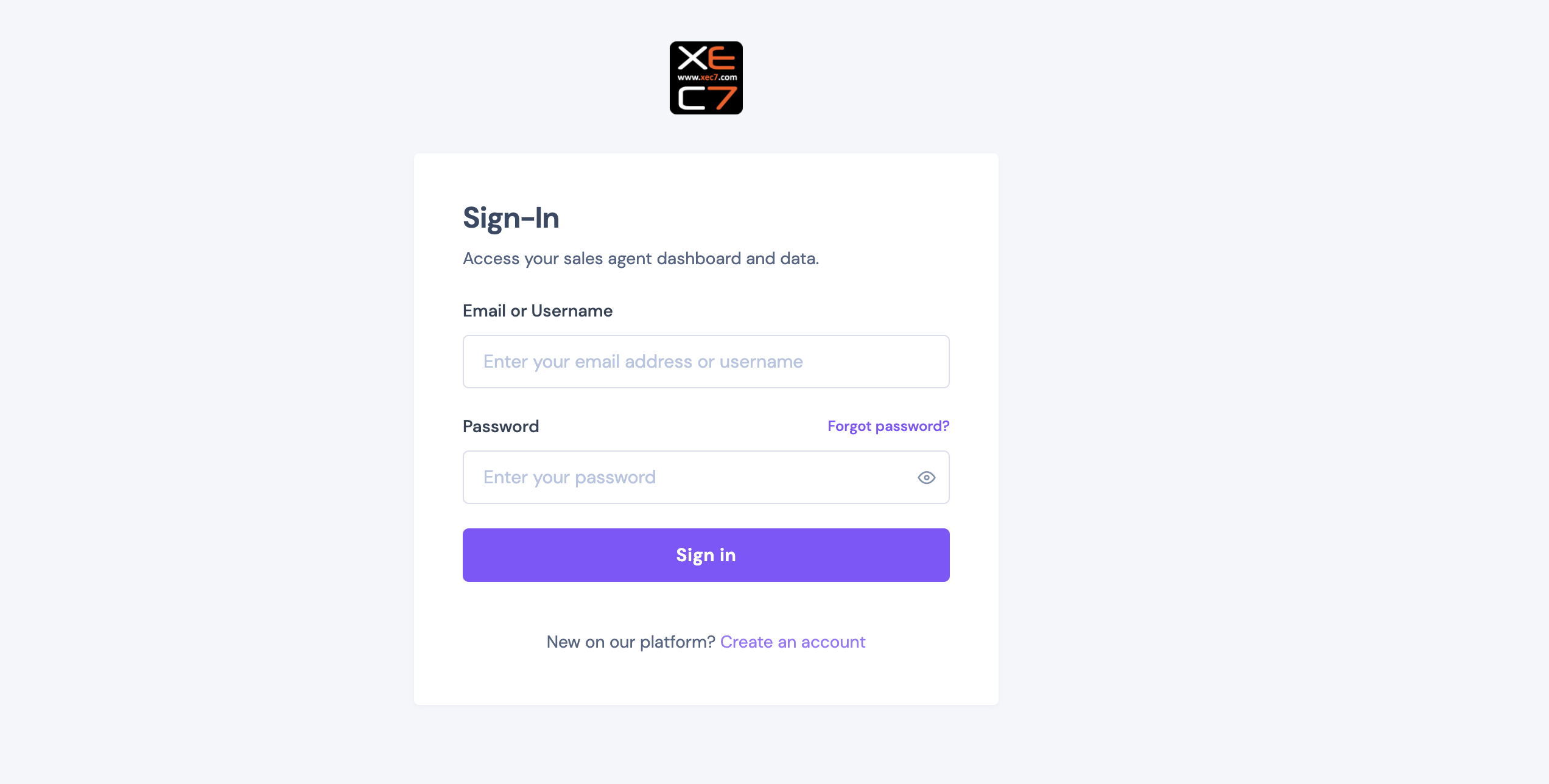
Do you mean to bypass this panel entirely?

8440513542.png


I don't really have a way to do that - only if you manually configured some pages, redirects, etc.


Kind regards,

Stefan

5 Tickets 1
shemming replied 5 years ago on February 17, 2022 at 7:49am

Hi Stefan

Thanks for the fix its working as expected good news, is the manage my order button can go if you wouldn't mind this is a risk for us that would take more dev work to build it in, so if you could remove that button please that would be great, It would be of value to make that button selectable in settings. The login form is fine we use user registration and woccomm so these are redundant, deos  SA have captcha ? The other benefit which we did also with B2b King wholesale was map wpforms which added more security. Excellent job many thanks


Spencer


Sign In