Public Ticket #2993113

Add additionnal field on new customer email

Closed
Comments
1 Ticket 1
Adeline D started the conversation 5 years ago on March 2, 2022 at 8:17am

Hi, we would like to custom the email received by admin when a new client registered.
We would like to add additionnal fields we created by the plugin B2BKing.
We tried the "Kadence WooCommerce Email Designer" plugin but it does not propose the "new customer" email (admin version).
Could you advice me how do I need to wrote the php file to display my additionnals fields ?

2,762
KingsPlugins replied 5 years ago on March 2, 2022 at 8:18pm

Hi Adeline,

Thank you for purchasing our plugin,

To add additional fields to that email, you can modify the PHP email template. We have a documentation article here that explains some of this, perhaps you already saw it: https://b2bkingplugin.com/docs/how-to-customize-b2bking-emails/

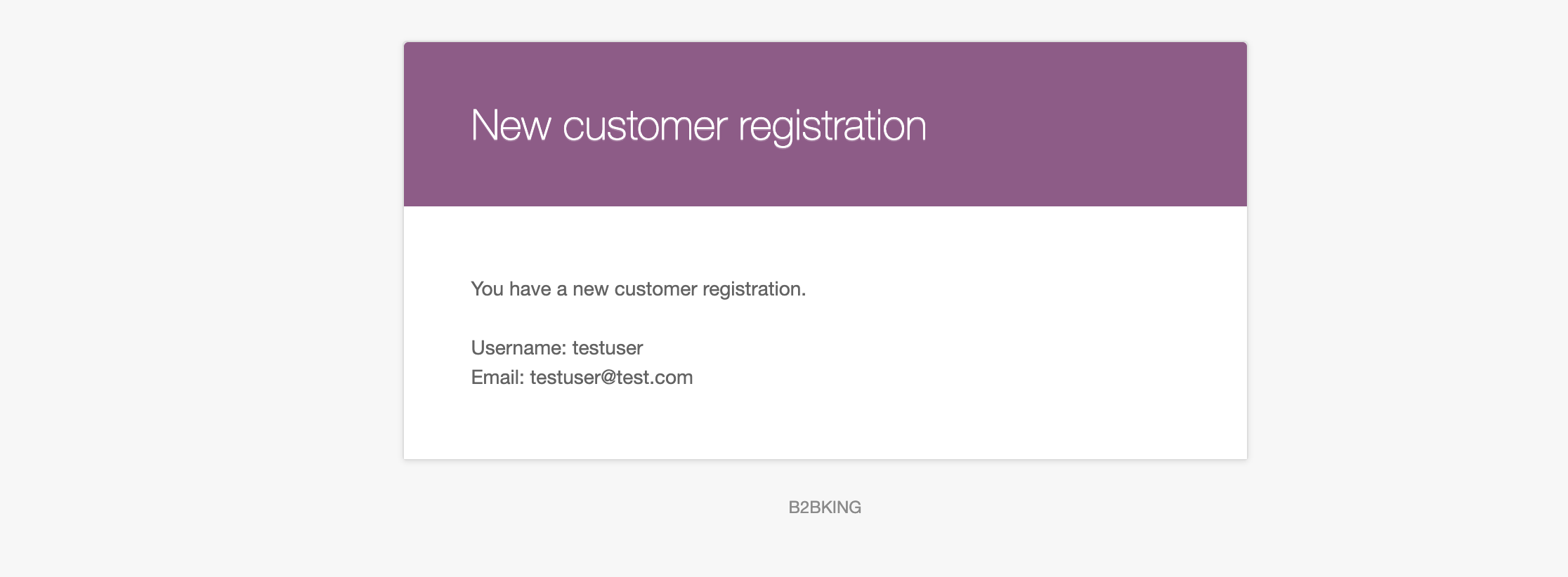
Is this for the "New Customer" email, this one?

2564383421.png

You would need to follow these steps:

  1. Go to wp-content/plugins/b2bking/includes/emails/templates/
  2. Copy the file "new-customer-email-template.php"
  3. Go to your theme folder, such as wp-content/themes/storefront/ and paste the PHP file there
  4. Modify the PHP template under the theme folder.
  5. To add fields here, you can use $_POST['b2bking_custom_field_1234'], where 1234 is the ID of your custom registration field.

To get the ID of a registration field, you can go to B2BKing -> Registration Fields and click on a field. The number in the URL is the ID (e.g. if the URL says ?post=456, the ID is 456).

Let me give an example:

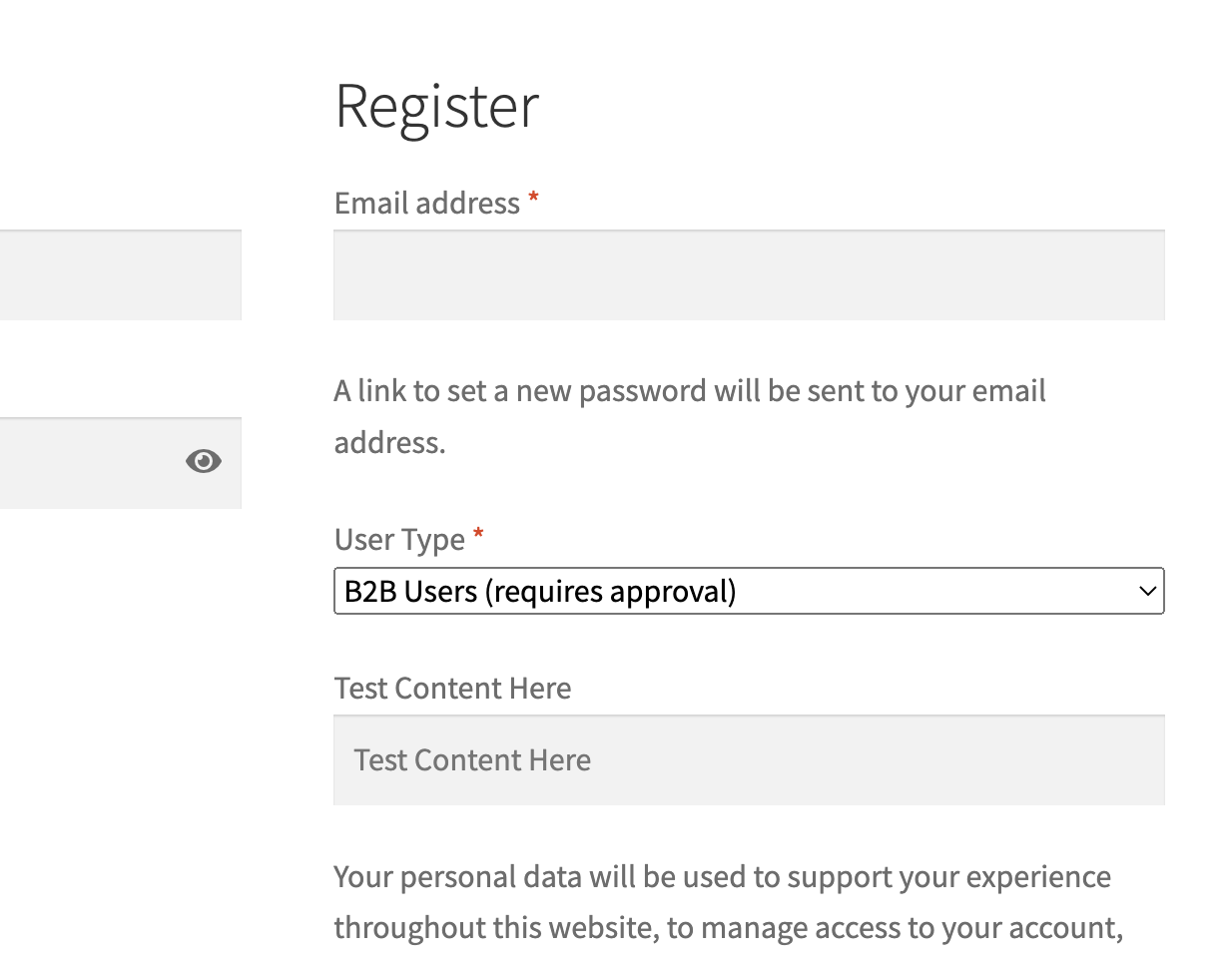
I have this field here, "Test Content", with the ID 9052

6071525679.png

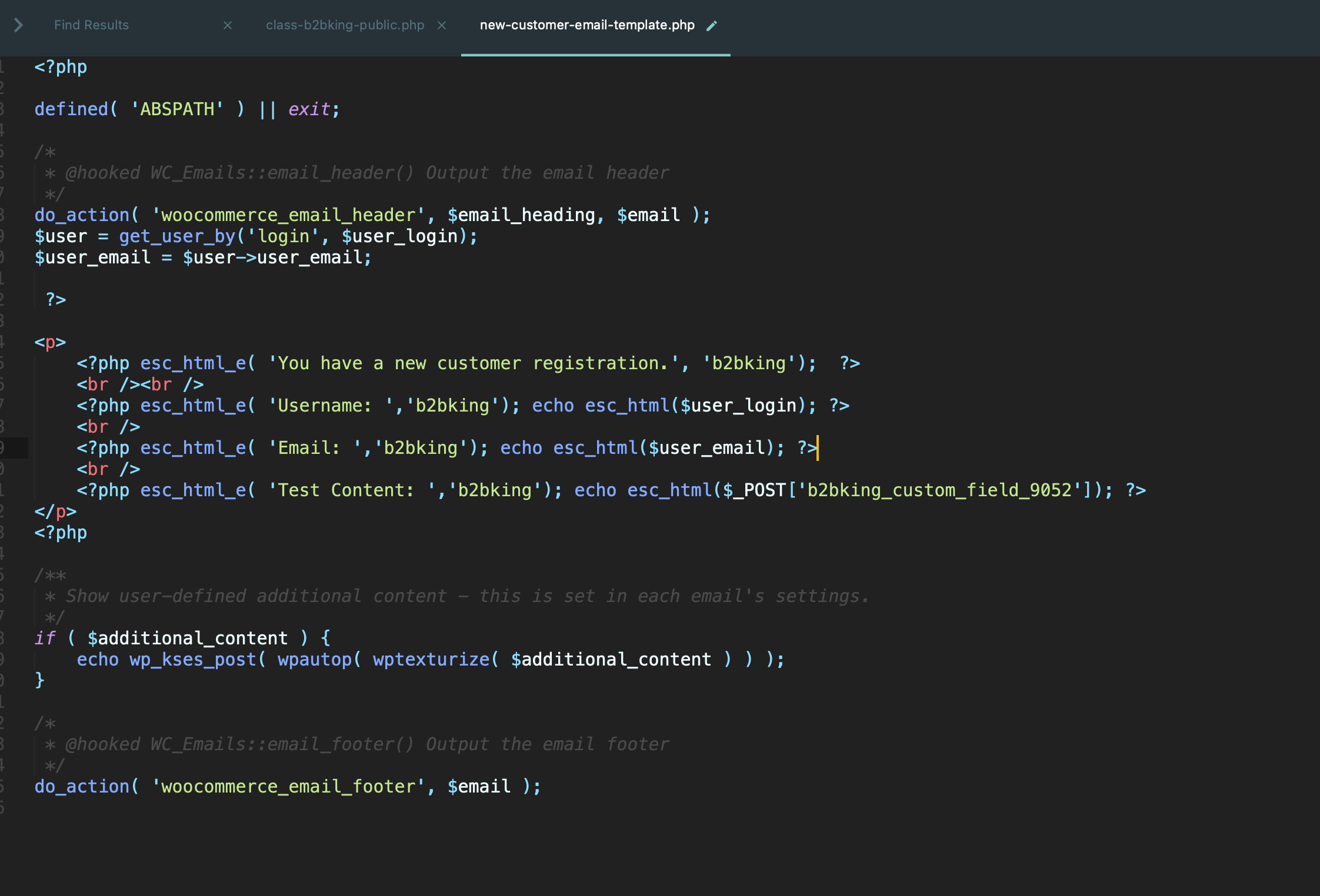
In new-customer-email-template.php, I add $_POST['b2bking_custom_field_9052'] as you an see below:

4535863046.png

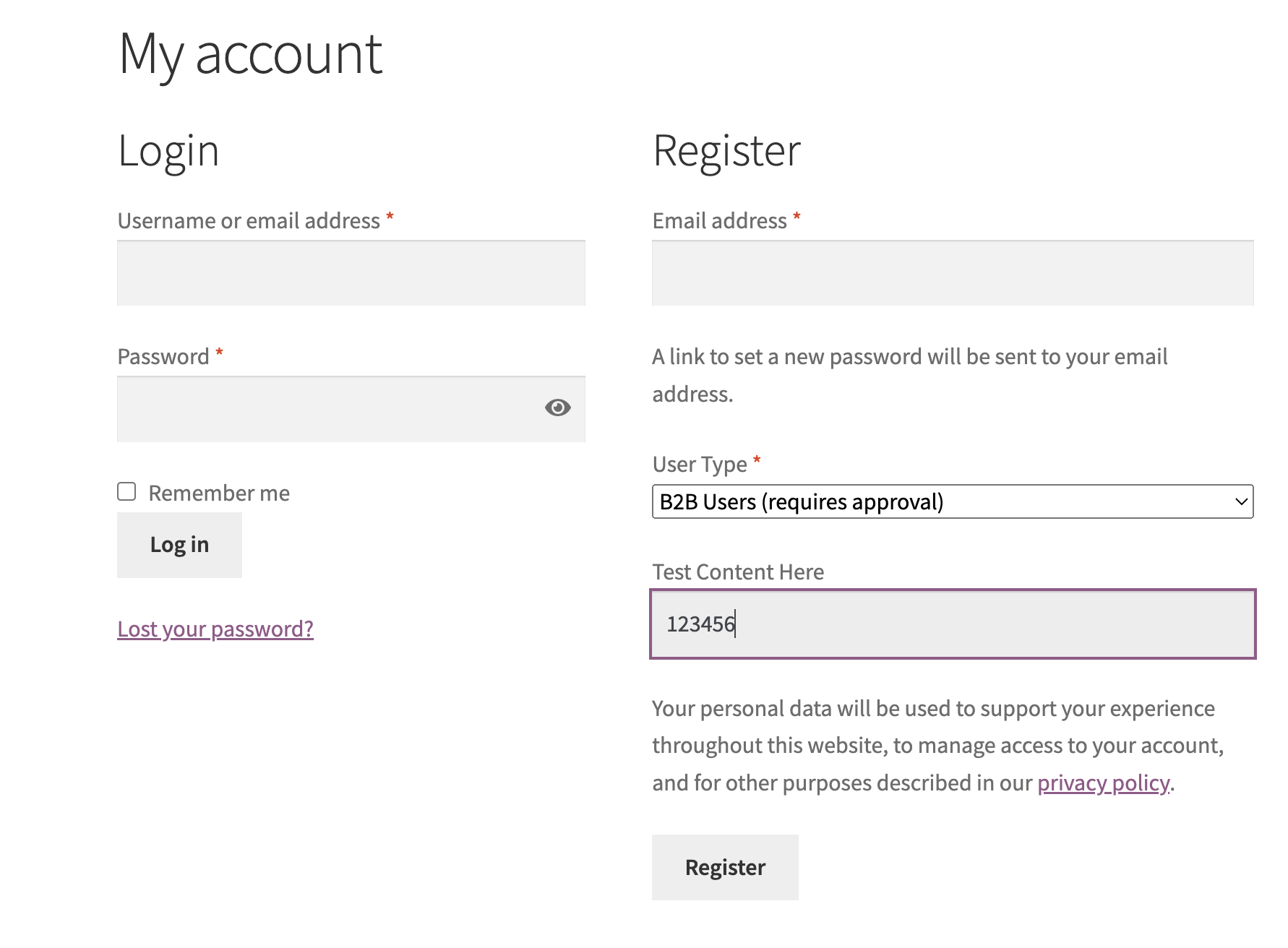
I register an account to test:

6987583654.png

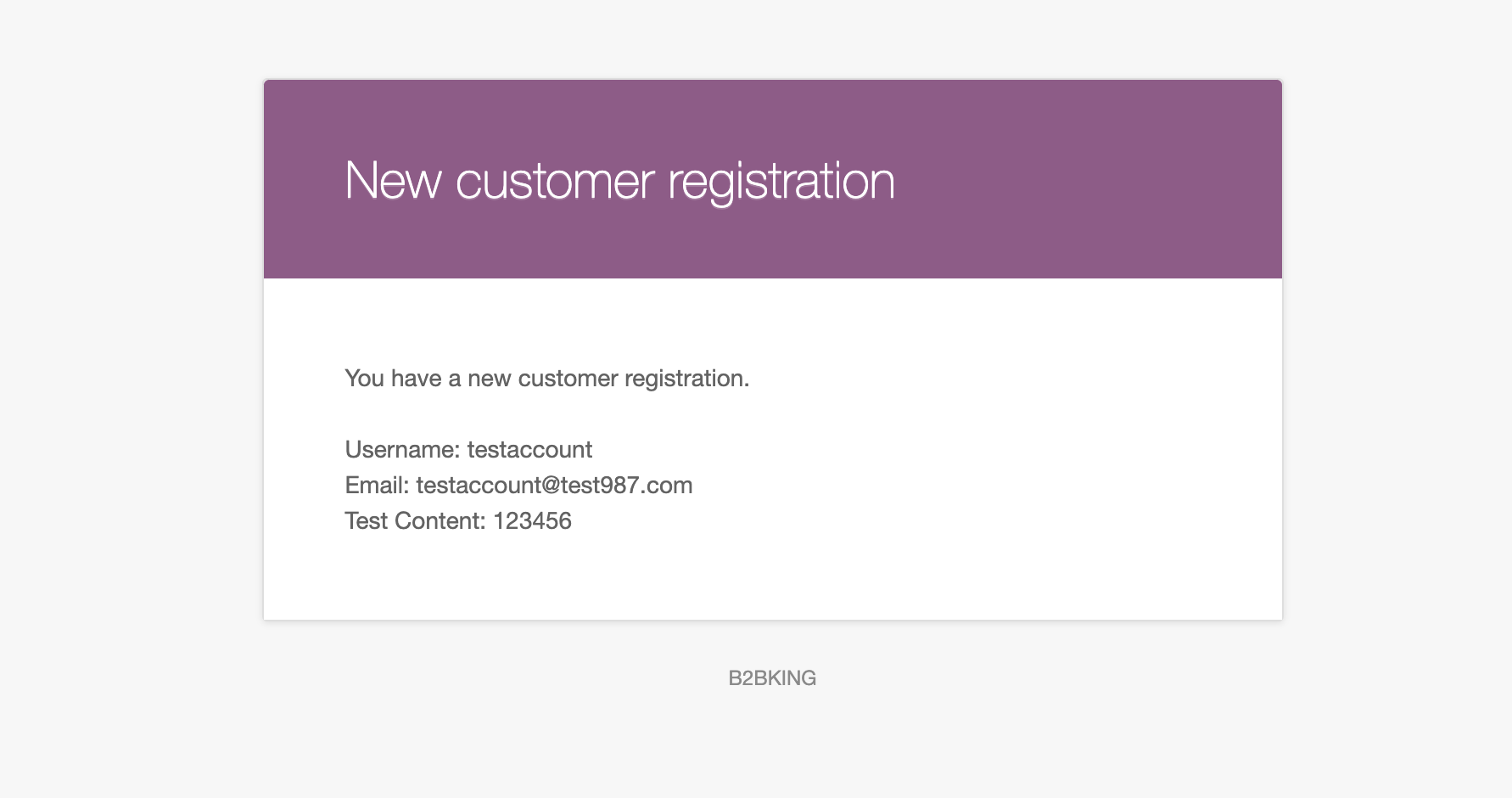
Email now looks like this:

4570528657.png

Kind regards,

Stefan

1

Sign In