 2 Tickets
I'm having trouble understanding how to set up sale agents to modify prices in the shopping cart. I want' to set a limit but I can't see any option for it
 2 Tickets
I'm having trouble understanding how to set up sale agents to modify prices in the shopping cart. I want' to set a limit but I can't see any option for it
 2,762
2,762
Hi there,
Thank you for purchasing our plugin,
The ability to modify prices in cart is controlled by 2 settings in SalesKing -> Settings -> Agent Capabilities:
- Agents can edit prices to offer discounts allows the agent to reduce price in cart
- Agents can edit prices to increase price allows the agent to increase price in cart
You can set a limit for each agent group in SalesKing -> Groups, by setting 'Max discount percentage allowed':
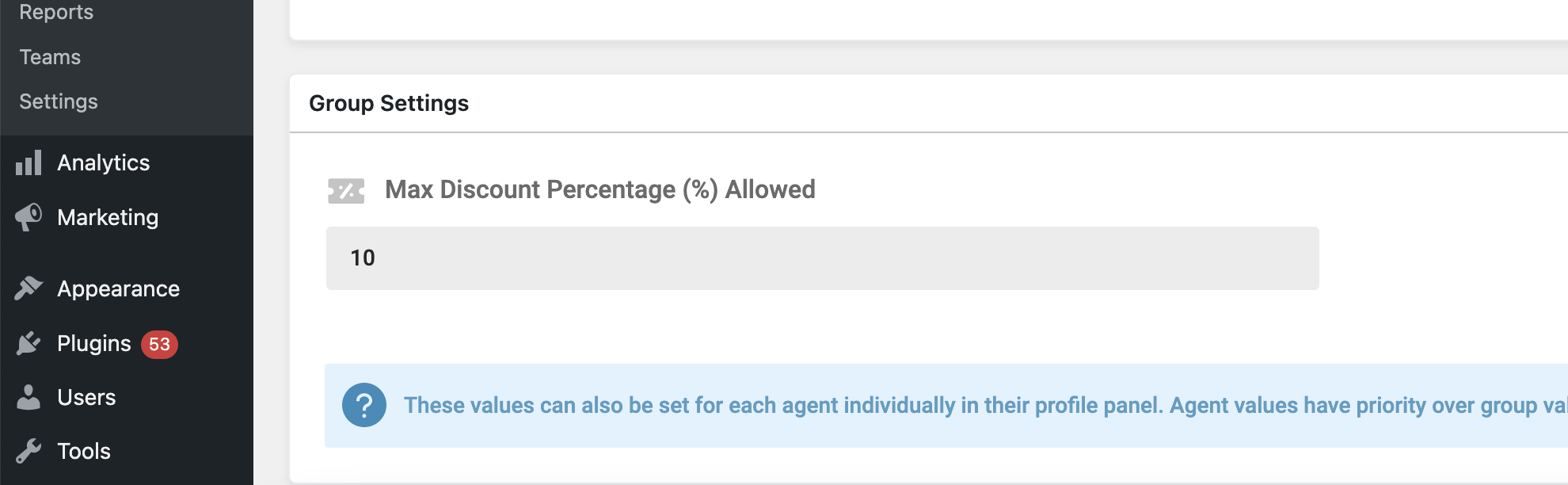
For example, if the max discount is 10%: if the price of the product is $1000, the agent can reduce it to a maximum of $900.
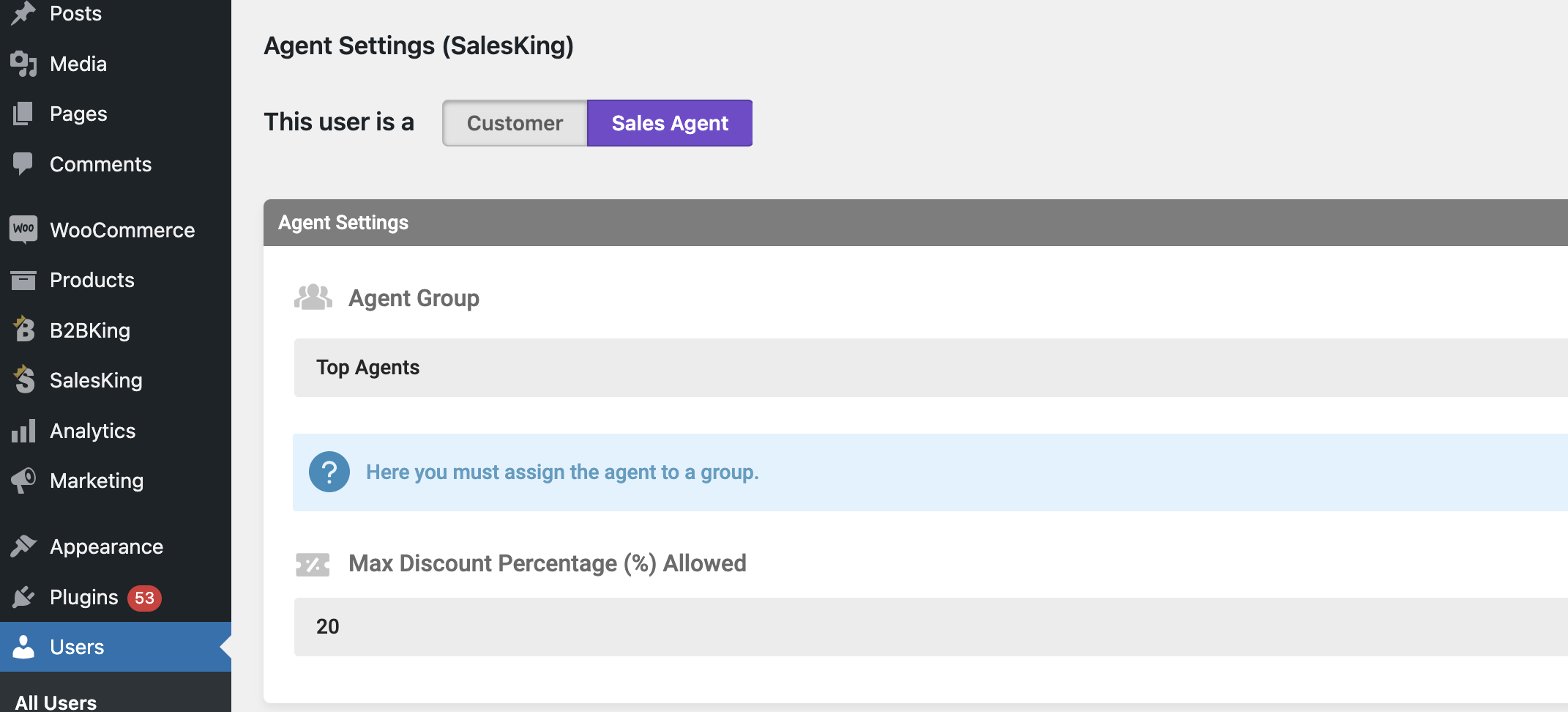
You can also set this limit at the agent level in the agent's profile page. For example, for this user there is a different limit of 20%:
Kind regards,
Stefan
2 Tickets
Thank you for the reply, is there any option that will allow me to control the discount by product to an specific amount? Best,
2,762
I'm sorry but there's no option for that. There is just the percentage setting that is global (for all items). If you are considering custom coding, we could add a hook there that allows editing it via custom code. However the customization itself is not something we can do directly as part of support.