Public Ticket #3106423

Disable default wordpress register form

Closed
Comments
7 Tickets 2
WowEffect_ng started the conversation 4 years ago on August 18, 2022 at 8:56am

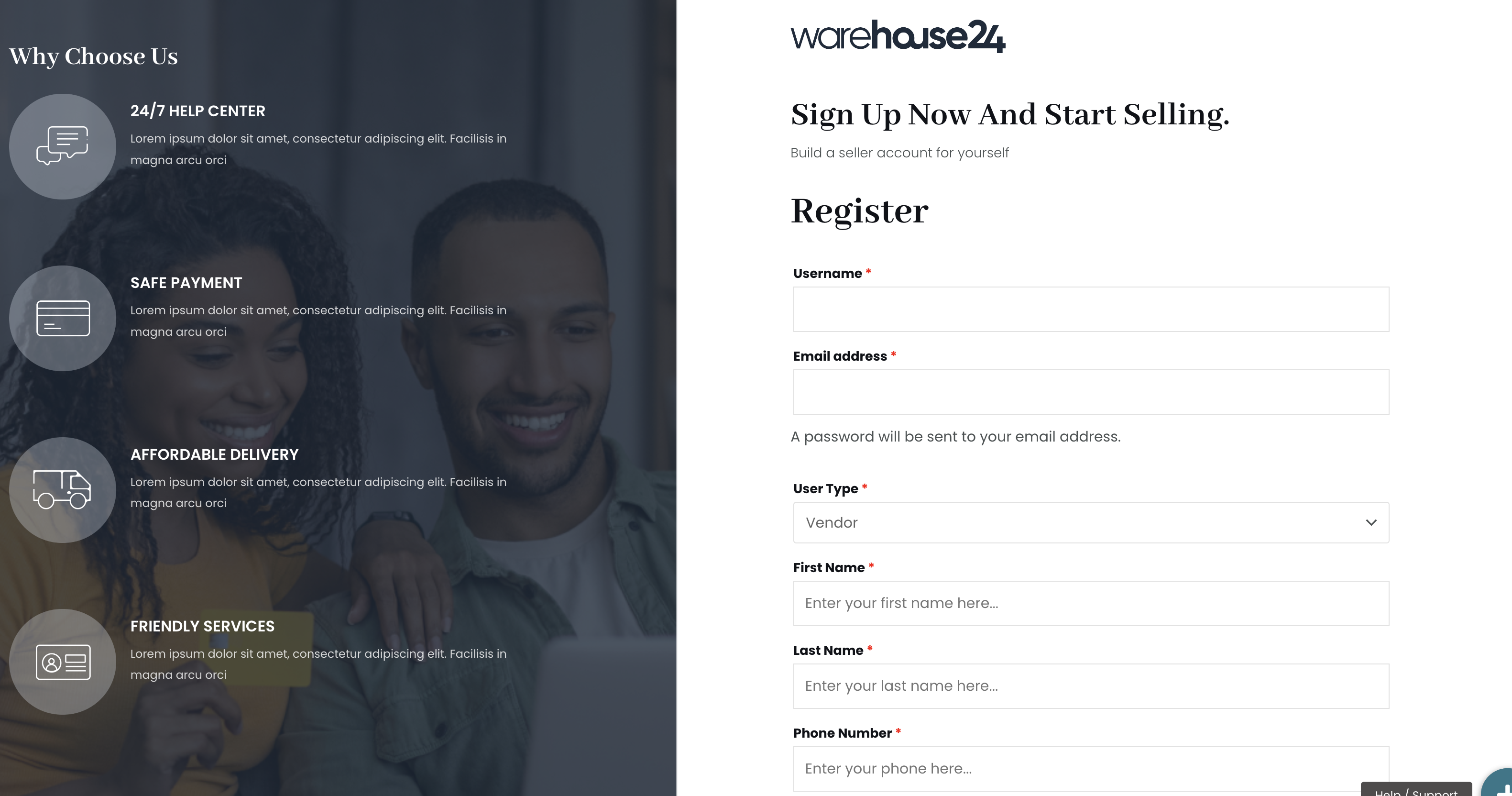
Hi, please I'm trying to create a vendor form with a custom field and separate registration form but the default WordPress registration form is still appearing above it, with the Register, username, and email address fields. Please how do I deactivate the default WordPress registration form?

Attach below is a screenshot and the link to the page also attach

2,762
KingsPlugins replied 4 years ago on August 18, 2022 at 9:06am

Hi there,

Thank you for purchasing our plugin!


I checked your site and the link you shared, and I'm seeing the following:

3911647307.png


This kind of display with the username and email address at the top is normal, and is needed for our plugin, because those details required for every WordPress user, including for MarketKing vendors. So this is normal, I don't have a way to remove those fields because they are required.


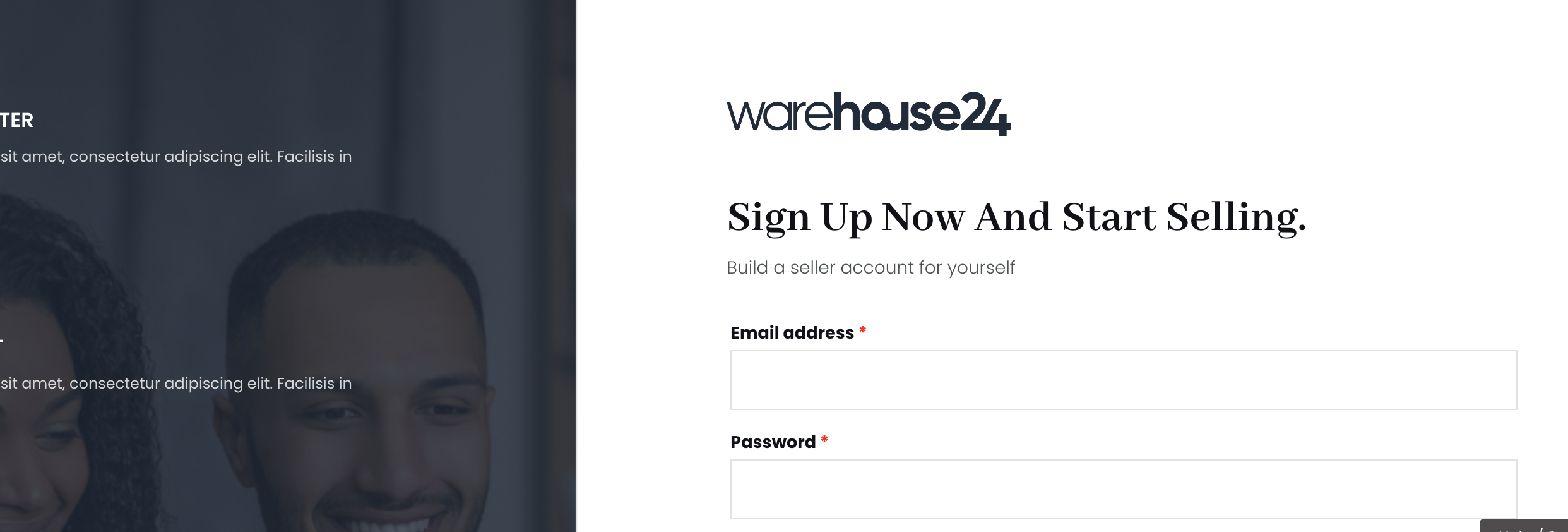
If you want, it is possible to remove the 'Username' field, because technically only the email is required.


If you want to remove username, go to WooCommerce -> Settings -> Accounts & Privacy -> and enable 

"When creating an account, automatically generate an account username for the customer based on their name, surname or email"

8401144200.png


You can also show a password field there if you want, by disabling 'When creating an account, send the new user a link to set their password'.


Kind regards,

Stefan

7 Tickets 2
WowEffect_ng replied 4 years ago on August 18, 2022 at 9:14am

alright thanks, but how do I disable the Register write-up showing below the "build a seller account for yourself" cause that is coming from WordPress?

2,762
KingsPlugins replied 4 years ago on August 18, 2022 at 9:31am

On that page, you could simply hide that with CSS.

It would work to add the following CSS to your site:

.elementor-element-b42c0ad h2:nth-child(1) {
    display: none;
}

Should then look like this:

2929576362.png


7 Tickets 2
WowEffect_ng replied 4 years ago on August 18, 2022 at 9:49am

Thanks a lot. I think that is sorted now. The last issue I'm having now is that I want to display a popup after the register button is clicked. I want a create a template and redirect the register button to the popup on submit. I don't know if that is possible with the form. Attached below is a screenshot of what I'm trying to achieve

2,762
KingsPlugins replied 4 years ago on August 18, 2022 at 11:02am

Hi there,

It's not possible to show a JavaScript popup I think (because the form must be submitted, so we can't hijack the form), but we can change the REDIRECT URL after the registration is sent.

You could create a custom page like the page in your screenshot, and then add this PHP code snippet to your site:


function filter_woocommerce_registration_redirect( $redirect ) {
    $page_id = 1234;
    return get_permalink( $page_id );
}
add_filter( 'woocommerce_registration_redirect', 'filter_woocommerce_registration_redirect', 10, 1 );

You must replace 1234 with the ID of your page. (To get the ID of the page, go to your page in the site backend and click on the page - the number in the URL such as ?post=1234 is the ID of the page).

7 Tickets 2
WowEffect_ng replied 4 years ago on August 18, 2022 at 12:47pm

Please is there a way I can make the registration form a step-by-step form? or can I connect the form input to an elementor's default form so I can have an output similar to what is in the UI screenshot below ?

2,762
KingsPlugins replied 4 years ago on August 20, 2022 at 12:15pm

Hi there,

The plugin doesn't have feature for that, but, yes, you could use almost any forms plugin and connect it, so that it can register MarketKing vendors.

So for example you could use a forms plugin like WP FORMS or GRAVITY FORMS. I guess you can also do it with Elementor, yes.


To connect the form, you would need to make the form set the following user meta keys for the vendor:

- marketking_group must have the value of the vendor group ID (example 1234). To get the vendor group ID, please go to MarketKing -> Vendor Groups and click on a group. The URL will have a number like ?post=123 that number  123 is the group ID).

- marketking_user_choice must have the value vendor

- marketking_store_name contains the store name text, such as "Walmart Company".

- marketking_store_url contains the store URL such as 'walmart', and the vendor page will be yoursite.com/stores/walmart


Most forms plugin will have an option that allows you to set user meta. You must create the above 4 keys and set the value as described.


Kind regards,

Stefan

1
7 Tickets 2
WowEffect_ng replied 4 years ago on August 23, 2022 at 7:02am

Hi please, I don't know how to connect the forms using meta keys. Can you drop a further hint? Like step by step guide on how to connect the elementor form. 


Thanks

Sign In