 30 Tickets
13
30 Tickets
13
How can I change the date format?
December 17, 2022 to 17/12/2022
I can't find it!
 30 Tickets
13
30 Tickets
13
How can I change the date format?
December 17, 2022 to 17/12/2022
I can't find it!
 2,762
2,762
Hi Rui,
Please try to go to your website backend /wp-admin, and go to Settings -> General -> Date Format:
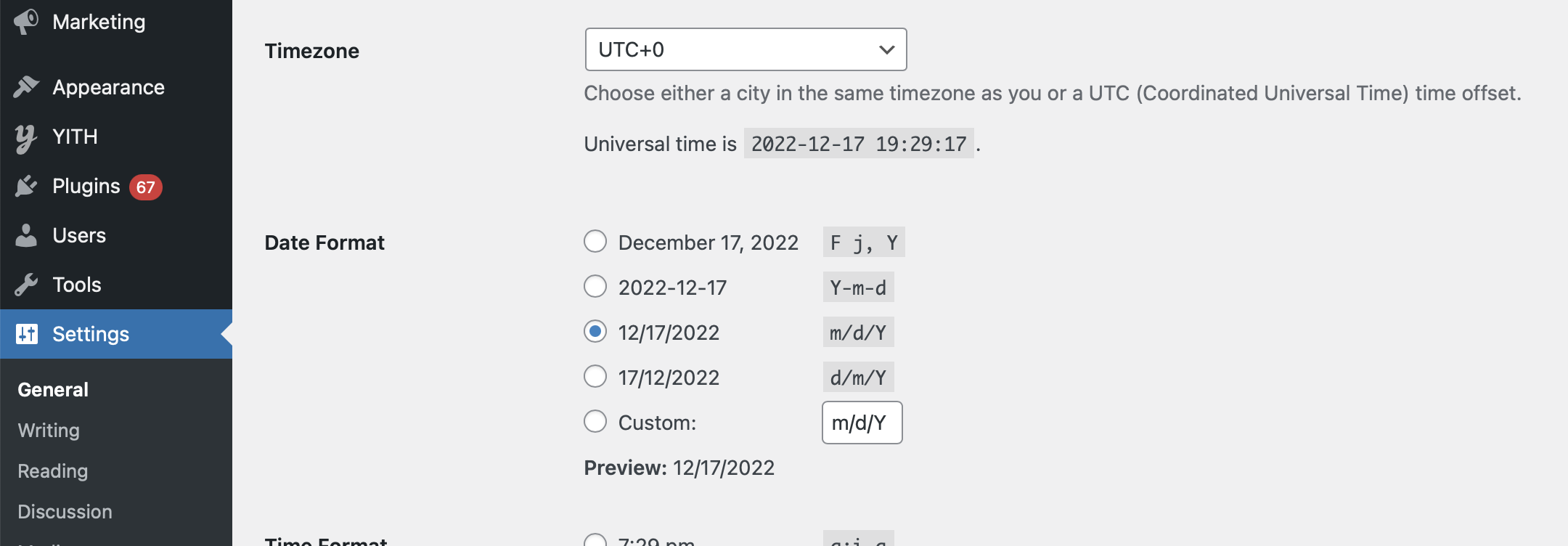
Normally SalesKing should follow the format selected here,
Kind regards,
Stefan
30 Tickets
13
Thanks for the answer.
I already have that setting, but in the earnings map the date does not appear as it is chosen as general date format.
See attachment.
2,762
This message is private.
30 Tickets
13
Hello,
I'm finishing the translations and I noticed now that in the user panel the date format does not assume the WP General date.
Attached
I take this opportunity to inform that in the tables the information
"Showing 1 to 2 of 2 entries
I can't translate these strings with WPML
Regards
2,762
This message is private.
30 Tickets
13
Thank you for your reply and attachment
But something is going on that I can't upload the attachment.
1. I have deactivated the current
It gives the attached error
2. I have deleted the current one
Gives the attached error
Any ideas?
2,762
This message is private.
30 Tickets
13
Successfully installed.
Repairs corrected.
Thank you