 1 Ticket
I am on the shopping cart page, can the Custom Quote Field form appear without clicking "Request custom quote"?
 1 Ticket
I am on the shopping cart page, can the Custom Quote Field form appear without clicking "Request custom quote"?
 2,762
2,762
Hi Dexter,
Thank you for getting in touch,
You could achieve that by adding this PHP code snippet to your site:
add_action('wp_head', function(){
    ?>
    <script>
        jQuery(document).ready(function(){
            setTimeout(function(){
                jQuery('#b2bking_request_custom_quote_button').click();
            }, 10);
        });
    </script>
    <?php
});
Basically it clicks the button automatically when the page first loads.
A PHP snippet can be added to functions.php, or by following our guide here: https://b2bkingplugin.com/docs/how-to-add-a-snippet-php-or-js/
Let me know if I can help with anything, or if you have any questions,
Kind regards,
Stefan
1 Ticket
Hi
I still have a problem. When I log in to the administrator and fill in the fields on the shopping cart page, the form can be sent successfully, but if I don't log in and send the form on the shopping cart page, it shows 'Please fill all required fields to submit the quote request', but I'm sure I've filled in all the fields, which is weird.
2,762
Hi again,
Are you already using the latest B2BKing Pro version (4.6.25)?
If so I am not sure why the issue happens on your site, but we would be happy to check directly. For that, please:
- Provide us with your plugin purchase code / license key:
Where can I find my license key (purchase code)?I purchased on KingsPlugins.com - Where is my KingsPlugins license key?
I purchased on CodeCanyon (Envato/ThemeForest): Where is my Envato purchase code?
- Can you also provide us with a backend login to your site or a staging clone site? It's the best way we can troubleshoot the issue and get this resolved for you as soon as possible.
Kind regards,
Stefan
1 Ticket
This message is private.
2,762
Thank you for sharing the code!
The problem is there are 2 fields there, Name and Email, that have been hidden with custom CSS:
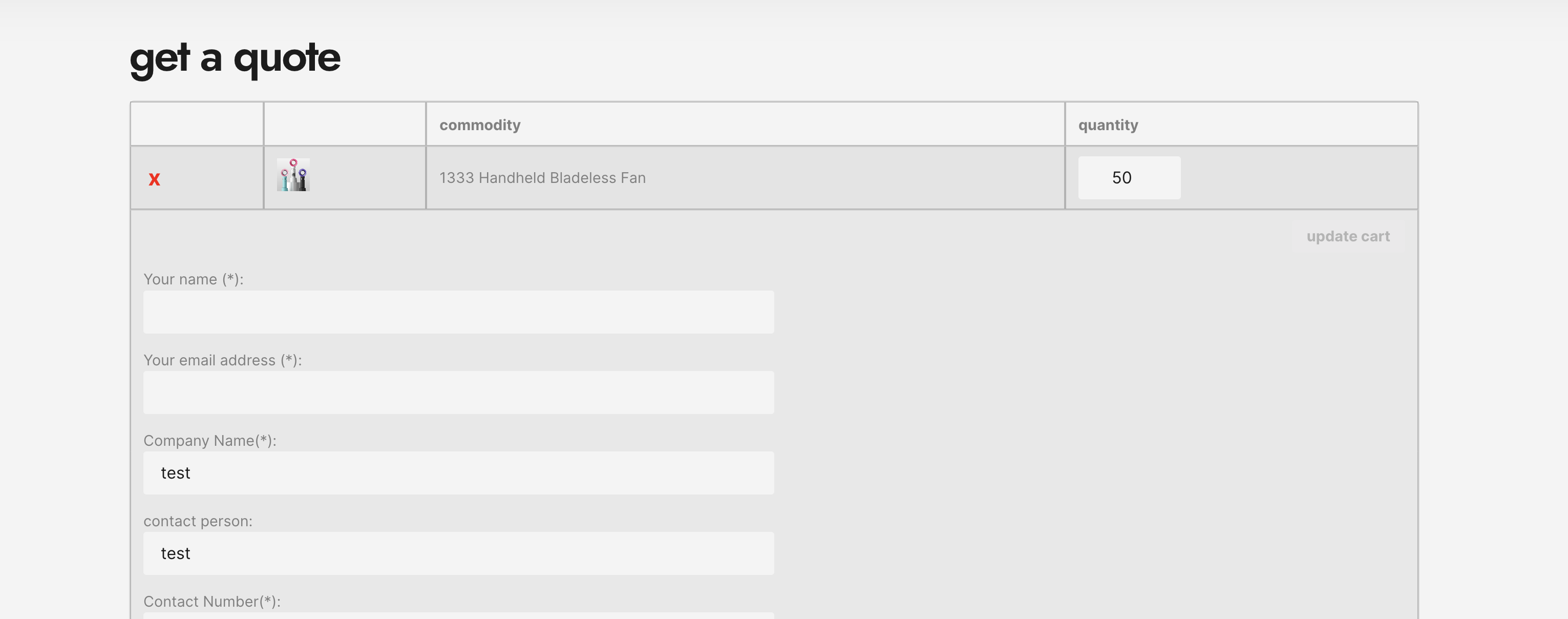
However, even though the fields are hidden, the scripts still see them.
I do not have a way to remove these 2 fields. They are necessary for how our plugin works internally. For example the email is necessary in order for the plugin to search for a user account.
I would advise to remove the CSS that hides the fields. It's this CSS file:
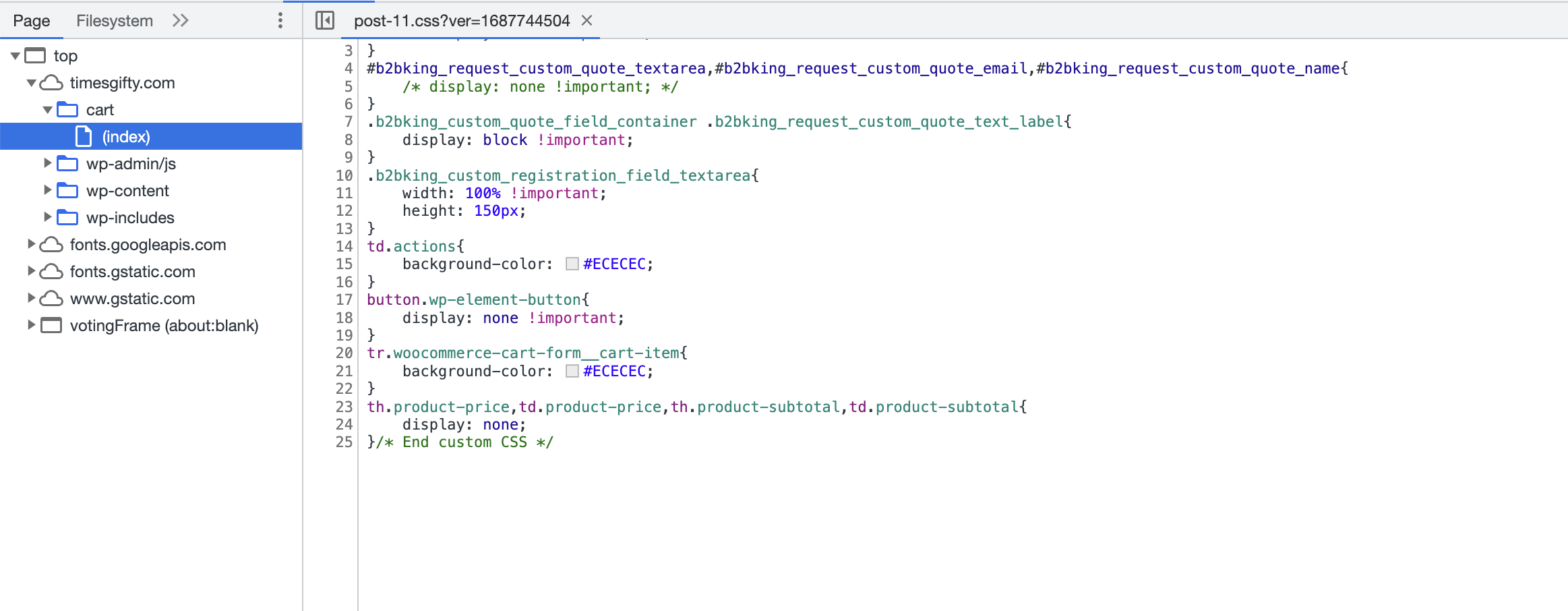
I am not sure where on your site it can be modified. If you do not know, please ask your website developer,
Kind regards,
Stefan
1 Ticket
Can I hide those three required fields, because my custom fields already contain name, email and other information
2,762
We don't have a way to hide them I'm afraid. The 2 fields are hardcoded into our plugin's scripts and used at various points in the plugin (for example when replying to a quote request, the email field is needed to check if the user has an account / email). Because of that those 2 fields are mandatory by default.
You can modify other quote fields https://b2bkingplugin.com/docs/add-custom-fields-to-quote-requests/ , but the 2 fields there are not modifiable.
1 Ticket
Can I change the b2bking_request_custom_quote_text_label of name and email, I need to display it as traditional Chinese
2,762
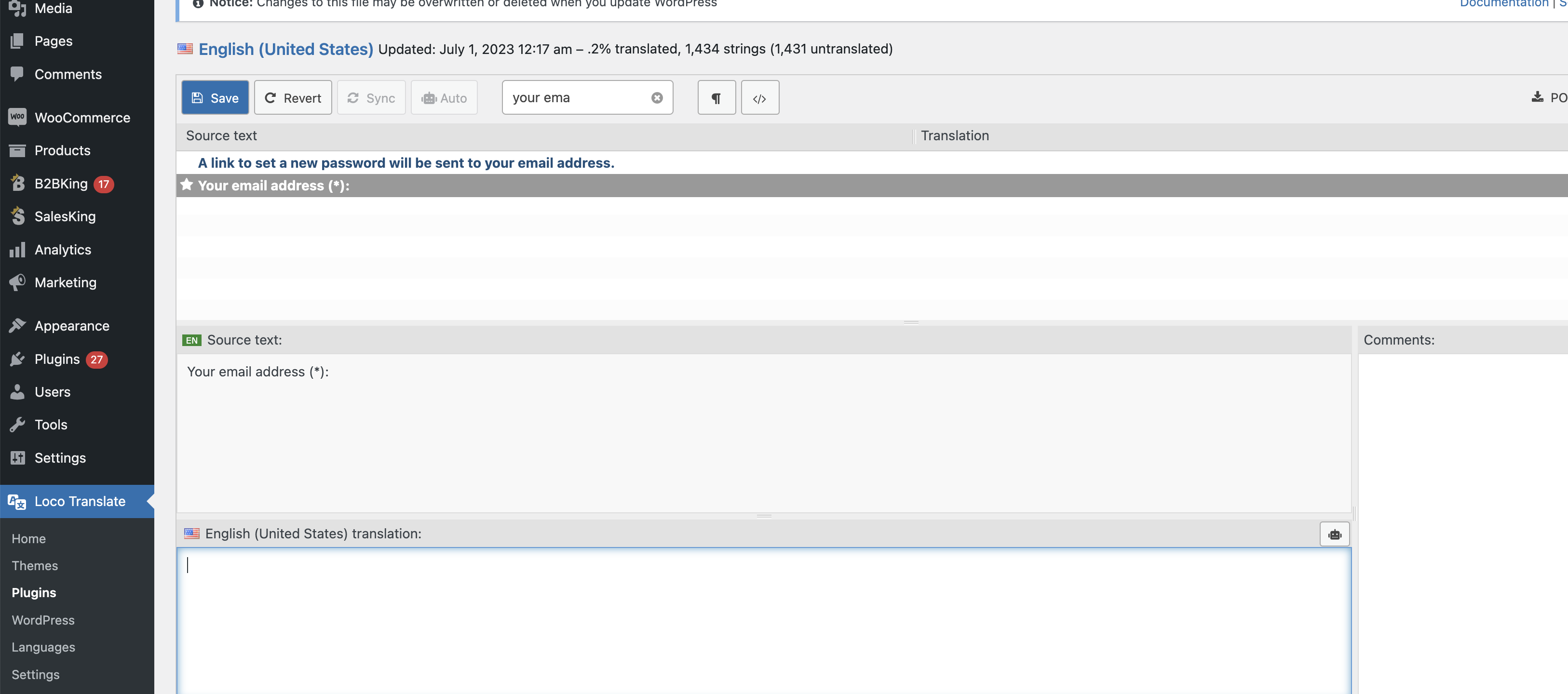
You should be able to translate those using the free Loco Translate plugin.
You can find them here if you search for 'your name' , 'your email':
Here we have a guide on how to use Loco Translate to translate B2BKing: https://b2bkingplugin.com/docs/how-to-translate-b2bking-to-any-language-localization/