Public Ticket #3404325

Configuration affichage prix HT

Closed
Comments
7 Tickets 1
LAGARDE started the conversation 3 years ago on June 30, 2023 at 1:55pm

Bonjour,

Je suis en train de configurer les prix B2B, or au test de la commande, je m'apercois que le prix enregistré inclus la TVA

Ex : Le bracelet est à 6 HT

Je souhaite que ce soit se tarif qui soit visible sur les articles et que la TVA soit ajoutée à la validation de la commande.

Merci pour votre aide

ML LAGARDE

2,762
KingsPlugins replied 3 years ago on June 30, 2023 at 10:32pm

Hi there,

Thank you for purchasing our plugin!


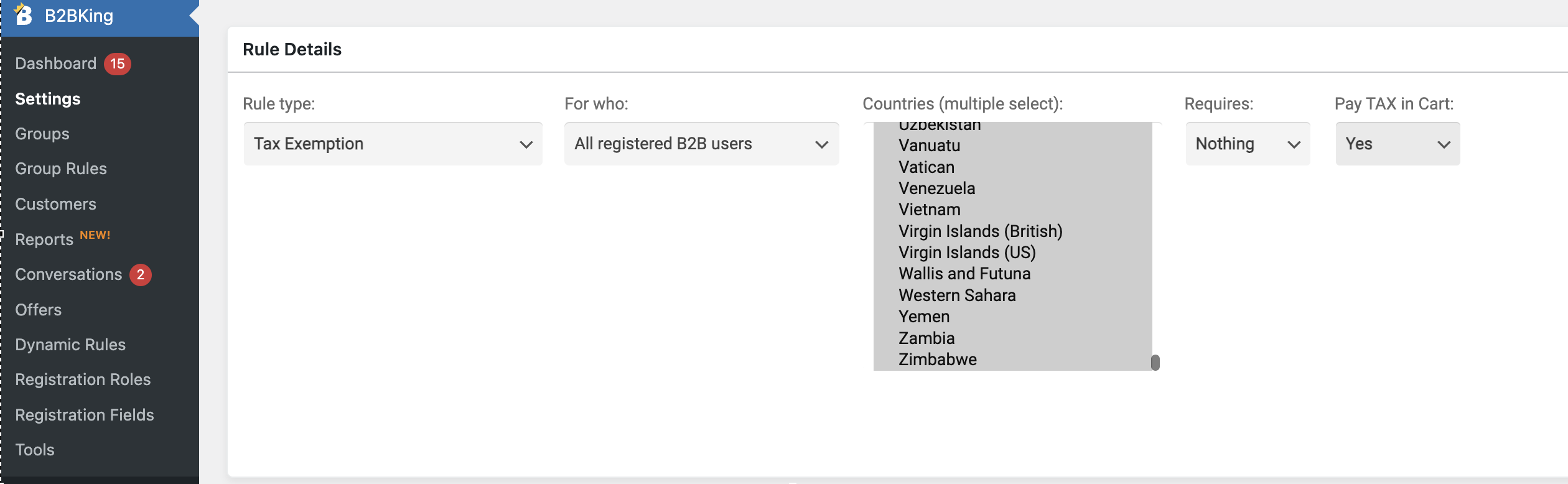
To configure that, you would need to go to B2BKing -> Dynamic Rules and create a Tax exemption rule like this:

2929367292.png

For who: all registered B2B users

Countries: select all / per your needs

Requires: nothing

Pay Tax in cart: YES


The price would then exclude VAT (HT), but the VAT will be added in cart / checkout.


Let me know if that works for you,

Kind regards,

Stefan

7 Tickets 1
LAGARDE replied 3 years ago on July 1, 2023 at 6:25am

Merci pour votre réponse, j'ai paramétré la tva comme indiqué sur votre document, mais cela ne fonctionne pas.

Je ne comprends pas....

2,762
KingsPlugins replied 3 years ago on July 1, 2023 at 7:52am

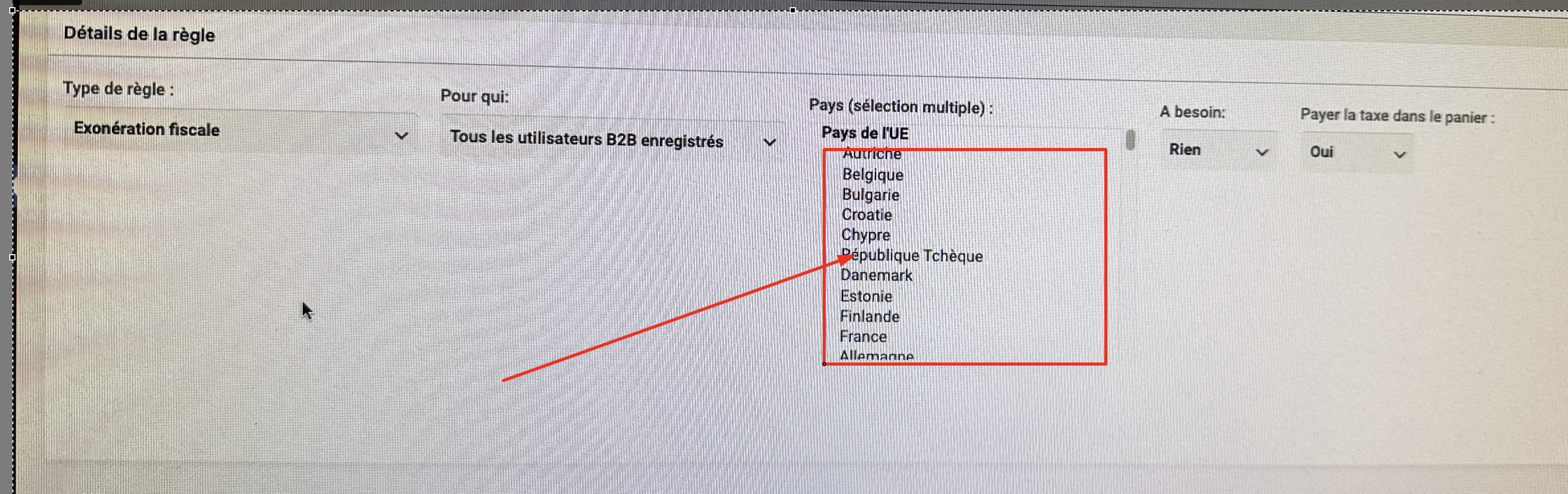
From your screenshot, I am thinking you may have not selected the country:

7953713980.png

You can select multiple countries there. 

You can click on the area and type CTRL + A on the keyboard to select all countries.

1

Sign In