Public Ticket #3419222

Registering my license on kingsplugins.com

Closed
Comments
5 Tickets 1
Gerald Croteau started the conversation 3 years ago on July 20, 2023 at 1:26pm

Hello,

I've sent this via pre-sales because this relates to registering the license item I've purchased, not supporting the install.

I purchased my B2B King Pro plugin on Envato, and now I am looking to activate my license on KingsPlugins.com so that I can automatically install updates via the wordpress site itself. 

I've attached a screenshot where this was promised via support (back when this was still under support).

I tried following the instructions on this page:

https://kingsplugins.com/licensing-faq/

but was not able to find a way to enter this license onto KingsPlugins.com.

Thank you for advising.

2,762
KingsPlugins replied 3 years ago on July 20, 2023 at 5:48pm

Hi Gerald,

You can activate your Envato license by following these steps:


(1) Create a free account here (if you don't already have one): https://kingsplugins.com/my-account/

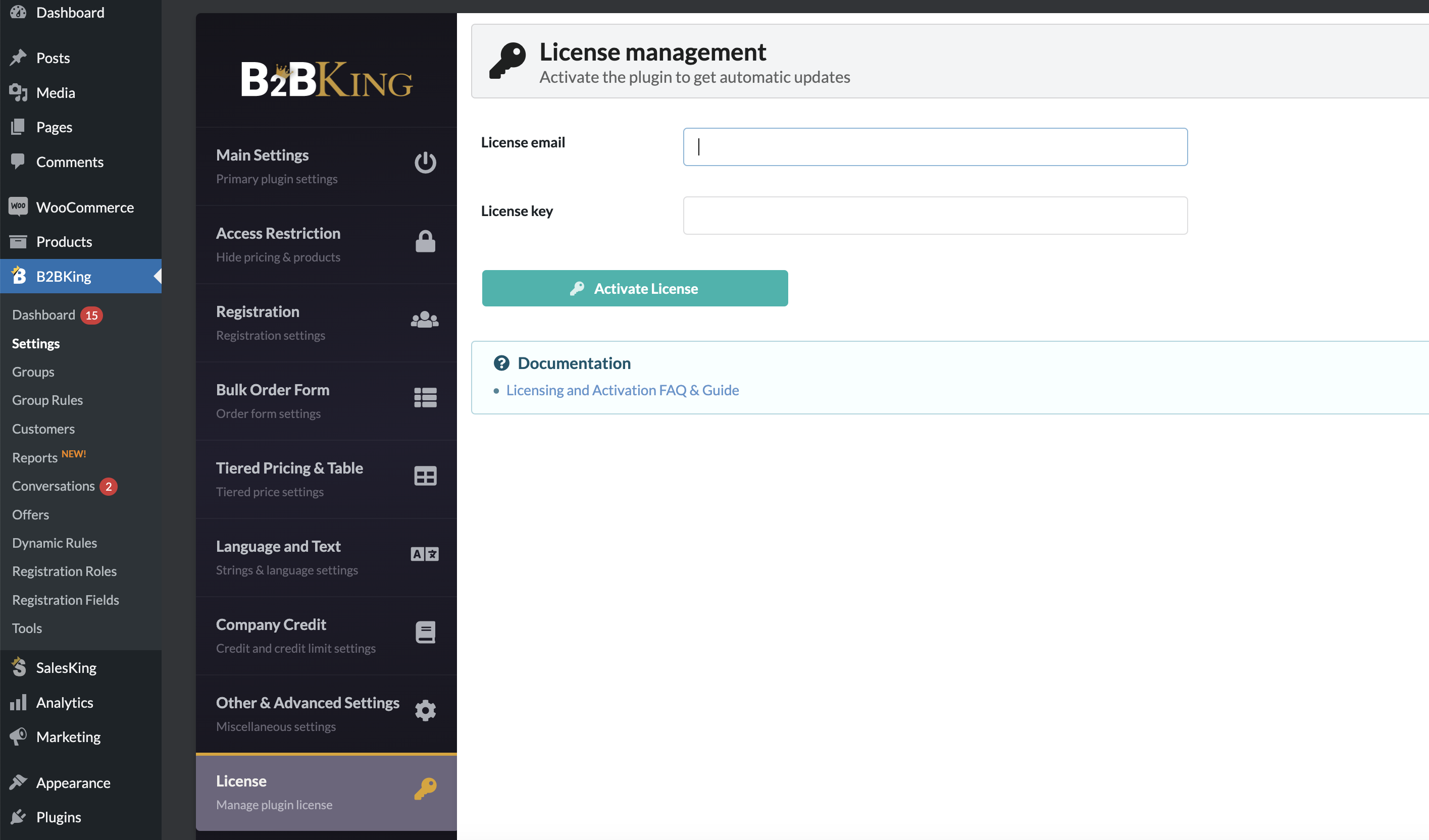
(2) On your site's backend, go to B2BKing -> Settings -> License:

4966006668.png


(3) Enter the email of your account on kingsplugins.com (which you registered at (1))

Enter your envato license key for B2BKing ( To find the key: https://help.market.envato.com/hc/en-us/articles/202822600-Where-Is-My-Purchase-Code- )

Click on "Activate license"


If the activation works, you should then be able to see the license has been added to your account on kingsplugins.com


Kind regards,

Stefan

2,762
KingsPlugins replied 3 years ago on July 21, 2023 at 7:36am

Yes, it should say "your license is valid and active" like in this screenshot:

image-1-1.png


If so, you would get automatic updates through the standard interface, e.g.:

image-2-1.png


Sign In