 6 Tickets
3
6 Tickets
3
 6 Tickets
3
6 Tickets
3
 2,762
2,762
Hi Amina,
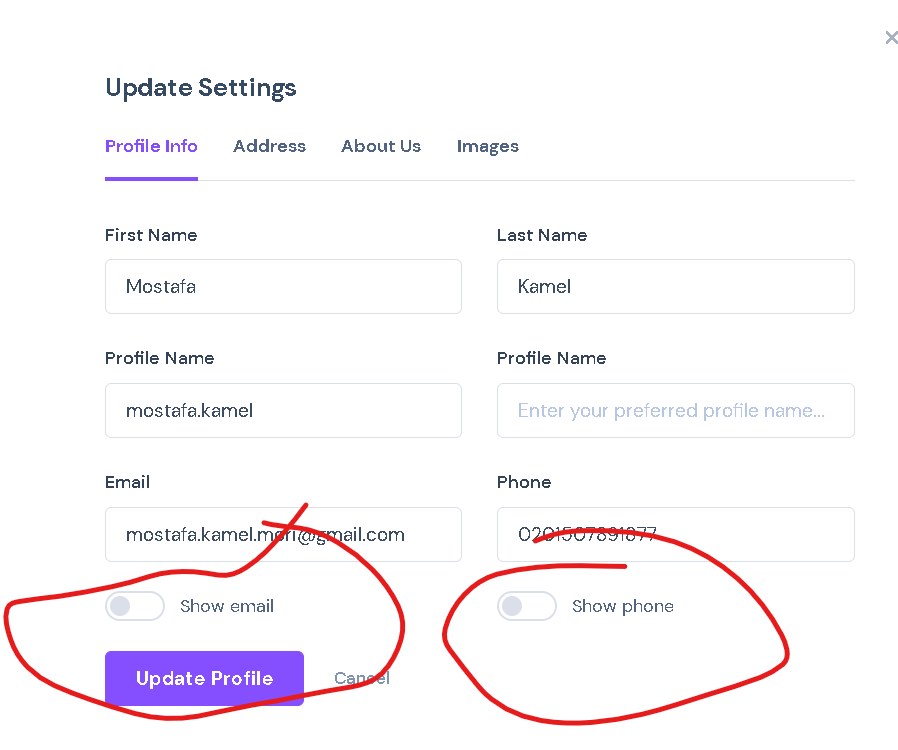
I added a hook now to allow disabling that. Please update to the attached version of the MarketKing Core plugin in order to use this.
To update:
1. First deactivate your existing version of MarketKing Core
2. Upload and activate the attached version.
Then you can add this PHP code snippet to your site in order to hide that area:
add_filter( 'marketking_show_email_phone_vendor_profile' , '__return_false' );
add_filter( 'marketking_vendor_details_show_phone' , '__return_false' );
add_filter( 'marketking_vendor_details_show_email' , '__return_false' );
A PHP snippet can be added to functions.php, or by following our guide here: https://b2bkingplugin.com/docs/how-to-add-a-snippet-php-or-js/
Let me know if I can help with anything, or if you have any questions,
Kind regards,
Stefan
6 Tickets
3
Done, it is disabled, thank you so much