 1 Ticket
1
1 Ticket
1
I purcased the Pro version on Envato and it only came with 6 months support. Now they want $519 for another six months. Is this correct?
 1 Ticket
1
1 Ticket
1
I purcased the Pro version on Envato and it only came with 6 months support. Now they want $519 for another six months. Is this correct?
 2,762
2,762
Hi Mike,
On Envato, the support price is set by them automatically, we do not have a way to change it.
You can purchase support directly from us via this link: https://buy.paddle.com/product/814644 - this is $99 for 1 year of support, renewable.
After purchasing, you can open tickets with us in the 'Support Plans' category here: https://support.kingsplugins.com/submit/#100020513
Let me know if I can help with anything, or if you have any questions,
Kind regards,
Stefan
1 Ticket
1
Ok, that’s great news. One more question, if you don’t mind.
If I purchase the new support license through you, will I lose any of my existing B2BKing settings after I update the license in the plugin’s settings?
2,762
Since this purchase is a support purchase, it will not generate a license code. It is only something we add to your account on here, so we know you have access to the support service.
In B2BKing -> Settings -> License you can use the Envato license code. To activate (if you haven't already), you can see https://kingsplugins.com/licensing-faq/ and specifically go to "How to activate if I purchased on CodeCanyon?".
The Envato license code provides lifetime plugin updates. Only the support service expires.
Kind regards,
Stefan
1 Ticket
1
I just paid for support. The receipt does not include a new license number, so how do I get that? Apparently, I need an account with KIngs Plugins to retrieve it, but I do not have an account that I know of. My order number is
2,762
This message is private.
1 Ticket
1
I did what you said and tried to submit a ticket and it tells me "We were not able to validate this license code: Envato support for this item expired. Please renew support. Visit https://kingsplugins.com for the best currently available offers."
I setup and account under [email protected] and I don't see the license there. Can you please help!
2,762
Hi,
When creating a support ticket please choose the Support Plans category here:
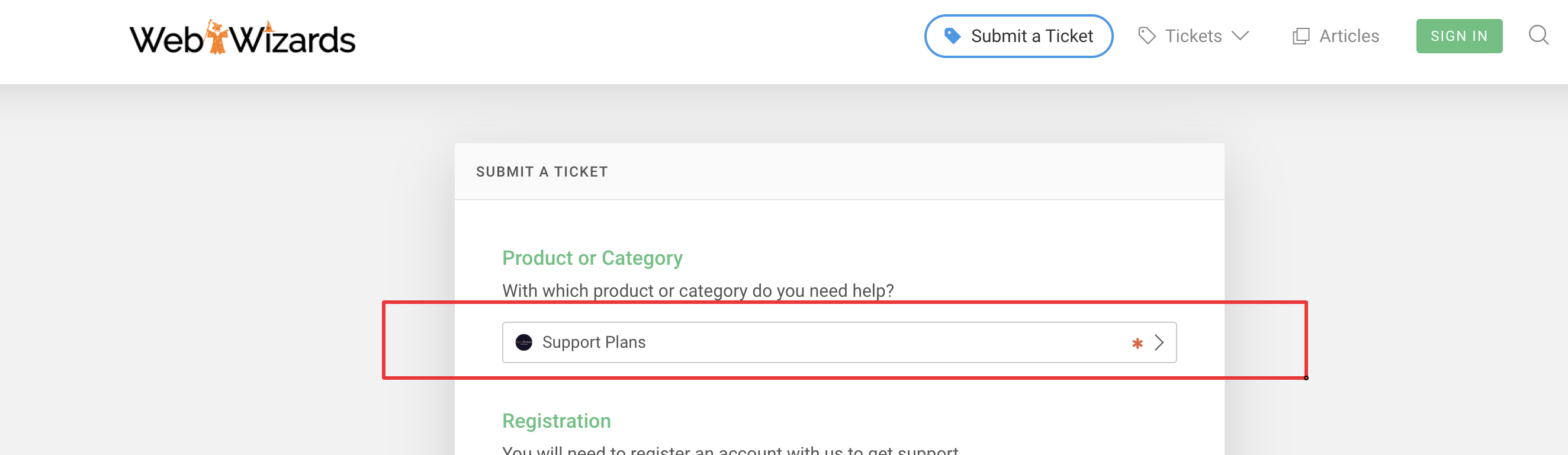
(this is a special category to be used after purchasing a support plan as you have)
Or please simply just reply here in this thread with your queries or tickets - we already have your account information.
1 Ticket
1
Trouble with conditional on dynamic rule on https://wordpress-162167-3580831.cloudwaysapps.com
The URL I listed here is a staging site, but this is happening on the live site https://orders.hvlp.com too.
I have a dynamic rule that gives 50% off for certain categories of parts & accessories (see attachment).
The discount should not be applied to Cart Total Value of $100 or less. That part works fine.
It's when the discount is applied that things get strange (see attched) checkout page. It shows a bunch of unrelated discounts totaling $142.50, but the actual discount that should be applied should only be 50% or $59.75.
I have setup an account for you to log in as a platinum user so you can further research, and I gave you admin level privelages.
login: b2bkingsupport
pass: &fGwf2@au%^v!Rxx!%lrU@Gf
My support license code is
96fc74ed-125f-4810-9940-e7175a51a9bc
2,762
This message is private.
1 Ticket
1
This message is private.
2,762
Hi again,
regardless if the cart contains another item that is not part of the dynamic rule group.
That is not what the update would do - The update simply makes sure a product is not discounted twice, it does not matter whether other items are in the cart / rule or not, so that should not be an issue.
In your screenshot I think the problem is simply that the "Apollo HVLP Compressed Air AtomiZer Spray Gun" product is not in any of the categories in your rule.
The rule was (I think none of the categories match the product):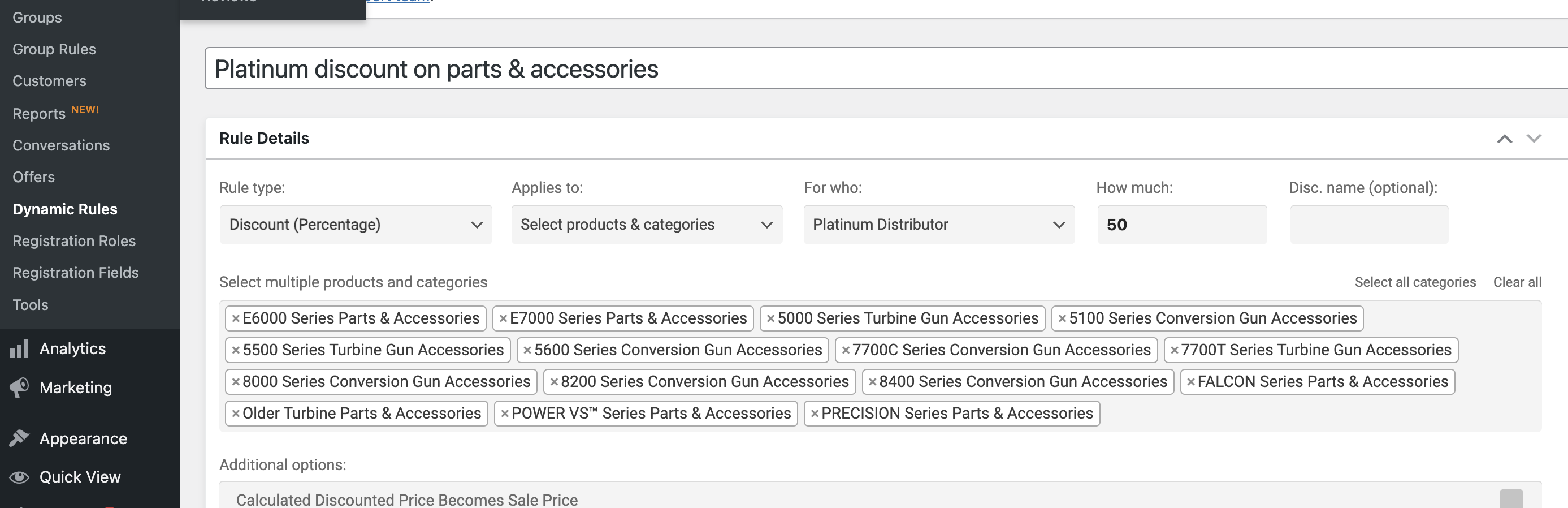
I modified it and I added "7700 atomizer conversion" to the rule:
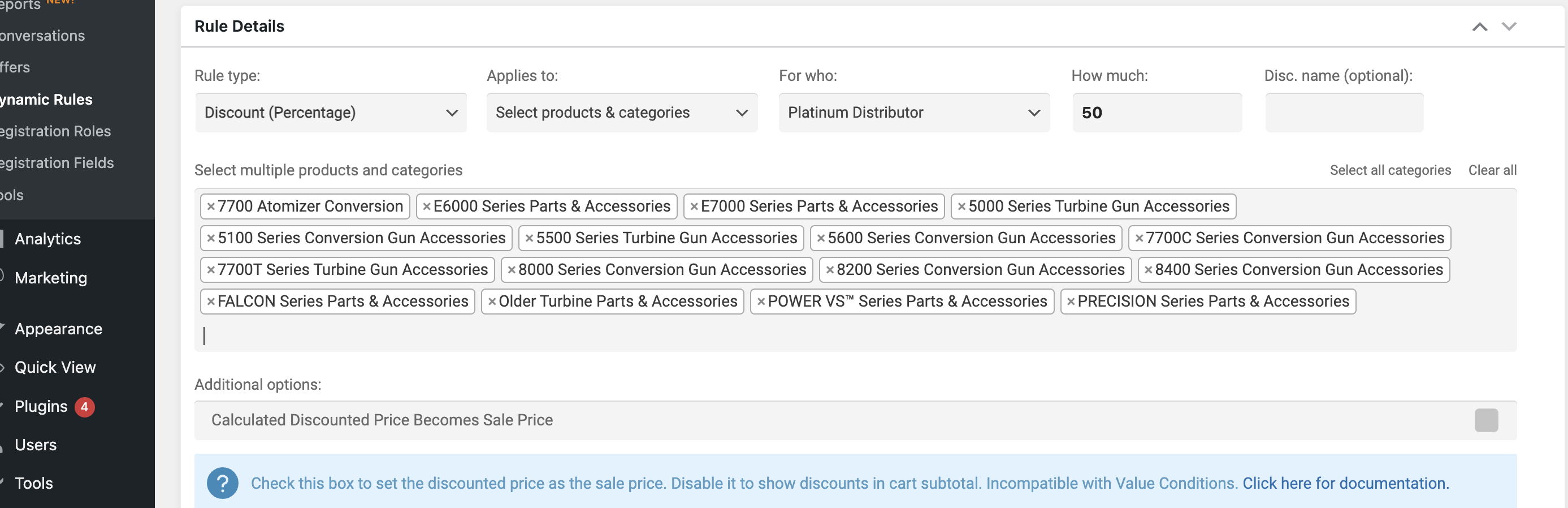
Now I see the discount:
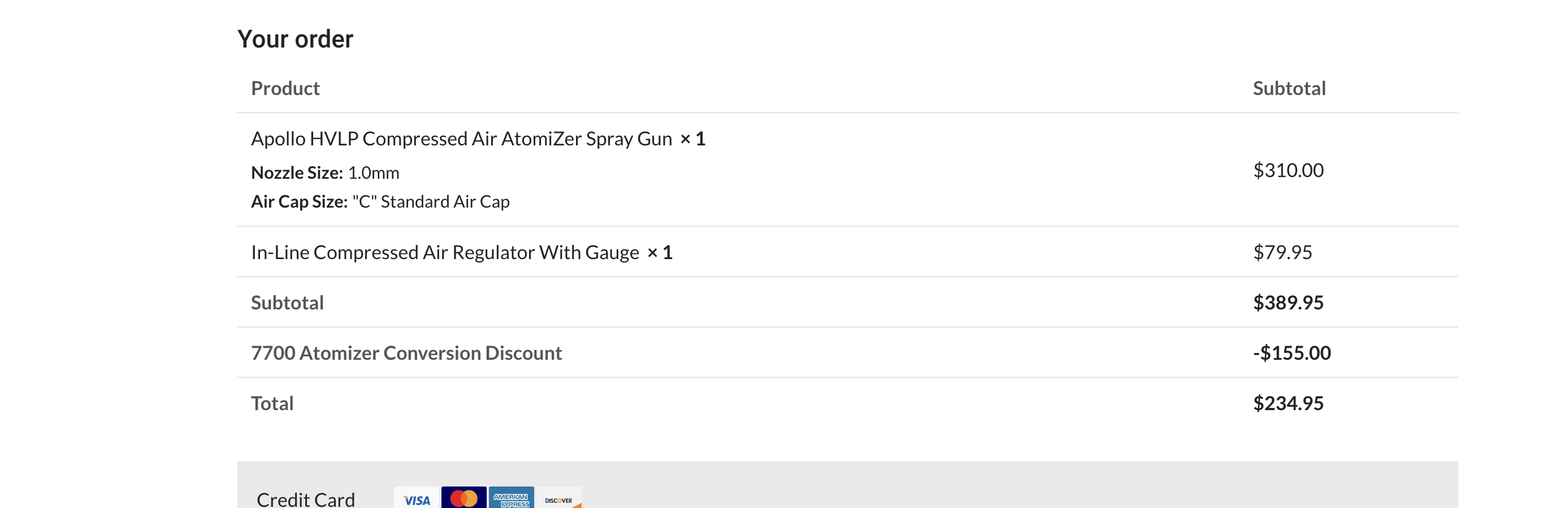 1 Ticket
1
1 Ticket
1
Unfortunately, that is not correct.
Only the Inline Compressed air regulator with guage should be discounted 50% as it is the only item in the cart that should have a discount applied per the dynamic rule. The AtomiZer spray gun is already discounted up front in the product settings, which you can see here. https://wordpress-162167-3580831.cloudwaysapps.com/wp-admin/post.php?post=242777&action=edit
2,762
The reason why "Inline Compressed air regulator with guage" is not discounted is because the rule condition is "category product value > 100":
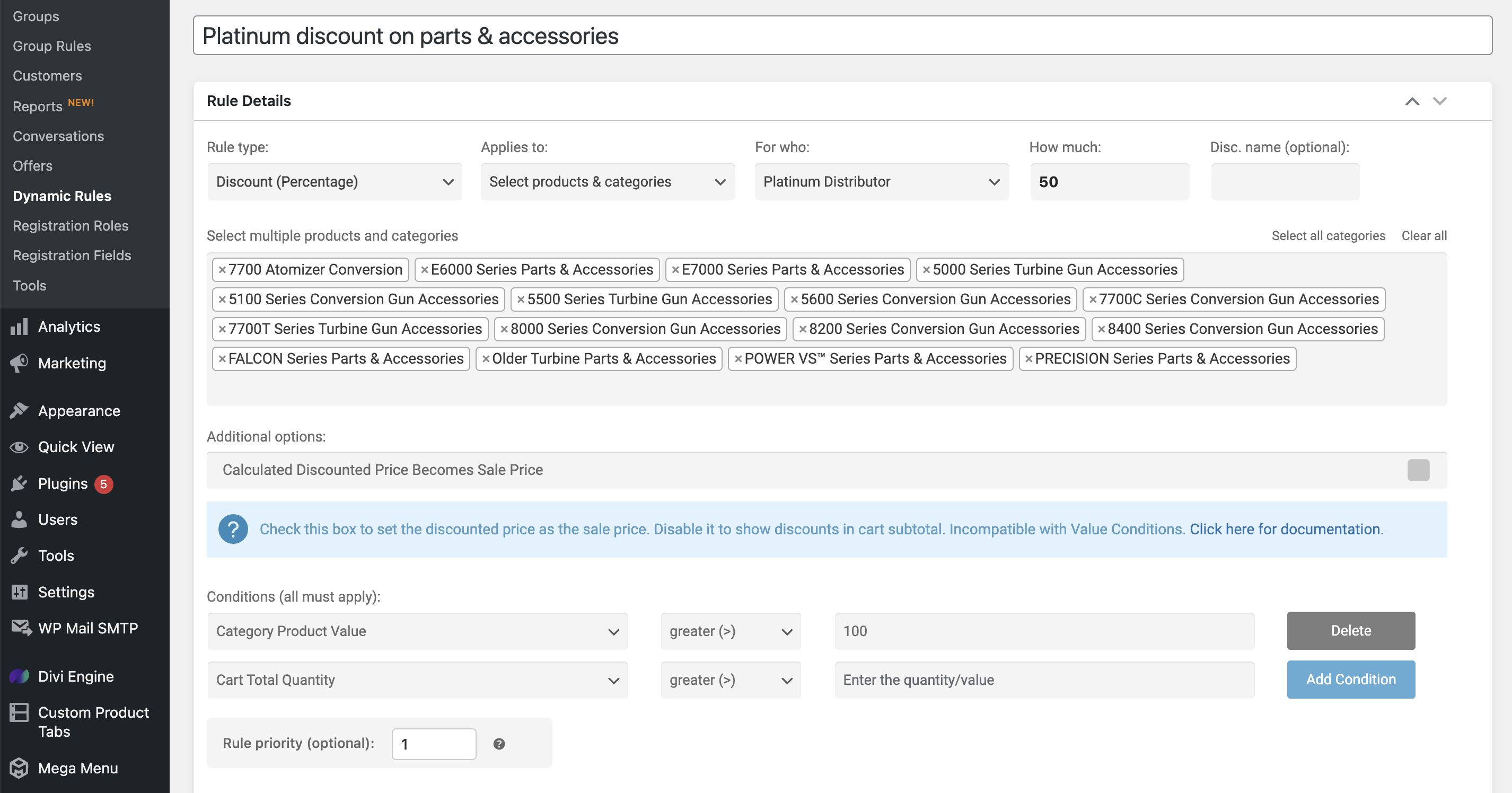
That means that each category amount is counted separately and must meet the minimum of $100 for the discount to apply.
Since that product costs $79.95, the category it belongs to does not meet the threshold.
If you change the condition to "cart total value" instead of "category product value", then it applies:
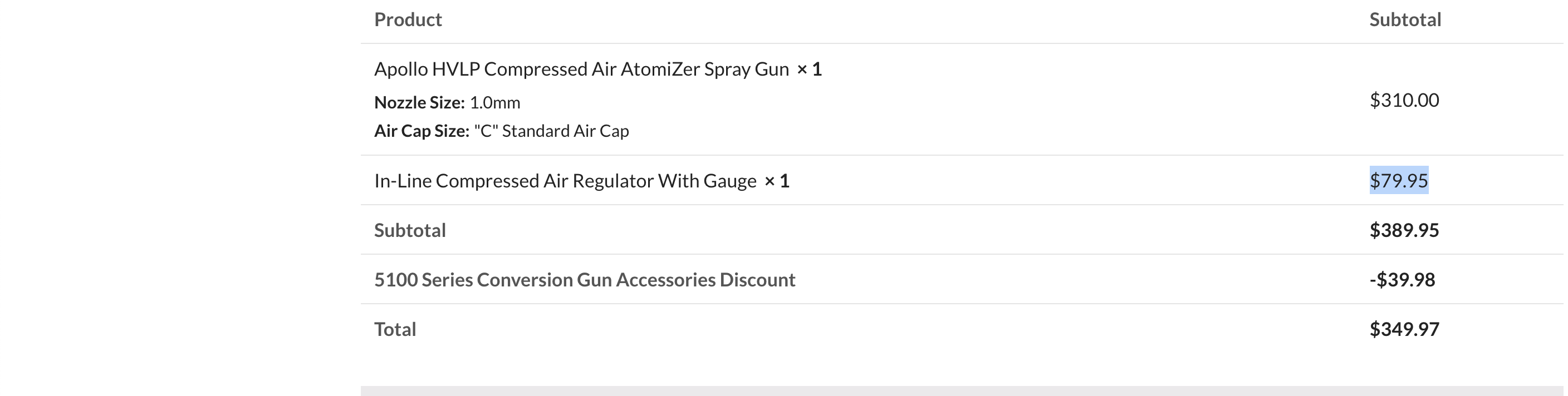 1 Ticket
1
1 Ticket
1
But the discount should be applied because the cart total is over $100, shouldn't it?
1 Ticket
1
My apologies, I didn't read you full message. It works just as it should!!
One last thing, would it be possibel to chnage the labelling next to the discount and maybe have it say "Accessories Discount Applied"
2,762
If the rule contains multiple categories, conditions such as "Category product value" treat each category independently, not as a total.
So each category is treated independently of the other categories in the rule.
If you want to treat all products in the rule as a group, I would suggest giving the products a tag, and then creating a rule for that tag.
2,762
One last thing, would it be possibel to chnage the labelling next to the discount and maybe have it say "Accessories Discount Applied"
I think we can change the final "Discount" wording to something like "Discount Applied", but the full name of the category would still show e.g. "X Series Gun Accessories Discount Applied".
1 Ticket
1
No worries, I used CSS to change the text to something more generic "Based on your cart total, your accessories discount is". This should be good enough for now.
If you can leave this ticket open for a few more days untile my clinet has time to review, I would appreciate it.
Thank you for your help and patience!!