Public Ticket #3488118

price changes on the cart page

Closed
Comments
2 Tickets
wili started the conversation 3 years ago on September 28, 2023 at 8:13pm

Hello, I am contacting you regarding an important point in my project after visiting the online demo site. this point is (Agents can modify prices to offer discounts).

I couldn't figure out how to change the product price in the cart page.
I'm looking to add agents who can sell and discount. (change the price in the cart page) and the discount will be removed from their commissions.

2,762
KingsPlugins replied 3 years ago on September 29, 2023 at 4:45am

Hi there,

Thank you for getting in touch,


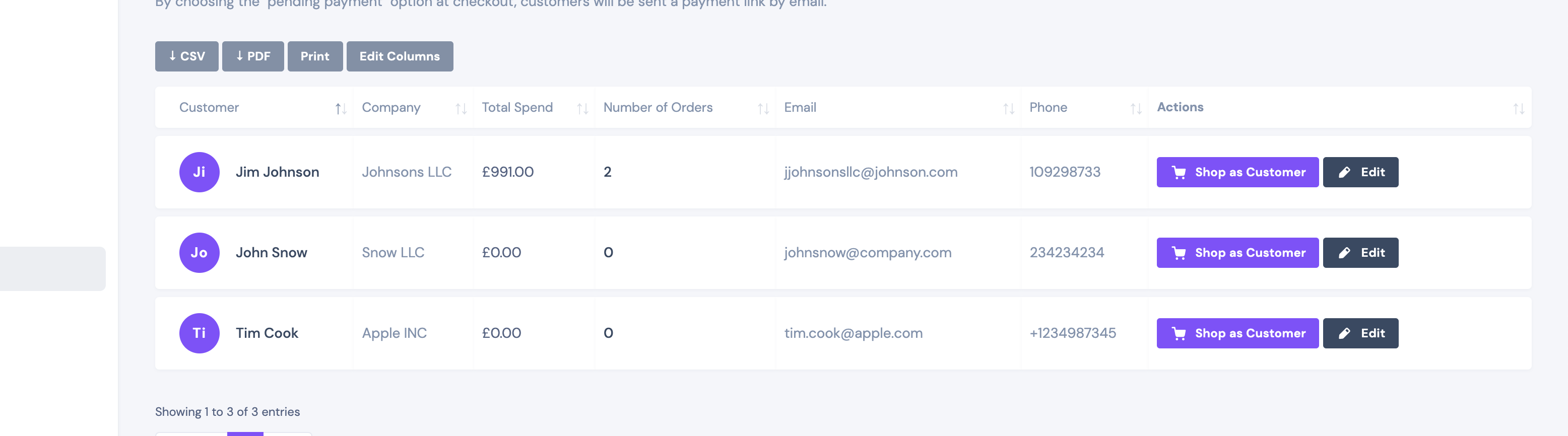
To change the price on the cart page, the agent must first go to the dashboard -> my customers and click on "Shop as Customer":

https://demosk.wpbay.co/agent-dashboard/customers/

3889530947.png


I took a quick video to show you how it works:

https://www.loom.com/share/8de7751208a34474a54ec6d42d049992?sid=59e682d2-5404-4c12-b96e-35919f449aae


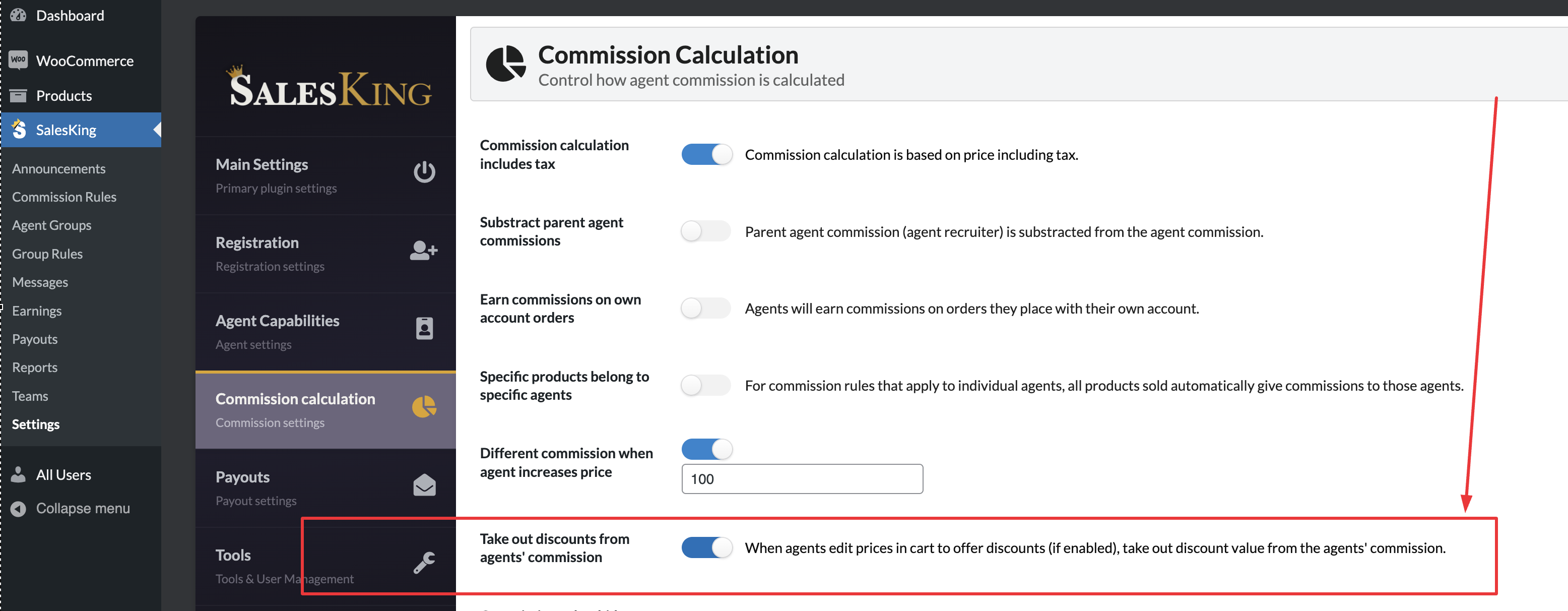
You would need to enable this setting in SalesKing -> Settings -> Commission Calculation, for the discounts to be removed from the commission:

8051194646.png


Kind regards,

Stefan

Sign In