Public Ticket #3504753

hiding the customer email from messages and inquires by customer

Closed
Comments
2,762
KingsPlugins replied 3 years ago on November 7, 2023 at 4:29am

Hi Amina,

I'm not entirely sure what that could be. Does the conversation show in emails and on the vendor dashboard but not for customers?


Is it possible to share a temporary backend login to the site, so we can check this?

If so, it would help a lot if you can give us an example of a customer / conversation that we can look at. Or does it happen for all conversations a vendor starts or creates?


Kind regards,

Stefan

2,762
KingsPlugins replied 3 years ago on November 13, 2023 at 8:24am

Hello Amina,

Thank you for your patience on this,


It seems that you are not using the standard WooCommerce My Account page, instead, you are using a page created through the shortcode [ultimatemember_account].

For this to work with the account page created by UltimateMember, you would need to add the MarketKing endpoints to their account page. 

I do not know if UltimateMember supports this - I looked through its settings and tried checking online, but I cannot find information on adding custom endpoints to it.

You would need to contact their support team to ask if their plugin supports custom my account endpoints. For example other plugins such as Yith My Account customizer support endpoints and can do this. You would need to add the "messages" endpoint.


Alternatively, if you would like, I can change that page to the standard WooCommerce My Account page instead in order to solve this.


Can you give me a short code to add to "my account" so the customer can see the conversation 

I looked at whether it is possible to add a shortcode for this - unfortunately the problem is that the "messages" and "single message" page are separated, and a shortcode cannot connect them (the shortcode can show only one or the other). Therefore this can only work well through endpoints at the moment.

I can give you a way to add shortcodes, but they will not work well together, it would not work to click "back" on messages, etc. Custom coding would be needed to make this work well.


Another question for the store list template: I need help getting the template changes in my theme so I can change how it is styled. I can't find "marketking in my plugins under theme under wp-content 

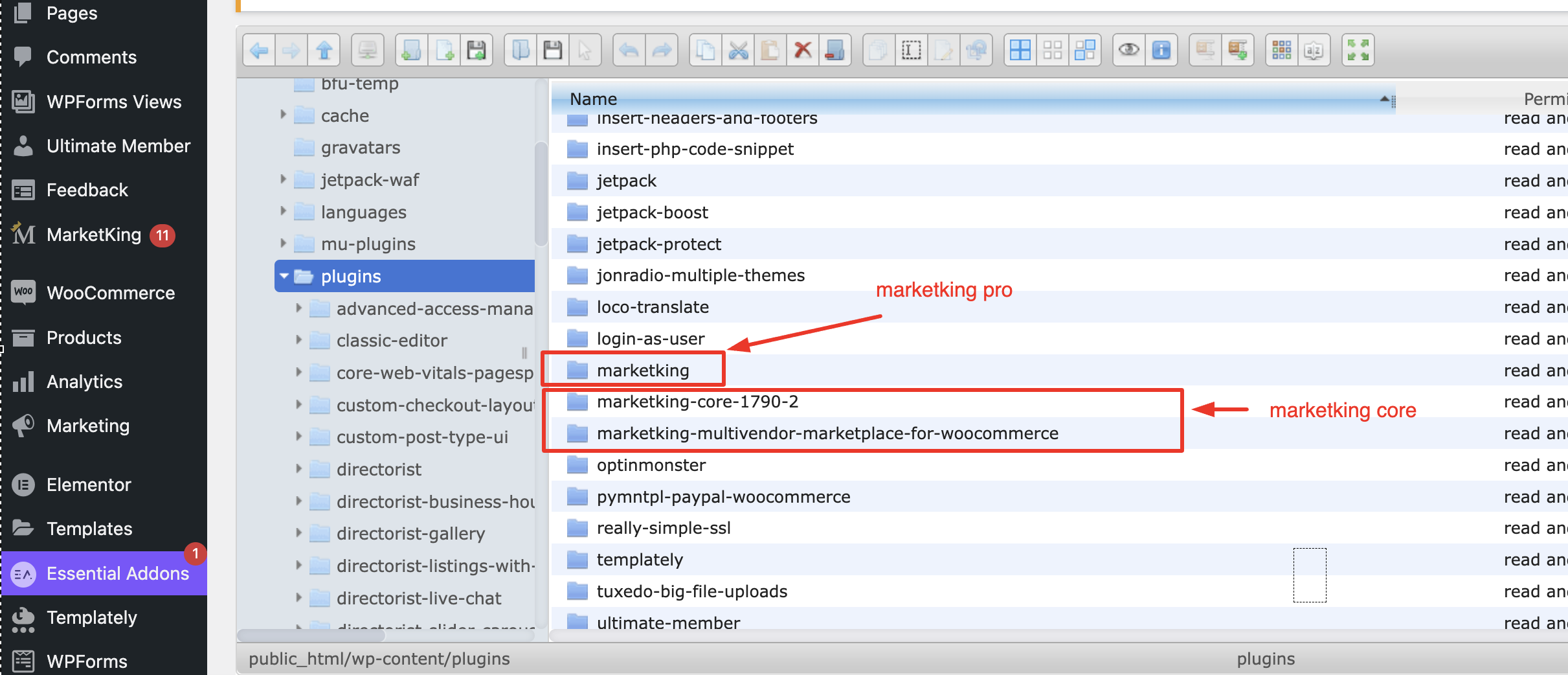
The MarketKing plugin folders are these, found under wp-content/plugins/

4627791116.png

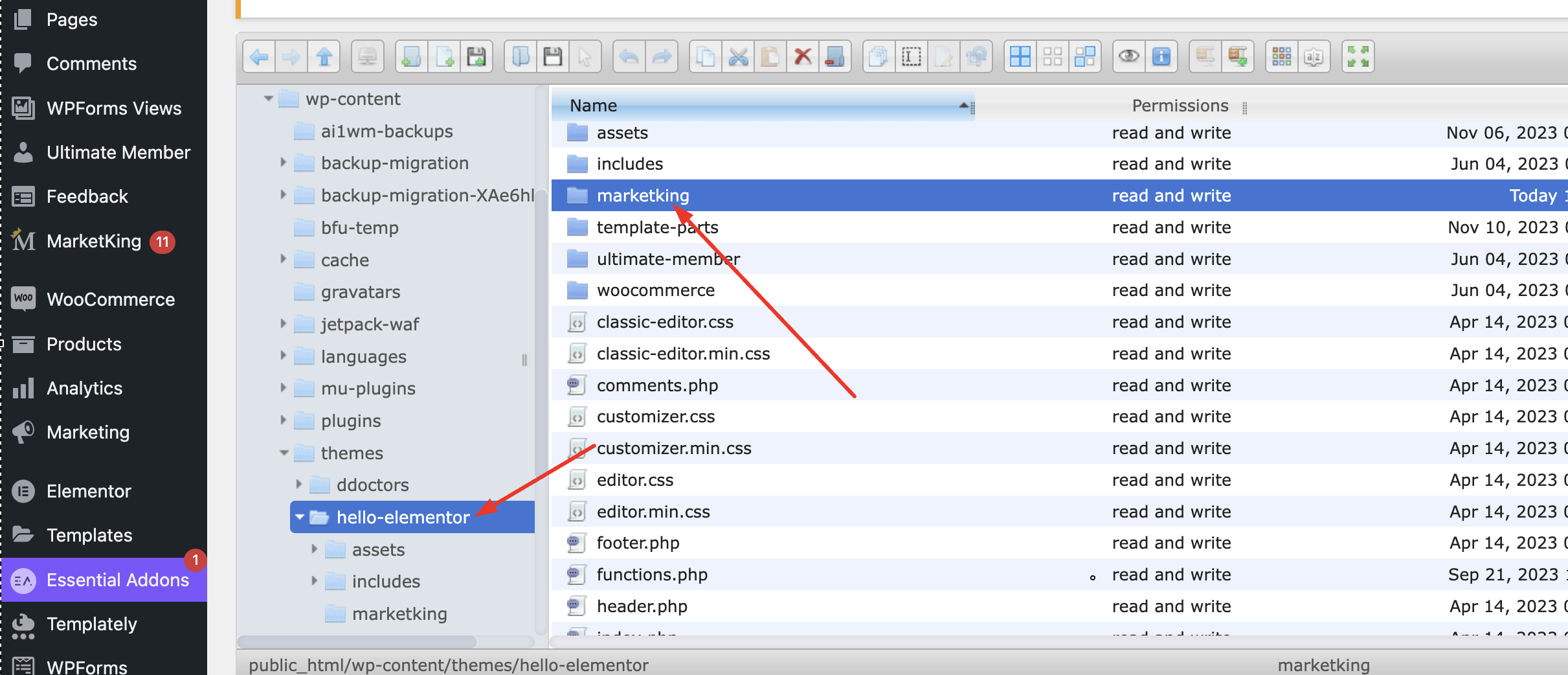
To make template changes, you would copy templates to this folder in wp-content/themes/hello-elementor/marketking/:

9216727912.png


6 Tickets 3
Amina Hablass replied 3 years ago on November 13, 2023 at 8:00pm

I attempted to modify the template, but even after copying the files to the theme, it is unmodifiable.

Please copy the files and see them.

And if the functionality will remain the same for the Woocommerce "my account," please do it then, 

2,762
KingsPlugins replied 3 years ago on November 15, 2023 at 3:12pm

Thank you,


(1)

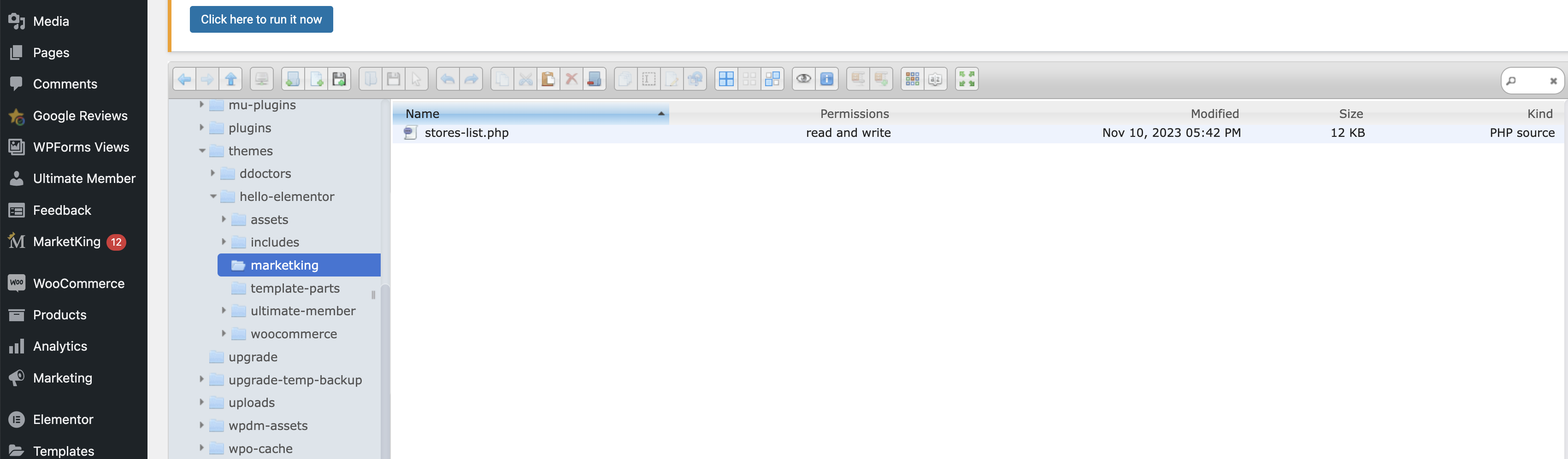
Regarding the stores-list.php page, you can edit it here:

3479753213.png


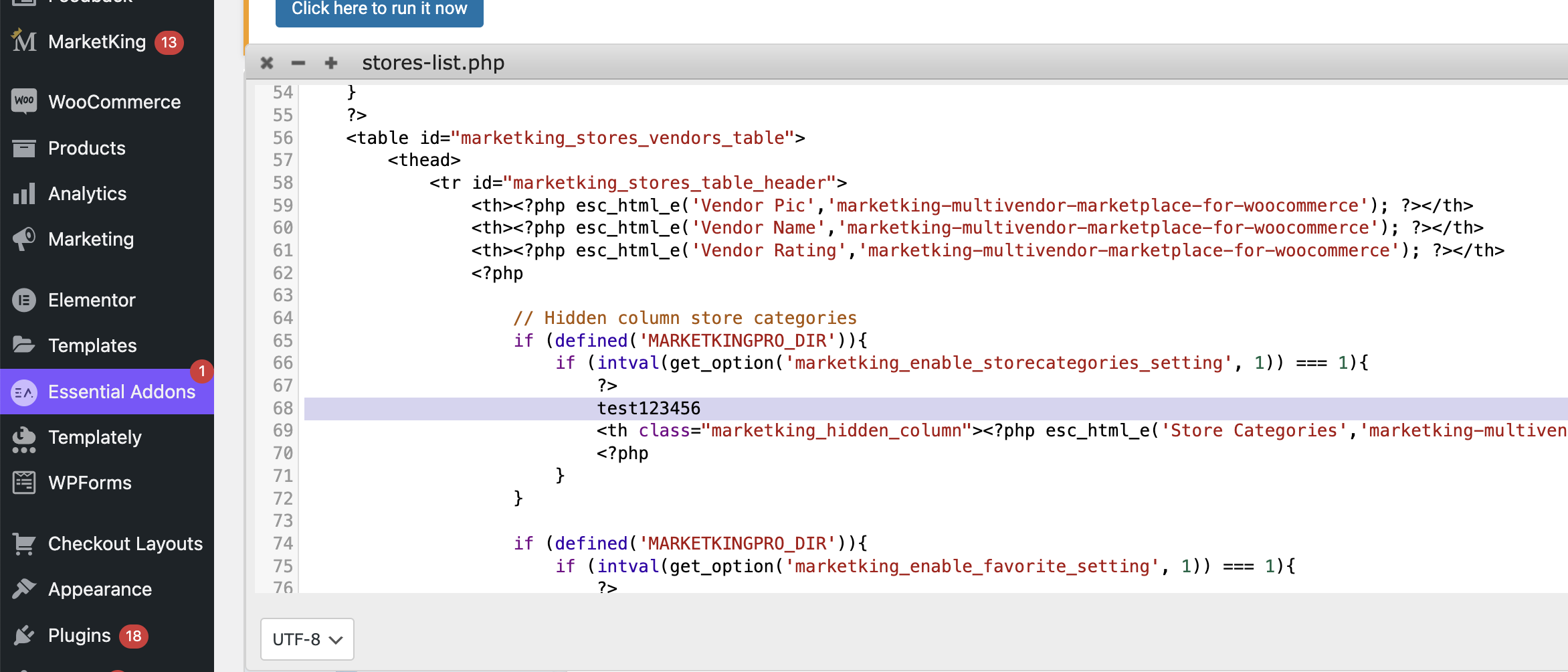
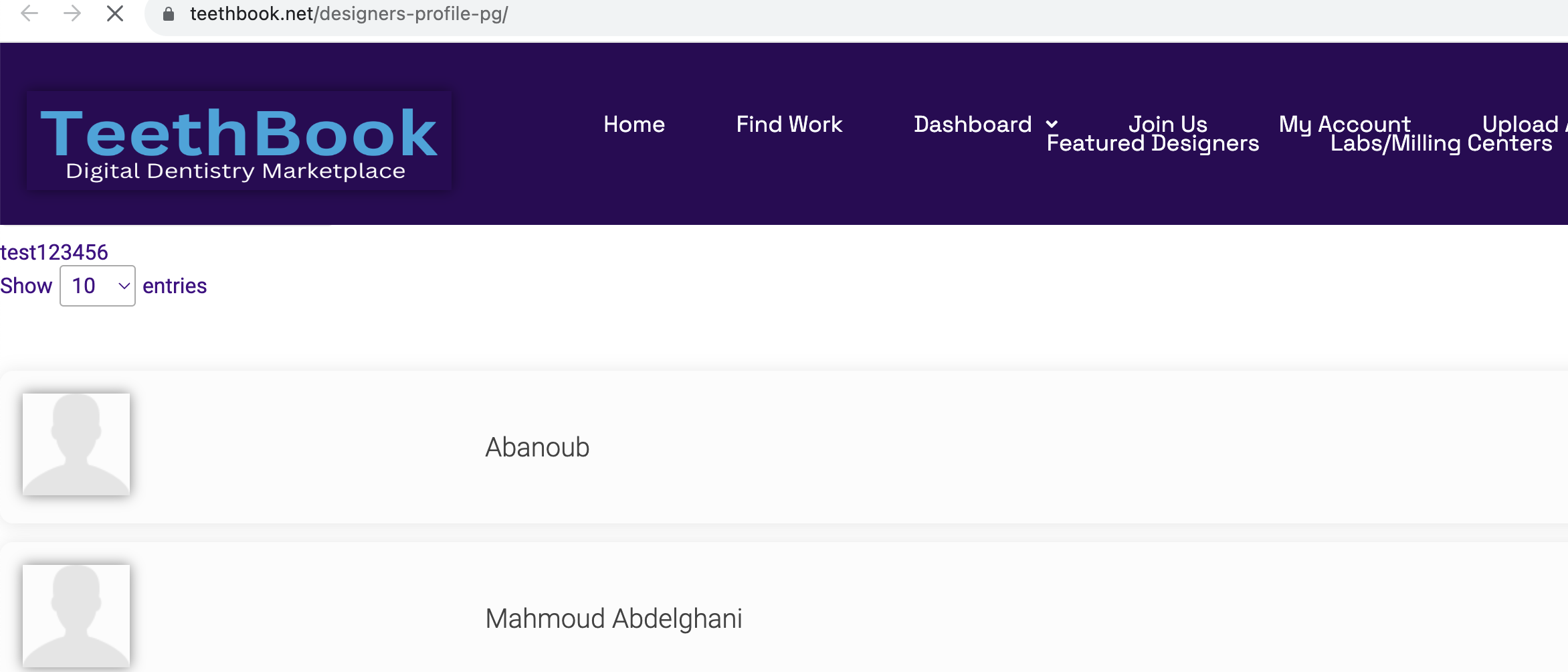
I tested by adding a test line here "test123456":

3380530539.png


If I go to https://teethbook.net/designers-profile-pg/ I can see it:

9284836998.png


(2) I have added a My Account page here:

https://teethbook.net/my-account/


This works through the standard woocommerce my account functionality. 

Other than this solution, I suggest to ask the Ultimate Member support team whether there is any way to add custom endpoints in their plugin, that way we could also work with their page.

2,762
KingsPlugins replied 3 years ago on November 17, 2023 at 12:07pm

Hi there,

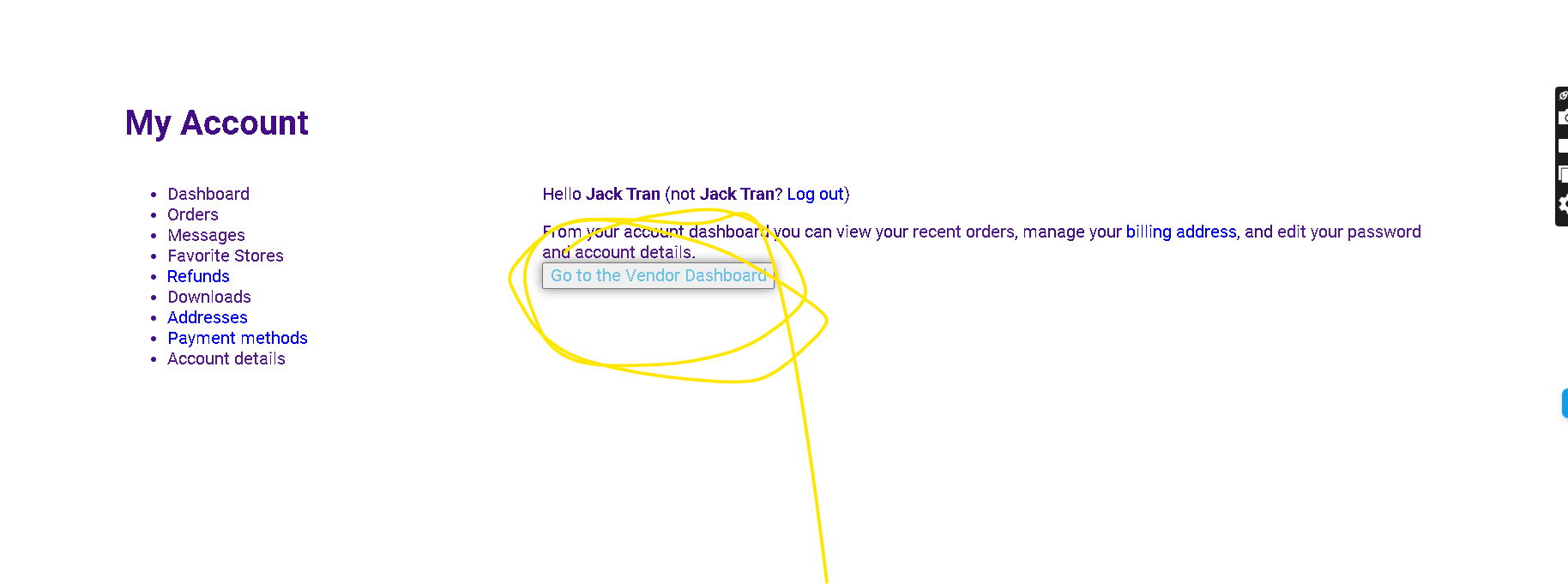
I have made a change to remove the Vendor Dashboard button from the account page.


Regarding the Stores List template / page:

This is something we would like to add directly as a feature of the plugin. We want to add the same style with a switch between list / grid. This is on our roadmap for the next updates, in the next months.

It is complex and not something I can add quickly by modifying the template, but we are working on this and it will become a feature of the plugin.


Kind regards,

Stefan

Sign In