Public Ticket #3540649

The dots next to the order not showing the right status

Closed
Comments
4 Tickets 3
Alex started the conversation 3 years ago on December 11, 2023 at 9:45am

Hello,

I've had a smooth experience with the desktop version so far, and I've been enjoying the plugin. However, I've encountered an issue with the mobile version. There are consistently yellow dots appearing next to the orders, whether they are completed, processing, or canceled. Is there a solution to resolve this problem and accurately display the order statuses when browsing on the phone?

Thank you in advance for your assistance.

2,762
KingsPlugins replied 3 years ago on December 12, 2023 at 1:45pm

Hi Alex,

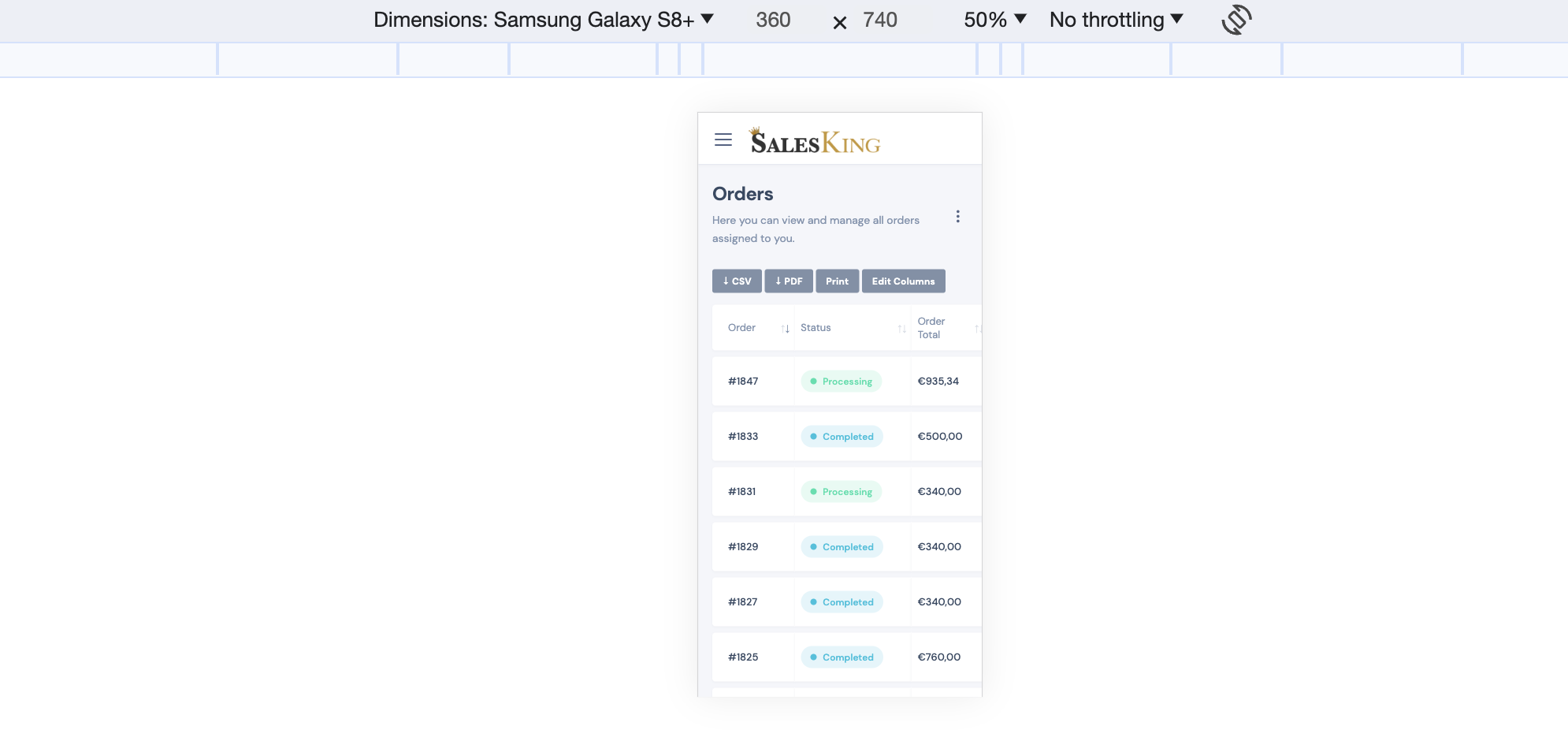
I think there's not enough space unfortunately to show 4 columns there:

9753943717.png

7620354710.png

If the status column is more important in your setup, you could modify the template of this page, to remove one of the other columns and show status instead. To do that, you can copy the template of this page to your child theme and modify it there, as described here:

https://b2bkingplugin.com/docs/how-to-edit-salesking-dashboard-page-templates/

To hide a column on mobile, you can give it the class tb-col-md:

9054860118.png
4 Tickets 3
Alex replied 3 years ago on December 12, 2023 at 2:18pm

I understand,

Have one last question, can't we have the same as it was before with yellow dot but instead the dot color will be in different color for each order state ?

2,762
KingsPlugins replied 3 years ago on December 12, 2023 at 5:22pm

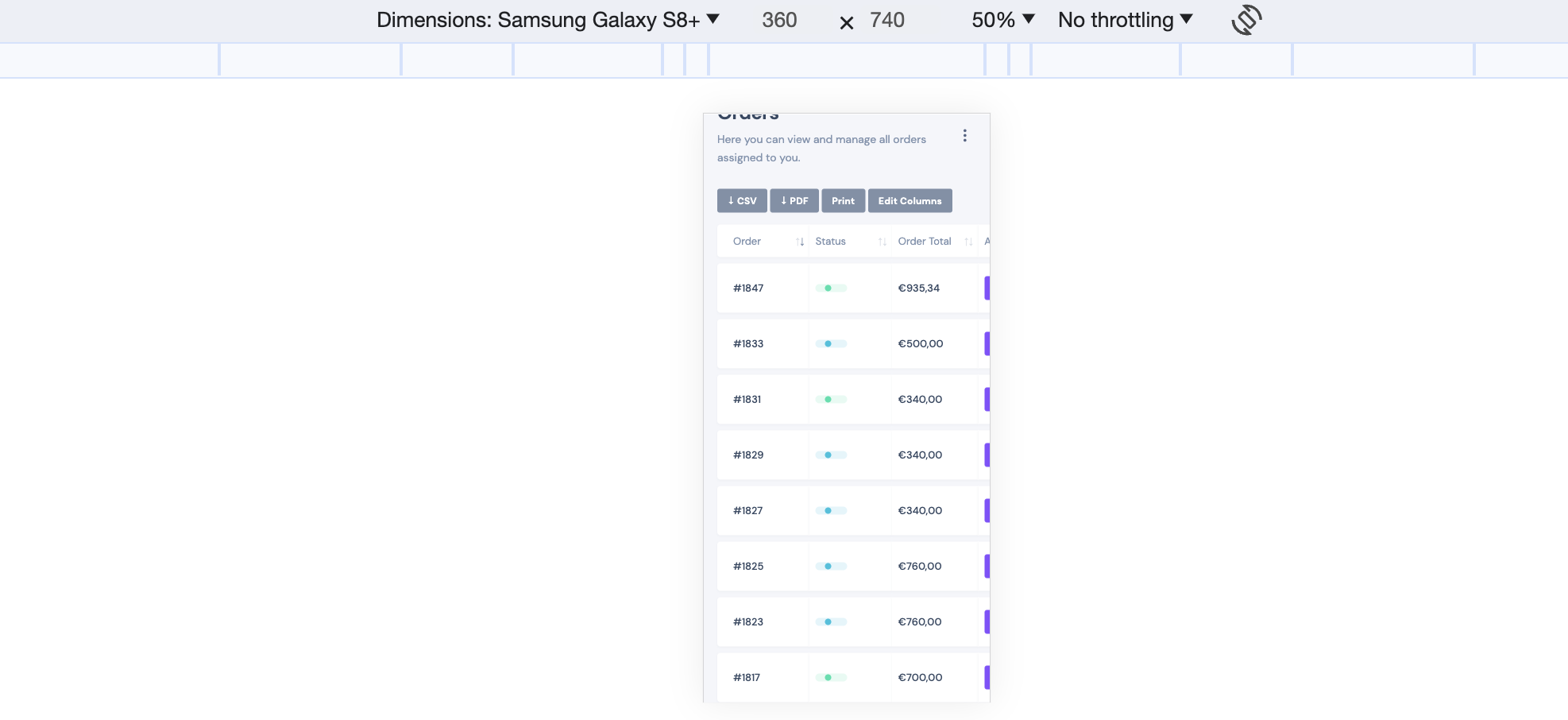
Unfortunately I think that doesn't work on smaller mobile devices, as it appeared like this in my tests:

7620354710.png

I think it worked in the screenshot you initially posted but my guess is that's on a larger mobile screen.

Sign In