 30 Tickets
30
30 Tickets
30
Hi there,
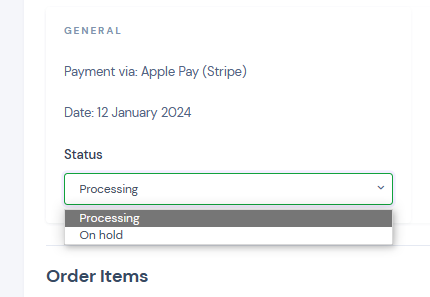
I am attempting to close this order from my dashboard, however, I cannot see any 'Completed'
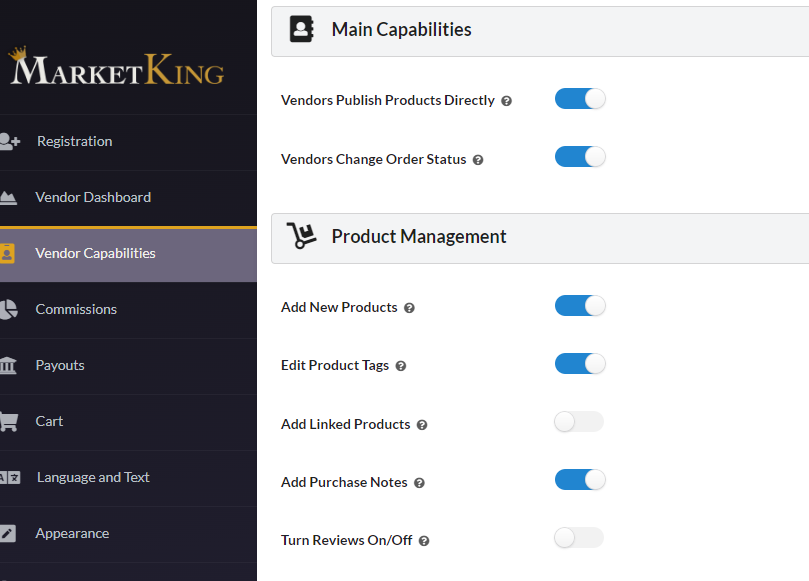
The General Global Settings for vendors are as follow:
Thanks in advance
Gabriel
 30 Tickets
30
30 Tickets
30
Hi there,
I am attempting to close this order from my dashboard, however, I cannot see any 'Completed'
The General Global Settings for vendors are as follow:
Thanks in advance
Gabriel
 2,762
2,762
Hi Gabriel,
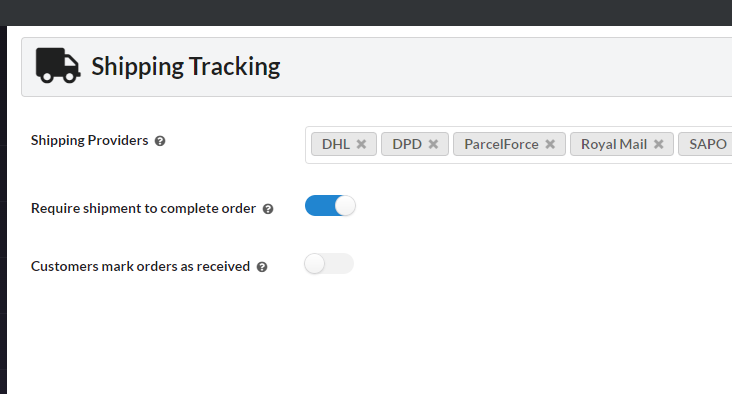
The following setting may be causing this: in MarketKing -> Settings -> Shipping -> Require shipment to complete order:
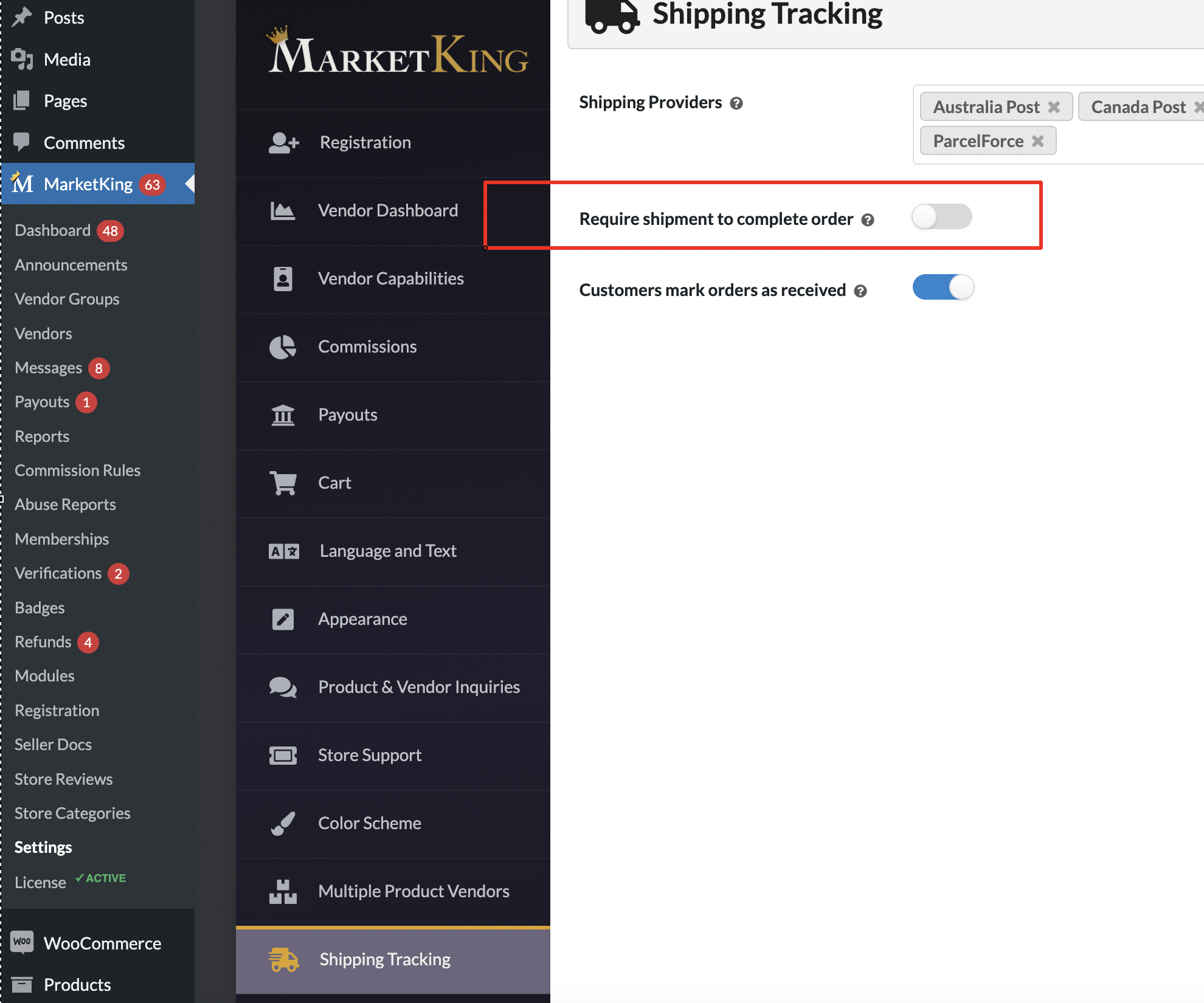
If this is enabled, it will only allow vendors to set an order to completed once they've entered a shipment.
Please let me know if disabling that can solve it,
Kind regards,
Stefan
30 Tickets
30
Hey, thanks for the prompt answer on a Saturday
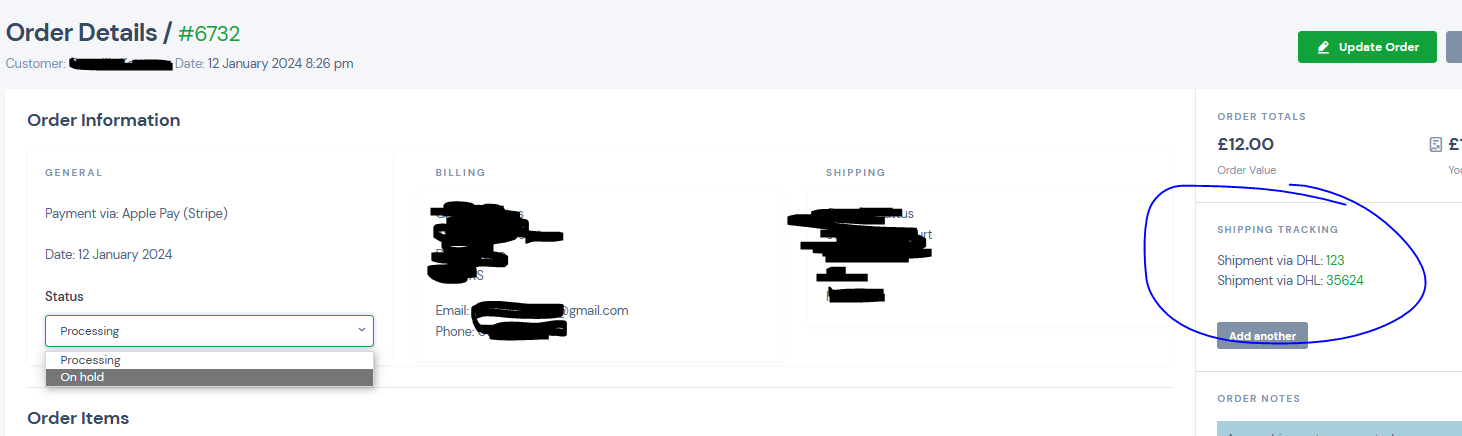
Yeah, mine is set to True but I am still unable to complete it. Even though I added 2 shipments.
I am most likely missing something
Dashboard
MarketKing
Cheers
Gab
2,762
Hi Gabriel,
I tested locally and I believe I have found the issue.
There was a bug related to our latest HPOS update I have now released an update to MarketKing Core: version 1.9.05. I believe it should solve it.
A new shipment will have to be created to make it possible to complete the order,
Kind regards,
Stefan
30 Tickets
30
Amazing, updated and now works :) Thank you