Public Ticket #3583427

Using Teams to assign Agent to Customers for Shop as Customer

Closed
Comments
11 Tickets 6
George Skarentzos started the conversation 3 years ago on February 13, 2024 at 6:15am

Hi guys,

We have an issue where we have several customers that can be serviced by multiple Sales Agents.  Is there a way we can create a TEAM (which is what I thought this was for), so that the Team is assigned to the Customer?  This is to allow any Sales Agent in that team to process Orders for the Customer via the Shop as Customer Option.

If not, is there any way we can assign multiple Sales Agents to Customers as we do not want to mark all Customers as open to all Sales Agents.  Alternatively, can we do this via Customer Groups in B2BKIng, make these customers all part of the same Group and assign All Sales Agents?

Thanks in advance for your assistance.

2,762
KingsPlugins replied 3 years ago on February 15, 2024 at 1:00am

Hi George,

Thank you for your patience on this,


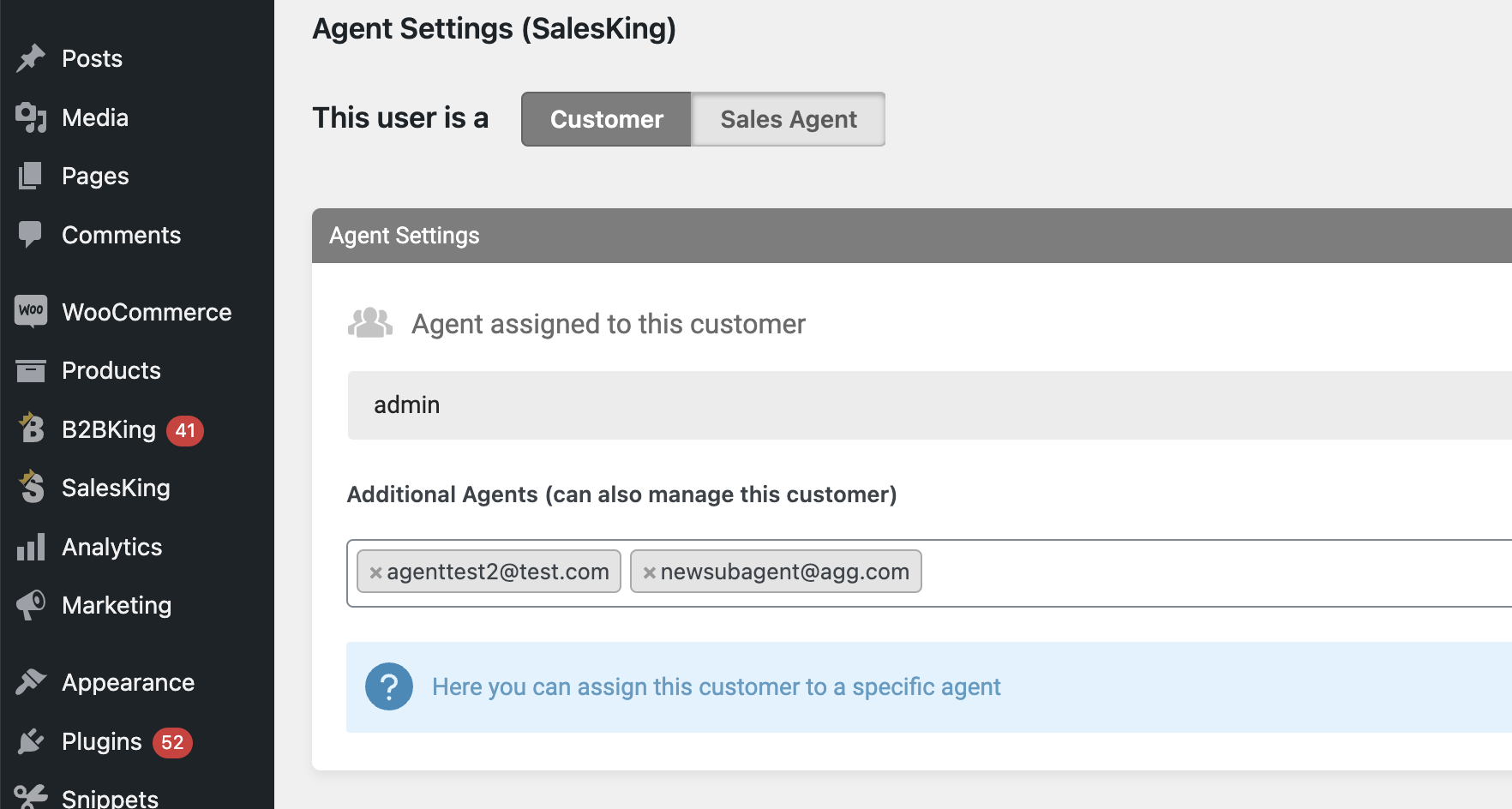
By default each customer is only assigned to a single agent. However, it is possible to enable multiple agents by adding the following PHP code snippet to your site:

add_filter('salesking_use_additional_agents','__return_true');

After adding that, each customer will have an area for additional agents that can also manage the customer:

3937754827.png


Let me know if you have any issues with this,


Kind regards,

Stefan

Sign In