Public Ticket #3657847

Mostrar campos de registros personalizados sin selector de rol

Closed
Comments
2,762
KingsPlugins replied 2 years ago on June 1, 2024 at 4:30pm

Hi Mar,

In order to hide the role dropdown selector, one way is to just make sure there is a single option in the dropdown. If there's just 1 option, B2BKing will hide it automatically. So you may be able to solve it by just going to B2BKing -> Registration Roles and turning off the other options there.

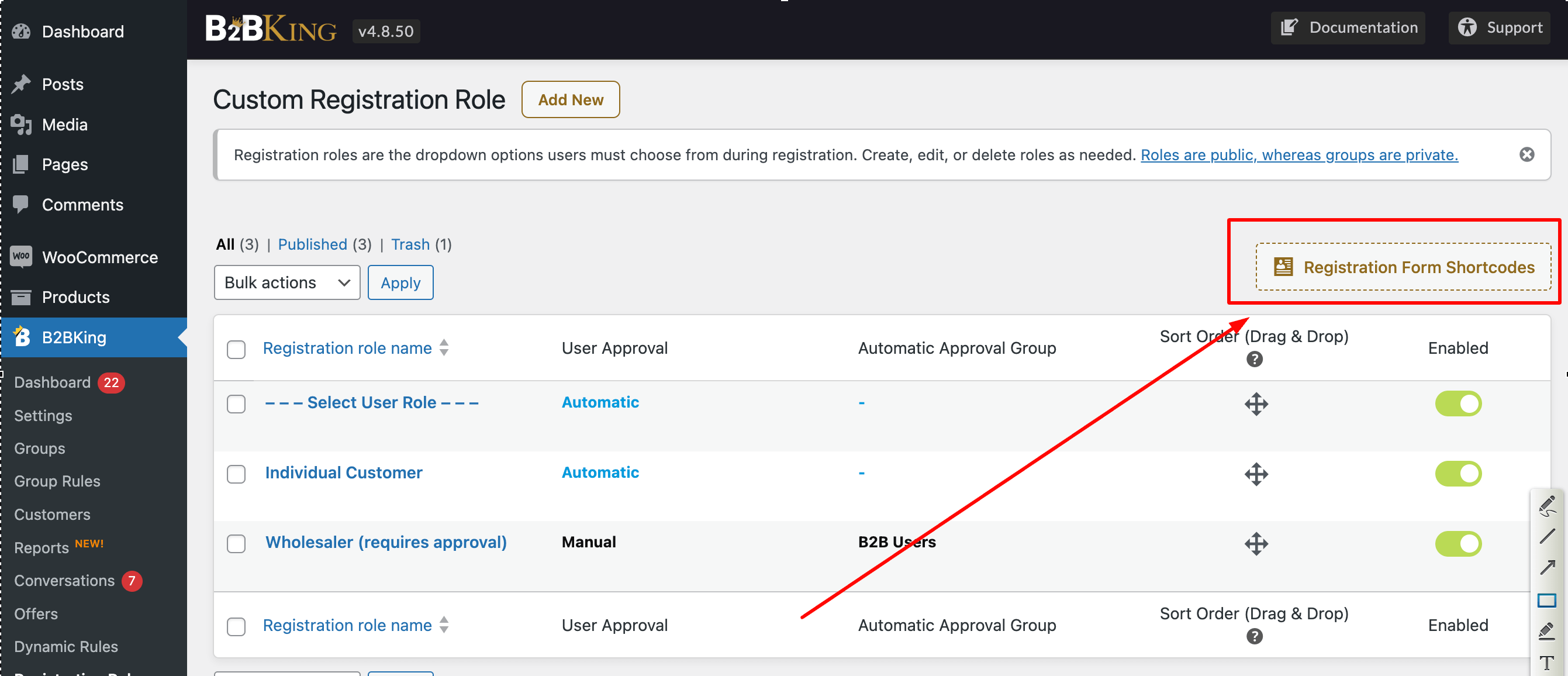
Another option you may be able to use is to go to B2BKing -> Registration Roles and copy one of the shortcodes from here:

registration-shortcodes.png

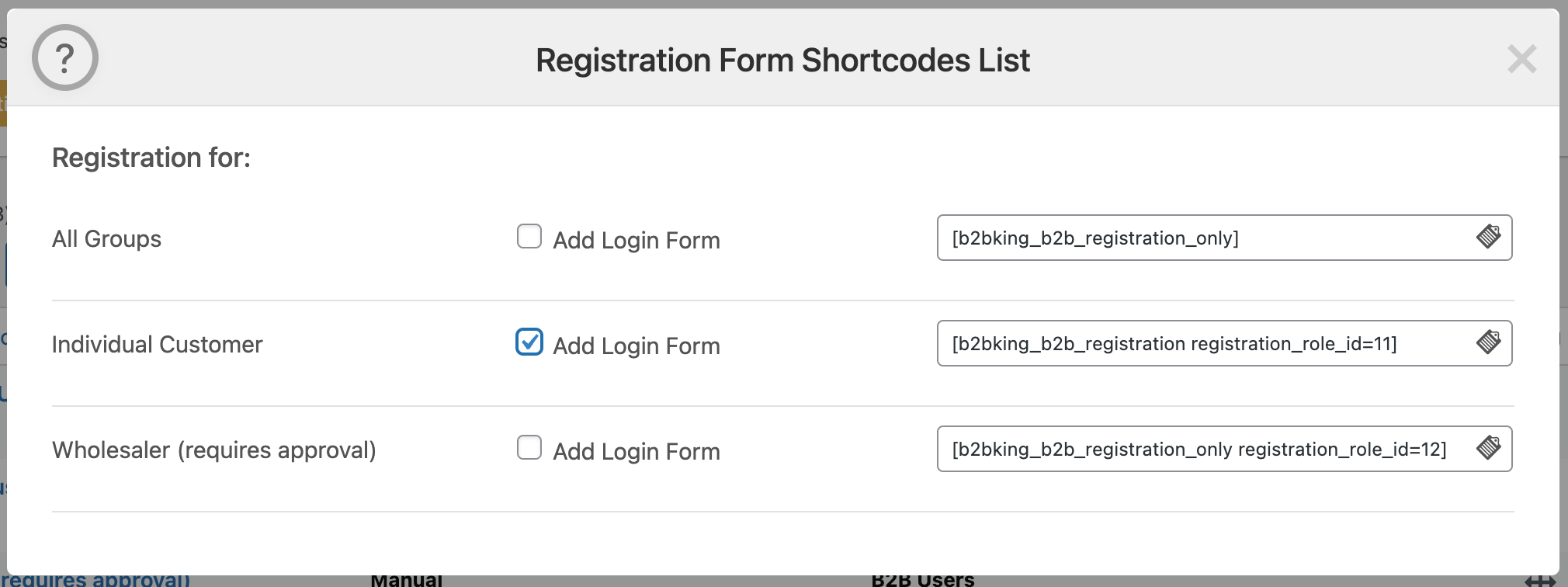
This opens up the registration shortcode configurator:

registration-shortcode-configurator.png

If you pick a shortcode for a specific option and add it to a page, then it will not show the dropdown either.

Let me know if that can help solve it,

Kind regards,

Stefan

Sign In