
Public Ticket #3682250

Issues With Pricing Table

Closed
Comments
3 Tickets
Julio Gutierez started the conversation 2 years ago on July 9, 2024 at 2:17am

Hi, I sell vapes in wholesale, I am having issues with the price table for my product being displayed. The table does not display, I added the pricing rules to all my variations, but i think that due to not a single variation being selected the pricing table does not display, The plugin I am using for the variations table is PVT by WPXtension, 
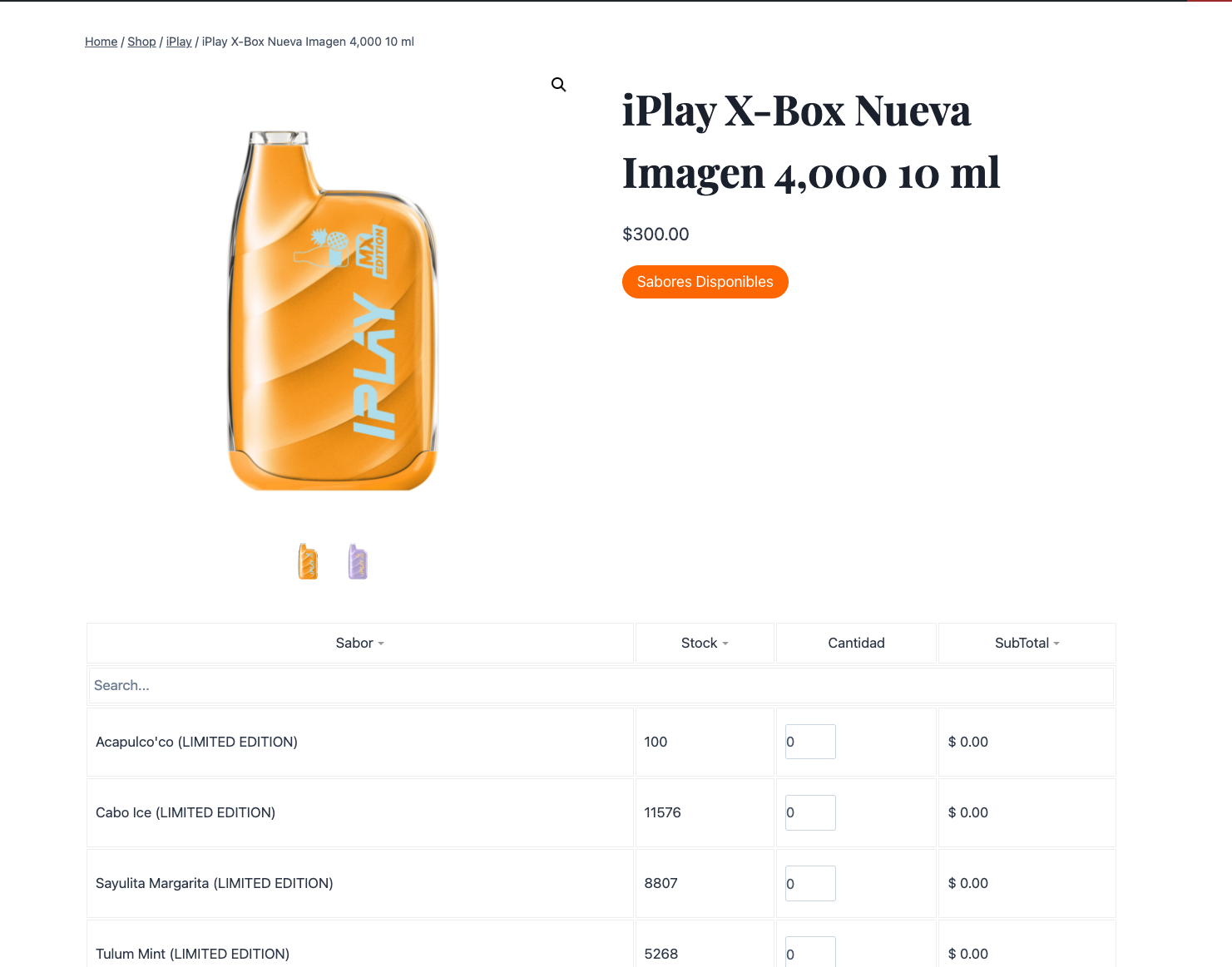
9702288206.png
2,762
KingsPlugins replied 2 years ago on July 9, 2024 at 10:35pm

Hello Julio,

Just to make sure I understand correctly, I believe you are referring to the "tiered price table" of our plugin? https://b2bkingplugin.com/docs/b2bking-tiered-pricing-setup-auto-generated-tiered-pricing-table/

Indeed this table normally only displays when a variation is selected.

I think we may be able to help with a code snippet to display it by default though. But in that case my question is: do you have different tiered pricing for different variations? or is it the same table for all variations? (because if you have different tables, I am not sure how we can choose which one to display).

Looking forward to your response,

Kind regards,

Stefan

3 Tickets
Julio Gutierez replied 2 years ago on July 10, 2024 at 5:03pm

Thanks for the prompt response. Indeed I have the same tier pricing setup for all of the variants. But since from the documentation i had read that I had to assign the price table for each of my variants I thought that it wouldn't work therefore I added bulk the pricing for each bulk quantity. 

To clarify it would be this case " or is it the same table for all variations?"

2,762
KingsPlugins replied 2 years ago on July 12, 2024 at 2:52pm

Thank you for clarifying,

I believe you can achieve this, by adding the following PHP code snippet to your site:

global $b2bking_public;
remove_filter( 'woocommerce_available_variation', array($b2bking_public,'b2bking_show_tiered_pricing_table_variation'), 10, 3 );
add_action('plugins_loaded', function(){
    global $b2bking_public;
    remove_filter( 'woocommerce_available_variation', array($b2bking_public,'b2bking_show_tiered_pricing_table_variation'), 10, 3 );
});
add_action('woocommerce_after_add_to_cart_button', function(){
    global $post;
    if (isset($post->ID)){
        $product = wc_get_product($post->ID);
        if ($product){
            if ($product->is_type('variable')){
                // get the first variation and display variations table
                $children = $product->get_children();
                $first_variation = $children[0];
                $variation = wc_get_product($first_variation);
                $data = B2bking_Public::b2bking_show_tiered_pricing_table_variation(array(), $product, $variation);
                echo $data['availability_html'];
            }
        }
    }
});

A PHP snippet can be added to functions.php, or by following our guide here: https://b2bkingplugin.com/docs/how-to-add-a-snippet-php-or-js/

It should help display a single table, by default. It would display it after the main "Add to cart" button - I am not entirely sure where that is here.

If you do not have that, or if the table is not displaying even with the above code, it would help a lot if you can share a backend login to your site, or a staging clone site. That way I can check directly and try to find a hook that we can use to display the table.

Kind regards,

Stefan

Sign In
