Public Ticket #3684053

Can't create sub account

Closed
Comments
5 Tickets
reece started the conversation 2 years ago on July 11, 2024 at 10:14am

Hi,

I have set up this plugin for a client on their website, however when testing the create sub account I get the following error: 'Account creation error. Passwords do not match.' Even though there is only one input field for the password to be entered. Any help will be very useful thanks. 

2,762
KingsPlugins replied 2 years ago on July 12, 2024 at 12:27am

Hi Reece,

Thank you for purchasing our plugin,


Regarding the error you described there: I can tell you that is not a message added by the B2BKing plugin. As far as I know there is also no such (confirm password) functionality in WooCommerce by default.


I think what is happening there is that you may have a plugin or custom code that adds a 'confirm password' functionality, but it is also mistakenly added to sub-accounts.


I think the first step is thus to find where that's coming from. 

If that's added through custom code, I believe we can help you modify it to prevent this from applying to subaccounts. 

Or if it's added by a plugin, please tell me what plugin that is - we may be able to fix this with a code snippet.


Kind regards,

Stefan

2,762
KingsPlugins replied 2 years ago on July 12, 2024 at 1:51pm

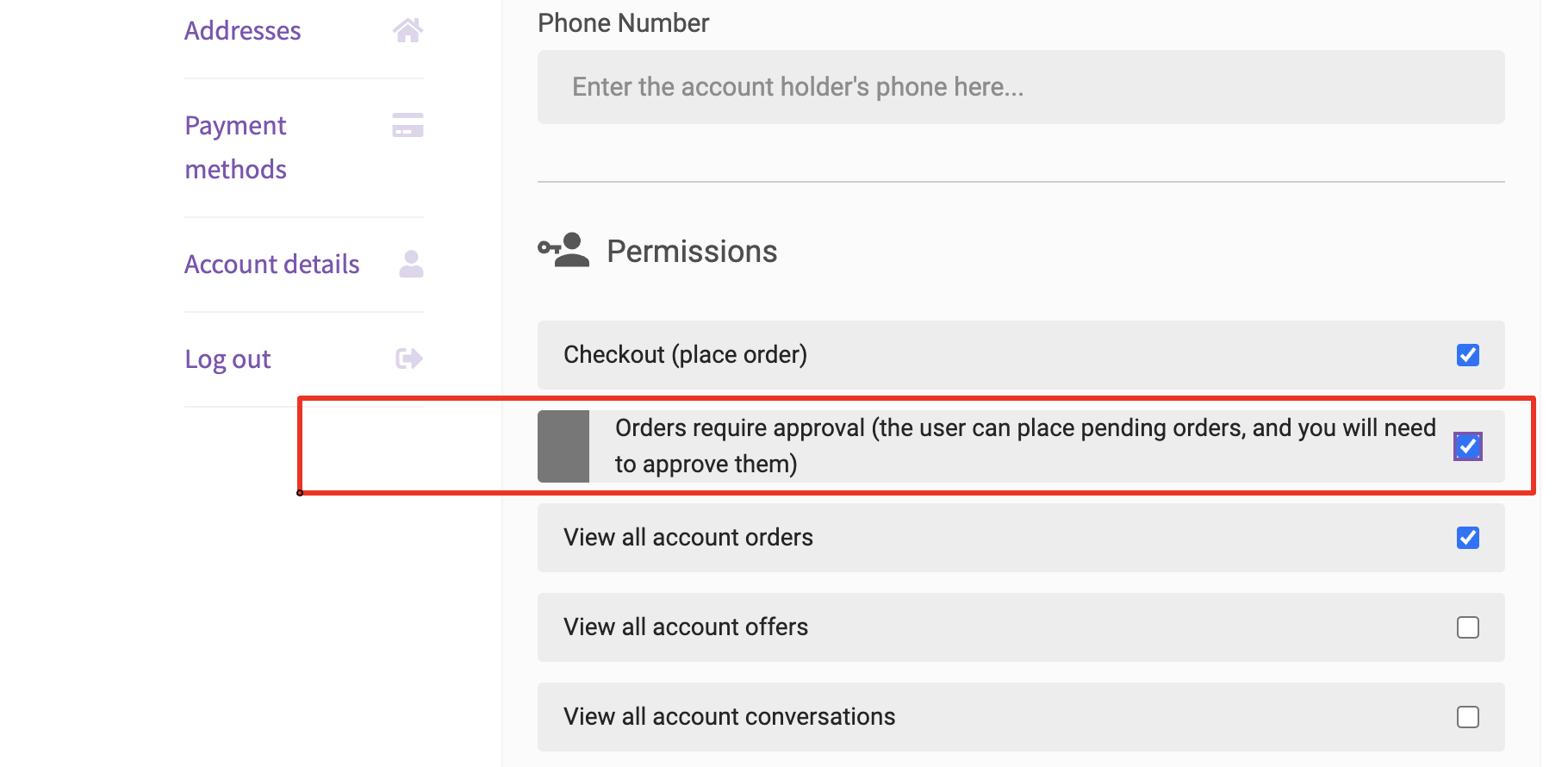
Regarding available payment methods, the problem may be the following permission:

6276931944.png

If this "orders require approval" checkbox is enabled, the way it works is that normal payment methods are removed, and only a single method shows for the subaccount, the "company order approval" method.


Therefore please make sure to enable this order approval method in WooCommerce -> Settings -> Payments, and in groups for each group. You can enable the method for everyone in all groups, the plugin will only show this method to subaccounts that require approval.


Let me know if that's it,

Sign In