Public Ticket #3690884

Move SKU to a new line in bulk order form

Closed
Comments
8 Tickets 2
Wayne started the conversation 2 years ago on July 22, 2024 at 2:39pm

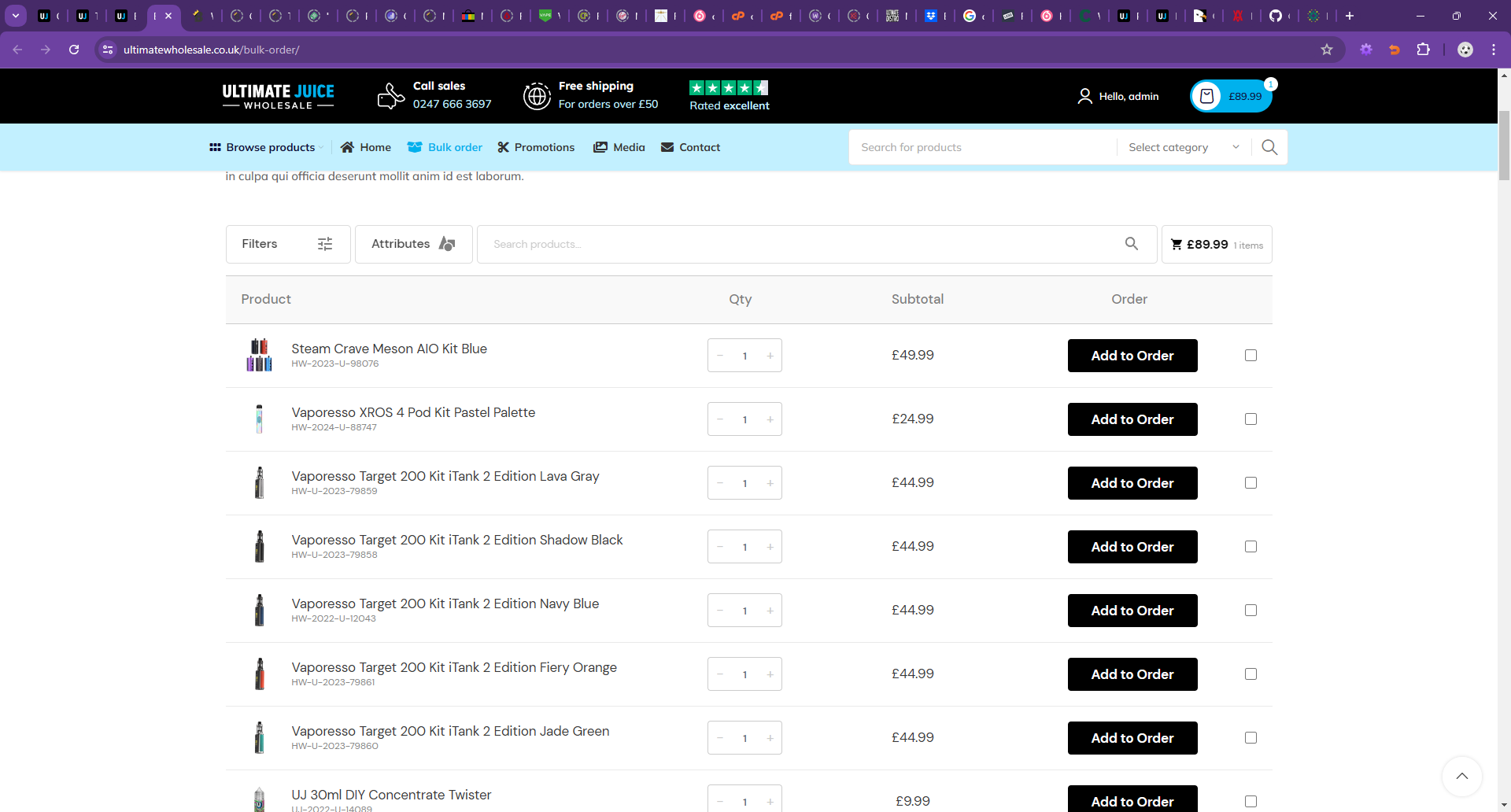
I think having SKU in (brackets) next to the title creates some visual imbalance issues.

I want to put SKU smaller on a new line like below.

How can we wrap it in a span instead so it can be styled better? 

See image here and the highlighted / selected value of what i want to do.

p2GZk1.jpg

2,762
KingsPlugins replied 2 years ago on July 23, 2024 at 2:11pm

Hello Wayne,

Just to let you know, one way to address this, is to add a separate column for the SKU: https://b2bkingplugin.com/docs/wholesale-bulk-order-form/#8-toc-title (this is achieved by adding the sku=yes parameter to the shortcode).

I've also tried to achieve what you described with the SKU on the next line. It seems to work for me with the following code snippet:

add_filter('b2bking_bulkorder_cream_search_name_display', function($name, $product){
    $sku = $product->get_sku();
    echo esc_html(strip_tags($product->get_name()));
    if (!empty($sku)){
        echo '<br>'.$sku.'';
    }
}, 10, 2);

I then see it as follows:

2250000440.png

You may want to reduce the distance / gap between the name and SKU. You can control it with CSS, by adding this CSS to the site:

.b2bking_bulkorder_indigo_name.b2bking_bulkorder_cream_name {    
    line-height: 22px;
}

You can change this value to increase or decrease the total height.

Let me know if that works for you,

Kind regards,

Stefan

1

Sign In