
Public Ticket #3696964

Allow individual pages

Closed
Comments
1 Ticket
Vinicius Bastos started the conversation 2 years ago on July 31, 2024 at 4:47pm

When I enable restrict all pages option, plugin always redirect to the login/registration page. That is ok but I would like to allow specific pages for the logged out users. How can I allow individual pages with the restrict all pages option enabled?

2,762
KingsPlugins replied 2 years ago on July 31, 2024 at 8:22pm

Hello Vinicius,

Thank you for purchasing our plugin,

Certainly, you can add a PHP code snippet to your site to allow specific pages.

add_filter('b2bking_guest_shop_redirect_conditional', function($redirect){
    if (is_page(4567)){ // allow page 4567
        return false;
    }
    if (is_page(1234)){ // allow page 1234
        return false;
    }
    return $redirect;
}, 10, 1);

A PHP snippet can be added to functions.php, or by following our guide here: https://b2bkingplugin.com/docs/how-to-add-a-snippet-php-or-js/

In the above code, you can replace 1234, 4567 with page IDs that you want to allow.

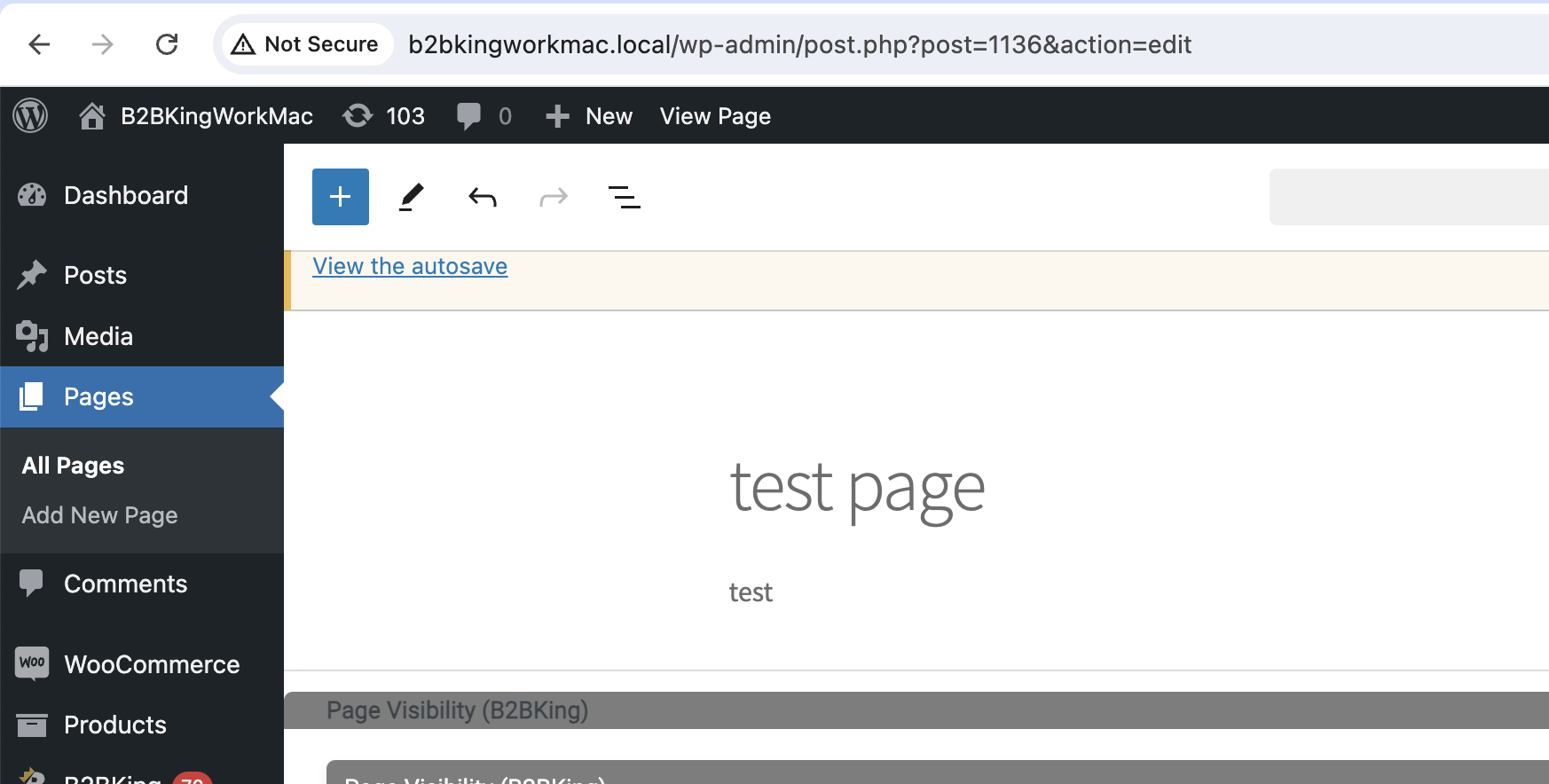
The ID of a page is the number in the page URL when you are editing it.

For example if I edit a page and I see this:

7799411612.png

The ID of this page is 1136 as that is what we see in the URL.

Let me know if that works for you,

Kind regards,

Stefan

1

Sign In