Public Ticket #3701023

B2B and B2C My Account Page

Closed
Comments
2 Tickets 1
Manuel Krenn started the conversation 2 years ago on August 7, 2024 at 2:47pm

I just finished setting up a regular b2c registration page with:

Name
Adress
Phone Number

and a b2b registration page with additional custom fields:

Name
Adress
Phone Number
Custom Field 1
Custom Field 2
Custom Field 3

when i am loggend in to a b2b account, shouldnt i be able to see and edit my custom field attributes at the My Account Page? what if a customer has to change their companies address, phone number etc. due to company changing location for example? Seems like a crucial part to me but maybe i set something up wrong.

For me it shows the same Accountdetails Page for both user groups.
Thanks in advance.

I found a link regarding user group / level maybe thats the way? https://b2bkingplugin.com/docs/show-user-group-level-and-total-spent-on-the-my-account-page/

2,762
KingsPlugins replied 2 years ago on August 8, 2024 at 11:05pm

Hello Manuel,

It is possible to allow users to edit fields there, but it depends on configuration:


(A) For custom fields (fields added by B2BKing), it is important to set the following:

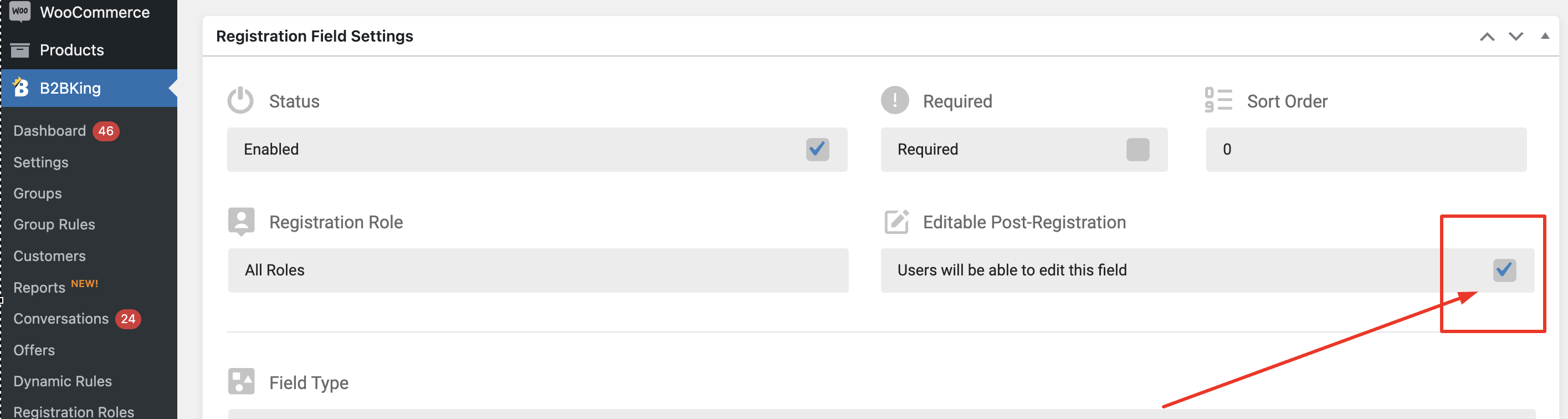
(1) Enable "editable post-registration":

2550272721.png

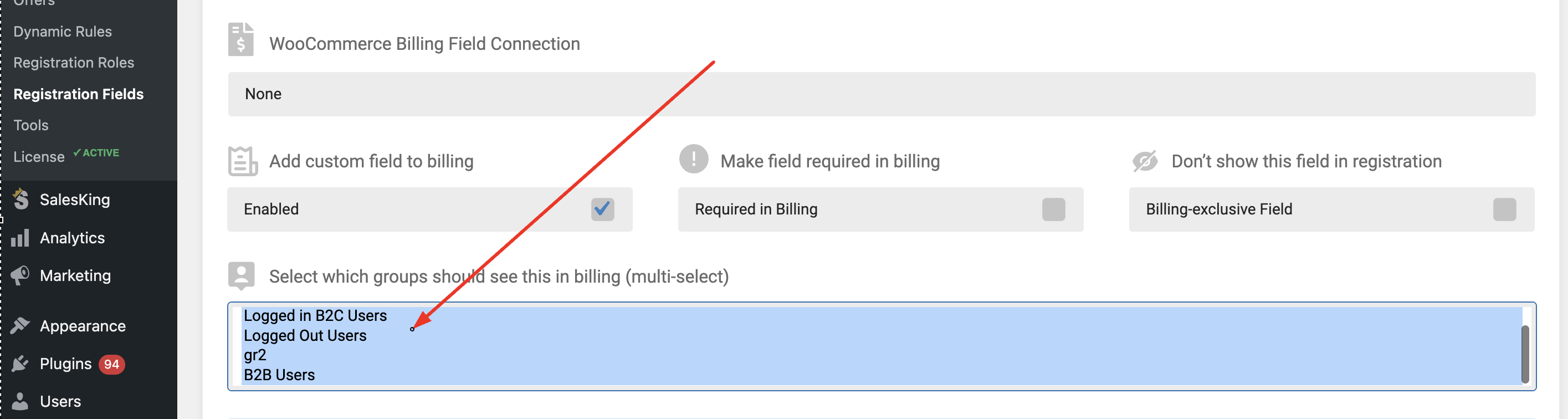
(2) You must choose options here:

6060443894.png

You can use CTRL + A to select all. Fields will show in my account only for groups selected here.


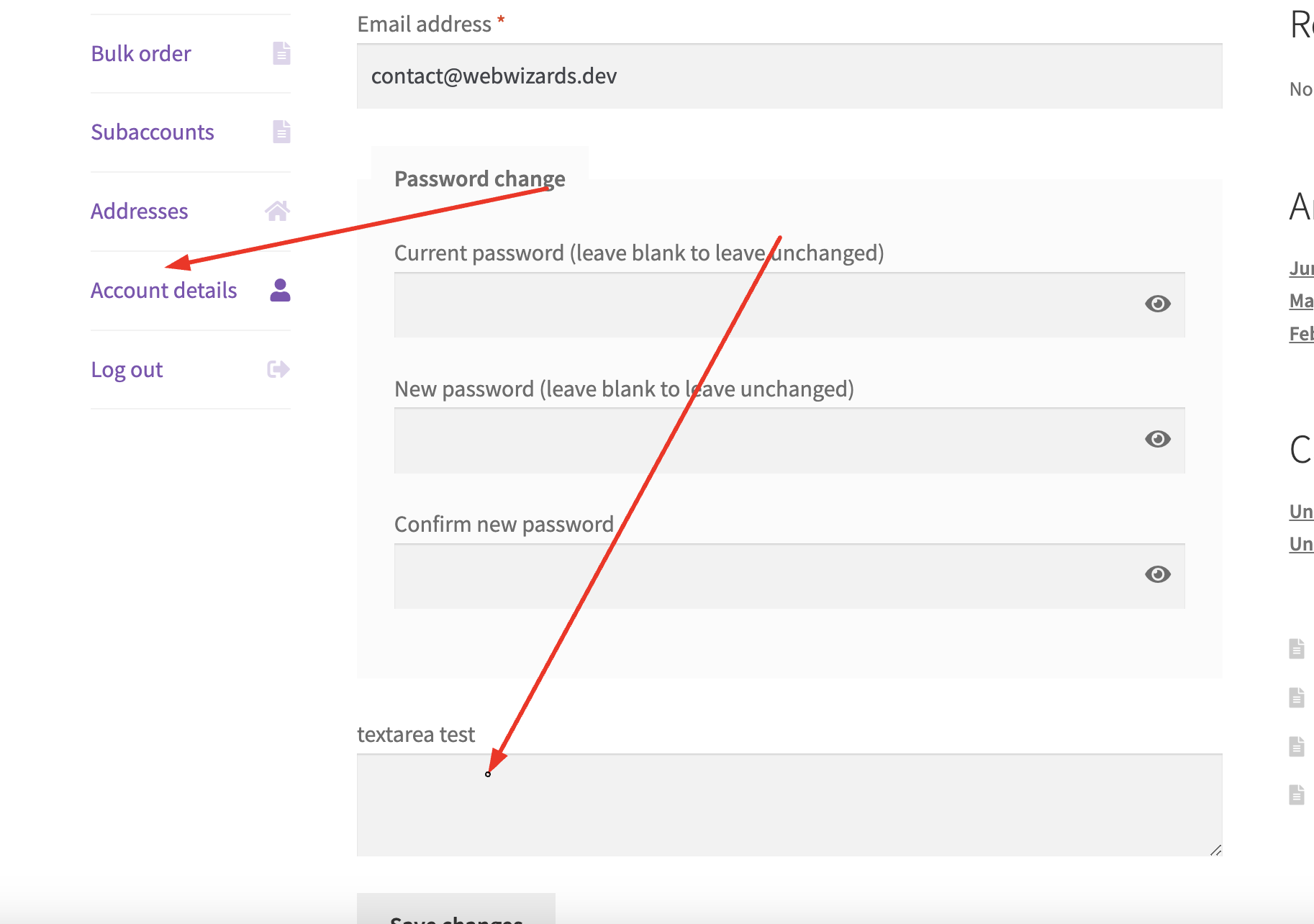
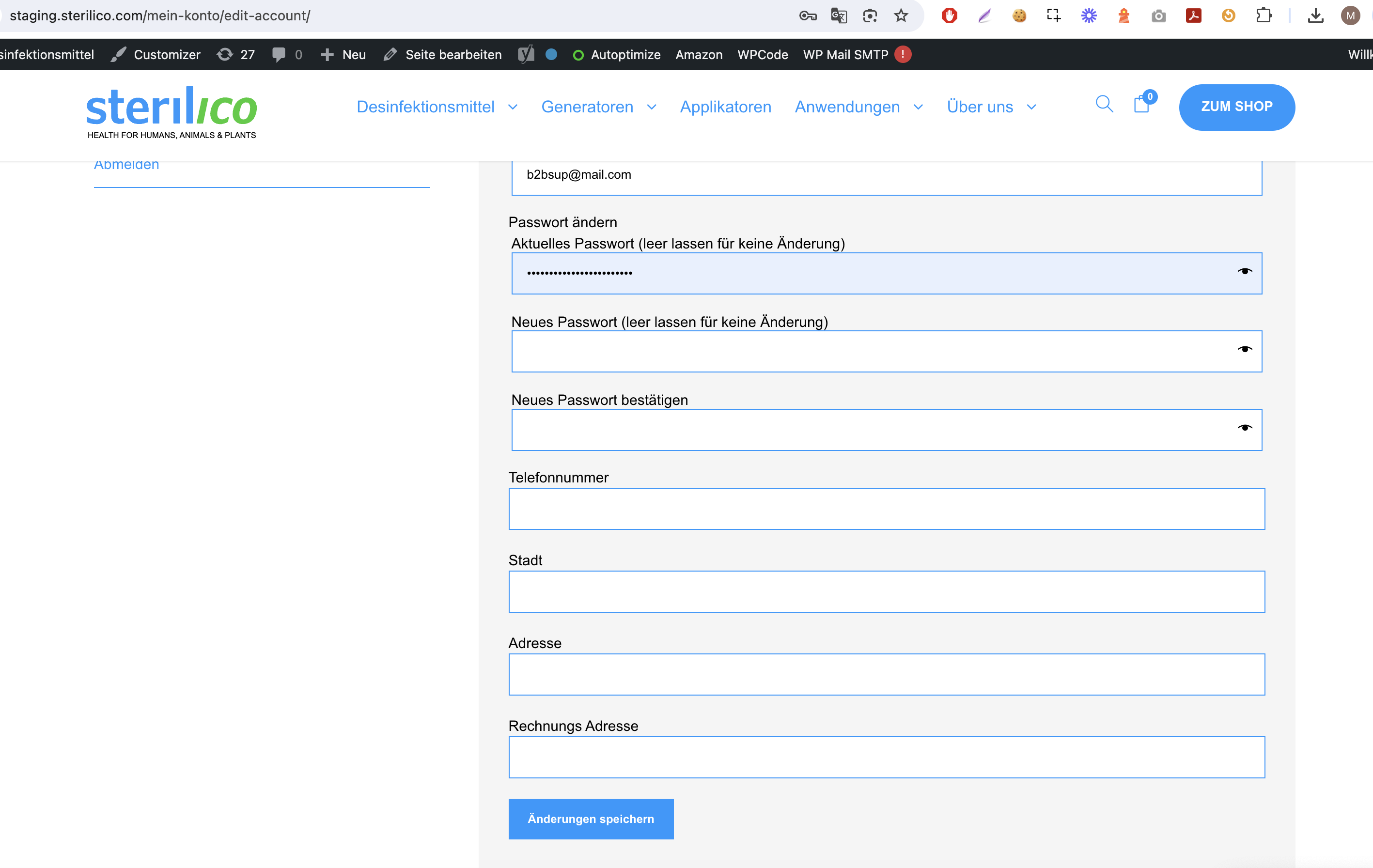
When set this way, custom fields should indeed show here under account details:

4074936537.png


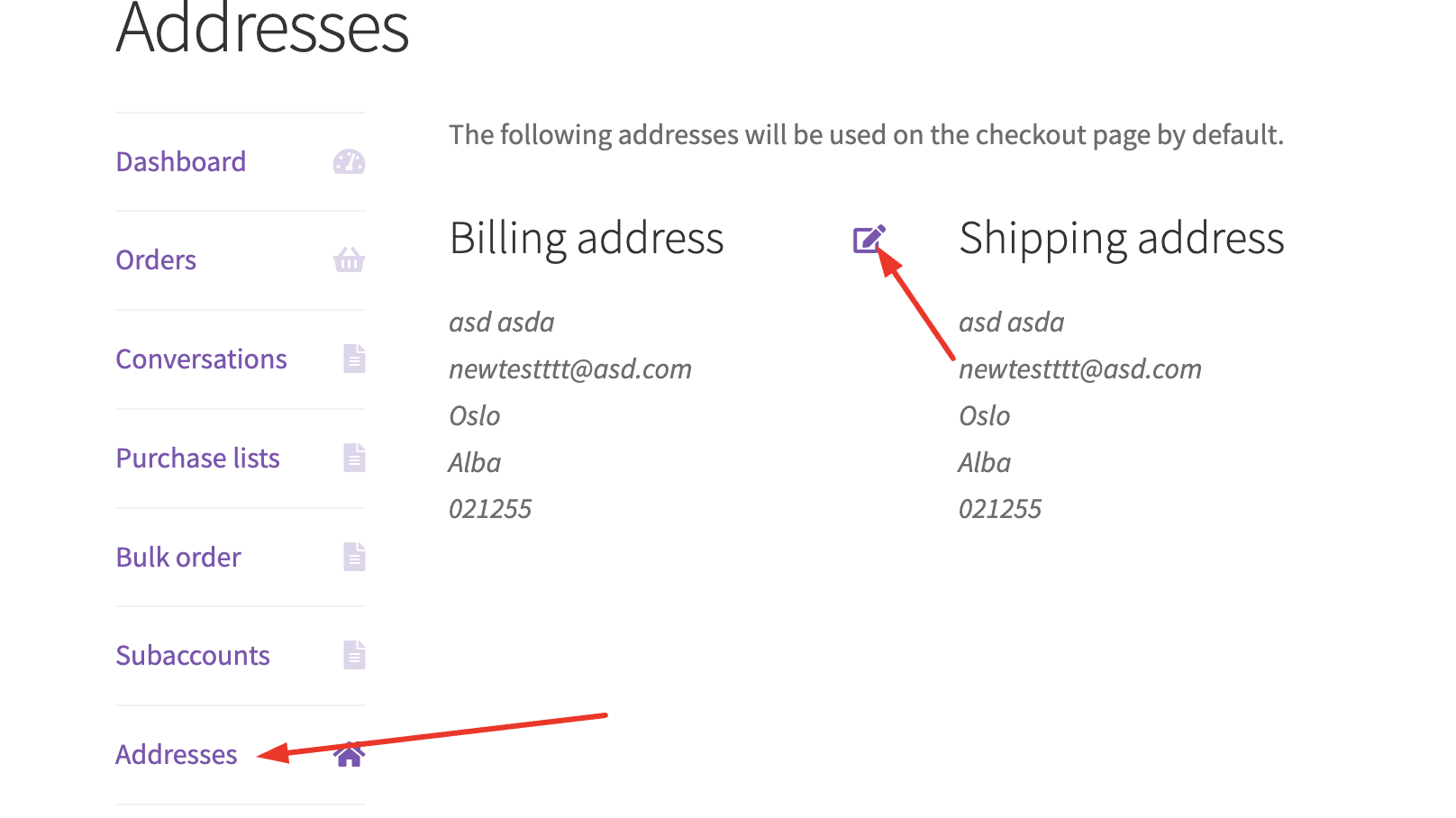
(B) Please note however that this mechanism does not apply for standard Wordpress fields such as address / phone number / name etc, because these fields show under "Addresses".

4694513191.png


Kind regards,

Stefan

2,762
KingsPlugins replied 2 years ago on August 19, 2024 at 11:27pm

Hi Manuel,

Glad to assist,


I checked this now and indeed it seems that this is set to only apply to B2B users. This is a bit tricky as it affects some other things as well, but in any case I believe I was able to find a solution by adding a code snippet to the site.


It will now show those fields for B2C users as well (as long as the billing connection is set to 'none').

8240440187.png


Let me know if it works for you / if you see any issues,


Kind regards,

Stefan

Sign In