Public Ticket #3701611

Bulk Order Issue When Paginating, Selections Clear

Closed
Comments
8 Tickets 2
Wayne started the conversation 2 years ago on August 8, 2024 at 11:56am

If I select 4 items, the bottom green button says " add 4 to cart" but then if I go to page 2 and carr on choosing my selections, the original 4 are no longer selected or available. Is there any way to fix this UX issue? 

2,762
KingsPlugins replied 2 years ago on August 8, 2024 at 9:33pm

Hi Wayne,

Thank you for the feedback, I see what you mean. 

I looked into possible solutions. Based on how this form currently works, I don't think we have any good way to maintain the product selection across different pages unfortunately - many underlying issues. Therefore I'm trying to think of alternatives / workarounds.

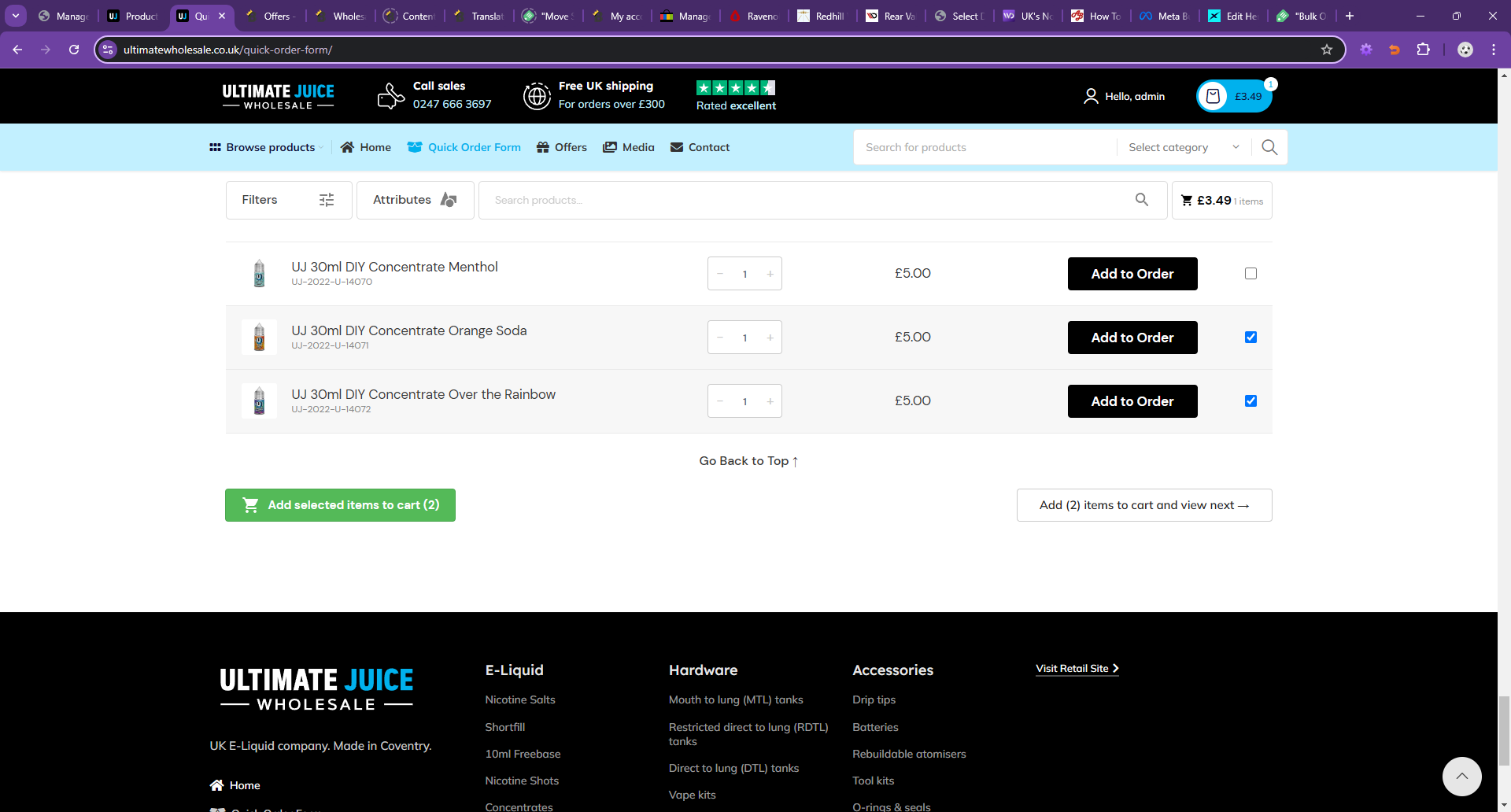
I'm thinking that maybe the best and least friction option would be to change the pagination button into "add to cart + pagination" if there is an active selection:

6763722618.png

Thoughts? Another option could be to show some kind of popup  with 2-options (add to cart / discard) when the pagination is used, but that may be too much friction if the customer has to go through many different pages and see that popup many times.


Kind regards,

Stefan

8 Tickets 2
Wayne replied 2 years ago on August 9, 2024 at 8:33am

I was thinking of a similar UX for pagination, but we also have to consider people filtering and changing categories, eg growing the complete store to do a quick order. 


For pagination, I think this text (showing number for clarity) and layout would be best 


7916543751.png

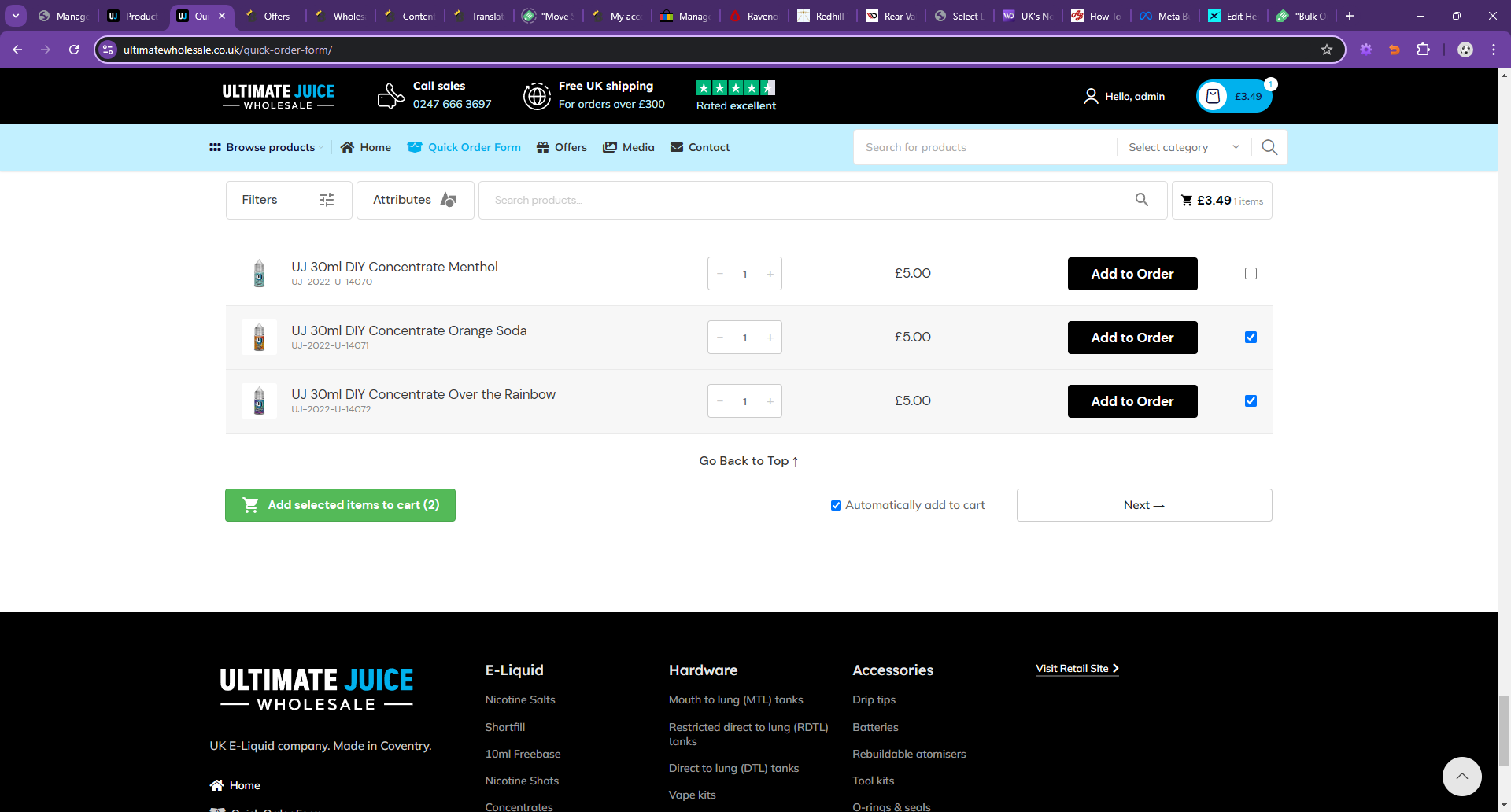
Or you can use a checkbox which will assume you want to add to cart on pagination

2836873200.png


2,762
KingsPlugins replied 2 years ago on August 22, 2024 at 9:03pm

Thank you, I was able to access it now,

I made an update to it so that it scrolls to the top automatically, I believe that is working this way now.

8 Tickets 2
Wayne replied 2 years ago on September 12, 2024 at 10:50am

Just following up on the new add to cart on bulk order which client is seeing some bugs now....

Please see this video 

https://www.dropbox.com/scl/fi/8dcamsibbut26dtizrzcd/Screen-Recording-2024-09-11-145435.mp4?rlkey=n7tqhuc968metgh2f3ymaiz74&dl=0

No audio, but :

"items are added to the basket, notification and basket icon confirms the quantity and price change, upon visiting the basket page the added items ARE NOT in the basket like they were never added there." - 2:24 is the exact timestamp


2,762
KingsPlugins replied 2 years ago on September 15, 2024 at 2:55pm

Hi,

I believe the issue must be that the items are added but then removed from cart.

The subtotal value here (488.15) is retrieved via "WC()->cart->get_cart_subtotal()", not calculated by the form, so I believe it means the items are in cart initially, but removed later:

2327868459.png


I think it might be a caching problem related to caching and B2BKing's visibility. If a product is seen as not visible, B2BKing will remove it from cart. Perhaps this is malfunctioning in relation to these user switches (shop as customer) + other site caching.

I would suggest to disable this B2BKing behaviour to see if that solves it. Please try adding the following PHP snippet to your site (to functions.php or any snippets plugin, setting the snippet to 'run everywhere'):

add_filter('b2bking_disable_hidden_items_not_purchasable','__return_true');

This disables this B2BKing function completely.

Let me know if you still see issue after adding that.


8 Tickets 2
Wayne replied 2 years ago on September 16, 2024 at 4:31pm

Hello there, 

Regarding cart items being "deleted"

We are not sure what is creating the difference but the issue is strictly related to custom role capability 
listed at the very bottom of the user profile panel in admin area.

salesking_role_[number]

any new user created by WP does not start with a capability - it feels like it's a legacy setting? Some database entry?

After testing we can connect the issues directly to this role being NOT empty. If the role is equal

salesking_role_13189

which is present for most of the admins and shop managers the issue from the video is replicable.
If the role is set to

Capabilities             salesking_role_none

the issue is not present. Video is made using user Laura (4461) and tested against Rafael (2)  and Karl - Test (4714).

Replicable in mixed scenarios with same effect:

  • 3 different PCs
  • browser Chrome and Firefox

Issues the customers having is also related to the role being visible, in case of customers with issues, in that case the role Capability is listed as comma delimited 

Capabilities             Customer, salesking_role_none


2,762
KingsPlugins replied 2 years ago on September 16, 2024 at 4:57pm

SalesKing indeed used to give that role to agents (it does not do it anymore by default).

However, there has never been any functionality tied to the role, it was just given to agents to easily differentiate them.  I'm thinking it could be related to how caching plugins handle different caching for different roles.

Please make sure to try the snippet I mentioned previously as I still feel it might help resolve this:

add_filter('b2bking_disable_hidden_items_not_purchasable','__return_true');
2,762
KingsPlugins replied 2 years ago on September 23, 2024 at 2:32am

Hi again,

I tried a different approach by adding a snippet to the site, to set all items as purchasable if the current user is an agent shopping. This is done through the snippet here: https://ultimatewholesale.co.uk/wp-admin/admin.php?page=wpcode-snippet-manager&snippet_id=13966


I then tried test with an agent and could not reproduce the issue:

https://www.loom.com/share/0ce4c5a53d844249aad75cf539fef4a7?sid=72ee50df-8479-4c12-872b-9d4403547fa2

If you can still see the issue, it would help if you can let me know of a specific agent and customer I can see it with.

8 Tickets 2
Wayne replied 2 years ago on September 23, 2024 at 11:17am

The issue persist, reproduced using Quick Order on the customer :
Bakht Jamal.Khan
4665

While using agent with Shop Manager Role:
laura
4461


Video:
https://www.dropbox.com/scl/fi/igwr6qeh6pjyucsmd0hvg/Screen-Recording-2024-09-23-115247.mp4?rlkey=wd1bi0a2f427pyvffuw1td5fh&e=1&dl=0


The issue is intermittent but it seems to happen more if the ordering process lasts more than few minutes (which in real life does) and with few hundred items in the basket. Currently testing with another user agent to be sure.

8 Tickets 2
Wayne replied 2 years ago on September 23, 2024 at 12:00pm

Issue reproduced as an agent with admin role

raf
2

using Quick Order on the customer :
Bakht Jamal.Khan
4665

UserIdUser capabillity listedWP role
Bakht Jamal.Khan      4665      Customer, salesking_role_none     none
laura4461salesking_role_13189Shop manager
raf2salesking_role_noneAdministrator

Sign In