1 Ticket
daynmaic rules page showing critical error when i try to add rule it show error
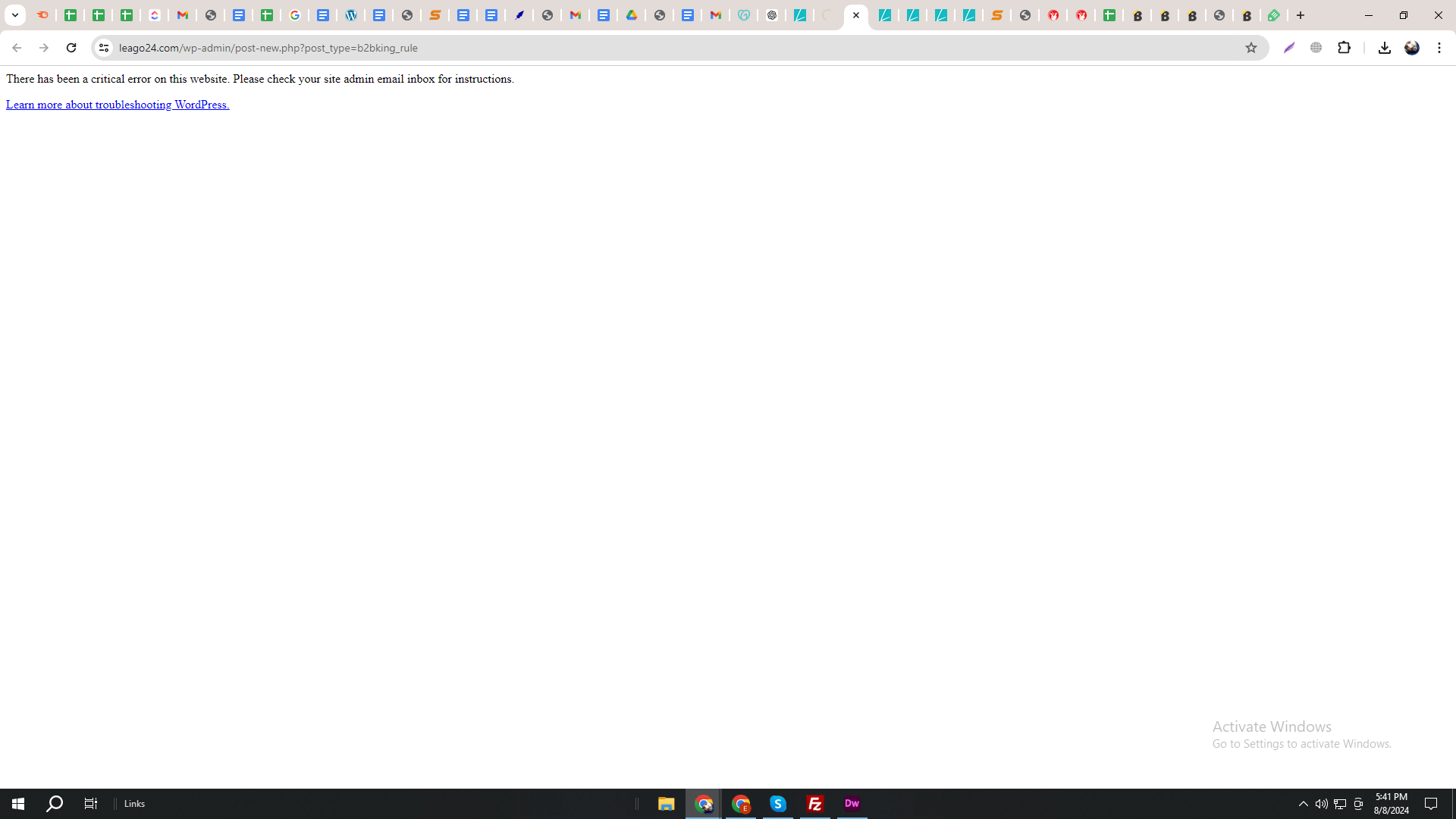
There has been a critical error on this website. Please check your site admin email inbox for instructions.
 1 Ticket
daynmaic rules page showing critical error when i try to add rule it show error
There has been a critical error on this website. Please check your site admin email inbox for instructions.
 2,762
2,762
Hello Noman,
Thank you for purchasing our plugin,
I believe the issue is likely that the store has a large number of products / users, and the dynamic rules page is not able to display all, leading to an error.
To solve this, please try going to B2BKing -> Settings -> Other, and enable the 2 options here as that would usually solve it:
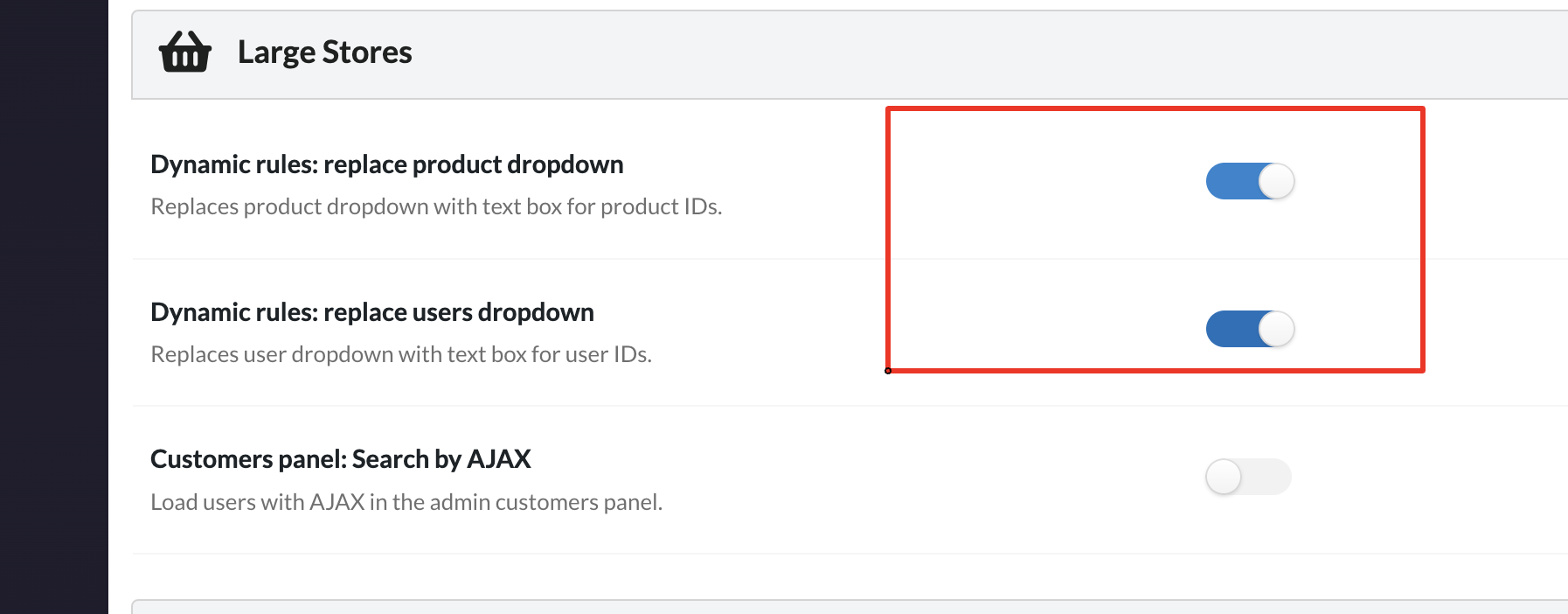
Let me know if you still have issues after that,
If you'd like, we can also check this directly on the site and troubleshoot. For that, we would need a backend login to the site or staging site,
Kind regards,
Stefan
1 Ticket
 2,762
2,762
Thank you for clarifying,
It does seem different than the issue I was thinking about with too many products / users - those would just lead to a slow load time or page timeout, not a critical error.
I think there may be some kind of plugin conflict or similar error. It may help to try deactivate all other site plugins and switch to the default Storefront theme to see if that can solve it. It would also help if we knew the exact error details (you may be able to get it from a debug log via https://wordpress.org/plugins/debug-log-config-tool/ ).
Other than that I am not sure what it could be unfortunately. It would be great if we were able to troubleshoot it directly on the site or a staging site.
1 Ticket
you can do directly on site how i should share login? everything else is working fine
2,762
We'd be glad to check,
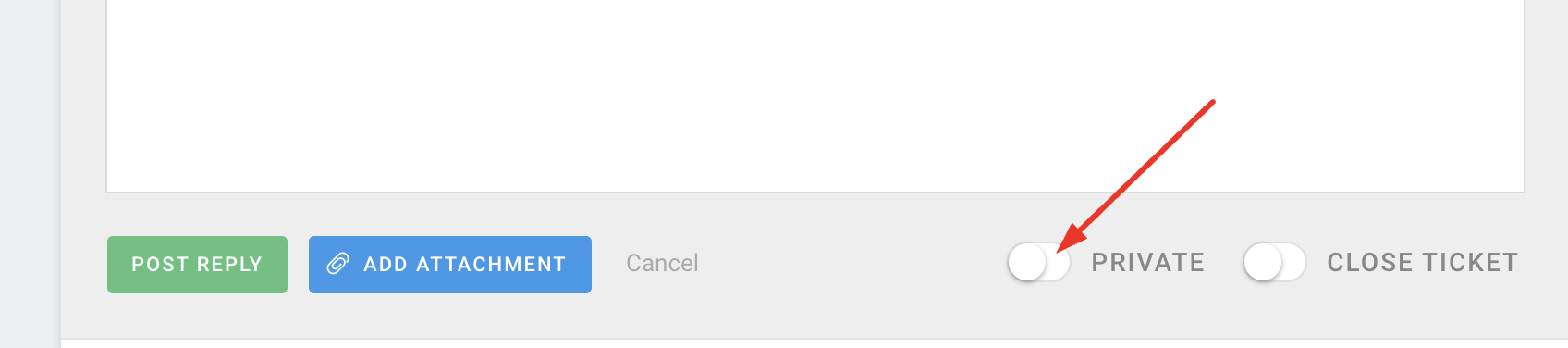
To share the login, you can post the credentials (user / password) directly here and mark the message private:
Or if you prefer, you can just email it to our address at [email protected]
1 Ticket
This message is private.
1 Ticket
please resolve quickly
2,762
Thank you for the access details,
I was working on this now and running some code tests to troubleshoot what exactly is causing the error. Unfortunately it seems for some reason one of my tests resulted in a general critical error on the site.
My apologies for the issue - I do not fully understand why this happened.
Is it possible to share a FTP access to the site, so I can access it via file manager? that way I can disable that code manually.
I have given this ticket our highest priority and we are working on resolving this as fast as possible.
1 Ticket
you made some changes and my site is down.. let me find ftp login for you
1 Ticket
This message is private.
1 Ticket
please resolve quickly its my live site so it should happen
1 Ticket
the login i sent is sftp login not ftp
1 Ticket
can you resolve the error its live site dude
1 Ticket
at least let me know what changes you made
1 Ticket
i have resolvd the general error but still daynmaic rules error remains to resolve
1 Ticket
i found the error we have 3100+ categories and b2bkind not able to process this much categories i made comment some code and it working now but its temprory solution
2,762
Thank you for the details and my apologies again for the issue,
Indeed it seems the main problem is with categories there. I have made an update to B2BKing to address that,
It is now possible to choose "product, category, or variation IDs" and then enter IDs as:
- "product_123"
- "category_123"
where 123 is the ID.
For example:
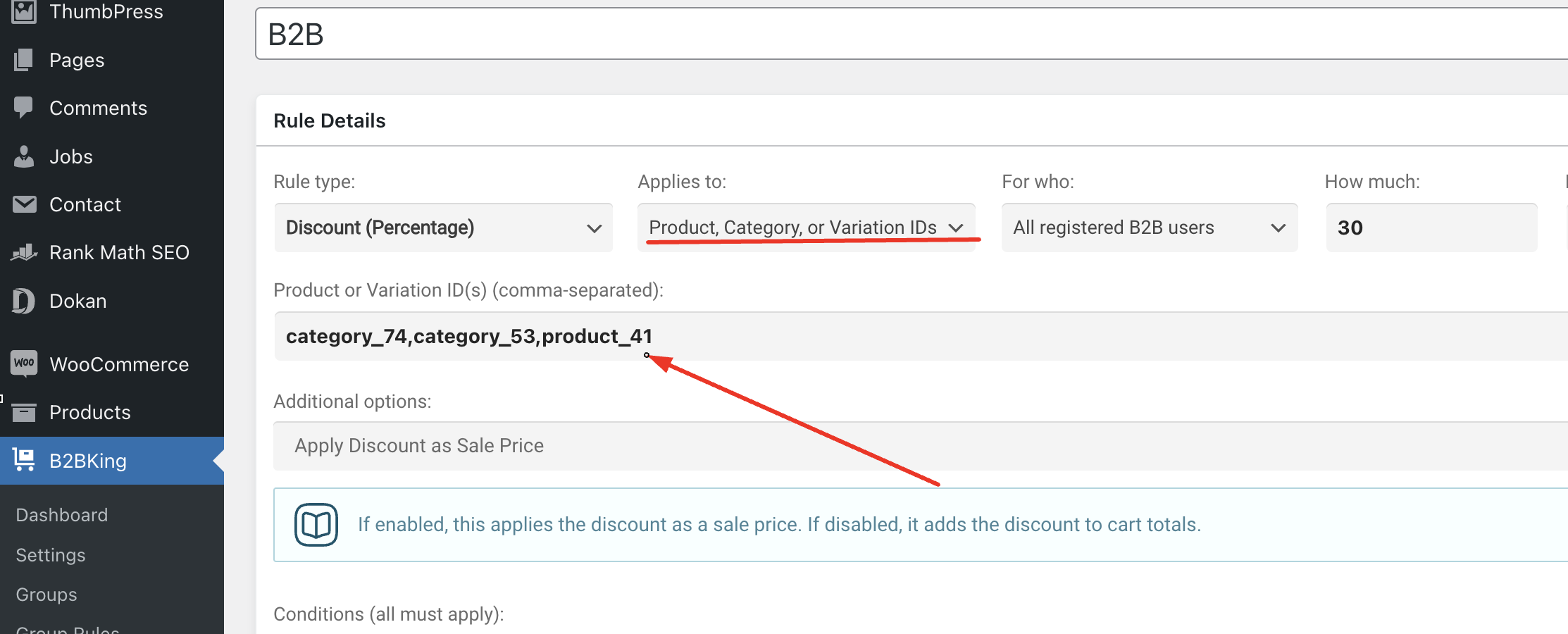
the ID is the number in the URL when editing each category or product:
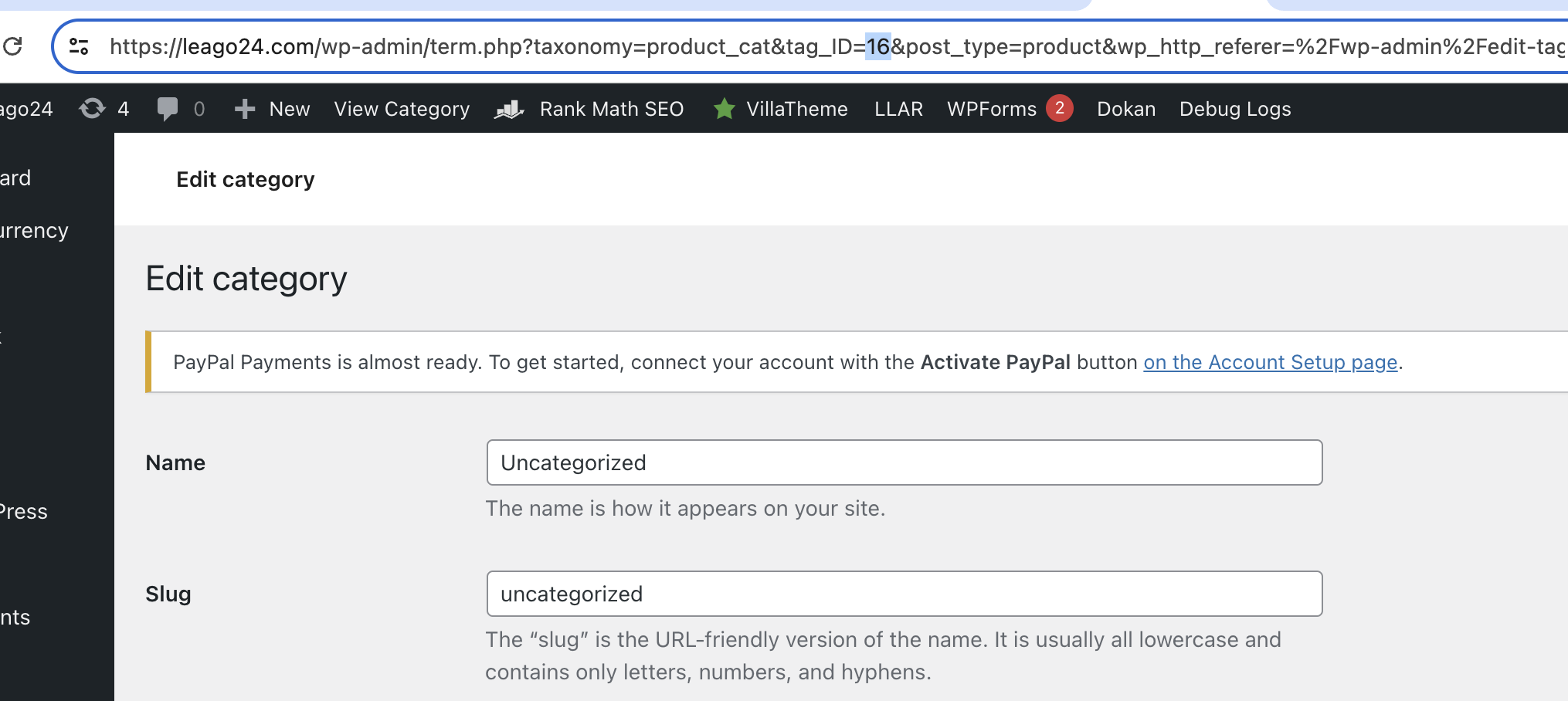
Let me know if you still have any issues,
1 Ticket
issues was not it issue is it cant handle so much categories.. also i have question ifa vendor want to sell only b2b or only b2c how can he select?
2,762
To sell only B2B / B2C, there are 2 main options vendors could use:
(A) They can go to the rules page and create a "hidden price" rule for b2b / b2c where they select all products:
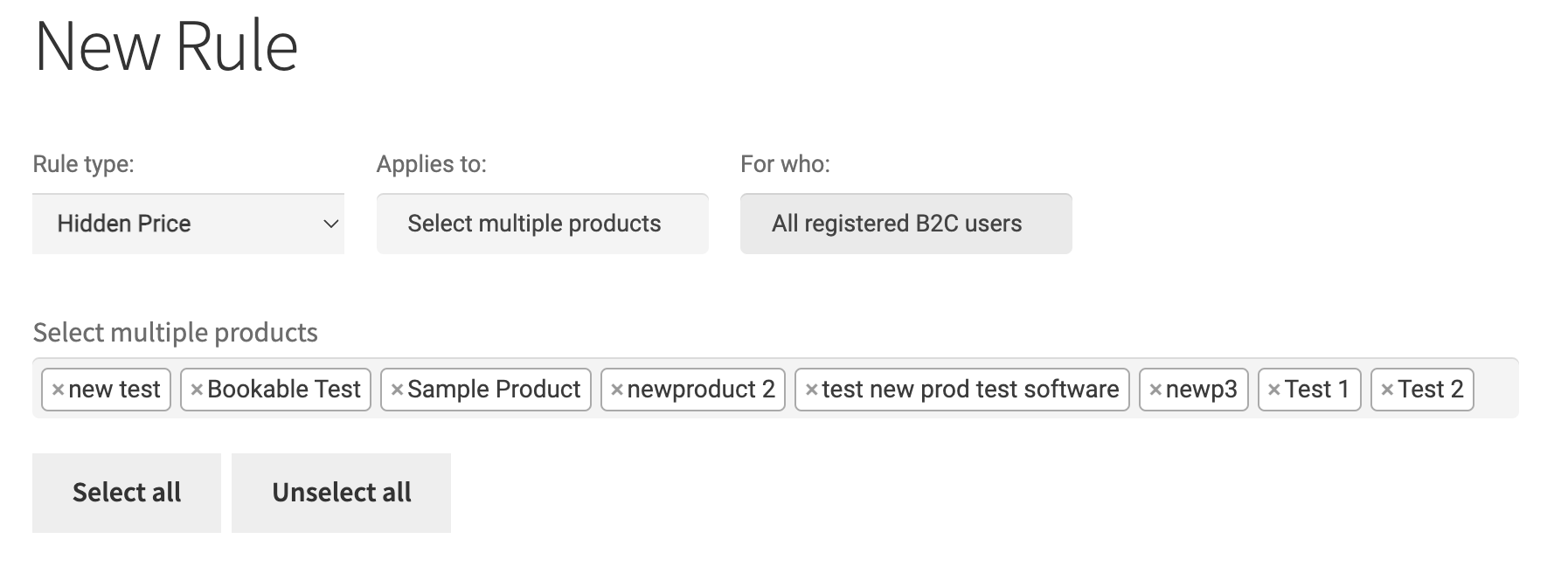
These rules hide price, but also prevent customers from purchasing (products cannot be added to cart)
(B) For each product, vendors can choose visibility individually, here:
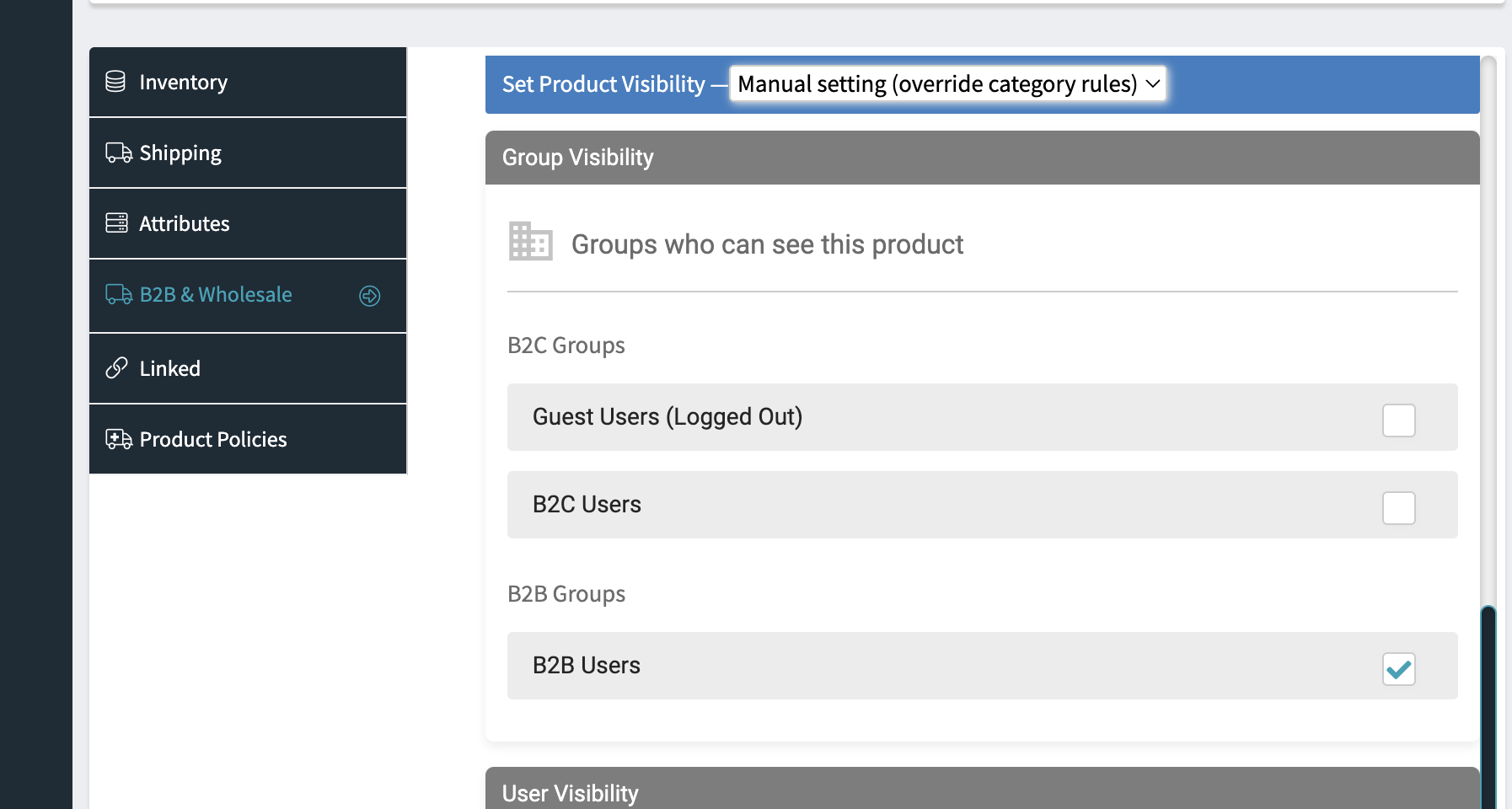
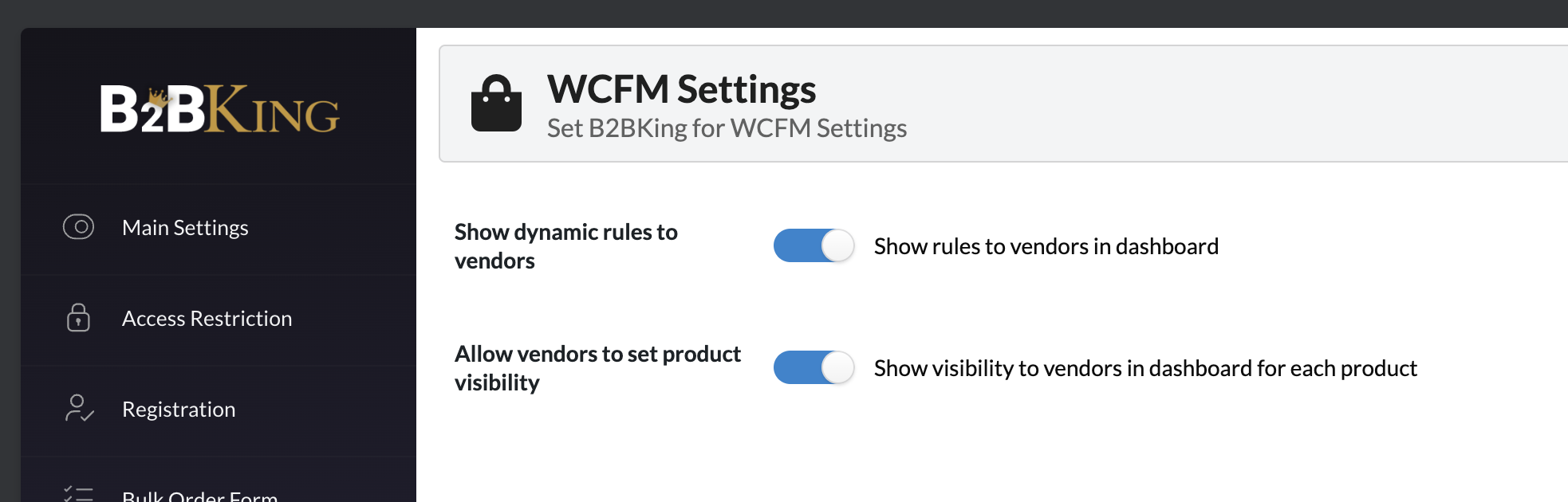
For these options to be available, they have to be enabled in B2BKing settings for vendors in Dokan / WCFM settings here: