 1 Ticket
1
1 Ticket
1
Hi, How to set the same custom information table for all products?
 1 Ticket
1
1 Ticket
1
Hi, How to set the same custom information table for all products?
 2,762
2,762
Hello Henry,
Thank you for getting in touch,
You can set that via dynamic rules.
In B2BKing -> Dynamic Rules -> create a "Add to information table" rule:
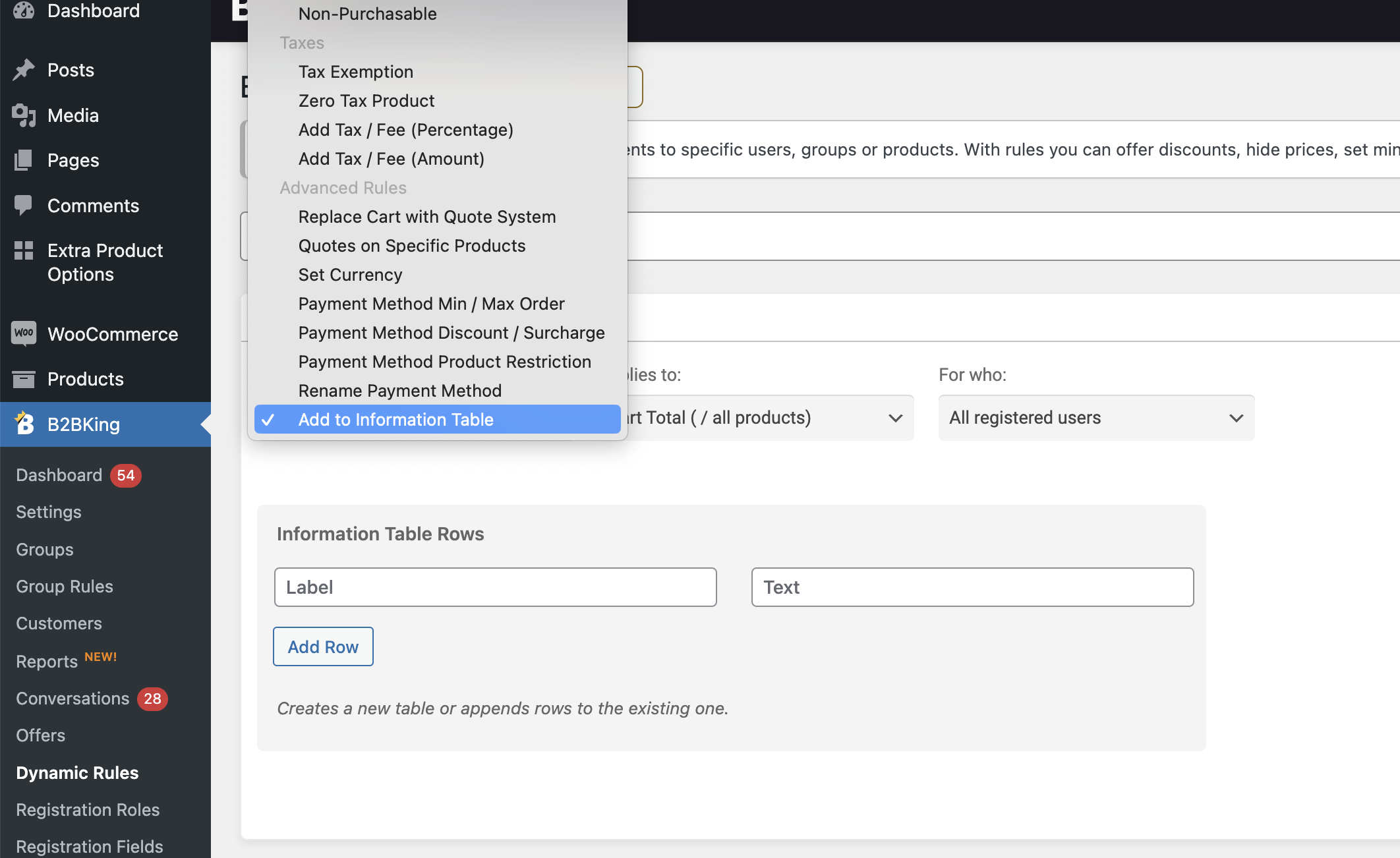
You can then choose all products within the rule.
Kind regards,
Stefan
1 Ticket
1
Hi Stefan,
glad to receive your reply. It helps me a lot. But Does it only shows on the front page? Is there any way copy info table in the product edit page? so i can edit 1-2 parameters for some of product.
2,762
To set that table on the product edit page for many products in bulk, I think the best option would be to do this through product imports. The custom information table is saved as product metadata.
You can for example set it in bulk using the built-in WooCommerce product importer: https://woocommerce.com/document/product-csv-importer-exporter/
The meta key that needs to be set is: b2bking_product_customrows_group_b2c
The meta value is of the form label:row;label:row;label:row; etc.