 3 Tickets
2
3 Tickets
2
Hi,
I'm experiencing an issue with the purchase lists. I'm unable to load or modify my saved lists.
Could you please take a look into this?
Thank you in advance.
Petr K.
 3 Tickets
2
3 Tickets
2
Hi,
I'm experiencing an issue with the purchase lists. I'm unable to load or modify my saved lists.
Could you please take a look into this?
Thank you in advance.
Petr K.
 2,762
2,762
Hello Petr,
It looks like there might be a misconfiguration here, since it seems both the "lists" and "single list" views are on the same page.
Please try:
-> In B2BKing -> Settings -> Other -> Endpoints, make sure to have 2 separate endpoints set for "lists" and "list", similar to how it is here:
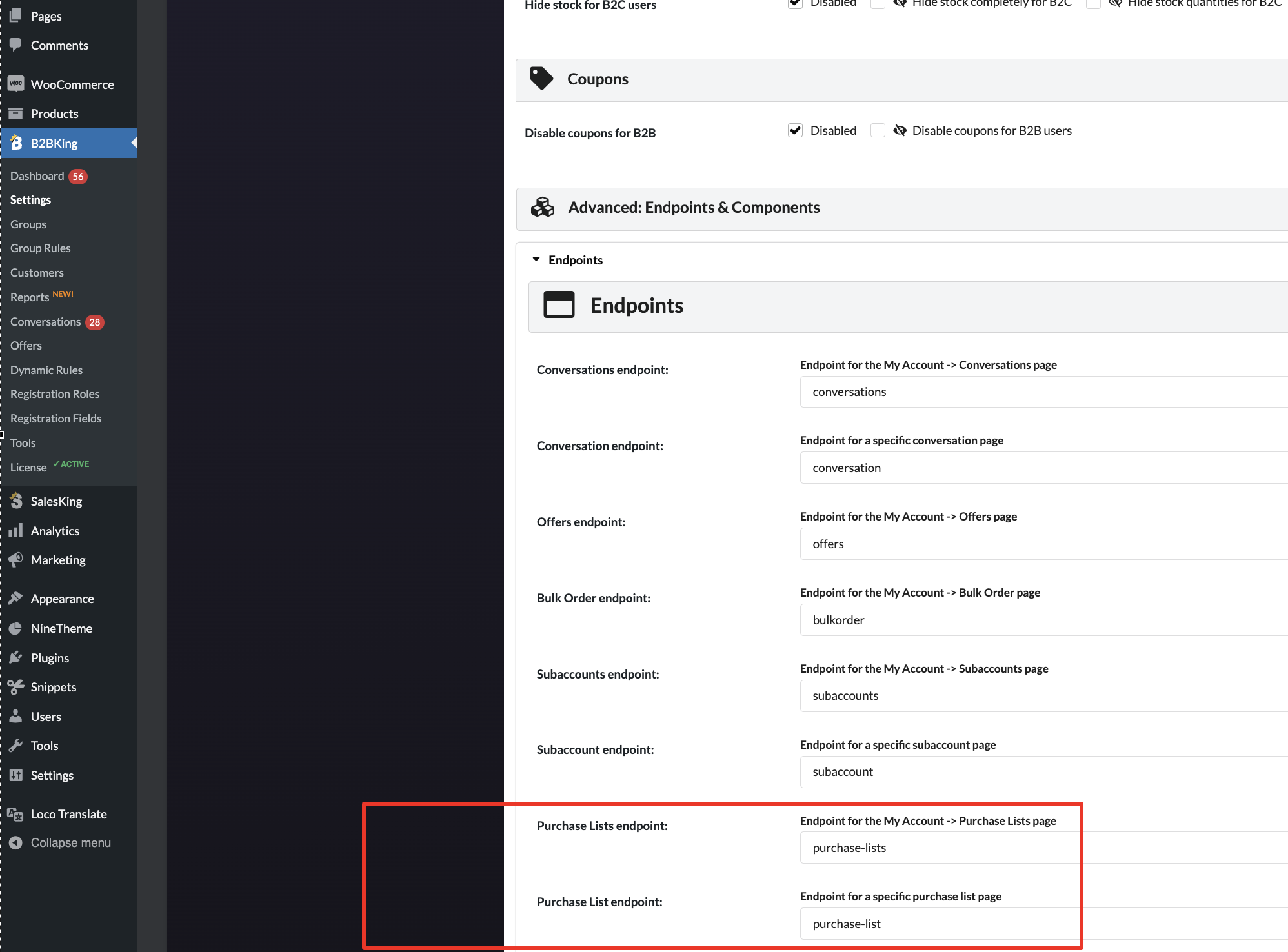
Could that help solve it here?
If not, I'm not quite sure what it could be. If you could share a backend login to the site or staging site with us, that would be great and we could troubleshoot this directly.
Kind regards,
Stefan
3 Tickets
2
Hello Stefan,
my bad. Thanks for asist. Now it is all working. Youre awesome.
I hope this will be my last question to you. Is it possilble to maka in purchase lists price format with my own style or automatically gets format from woo? Our currency format is 154 112 057,42
like return numericPrice.toFixed(2).replace(".", ",").replace(/\B(?=(\d{3})+(?!\d))/g, " ");
Thank you for your answer.
Best
Petr K.
2,762
Good to hear that worked : )
Regarding that price structure, it depends a bit on the "show accounting subtotals" setting in B2BKing -> Settings -> Bulk order: https://prnt.sc/r5OEczX3Zv-r
If this setting is enabled, it will use the WooCommerce price format function (wc_price()). If disabled, it just sets the prices using our plugin's own JS code.
I'm afraid I don't really have a way to set a custom format there. I'd suggest to try it though with both that setting enabled, and disabled, to see if any is better.